
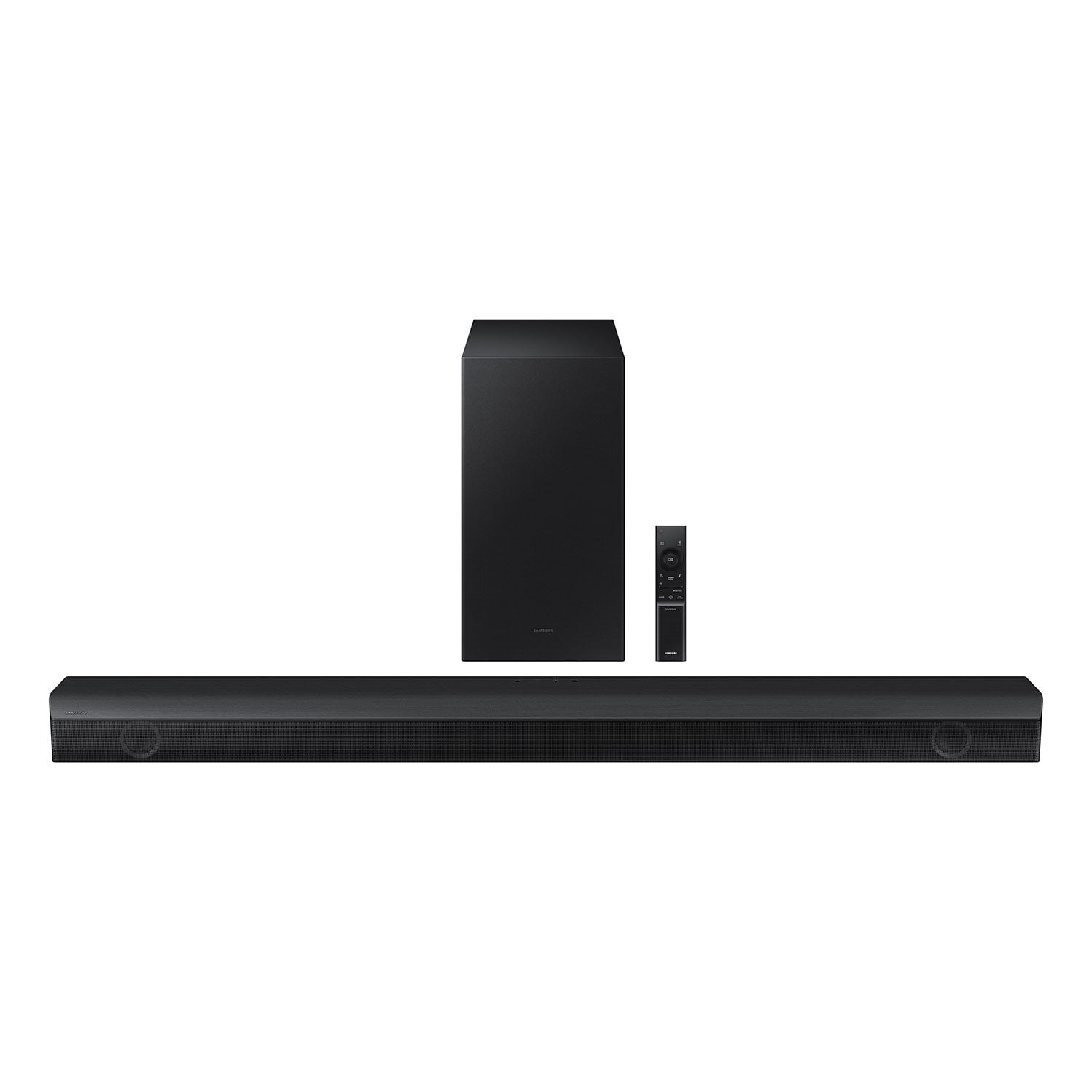
 Customer reviews for SAMSUNG 3.1 Channel Sound Bar w/ Wireless Subwoofer & Dolby Audio - HW-B63C for
Member photos





 +6 images
Verified Purchase
Good sound
The sound bar has good quality sound.
Verified Purchase
So so
Makes it hard to hear the words that are being said
Hi Daniel,Thank you for sharing your user experience with the HW-B63C Samsung Soundbar. We value your feedback regarding issues with difficulty with hearing the words being said.To improve your experience, try using Dynamic Range Control (DRC). DRC lets you apply dynamic range control to Dolby Digital tracks. With DRC turned on, loud sounds will be reduced.1) Turn off your Soundbar. 2) While the Soundbar is off, press and hold the Sound Mode button on the remote control for 6 seconds until you see “DRC ON” shown on the display.3) To turn off DRC, repeat steps 1 and 2 above.You can also try optimizing audio performance for your specific content by pressing the SOUND MODE button on your soundbar remote, and then selecting the desired sound effect by choosing STANDARD, SURROUND SOUND, DTS VIrtual:X, GAME, or ADAPTIVE.I hope these tips help you. You can always contact us for further help at 1-800-SAMSUNG (Ask for Soundbars), 8 AM – 12 AM EST, 7 days a week. Our LiveChat agents are also available by clicking on the ‘Support’ link on our website.~ Samsung Ambassador
Great Sound!
I bought this to complement the Samsung TV I bought and I'm happy I did.
Verified Purchase
Great sound easy set up
Easy to set up and works perfect with our Samsung TV, the controller for the TV linked right up.
Verified Purchase
Perfect for media room
Great sound quality for the price. Lots of bass
Does Not Work
It doesn't work. Had it for 1 month and it started disconnecting or just randomly not providing any sound output despite it saying it's connected and paired with our TV. I do not recommend it.
Wright,Thank you for taking a moment to review the Samsung HW-B63M Soundbar.Connecting your soundbar to a TV through HDMI will provide the best audio and user experience, often eliminating any connection or delay issues you may be experiencing. There are 2 ways to connect your soundbar with HDMI: you can connect a device to your soundbar (like a Blu-ray player) and then connect the soundbar to the TV, or you can use HDMI ARC. The first method will give you the best possible sound from external devices you regularly use. ARC is the way to go if you want great sound from streaming apps on your TV and a soundbar.If connected via Bluetooth to the TV and the soundbar is dropping out intermittently there are a few things to check before performing any troubleshooting: 1) The maximum wireless signal transmission distance is about 33 ft. 2) If there is a device that uses the same wireless frequency near the Soundbar, interference may cause some sound interruption. 4) Check all the sources on the soundbar. If the audio is dropping while watching TV it could be an issue with the broadcast.5) Also, please be sure you have the latest firmware update. You can update your firmware by using a USB device. You can find the update on the product page of your HW-B63C on the Samsung website.If you need more help, Samsung is here for you. Please call us at 1-800-SAMSUNG, 8AM - 12AM EST (Ask for Soundbars), 7 days a week. Our Live Chat agents are also available by clicking on the ‘Support’ link on our website.~ Samsung Solutions
Sadly Disappointed
after several attempts and assistance with tech support, cannot get subwoofer and sound bar to connect correctly. We have a samsung television and thought this would be a seamless setup. We are/were loyal to the brand... until now.
AJ7705,Thank you for taking a moment to review the HW-B63C Soundbar.When powered on for the first time, the subwoofer should automatically connect to the soundbar wirelessly. If the auto-connection process fails, you can try manually connecting the sub to the soundbar.Before performing the manual connection procedure, check whether the power cables for the Soundbar and subwoofer are connected properly and make sure that the Soundbar is turned off.Press and hold ID SET on the rear of the subwoofer for at least 5 seconds. The red indicator on the rear of the subwoofer turns off and the blue indicator blinks. Press and hold the Up button on the remote control for at least 5 seconds. The ID SET message appears on the display of the Soundbar for a moment, and then it disappears. The Soundbar will automatically power on when ID SET is complete. The LINK LED indicator stops blinking and glows a solid blue when a connection is established between the Soundbar and the Wireless Subwoofer.Updating the firmware on your soundbar gives you all the benefits of the latest improvements. When an update is available, you can update the Soundbar by connecting the USB drive that contains the update firmware to the SERVICE port of the Soundbar.1.Go to the Samsung Electronics website (www.samsung.com) → click on the “Support” option in the upper right corner. 2.Click on “Manuals & Software” from the pop-up list > TVs & Home Theater > Home Theater > Select your model2. Download the firmware file (USB type). 3. Unzip the file to create a folder with the file name. 4. Store the created folder in a USB and then connect it to the Soundbar. 5. A sequence of “UPDATE” > “BYE” > “ON” will appear on the display 3 times. This will take around 6 minutes. - During update, do not turn it off or remove the USB. - If “UPDATE” does not appear on the display window, remove the power cord from the Soundbar and then reconnect it. - When the latest Version is installed, no update is performed. - Depending on the USB type, update may not be supported.6. After the 3 cycles are complete, the Soundbar will restart and last source used will appear on the display for about 20 seconds and then it will go off (“UPDATE” > “BYE” > “ON”) 3 times “D.IN” > offIf you need more help, Samsung is here for you. Please call us at 1-800-SAMSUNG, 8AM - 12AM EST (Ask for Soundbars), 7 days a week. Our Live Chat agents are also available by clicking on the ‘Support’ link on our website.~ Samsung Solutions
Superb Sound bar
[This review was collected as part of a promotion.] This sound bar is better than my full 7.1 system is a great product and I'm a tech junkie. Pretty much all the Samsung purchases are money well spent. I'm not unhappy with any Samsung purchases I've made in the last 10 yrs. Keep up the good work Samsung!!!
HW B63C Samsung Sound Bar
[This review was collected as part of a promotion.] Using with new Samsung 65" Q70 TV. Set up was very easy. Moved the woofer around to different places to hear where it sounds most natural, was a little too boomy in corner. Got the SWA-9100S rear surround to go with it. All works together well. Have had only for a month and do like it.
Thank you for purchasing the Samsung HW-B63C and for your review. I am glad to hear that you are happy with the performance of your new soundbar. Here are some tips to help adjust your subwoofer and bass level. There are three adjustments that can be made for bass and subwoofer: 1) Using the WOOFER button on the remote, you can adjust the volume of the subwoofer between -6 to +6 by toggling the button up or down. To set the subwoofer volume level to 0, press the button down 2) Adjust the bass control by pressing the SOUND CONTROL button (gear icon) on the remote control, then select BASS to increase the level. You can adjust the volume between -6 to +6 by using the Up/Down buttons. 3) Press the SOUND MODE button on your remote, and then select BASS BOOST mode. This will provide you with a larger emphasis on bass sound. For precise audio adjustments, you can use the 7-band frequency equalizer to optimize the sound for your room acoustics. I hope this helps. For further assistance with features, settings, adjustments, or functions please contact Samsung Customer Support. Call us at 1-800-SAMSUNG (ask for Soundbars), available 8 AM – 12 AM EST, 7 days a week. LiveChat with an agent by clicking the ‘Support’ link on the Samsung website. ~Samsung Solutions
Flawless transitions
[This review was collected as part of a promotion.] I'm kinda new to the soundbar game and since I bought a new Samsung TV, I figured might as well get a Samsung soundbar to go with it. So real quick. Let me tell you about my last soundbar. In order to do anything, you had to switch to each mode. If you were watching tv, you had switch modes, If you're playing on a console it had to be in another mode, and if you wanted to play music yet another mode. So annoying. When I bought this soundbar that all changed it instantly connected to my tv and pretty much no manual mode stitching unless I want to. The flawless transition it switches off when the TV isn't on but when on it's the correct mode, when I turn on my console it switches to game mode automatically and when I'm done back to the previous mode. And to listen to music all I have to do is connect to the soundbar in my Bluetooth menu and boom ready to go. I am very happy with this purchase.