Skip to Main Content
Sams Club
Sams Club
Customer reviews for SAMSUNG 3.1 Channel Sound Bar w/ Wireless Subwoofer & Dolby Audio - HW-B63C for
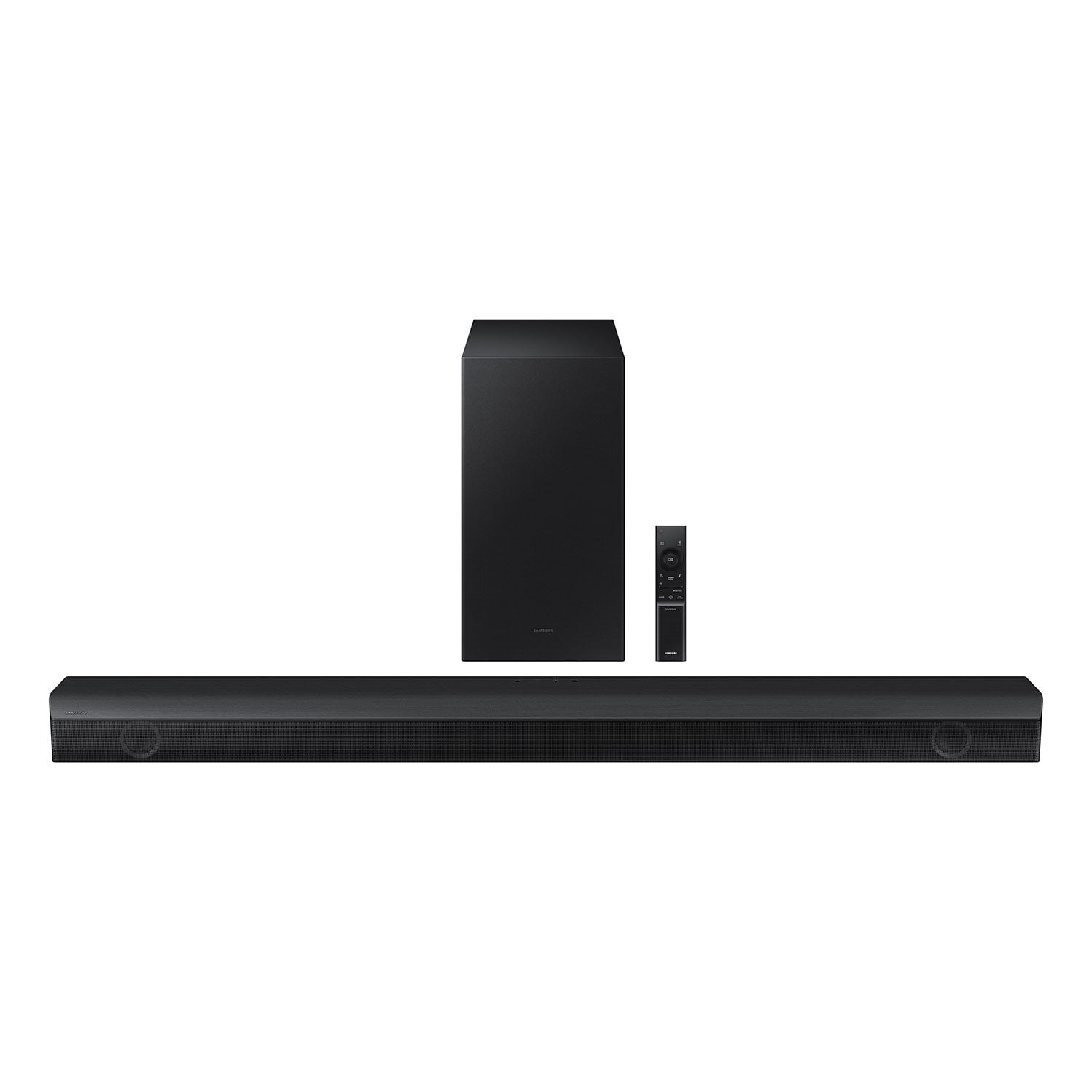
SAMSUNG 3.1 Channel Sound Bar w/ Wireless Subwoofer & Dolby Audio - HW-B63C
4.5 out of 5 stars
stars379 ratings236 reviews
  1. 5 stars75% (285)
  2. 4 stars10% (38)
  3. 3 stars6% (24)
  4. 2 stars3% (10)
  5. 1 star6% (22)

Member photos

  • +6 images
Sort by |
Showing 1-10 of 236 reviews
Oct 20, 2024
Dylan
5 out of 5 stars review

Verified Purchase

\⁠(⁠°⁠o⁠°⁠)⁠/

This thing is amazing! I clearly have been missing out on decent audio for decades! WOW, What a difference it makes. I am beyond satisfied with my purchase.

Review from walmart.com
Helpful?2JFD97QNNWIC13672614680
Mar 8, 2025
Tim
5 out of 5 stars review

Verified Purchase

I bought three Samsung soundbars and they all put out extra good base and still they have a way of making the sounds come from behind you in the proper setting have you looking around to see where it came from I would recommend Samsung soundbars to anyone

Review from walmart.com
Helpful?2JFD97QNNWIC13672614680
Sep 30, 2024
Getemdun
5 out of 5 stars review

Verified Purchase

Very pleasant sounding and well made

[This review was collected as part of a promotion.] Review for Samsung HW-B63C soundbar with subwoofer: The product arrived in good shape, kudos to good packing. The sound is the most impressive. Hooked up to the TV using HDMI cable with HDMI (ARC) ports on both ends. The TV remote (even though ours is a non-Samsung TV) also operates the volume and power on/off controls of the soundbar and you can see the volume levels on the soundbar display. The highs are very crisp and clean. The eq for the mids is designed just right; it is neither too loud, does not sound tinny or nasal, nor is it too weak that one would have a hard time hearing vocals. The lows coming off the subwoofer is set at just the right level, even with the sub volume left at the factory default setting of "0". Of course, one can also increase or decrease the sub volume separately using the soundbar remote. Overall, what I would gladly say is, this soundbar subwoofer combination is very very pleasant sounding, and well worth the money. Also, as I removed the soundbar from its packaging, I immediately felt it was much heavier than another brand soundbar that I tried earlier and returned for poor sound quality. This product I can feel is definitely well made. I am very glad I chose this over the umpteen other choices in the market.

Review from walmart.com
Helpful?2JFD97QNNWIC13672614680
Oct 8, 2024
Michelle
5 out of 5 stars review

Verified Purchase

Great sound

[This review was collected as part of a promotion.] It gives off excellent surround sound. Not recommended for a small apartment though as it shakes the floors and walls.....its that good...lol

Review from walmart.com
Helpful?2JFD97QNNWIC13672614680
Oct 12, 2022
Golden
5 out of 5 stars review

Verified Purchase

Smooth Samsung Family Connection

Im thoroughly happy wit my Samsung 3.1 purchase. Sharp base & easy wifi connection wit my Samsung TV & now movie theater sound in my home. I also connect my Samsung phone to hear my playlist 😜 yeah im a Samsung fan...

Helpful?2JFD97QNNWIC13672614680
Sep 7, 2024
evelyn
5 out of 5 stars review

Verified Purchase

Samsung 3.1 soundbar

[This review was collected as part of a promotion.] With its crystal clear and highly accurate sound, the Samsung sound bar transported me into the movie, surpassing my expectations and providing an unparalleled audio experience. Setting up this product with a hassle-free process, the instructions were clear and straightforward.

Review from walmart.com
Helpful?2JFD97QNNWIC13672614680
Dec 14, 2024
Robert
4 out of 5 stars review

Verified Purchase

Great value. Sounds great. The only reason I don't give it 5 stars is because the digital display is tiny and hard to read from any distance beyond 5 ft.

Review from walmart.com
Helpful?2JFD97QNNWIC13672614680
Jan 8, 2023
Blklwr
3 out of 5 stars review

Verified Purchase

Easy to connect, no instructions on settings.

Easy to connect, no instructions on settings. It would help if information was given about how to get the best sound or what the specific settings mean.

Helpful?2JFD97QNNWIC13672614680
reply from Samsung

Hello, Thank you for sharing your review regarding the HW-B63C Soundbar. I am sorry that there has been some confusion on how to properly use your soundbar. To assist you in the functions and settings of your new soundbar, you can download the full user manual directly from Samsung’s website by clicking “Support” in the top right corner. Then go to “Manuals & Software” > “TVs & Home Theater” > “Home Theater” > “Sound Bars”. From there, you can select the HW-B63C under B Series. If you need more help, Samsung is here for you. Please call us at 1-800-SAMSUNG, 8AM - 12AM EST (Ask for Soundbars), 7 days a week. Our LiveChat agents are also available by clicking on the ‘Support’ link on our website.~ Samsung Solutions

Jan 25, 2025
Steve
3 out of 5 stars review

Verified Purchase

Need help getting my soundbar and subwoofer connec

I couldn't get the subwoofer hooked up, I've tried everything to get it hooked up, but I can not seem to figure it out?

Review from walmart.com
Helpful?2JFD97QNNWIC13672614680
Jan 20, 2023
Curtis
2 out of 5 stars review

Verified Purchase

There are far better sound bars out there.

Remote isn't work a crap. Hard to get it to turn on. Buttons on speakers don't work well either. It is not a seamless experience.

Helpful?2JFD97QNNWIC13672614680
reply from Samsung

Hello Curtis,Thank you for sharing your thoughts regarding the HW-B63C Soundbar. I am sorry that your initial time with the soundbar was not a seamless experience.Please know that many of the buttons on your remote have multiple functions. For example, the Volume button is moved UP/DOWN to adjust volume, and to MUTE the sound, you need to PRESS it in. Pressing it a second time will unmute. This is the same for your bass levels using the WOOFER button. If you are using a HDMI connection for your soundbar to TV, then you may need to enable HDMI-CEC (Anynet+ on Samsung TVs). Press the Home button your remote, and then navigate to and select Settings > General. Select External Device Manager, and then select Anynet+ (HDMI-CEC) to turn it on. After enabling this feature, you will also be able to control the soundbar using your TV remote. If you are still experiencing issues regarding your soundbar, please know that Samsung Customer Service is here for you and happy to help. Call us at 1-800-SAMSUNG (ask for Soundbars), available 8 AM – 12 AM EST, 7 days a week.LiveChat with an agent by clicking the ‘Support’ link on the Samsung website.~Samsung Solutions