Skip to Main Content
Sam's Club
Sam's Club
All Departments
All Services
Customer reviews for ASUS ROG Ally 7" Gaming Handheld Console for
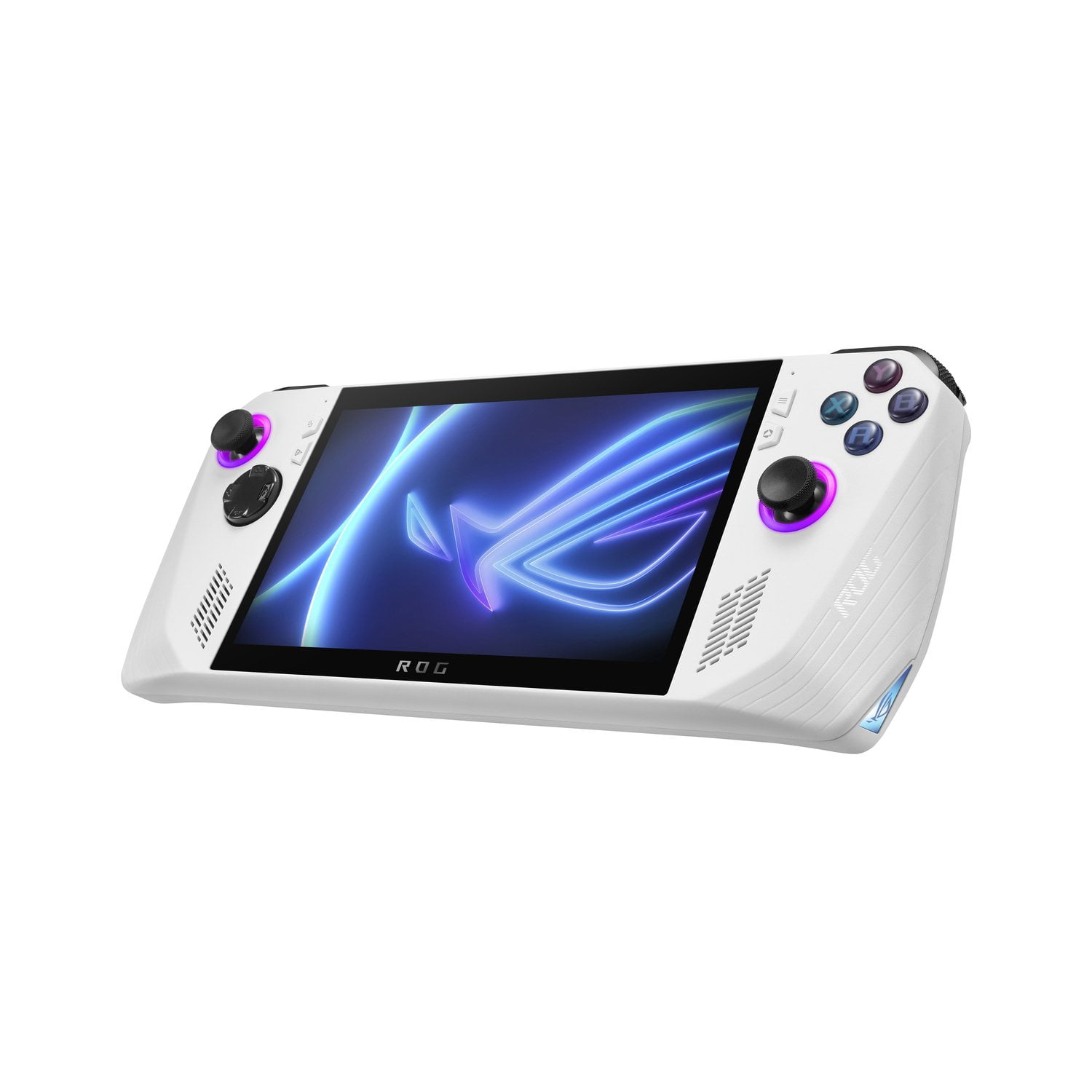
ASUS ROG Ally 7" Gaming Handheld Console
4.1 out of 5 stars
stars
373 ratings358 reviews
  1. 5 stars60% (223)
  2. 4 stars18% (68)
  3. 3 stars8% (28)
  4. 2 stars5% (20)
  5. 1 star9% (34)

Member photos

Sort by |
Showing 91-100 of 358 reviews
Sep 21, 2025
Anonymous
5 out of 5 stars
5 out of 5 stars review

Verified Purchase

Great gaming handheld

Great product, I love how many different gaming platforms are available for use

Review from https://www.asus.com
Helpful?3W50U2KFR8YR13630557682
Sep 13, 2025
Anonymous
5 out of 5 stars
5 out of 5 stars review

Verified Purchase

Very convenient device to have

This device is perfect. I wouldnt hesitate to buy it.

Review from https://www.asus.com
Helpful?3W50U2KFR8YR13630557682
Oct 17, 2025
Jlan420
3 out of 5 stars
3 out of 5 stars review

Verified Purchase

Honest review

Its slow compared to my phone and small same size as my phone as well hard to see

Review from https://www.asus.com
Helpful?3W50U2KFR8YR13630557682
reply from CLM

Dear Jlan, Thank you for your feedback. We do understand your disappointment and the inconvenience this may have caused. If you are experiencing performance or stability issue with this device, check if Windows, drivers, BIOS and games are up to date. Updates for the ROG Ally are posted at: https://rog.asus.com/us/gaming-handhelds/rog-ally/rog-ally-2023/helpdesk_download/. Additionally, check if you are running the most current Armoury Crate utility software. The most current version is available for download at: https://www.asus.com/supportonly/armoury%20crate/helpdesk_download/. While accessing cloud games or web applications, ensure the device has access to an established router and internet service is working properly since poor and unstable internet connection will affect system stability and performance. Keeping the device always updated will maintain optimum system stability and performance. If these steps were performed to no avail, please try to run a diagnostics or optimization test using the "MyASUS" utility software or application. If this is not pre-installed on the laptop, please download the application at the Microsoft Store. For details on how to use "My ASUS", please go to: https://www.asus.com/support/FAQ/1041686/. If you need further assistance, please email me at cl-rodel@asus.com and I would be happy to help. Or you are most welcome to call Product Support Hotline at: 1(888) 678-3688. Also, you can chat with an ASUS live support agent from the link: https://www.asus.com/us/support/article/1135/. Thank you for choosing an ASUS product. Regards, Rodel ASUS Customer Loyalty

Oct 1, 2025
Jess2025
3 out of 5 stars
3 out of 5 stars review

Verified Purchase

Not In Love

Truly not that impressed with the device. I expected..more? Better?

Review from https://www.asus.com
Helpful?3W50U2KFR8YR13630557682
reply from CLM

Dear Jess2025, Thank you for your comment. We do understand your disappointment with this ROG Ally and the inconvenience this may have caused if it didn't meet your expectations. This is the first Hybrid handheld gaming device that offers a powerful Windows 11 experience with access to a vast PC game library from various platforms like Steam and Xbox Game Pass, a gorgeous high-resolution display, robust performance capable of running demanding AAA games, a comfortable design with features like Dolby Atmos for immersive audio, and user-friendly software like the Command Center for easy customization. Please allow some time to get use to it. For helpful tips on how to use the ROG Ally, please visit: https://rog.asus.com/articles/guides/15-tips--shortcuts-to-set-up-and-optimize-your-rog-ally/. Should you need further assistance with the product, please email me at cl-rodel@asus.com and I would be more than happy to help. Or, you are most welcome to call Product Support Hotline at: 1(888) 678-3688. Also, you can chat with an ASUS live support agent from the link: https://www.asus.com/us/support/article/1135/. Thank you for choosing an ASUS product. Regards, RodelASUS Customer Loyalty

Sep 14, 2025
GreggC
5 out of 5 stars
5 out of 5 stars review

Verified Purchase

Awesome Machine, 2 yrs Out .

Excellent machine, I can't wait to start upgrading it.

Review from https://www.asus.com
Helpful?3W50U2KFR8YR13630557682
Sep 21, 2025
Zaycergaming
4 out of 5 stars
4 out of 5 stars review

Verified Purchase

Pretty good

Runs all of my games pretty good even the ones it says it can run

Review from https://www.asus.com
Helpful?3W50U2KFR8YR13630557682
Nov 10, 2025
Reddkist420
4 out of 5 stars
4 out of 5 stars review

Verified Purchase

Amazing!

Only real issue is the battery life. If there was an easy battery upgrade I could do myself then 5*

Review from https://www.asus.com
Helpful?3W50U2KFR8YR13630557682
Oct 13, 2025
RIDGELIFE
5 out of 5 stars
5 out of 5 stars review

Verified Purchase

Playing gta 4

LOVEING it so far best portable i had since psp thx

Review from https://www.asus.com
Helpful?3W50U2KFR8YR13630557682
Dec 11, 2025
VeBjorn
5 out of 5 stars
5 out of 5 stars review

Verified Purchase

Love this thing

Great for on the go gaming I play Fortnite and red dead. Two story mode and online works perfectly.

Review from https://www.asus.com
Helpful?3W50U2KFR8YR13630557682
Mar 28, 2025
Baku
4 out of 5 stars
4 out of 5 stars review

It took care of most of my needs.

The Asus RoG Ally fit my needs. I purchased this item to bring when travel for work. I can work using the Windows 11 OS and still play games while on the go. The many available options as far as gaming platforms is great. The 90 minute average battery life is the only downfall I've encountered so far, so keep the charger close by. Still trying to figure out how to pair a 3rd party controller to the device so i can dock it to a larger screen and sit away.

Helpful?3W50U2KFR8YR13630557682