
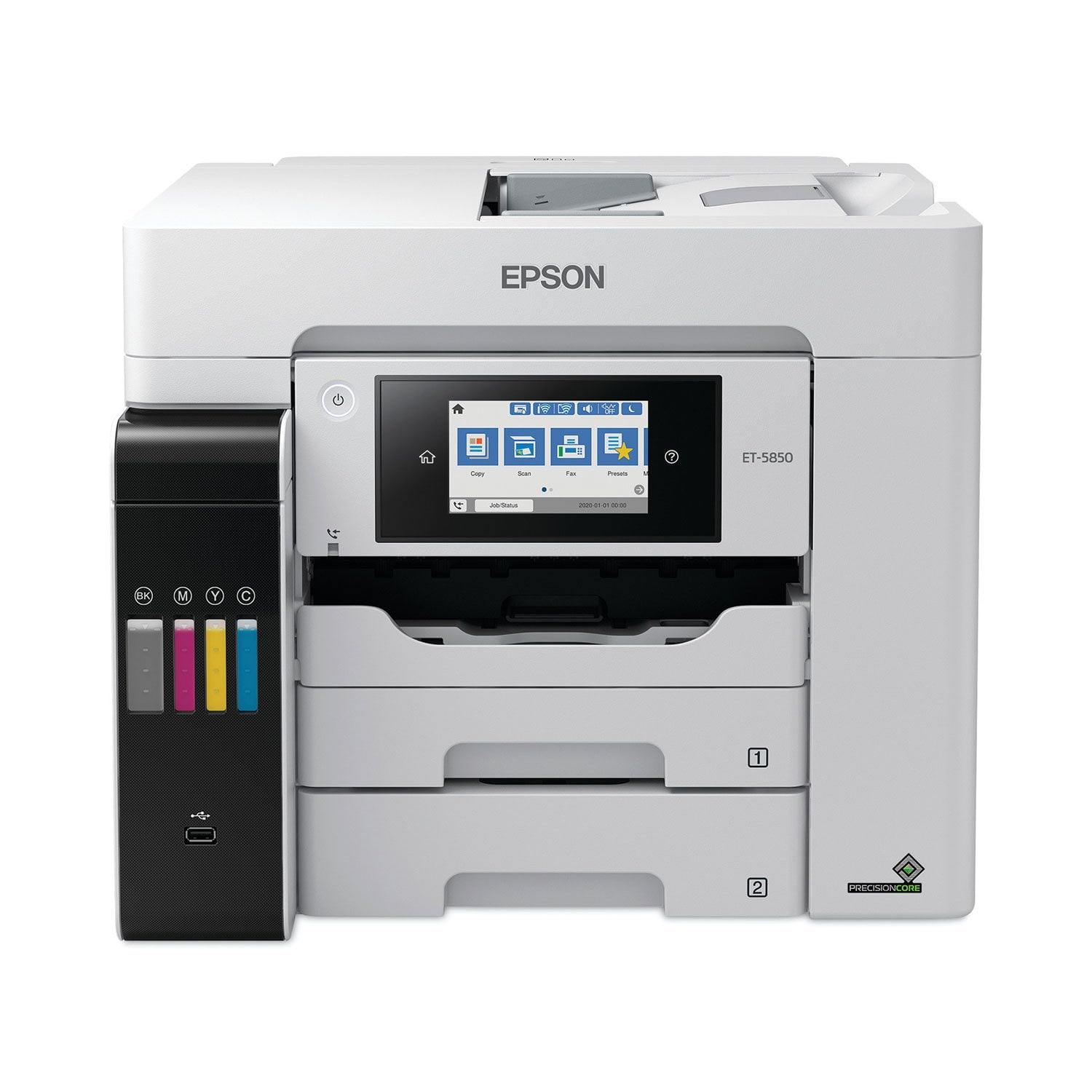
 Customer reviews for Epson EcoTank Pro ET-5850 Supertank All-in-One Inkjet Printer, EPSC11CJ29201C for
Great feature's
IT works great and it was amazing quality! I loved how fast it was and I had no problems with it.I connected easy with my computer. (chrome)
All Around Awesomeness
I was not sure what to expect when I received this printer but,I am overly satisfied .Set up takes about 45 minutes the 1st time and then for each computer/laptop you want to pair it with you can add another 10 minutes each.The 1st laptop I connected to requires you to download Epsons driver and utilities software.Everything you need to use this printer to full effect is included in the bundle.While I was downloading the software I turned on the printer and following the simple touchscreen instructions was easily able to get the printer connected to my network and start printing.Perhaps the slowest part of the process is filling the ink tanks and then charging them.Expect about 9 minutes to complete the charging process.After that you can explore the abilities of this machine . Download the iPrint Epson app from google play and it is also simple to pair with the machine to allow you to send commands to the printer from anywhere.This printer is fast and quiet compared to my other printers .The fact that I can get 6000+ pages out of a full ink charge is fantastic.I was so tired of constantly buying cartridges for my other printer.The touchscreen is very user friendly and intuitive.You can use standard or 11x14 paper and the trays hold 500 sheets !Very easy to get this thing going ,even for an old 58 year old caveman like me.“This is a review for the Epson EcoTank Pro ET-5850 Supertank Printer that I received free of charge to do a beta test and review.”
Great Printer
UNBOXING: The EcoTank Pro ET-5850 unboxing experience was super easy – a couple of blue tape tabs to remove from the printer (nothing unusual), plug it in, and hit the power button. The touchscreen on the front makes it easy to walk through the digital setup steps, including setting up the network connection, which I almost always have problems with – but not here! PRINTER: I’m impressed with the screen on this thing, it’s like using my iPhone, high quality, large, and touches register easily. Filling the printer up with ink is easy – the bottles are keyed for each color type, and have a safeguard to prevent overfilling. It’d be difficult to mess this up too badly. The no-drip technology is truly no-drip, and I’ve had no problems with messiness or anything like that with this printer. The printer definitely needs a dedicated home for being setup on – it won’t live on a shelf fir periodic usage. PRINTING: This printer is definitely meant for heavy users – it’s a big device, and can print many pages before needing a refill on the ink. The printer does a stellar job with printing photos on photopaper, but is more than capable of easy black and white printing. SCANNING / COPYING This thing has a great auto document feeder. It was easily able to scan large stacks of documents and then share it to my computer. Combined with the printing ability, this printer is a beast for copying too. This is a review for the Epson EcoTank Pro ET-5850 Supertank Printer that I received free of charge to do a beta test and review
Connection/Printer head issues
This printer has been giving us nothing but issues since we bought it for our home office. Constant connection issues. Printer gets clogged often or something because it always looks faded no matter what I do. I bought this printer because it looked like it has good reviews but maybe people who have issues such as I just want to just toss this crappy printer out the window and not ever look back again. I'm going to have to cut my losses and move to a different brand.
Amazing!!
Wow! This printer is so easy to set up! The instructions were very clear with step by step pictures and directions. It took me about an hour to go from set up to printing my first page. The disc included, to download the software to my laptop was simple to download. Everything I needed to connect the wireless function was set up and written very clearly. The printer’s touchscreen was super easy to follow, and I was up and running with little effort. I was a little worried about the dripless ink and filling the tanks, however, I was worried for nothing! Every single drop of ink went straight from the bottle to the printer tank. Amazing! I also found that I am able to now print from my computer or my phone! Many times I had to email myself a document to print from my computer. Being able to print from my phone is a huge time saver! The printer is quick and quiet compared to all the other printers I’ve ever owned. Being able to print 6000-7500 pages without changing ink is perfect for my monthly printing budget. I am thrilled to be printer cartridge free! The touchscreen is very user friendly and intuitive. With my different sized printing needs, it’s perfect for the variety of paper sizes I need. “This is a review for the Epson EcoTank Pro ET-5850 Supertank Printer that I received free of charge to do a beta test and review.”
A real workhorse
EcoTank Pro ET-5850 is quite a large printer for a desk top, and rather heavy. You may need help unboxing it and setting it up. But once it’s there, the setup is very easy. It comes with complete instructions and pictures showing where all the blue safety tape is so it is easy to find and remove. The instructions provided on the touch screen are clear and easy to follow. In lieu of the usual cartridges, the EcoTank Pro ET-5850 comes with a re-fillable tank and two sets of four color inks. Once the easy fill tanks are ready, it is a little disconcerting to watch the levels drop as the printer is charged, though the instructions say that this is normal and the initial charge should last at least a year, if not more in normal usage. With its three paper sources, two in front and one in back (on top) you are set up for a variety of printing jobs, though to use the various trays you have to manually select the one you want or it automatically opts for the upper front drawer. While the EcoTank Pro ET-5850 has all the usual all-in-one features and can print, copy, scan and fax, what makes this printer unique is that it has an individual email address so that you can print remotely from just about anywhere. I was also very impressed by the printing speed and the fine quality of the product. Even scanned photos came out looking very professional. This is a review for the Epson EcoTank Pro ET-5850 Supertank Printer that I received free of charge to do a beta test and review.
Fast and easy to use
I'm really impressed with Epson-EcoTank Printer! It's the best printer that I have ever used. I love the speed, print quality and ease of use. The set-up was very simple and fast. The included instructions walked me through each step perfectly. I have never used a refillable ink printer and really like how simple the compartments were to fill. There was no mess and the bottles stop filling when the tank has reached the max amount. I think the longest part of the whole process of setting the printer was waiting for the ink to charge. It was great. They also give you two bottles of each color ink to fully fill up each reservoir with some spare ink left over for future use. I like how you can see the amount of ink that is left from the outside of the printer and how the number used for ordering is located right by where you fill the ink for easy reordering. Printing is fast and easy. I downloaded the Epson iPrint on my phone and have printed out several items and I have had no issues. I appreciate the simplicity of being able to print directly from my phone. My previous wireless printer would sometimes give me problems. I would have to take the extra time to print from my desktop. My children have also printed several items from their Chromebook for school and they love how easy it is. They also love how the tray slides out automatically when the printer starts printing. I like the two-sided printing. It creates less waste and is more efficient. I'm happy how quickly items print. It's very fast even on color detailed pictures. The print quality is amazing. I am definitely going to be printing out my pictures from home from now on. I really like the 4.3" touchscreen. It's very responsive to touch and there several settings and maintenance option that can be accessed from the screen.You can also see the Job status including completed tasks with time and dates. There are a ton of options and things that can be done just from the printer touchscreen. I think what I'm most excited about is the refillable ink! It's so annoying when one color from a cartridge is out and the whole set needs to be replaced. It gets very expensive over time and it seems very wasteful. The bottles to fill the tanks for this printer are very reasonably priced and last a long time. “This is a review for the Epson EcoTank Pro ET-5850 Supertank Printer that I received free of charge to do a beta test and review.”
Everything you need!
The Epson EcoTank Pro ET-5850 is a work horse! The setup was delightfully easy. In the box you'll find the "start here" pamphlet in both English and French, warranty info, a software disc, 2 bottles of each color ink (black, magenta, cyan, and yellow), the power cord, and of course the printer. Following the setup guide was very easy and I found it to be painless. In total, it took about 20 minutes to get it up and running. The printer will hold almost all the ink that's included and adding the bottles was simple and mess free. I do not have a disc drive on my laptop, so I downloaded the software from the link provided in the setup guide. The printer has 3 different areas to print from. Cassettes 1 and 2 that are in the front and another spot on the back/top. The printer can be set up to specifically print different paper sizes and types for each area to print from. Cassette 2 is for standard letter 8.5 x 11 inch plain white paper but other standard sizes work there too. You'll see more options for cassette 1. I did find that if your print settings on your phone or computer do not match what you have set on the printer for size and paper type, the printer will give you an error. I found it to be a little tricky when trying to print different paper sizes. Trial and error got me through and I was able to print what I wanted. Making copies and scanning are very simple. There is a tray on the top of the printer and you put the pages you want copied facing up and press copy on the machine. There you will find all the settings to change it from black and white to color, paper settings, if you want it 2-sided, and many other settings. For scanning to print, you put your document on the scanner and press "copy". You can also scan and send to your email, cloud, a memory device, WSD, computer, or Network folder/FTP. The software came with a program to upload your documents to your computer and I will absolutely be using that feature to upload client contracts. This printer is extremely user friendly and would be great for anyone that has a lot of printing or copying to do. It holds a lot of paper and prints very fast! It has fax but I was unable to test that feature. The ink tanks make these printers the best in my opinion. I will never go back to ink cartridges again! I would definitely recommend this printer to anyone in need of an all-in-one printer! This is a review for the Epson EcoTank Pro ET-5850 Supertank Printer that I received free of charge to do a beta test and review.
Unusable
Bought this as a home office printer. Both ADF and tray paper feeder constantly (I'd say 90% of the time when printing or scanning more than 3 pages) grab too many pages. This effectively makes the ADF useless for document scanning, as it regularly misses pages and jams frequently. Complete deal breaker. Scan to cloud also not working. Very disappointed, as there are many great features to this printer, like the supertank, Bluetooth connection, scan quality, etc.
Perfect for small business that print a lot
I have been a long Epson user both home and work. I've have a Workforce 845 at home, a small inkjet at work and an Epson 9890 wide format at work. This ET-5850 will replace the small unit I have at work. Wanted a dual tray MFP and was intrigued by the EcoTank. The one reason I switched to Epson printers many years ago was the fact that you could replace individual inks when one ran out, not the whole cartridge. EcoTank looks to be a step beyond individual cartridges. Unpacking the unit, careful it is heavy, was straightforward. Setting up the unit for the first time was easy and quick. The power cord is long and has the "mickey mouse" plug at the printer instead of the typical IEC end. Not a big deal. Power-up then asks you to fill the tanks. The touch screen is nice and bright, adjustable angle and responsive. It walks you through the whole process. Once all tanks are filled (it comes with 2 bottles of each color) it starts to prime the unit. You can see the level of each ink on the outside front of the unit. First fill gets it almost to the top line. Then it starts to prime, once done it goes down quite a bit, but I know there is a full bottle in there. The prime process takes about 9 min, during that time I downloaded all the software on my PC. Mostly updates to the programs I already use. Once unit is done priming, I setup the wireless portion. Quick and easy. Found both 2.4 and 5ghz SSIDs in the house and connected and found a firmware update. Once the software was up and found the printer, it also found the firmware and I pushed it from the computer. Took some time to reboot, but painless. Now the test print. Windows found the printer and sent the test page. Started immediately. To my surprise the output tray gets pushed out to catch the prints automatically! Cool feature. Print was very fine text and bright color, even on plain paper. I had just plain LTR paper loaded into tray one. Nothing in tray 2. I then puled out my Android phone and printed a PDF I had on there. Epson iPrint was able to find the printer and printed easily, just like I expected. With the current quarantine from covid19 I wont have this in the office for a few weeks, but using it at home till I can get there. So far scanning and printing have gone as expected. I feel like this is an excellent example of Epson printer tech that will continue to work for a long time. I think the EcoTank will keep the costs down in the long run as compared to individual cartridges. “This is a review for the Epson EcoTank Pro ET-5850 Supertank Printer that I received free of charge to do a beta test and review.”