Skip to Main Content
Sams Club
Sams Club
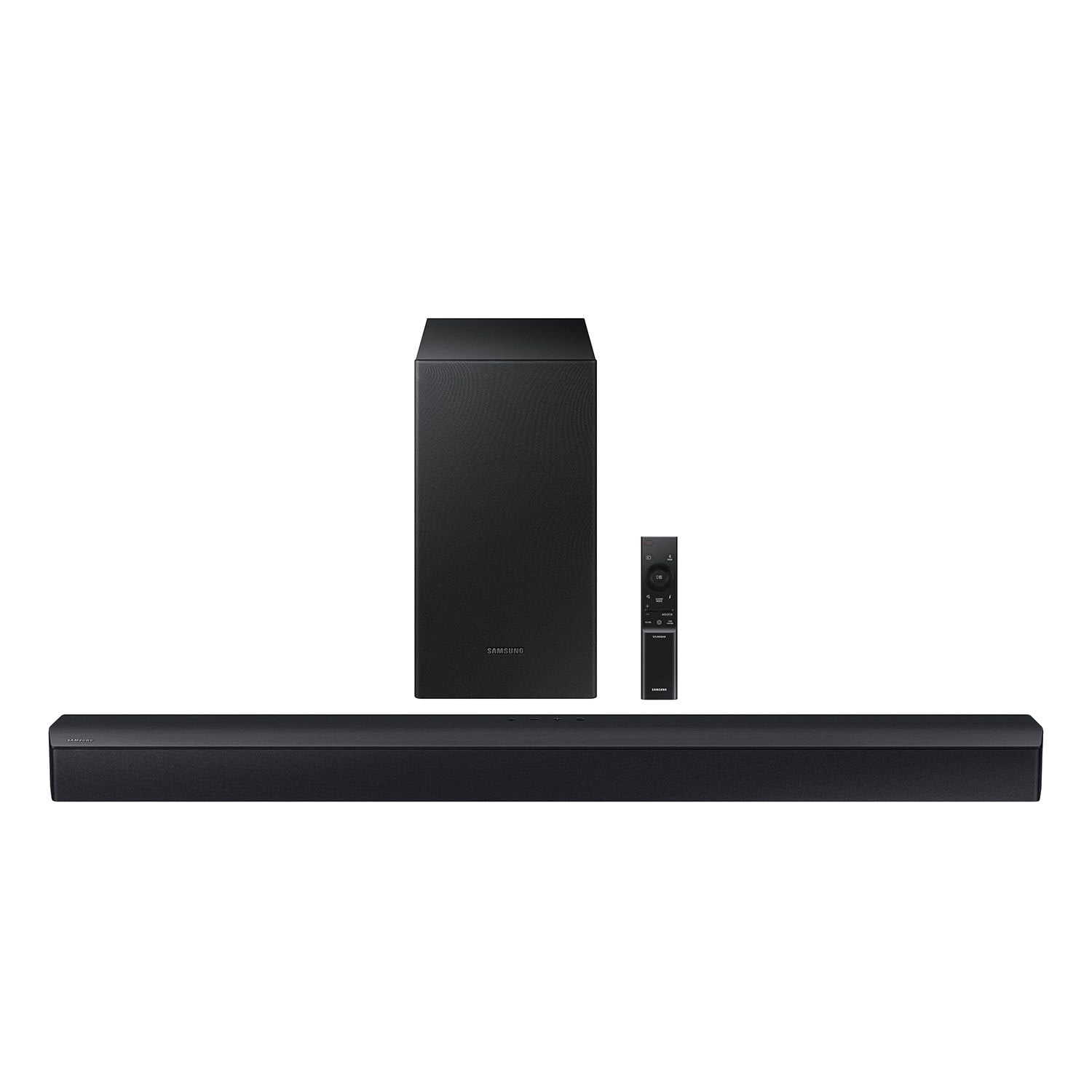
Customer reviews for SAMSUNG C-Series 2.1 Channel Soundbar with Wireless Subwoofer for
SAMSUNG C-Series 2.1 Channel Soundbar with Wireless Subwoofer
4.5 out of 5 stars
stars338 ratings161 reviews
  1. 5 stars73% (248)
  2. 4 stars13% (45)
  3. 3 stars7% (23)
  4. 2 stars2% (8)
  5. 1 star4% (14)

Member photos

Sort by |
Showing 61-70 of 161 reviews
Aug 9, 2024
Reggie
4 out of 5 stars review

Verified Purchase

Samsung sound bar

Great sound and easy-to-use.

Helpful?0YMSK3FOJH4D13623460493
Jun 23, 2024
B Blas
5 out of 5 stars review

Verified Purchase

Un excelente equipo de sonido con un bajo de cine.

Excelente calidad y una alta definición en sonido

Helpful?0YMSK3FOJH4D13623460493
Sep 9, 2024
Mike
5 out of 5 stars review

Verified Purchase

Outstanding for the money

Bought this on sale very nice unit for the price

Helpful?0YMSK3FOJH4D13623460493
Aug 17, 2024
Sudip Ghosh
3 out of 5 stars review

Verified Purchase

Audio System Review

It's good, but sound quality would have been improved in many ways.

Helpful?0YMSK3FOJH4D13623460493
reply from Samsung

Hi Sudip Ghosh,We appreciate you taking a moment to review the HW-C43C Soundbar.If you would like louder (or softer) bass from your subwoofer, you can adjust the level by rocking the WOOFER button on the soundbar remote, and then adjusting the level from -6 to +6. To set the subwoofer volume level to 0, press the button in.You can adjust the Treble and Bass by pressing the TONE CONTROL button then use the UP/DOWN buttons to change the levels between -6 to +6.For precise audio adjustments, you can use the 7-band frequency equalizer to optimize the sound for your room acoustics by pressing and holding the SOUND CONTROL button for about 5 seconds, make sure you also set the SOUND MODE to STANDARD.If you need further assistance, please know Samsung Customer Support is here to help. Just give us a call at 1-800-SAMSUNG (Ask for Soundbars), 8AM - 12AM EST, 7 days a week. Our Live Chat agents are also available by clicking on the ā€˜Support’ link on our website.~ Samsung Solutions

Aug 12, 2024
Dave Schriber
5 out of 5 stars review

Verified Purchase

Easy to set up and works great.

Works great with my Samsung TV.

Helpful?0YMSK3FOJH4D13623460493
Oct 19, 2024
Juan Carlos
4 out of 5 stars review

Verified Purchase

Excelente

Excelente

Helpful?0YMSK3FOJH4D13623460493
Oct 24, 2024
K H Stuart
5 out of 5 stars review

Verified Purchase

Perfect for the small living area in my daughters

Apartment Dweller

Helpful?0YMSK3FOJH4D13623460493
Jan 25, 2024
Cynt
5 out of 5 stars review

Verified Purchase

Samsung Soundbar

My hubby loves the sound quality. Works and sounds great!!

Helpful?0YMSK3FOJH4D13623460493
Nov 7, 2024
wcmarcos
3 out of 5 stars review

Poor performance

I purchased this system to work with a projector TV and thought I could use it for regular flat screen home theater. Despite max volume there is barely any sound coming out of these things. It didn't seem that powerful, subwoofer underpowered, and no HDMI ports. Spend a little more and get a better product.

Helpful?0YMSK3FOJH4D13623460493
reply from Samsung

Hello wcmarcos,I'm sorry to hear you are dissatisfied with the performance of the HW-C443C Soundbar.First, please check that you have positioned the soundbar correctly. It has come to our attention that customers may be positioning the soundbar incorrectly, resulting in poor sound quality. The soundbar should be placed with the SAMSUNG logo facing up towards the ceiling. If you position the soundbar with the logo facing up, you will see the display/status panel and the speakers will be facing outward. (Refer to product photos on Samsung.com and zoom in on the photos) If you have incorrectly placed the soundbar with the SAMSUNG logo perpendicular to the floor (facing you when you sit), you will experience muffled or low-quality sound.By pressing the TONE CONTROL button, you can adjust the volume of the treble or bass sound between -6~+6 by using the Up/Down buttons. Additionally, using the WOOFER button on the remote, you can adjust the subwoofer’s volume between -6 to +6 by toggling the button up or down. To set the subwoofer volume level to 0, press the button down. When you press the CH LEVEL button, you can adjust the volume of the VIRTUAL CENTER LEVEL. This will allow you to adjust the overall dialogue between -6 to +6 using the UP/DOWN button on the provided Soundbar remote. When you press the CH LEVEL button when the Wireless Rear Speaker Kit connected to the Soundbar, you can adjust the rear speakers between -6 to +6 using the UP/DOWN buttons. Press and hold the SOUND CONTROL button for about 5 seconds to adjust the sound for each frequency band. 150Hz, 300Hz, 600Hz, 1.2kHz, 2.5kHz, 5kHz, and 10kHz are selectable using the Left/Right buttons and each can be adjusted to a setting between -6 to +6 using the Up/Down buttons. (Make sure the Sound mode is set to ā€œSTANDARDā€. If we can help with anything else, please call us at 1-800-SAMSUNG (Ask for Soundbars), 8 AM – 12 AM EST, 7 days a week. LiveChat with an agent as well as manuals, software, and warranty info can be found at the ā€˜Support’ link on our Samsung website. ~ Samsung Solutions

Mar 15, 2024
HECTOR
5 out of 5 stars review

Verified Purchase

Excellent choice

Better than I though. I purchase this product to be installed in my bedroom and its much better than I thoug. The installation is super easy and really compact. I will buy another one from Samsung for the living Room.

Helpful?0YMSK3FOJH4D13623460493