Skip to Main Content
Sams Club
Sams Club
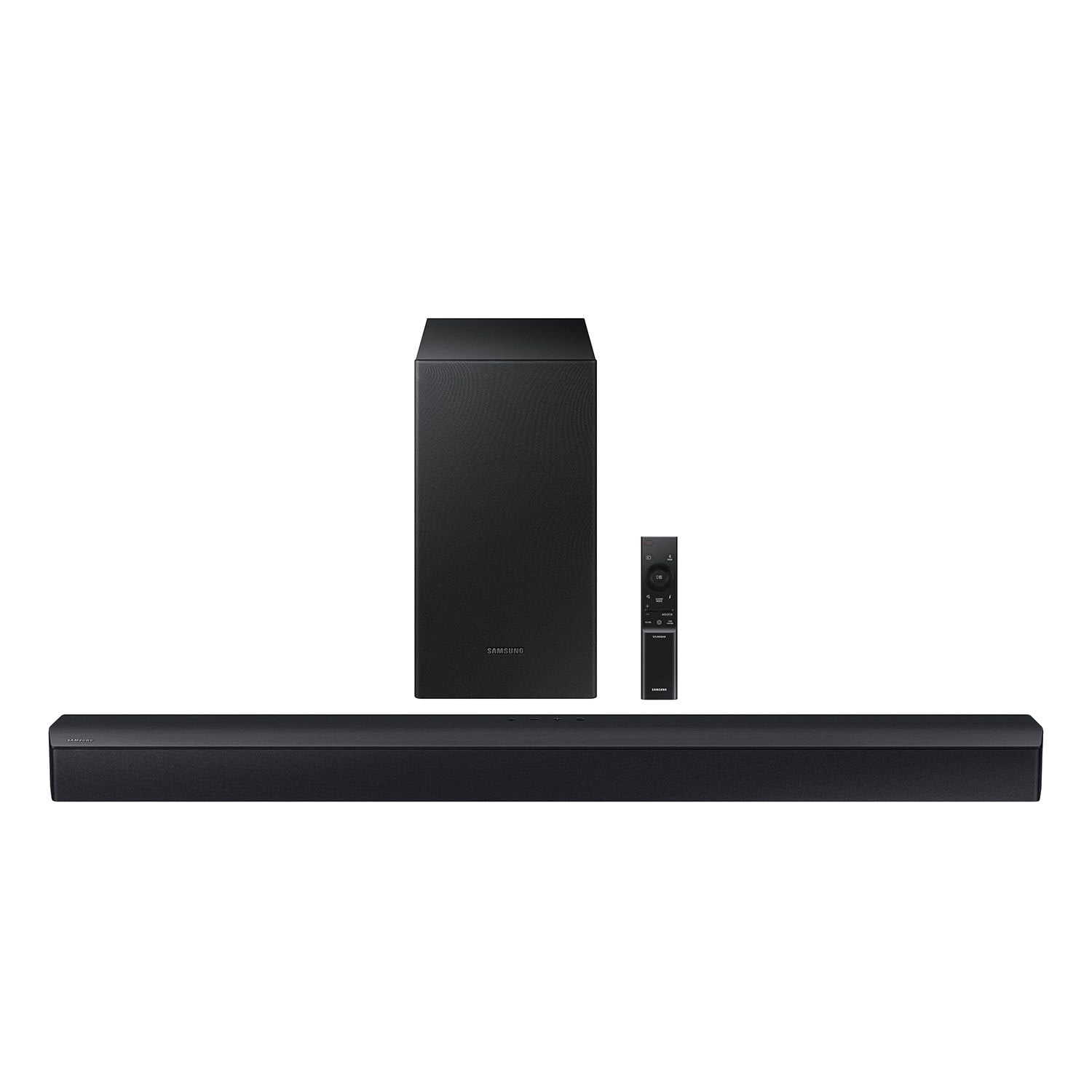
Customer reviews for SAMSUNG C-Series 2.1 Channel Soundbar with Wireless Subwoofer for
SAMSUNG C-Series 2.1 Channel Soundbar with Wireless Subwoofer
4.5 out of 5 stars
stars338 ratings161 reviews
  1. 5 stars73% (248)
  2. 4 stars13% (45)
  3. 3 stars7% (23)
  4. 2 stars2% (8)
  5. 1 star4% (14)

Member photos

Sort by |
Showing 51-60 of 161 reviews
Nov 20, 2024
David
4 out of 5 stars review

Verified Purchase

Good value.

[This review was collected as part of a promotion.] The instructions in the manual are worthless. The soundbar sounds great.

Review from walmart.com
Helpful?0YMSK3FOJH4D13623460493
Feb 14, 2024
Anonymous
5 out of 5 stars review

Verified Purchase

Samsung 2.1 sound bar

This sound bar has a great sound and works seamlessly with our Samsung TV. Excellent price from Sam's Club.

Helpful?0YMSK3FOJH4D13623460493
Feb 9, 2025
GrammyR
3 out of 5 stars review

Verified Purchase

Did not work as well as we thought

Sound is a bit muffled.

Helpful?0YMSK3FOJH4D13623460493
reply from Samsung

Hello GrammyR,We appreciate you taking a moment to review the Samsung HW-C43C Soundbar.If you would like louder (or softer) bass from your subwoofer, you can adjust the level by rocking the WOOFER button on the soundbar remote, and then adjusting the level from -6 to +6. To set the subwoofer volume level to 0, press the button in.You can adjust the Treble and Bass by pressing the TONE CONTROL button then use the UP/DOWN buttons to change the levels between -6 to +6.For precise audio adjustments, you can use the 7-band frequency equalizer to optimize the sound for your room acoustics by pressing and holding the SOUND CONTROL button for about 5 seconds, make sure you also set the SOUND MODE to STANDARD.If we can help with anything else, please call us at 1-800-SAMSUNG (Ask for Soundbars), 8 AM – 12 AM EST, 7 days a week. LiveChat with an agent as well as manuals, software, and warranty info can be found at the ‘Support’ link on our Samsung website. ~ Samsung Solutions

Mar 5, 2025
Ervin
5 out of 5 stars review

Verified Purchase

Great Sound !

Review from walmart.com
Helpful?0YMSK3FOJH4D13623460493
Jan 10, 2024
Chris
5 out of 5 stars review

Verified Purchase

Impressive Quality

Bought this soundbar when it was on sale. I could not be more impressed by the clarity and bass! For a entry level soundbar it kicks butt! The only complaint I have is the remote feels really cheap. Not typical Samsung quality.

Helpful?0YMSK3FOJH4D13623460493
Apr 25, 2025
TomS
3 out of 5 stars review

OK, but has a terrible flaw

The Samsung C-Series soundbar is ok. It does have a big time flaw though. There is no HDMI connection on the sound bar to utilize the tv ARC feature. This means that the only two interfaces between the sound bar and the TV are either the optical cable or using blue tooth. The optical cable returns good sound and base but if you are using Roku forget the roku remote being able to control the volume or power of the sound bar. Blue tooth works with the roku remote BUT it disconnects frequently, requiring the B.S. of having to reconnect the sound bar and the tv. *this being on a Samsung tv no less. Why no HDMI connector? the soundbar has a USB hub which is of zero value as an interface with the tv. Scrap the USB and put in a HDMI to eliminate the need for having to use 2 remotes!

Helpful?0YMSK3FOJH4D13623460493
reply from Samsung

Hi TomS,We appreciate you taking a few moments to review the HW-C43C Soundbar.First, try doing a soft reset, unplug the soundbar from the outlet for roughly 30 seconds and then plug it back in. If this still does not correct your issue, then do a hard reset. With the Soundbar on, press the + & - Volume buttons on the body of the soundbar at the same time for at least 5 seconds. INIT OK” appears on the display and then the Soundbar is reset.You can optimize your audio performance to your liking by pressing the SOUND MODE button on your soundbar remote and then selecting the desired sound effect by choosing SURROUND SOUND, GAME, or STANDARD. By pressing the TONE CONTROL button, you can adjust the volume of the treble or bass sound between -6~+6 by using the Up/Down buttons. Additionally, using the WOOFER button on the remote, you can adjust the subwoofer’s volume between -6 to +6 by toggling the button up or down. To set the subwoofer volume level to 0, press the button down. When you press the CH LEVEL button, you can adjust the volume of the VIRTUAL CENTER LEVEL. This will allow you to adjust the overall dialogue between -6 to +6 using the UP/DOWN button on the provided Soundbar remote. When you press the CH LEVEL button when the Wireless Rear Speaker Kit connected to the Soundbar, you can adjust the rear speakers between -6 to +6 using the UP/DOWN buttons. Press and hold the SOUND CONTROL button for about 5 seconds to adjust the sound for each frequency band. 150Hz, 300Hz, 600Hz, 1.2kHz, 2.5kHz, 5kHz, and 10kHz are selectable using the Left/Right buttons and each can be adjusted to a setting between -6 to +6 using the Up/Down buttons. (Make sure the Sound mode is set to “STANDARD”. If we can help with anything else, please call us at 1-800-SAMSUNG (Ask for Soundbars), 8 AM – 12 AM EST, 7 days a week. LiveChat with an agent as well as manuals, software, and warranty info can be found at the ‘Support’ link on our Samsung website. ~ Samsung Solutions

Nov 7, 2023
Disappointed Buyer
1 out of 5 stars review

Verified Purchase

Buyer Beware

Buyer Beware. After many phone calls, chats, and reviewing online posts by other purchasers, it was determined this sound bar is NOT compatible with my Samsung TV. The remote control will not function properly (volume control does not + or - , mutes instead) even though it was installed correctly. Very frustrating as you would think all Samsung Sound Bars would work with all Samsung TV's. Not the case here.

Helpful?0YMSK3FOJH4D13623460493
reply from Samsung

Hello Disappointed Buyer,Thank you for sharing your experiences with the HW-C43C Soundbar. I am sorry to see that your initial time with the Soundbar has not been ideal.The provided Soundbar remote features a Volume button which does multiple things. If you press the volume button down it will mute/unmute the Soundbar. You will need to think of the volume control as a toggle switch. You push forward to increase the volume or pull back to decrease the volume. We do recommend using a Digital Optical Cable to connect your Soundbar to the TV. Please be sure to remove the covers from both ends of the Digital Optical Cable before trying to connect the Soundbar to your TV. If we can further help with any other issues, please know we are here for you. Just call us at 1-800-SAMSUNG (Ask for Soundbars), 8 AM – 12 AM EST, 7 days a week. Or visit us on the Samsung website and click on the ‘Support’ link for:• LiveChat with an agent• Manuals, Software, & Warranty Info~ Samsung Solutions

Sep 9, 2024
Mike
5 out of 5 stars review

Verified Purchase

Outstanding for the money

Bought this on sale very nice unit for the price

Helpful?0YMSK3FOJH4D13623460493
Aug 17, 2024
Sudip Ghosh
3 out of 5 stars review

Verified Purchase

Audio System Review

It's good, but sound quality would have been improved in many ways.

Helpful?0YMSK3FOJH4D13623460493
reply from Samsung

Hi Sudip Ghosh,We appreciate you taking a moment to review the HW-C43C Soundbar.If you would like louder (or softer) bass from your subwoofer, you can adjust the level by rocking the WOOFER button on the soundbar remote, and then adjusting the level from -6 to +6. To set the subwoofer volume level to 0, press the button in.You can adjust the Treble and Bass by pressing the TONE CONTROL button then use the UP/DOWN buttons to change the levels between -6 to +6.For precise audio adjustments, you can use the 7-band frequency equalizer to optimize the sound for your room acoustics by pressing and holding the SOUND CONTROL button for about 5 seconds, make sure you also set the SOUND MODE to STANDARD.If you need further assistance, please know Samsung Customer Support is here to help. Just give us a call at 1-800-SAMSUNG (Ask for Soundbars), 8AM - 12AM EST, 7 days a week. Our Live Chat agents are also available by clicking on the ‘Support’ link on our website.~ Samsung Solutions

Jul 15, 2024
A1
5 out of 5 stars review

Verified Purchase

Samsung Sound Bar- Boom Boom

Nice quality sound and worth the purchase

Helpful?0YMSK3FOJH4D13623460493