Skip to Main Content
Sams Club
Sams Club
Customer reviews for SAMSUNG C-Series 2.1 Channel Soundbar with Wireless Subwoofer for
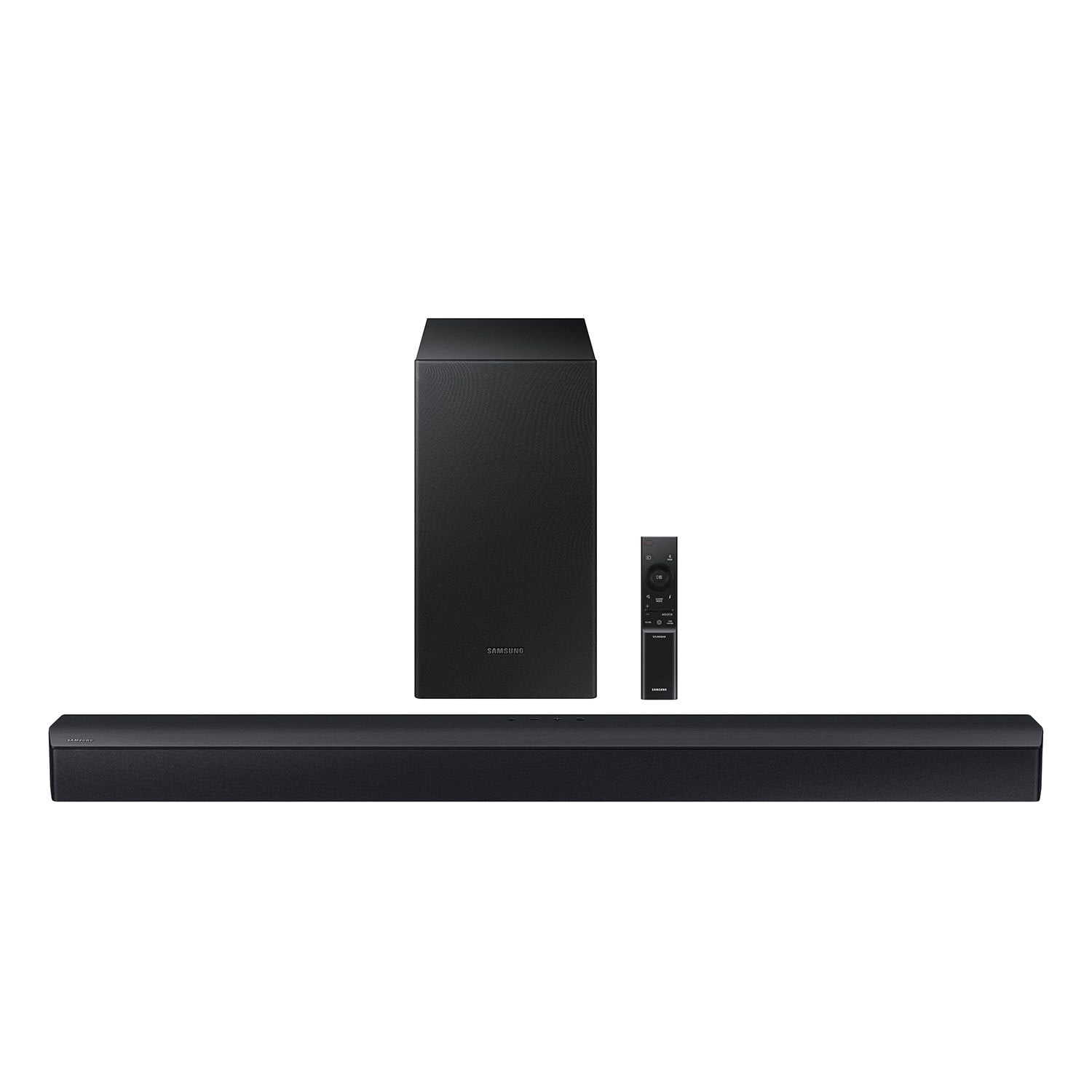
SAMSUNG C-Series 2.1 Channel Soundbar with Wireless Subwoofer
4.5 out of 5 stars
stars338 ratings161 reviews
  1. 5 stars73% (248)
  2. 4 stars13% (45)
  3. 3 stars7% (23)
  4. 2 stars2% (8)
  5. 1 star4% (14)

Member photos

Sort by |
Showing 1-10 of 161 reviews
Jan 4, 2025
Wendy
5 out of 5 stars review

Verified Purchase

Don't know how we survived without it.

Both my mother and I are hard of hearing. We blew the speaker in our last TV. What a difference this makes complete game changer. Don't know how we lived without it.

Helpful?0YMSK3FOJH4D13623460493
Jan 1, 2025
OhioBuckeye
5 out of 5 stars review

Verified Purchase

Good high quality sound bar

Bought this soundbar while it was on sale to replace and old soundbar that was going bad. It was extremely easy to set up and connect to our Samsung TV. Has very good sound quality. Has been a perfect replacement for us.

Helpful?0YMSK3FOJH4D13623460493
Dec 7, 2025
WalmartCustomer
5 out of 5 stars review

Verified Purchase

[This review was collected as part of a promotion.] I am a fan of all Samsung products and Walmart had the best price for this item compared to B.Js and Best buy

Review from walmart.com
Helpful?0YMSK3FOJH4D13623460493
Nov 29, 2024
plynhi420
5 out of 5 stars review

Verified Purchase

Don't skim for quality sound

[This review was collected as part of a promotion.] very easy to set up, sounds great, adjustable bass on the sw is nice as well. I also really like that it turns on automatically with my Samsung TV when i turn that on. returned a cheaper sound bar for this one and I'm so glad I did... some things you don't want to cut corners on for quality and a sound bar is absolutely one

Review from walmart.com
Helpful?0YMSK3FOJH4D13623460493
Apr 1, 2025
Khulscher
5 out of 5 stars review

Verified Purchase

Good purchase for first time users

My first sound bar. Good price, it's a game changer. Didn't know how much better the tv would sound. Was easy to set up, came with all you need.

Helpful?0YMSK3FOJH4D13623460493
Jan 6, 2025
Tammy H
5 out of 5 stars review

Verified Purchase

Sounds great and a good value.

This was so easy to install with the Samsung app. It hooked right up wirelessly with my Samsung TV. It also sounds great.

Helpful?0YMSK3FOJH4D13623460493
Dec 23, 2023
Montina
5 out of 5 stars review

Verified Purchase

Bass booming 💥

I love this soundbar it loud and the bass is booming it make you feel like you are in the movie theater when watching movies and its great streaming my music through bluetooth on my phone and tv. I am very happy with my purchase.

Helpful?0YMSK3FOJH4D13623460493
Sep 13, 2024
AlanPenn
4 out of 5 stars review

Verified Purchase

Good Sound Bar

This is a good sound bar. It is not simple plug-and-play, however. It takes a little effort to setup properly for the optimal sound quality.

Helpful?0YMSK3FOJH4D13623460493
Apr 22, 2026
MattDoormat
4 out of 5 stars review

Verified Purchase

it's a good sound bar for the price. easy to install, easy to connect. especially if you have a samsung tv.

Review from walmart.com
Helpful?0YMSK3FOJH4D13623460493
Mar 13, 2025
Candyce
3 out of 5 stars review

Verified Purchase

Sound bar unit needs to upgrade to HDMI

Good sound bar but can only connect to new Samsung smart TV's via Bluetooth as device has no HDMI capabilities.

Helpful?0YMSK3FOJH4D13623460493
reply from Samsung

Hello Candyce,We appreciate you taking a few moments to review the HW-C43C Soundbar.Here are some tips to improve your audio experience.By pressing the TONE CONTROL button, you can adjust the volume of the treble or bass sound between -6~+6 by using the Up/Down buttons. Additionally, using the WOOFER button on the remote, you can adjust the subwoofer’s volume between -6 to +6 by toggling the button up or down. To set the subwoofer volume level to 0, press the button down. When you press the CH LEVEL button, you can adjust the volume of the VIRTUAL CENTER LEVEL. This will allow you to adjust the overall dialogue between -6 to +6 using the UP/DOWN button on the provided Soundbar remote. When you press the CH LEVEL button when the Wireless Rear Speaker Kit connected to the Soundbar, you can adjust the rear speakers between -6 to +6 using the UP/DOWN buttons. Press and hold the SOUND CONTROL button for about 5 seconds to adjust the sound for each frequency band. 150Hz, 300Hz, 600Hz, 1.2kHz, 2.5kHz, 5kHz, and 10kHz are selectable using the Left/Right buttons and each can be adjusted to a setting between -6 to +6 using the Up/Down buttons. (Make sure the Sound mode is set to “STANDARD”. If you need more help, Samsung is here for you. Please call us at 1-800-SAMSUNG, 8AM - 12AM EST (Ask for Soundbars), 7 days a week. Our Live Chat agents are also available by clicking on the ‘Support’ link on our website.~ Samsung Solutions