Skip to Main Content
Sam's Club
Sam's Club
All Departments
All Services
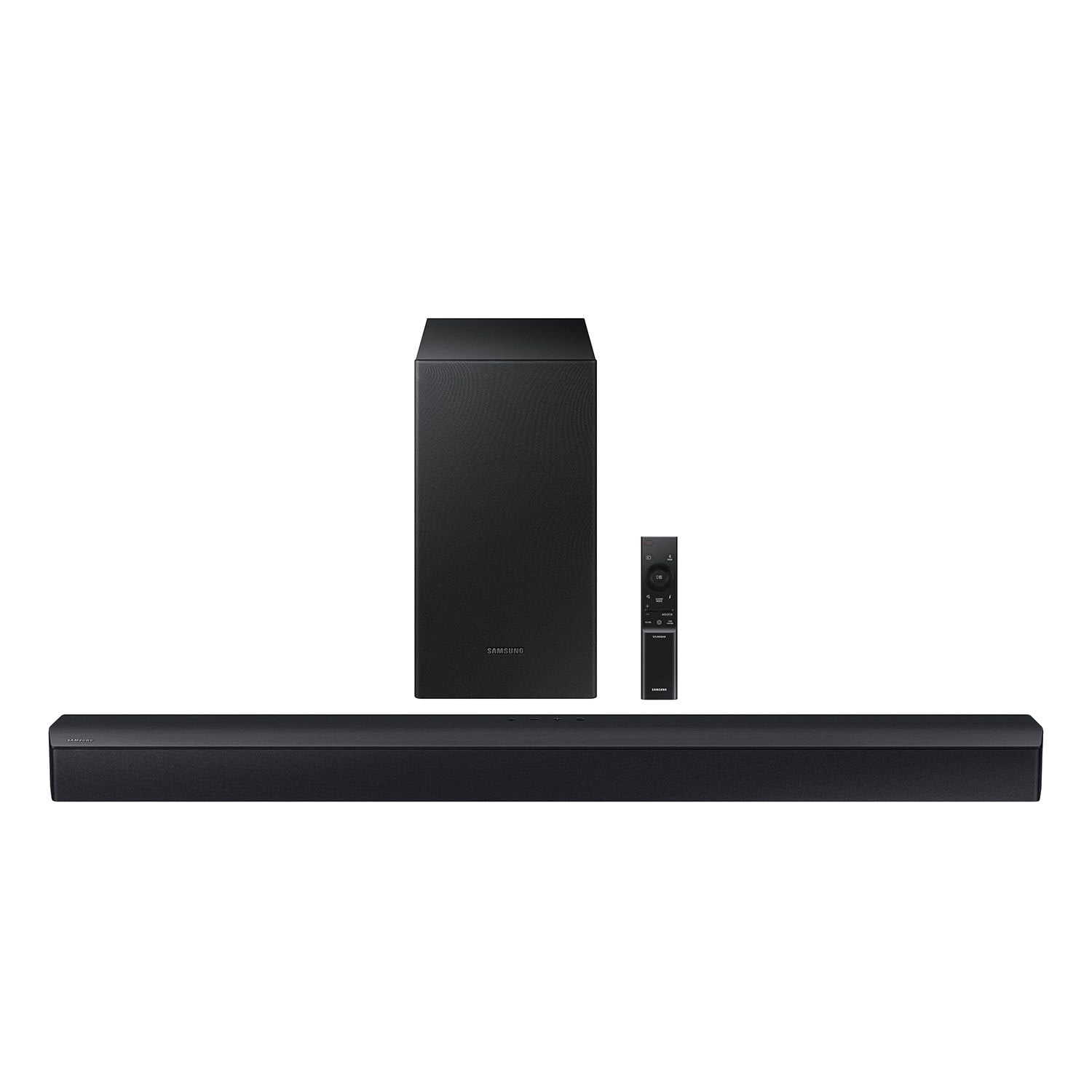
Customer reviews for SAMSUNG C-Series 2.1 Channel Soundbar with Wireless Subwoofer for
SAMSUNG C-Series 2.1 Channel Soundbar with Wireless Subwoofer
4.5 out of 5 stars
stars
339 ratings162 reviews
  1. 5 stars73% (249)
  2. 4 stars13% (45)
  3. 3 stars7% (23)
  4. 2 stars2% (8)
  5. 1 star4% (14)

Member photos

Sort by |
Showing 21-30 of 162 reviews
Oct 2, 2024
Casual TV Watcher
4 out of 5 stars review

Verified Purchase

Not Bad for the Price

Not bad for the price, if you are an audio-file perhaps this is not for you.

Helpful?0YMSK3FOJH4D13623460493
Dec 15, 2025
WalmartCustomer
5 out of 5 stars review

Verified Purchase

[This review was collected as part of a promotion.] Gift, but it looks great.

Review from walmart.com
Helpful?0YMSK3FOJH4D13623460493
May 26, 2026
julisa
5 out of 5 stars review

Verified Purchase

Must get

It's so loud. I can't wait to catch it on sale Again for my downstairs tv

Review from walmart.com
Helpful?0YMSK3FOJH4D13623460493
Nov 11, 2024
Martha
5 out of 5 stars review

Verified Purchase

[This review was collected as part of a promotion.] What happened to the two small satellite speakers

Review from walmart.com
Helpful?0YMSK3FOJH4D13623460493
Dec 3, 2024
Kenneth
5 out of 5 stars review

Verified Purchase

Pleased

[This review was collected as part of a promotion.] I'm pleasantly pleased with this purchase. I added a pair of rear Samsung speakers and it sounds great.

Review from walmart.com
Helpful?0YMSK3FOJH4D13623460493
Aug 14, 2024
MCC
5 out of 5 stars review

Verified Purchase

Great quality. However

This is a great sound bar. However it didn't come with cords that is needed to install. I waited 3 days for the proper cords to come in before using it.

Helpful?0YMSK3FOJH4D13623460493
reply from Samsung

Hi MCC,Thank you for taking a moment to review the HW-C43C Soundbar.You can manually optimize your Soundbar by pressing the SOUND MODE button on your remote, and then selecting the desired sound effect by choosing SURROUND SOUND – GAME – ADAPTIVE – DTS VIRTUAL:X – BASS BOOST – STANDARD.If you would like louder (or softer) bass from your subwoofer, you can adjust the level by rocking the WOOFER button on the soundbar remote, and then adjusting the level from -6 to +6. To set the subwoofer volume level to 0, press the button in.You can adjust the Treble and Bass by pressing the TONE CONTROL button then use the UP/DOWN buttons to change the levels between -6 to +6.For precise audio adjustments, you can use the 7-band frequency equalizer to optimize the sound for your room acoustics by pressing and holding the SOUND CONTROL button for about 5 seconds, make sure you also set the SOUND MODE to STANDARD.If you need further assistance, please know Samsung Customer Support is here to help. Just give us a call at 1-800-SAMSUNG (Ask for Soundbars), 8AM - 12AM EST, 7 days a week. Our Live Chat agents are also available by clicking on the ‘Support’ link on our website.~ Samsung Solutions

Aug 23, 2024
DianaPW
5 out of 5 stars review

Verified Purchase

Just what we needed

Took a chance on this since it was fairly inexpensive. We previously bought one for twice the price and were not impressed. This one works great. The wireless bass is nice since it can be tucked away.

Helpful?0YMSK3FOJH4D13623460493
Aug 11, 2024
Eloy
5 out of 5 stars review

Verified Purchase

Easy to setup and reliable

This sound bar is very easy to setup and increased how much our family enjoys watching shows and movies in our larger TV which does not have as good sound as picture quality. The Bluetooth connection to the TV and to the subwoofer is very stable.

Helpful?0YMSK3FOJH4D13623460493
Mar 3, 2025
Jim
1 out of 5 stars review

Verified Purchase

Subwoofer stopped working

Sub woofer stopped working after 2 days…Samsung wanted it mailed to them for repair… not happening

Helpful?0YMSK3FOJH4D13623460493
reply from Samsung

Hello Jim,Thank you for taking a few moments to review the Samsung HW-C43C Soundbar.Your soundbar and subwoofer should connect automatically when they are turned on, but you can also connect manually just as easily.When both soundbar and subwoofer are plugged in, they should begin to connect automatically. When the subwoofer is completely connected, the blue LED LINK indicator on the subwoofer stops blinking and glows continuously. If the blue LED does not stop blinking, the process has failed.For manual connection, after both soundbar and subwoofer are plugged in to a wall outlet, press and hold the ID SET button on the back of the subwoofer for at least 5 seconds. The red indicator on the rear of the subwoofer turns off and the blue indicator blinks.Press and hold the Up button on the remote control for at least 5 seconds. The ID SET message appears on the display of the Soundbar for a moment, and then it disappears. The Soundbar will automatically power on when ID SET is complete.Check if the LINK LED is solid blue (connection complete). The LINK LED indicator stops blinking and glows a solid blue when a connection is established between the Soundbar and the Wireless Subwoofer.If you need more help, Samsung is here for you. Please call us at 1-800-SAMSUNG, 8AM - 12AM EST (Ask for Soundbars), 7 days a week. Our Live Chat agents are also available by clicking on the ‘Support’ link on our website.~ Samsung Solutions

Mar 11, 2025
Pinnow
5 out of 5 stars review

Verified Purchase

Great soundbar for the money

PLUG and PLAY. It was that simple and resolved the volume issue with the TV

Helpful?0YMSK3FOJH4D13623460493