
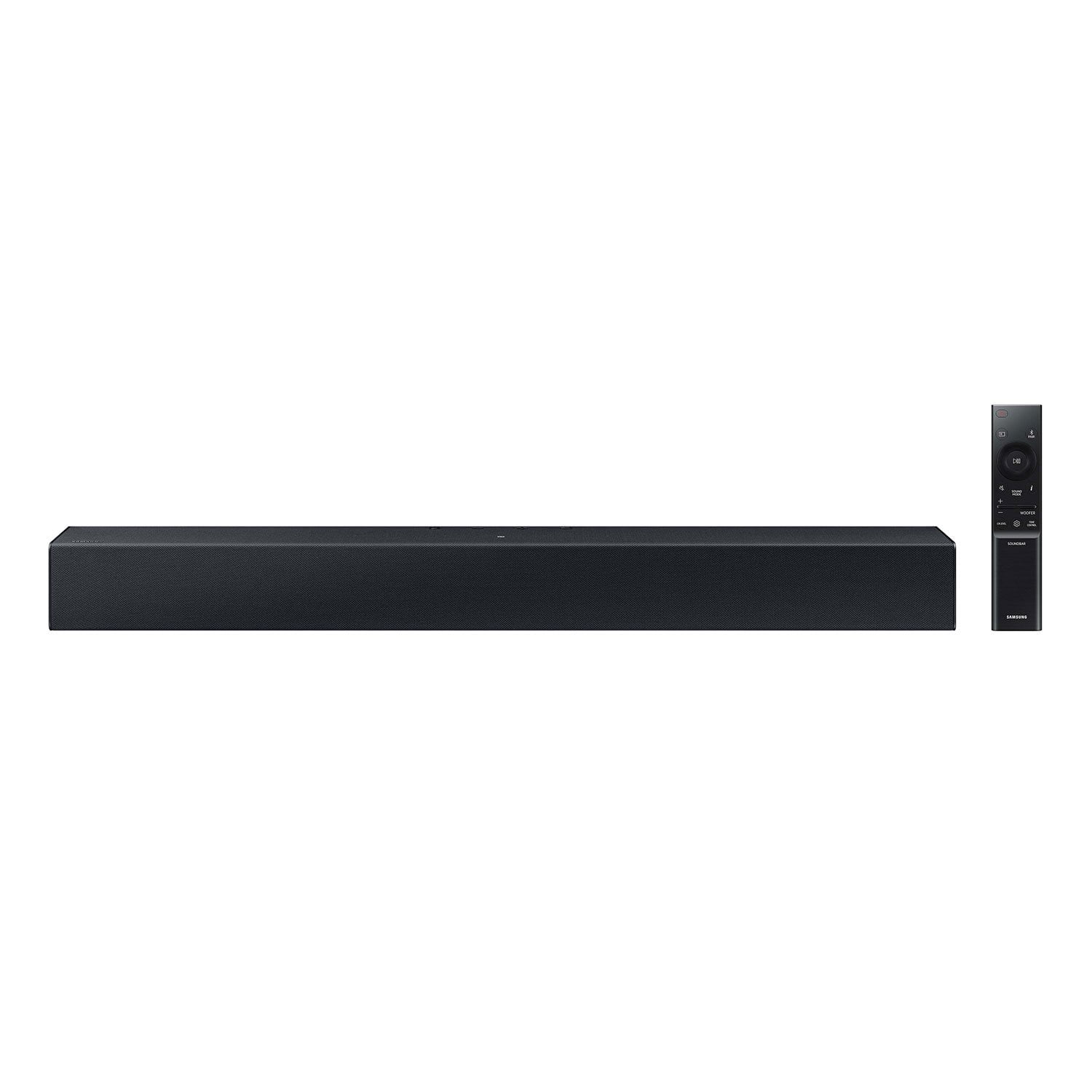
 Customer reviews for SAMSUNG C-Series 2.0 Soundbar with Built-in Subwoofer for
Member photos




 +29 images
Verified Purchase
[This review was collected as part of a promotion.] This item was very easy to set up and I’m very happy with it I order more another one for out door movie nights
Verified Purchase
Good so far
The sound is very crisp and clear. This replaces my Sony 400W with separate woofer, I don't miss that, this is more than sufficient and just as loud except for the bass. I can hear clear dialogues from 50 ft away in avg volume.
Verified Purchase
WATCH VIDEO BEFORE BUYING
[This review was collected as part of a promotion.] DOES NOT COME WITH NO HDML CORDS OR THE OTHER ADAPTER THAT GOES FROM SOUND BAR TO TV STILL HAVENT BEEN ABLE TO FIND WHAT I NEED HAD IT FOR 20 DAYS
Linda,<br />Thank you for purchasing the Samsung HW-C400 Soundbar. We value your input regarding any confusion with HDMI support. The HW-C400 connects wirelessly to your TV via Bluetooth or wired through optical cables.<br />If you’d like more help with settings, please know we’re here to help! Call us at 1-800-SAMSUNG (Ask for Soundbars), 8AM - 12AM EST, 7 days a week. Or visit us on the Samsung website and click on the ‘Support’ link for:<br />• LiveChat<br />• Manuals, Software, & Warranty Info<br /><br />~ Samsung Solutions
Verified Purchase
It’s just a normal sounding nothing fancy, you get what you pay for and have heard some that produce some incredible sound and are in the range of $350 for the ones I have heard.
Kyle,<br /><br />Thank you for taking a moment to review Samsung’s HW-C400 soundbar. <br /><br />You can try optimizing your audio performance to your liking by pressing the SOUND MODE button on your soundbar remote and then selecting the desired sound effect by choosing SURROUND SOUND or STANDARD.<br /><br />By pressing the TONE CONTROL button, you can adjust the volume of the treble or bass sound. Press the button to select TREBLE or BASS and then adjust the volume between -6~+6 by using the Up/Down buttons.<br /><br />Press and hold the SOUND CONTROL button for about 5 seconds to adjust the sound for each frequency band. 150Hz, 300Hz, 600Hz, 1.2kHz, 2.5kHz, 5kHz, and 10kHz are selectable using the Left/Right buttons and each can be adjusted to a setting between -6 to +6 using the Up/Down buttons. (Make sure the Sound mode is set to “STANDARD.”<br /><br />Additionally, using the WOOFER button on the remote, you can adjust the subwoofer’s volume between -6 to +6 by toggling the button up or down. To set the subwoofer volume level to 0, press the button down.<br /><br />I hope this tip helps improve your enjoyment. For more help, please call us at 1-800-SAMSUNG (Ask for Soundbars), 8 AM – 12 AM EST, 7 days a week. Live Chat with an agent as well as manuals, software, and warranty info can be found at the ‘Support’ link on our Samsung website.<br /><br />~ Samsung Solutions
Verified Purchase
Good Sound Quality
[This review was collected as part of a promotion.] Good sound quality, the only thing I wish would work is our main universal remote. It won’t control the sound bar. Other then that, good sound quality.
Verified Purchase
Don't Buh
Cheaply made and the remote only works half the time and 3 ft away from speaker. The speaker cut off after a while even though you are watching tv. Do not recommend
Hello Mollie,<br /><br />I'm sorry to hear that you're dissatisfied with the quality of the HW-C400 Soundbar.<br /><br />You may first want to check the cable connection of the soundbar to the TV or external device to ensure it is secure, and properly connected to the correct port.<br /><br />In addition to checking the connections of the soundbar, please make sure your soundbar is using the latest firmware version. Updating the firmware on your soundbar gives you all the benefits of the latest improvements. You can update your firmware by using a USB device.<br /><br />You may also want to initialize your soundbar by pressing the - and + (volume) buttons on the top of the soundbar at the same time for at least 5 seconds. “INIT OK” appears on the display and then the Soundbar is reset. Please know, this will reset all settings on the soundbar back to default; any sound adjustments will need to be performed again.<br /><br />Should you continue to experience audio dropouts, and are connected wirelessly, please use the included cable to connect the soundbar to the TV. Using a wired connection instead of wireless often eliminates the issue entirely and improves the user experience.<br /><br />I hope these tips help resolve your issues.<br /><br />If you need more help, Samsung is here for you. Please call us at 1-800-SAMSUNG, 8AM - 12AM EST (Ask for Soundbars), 7 days a week. Our Live Chat agents are also available by clicking on the ‘Support’ link on our website.<br /><br />~ Samsung Solutions
Verified Purchase
You get what you pay for.
Inexpensive and still not worth it. Cheaply made, tinny sound, honestly did not sound as just the regular speakers on the TV. :(
Hello Steve,<br /><br />Thank you for sharing your thoughts regarding the HW-C400 Samsung Soundbar. I am sorry to see that you are not fully satisfied with your purchase.<br /><br />You can optimize your audio performance to your liking by pressing the SOUND MODE button on your soundbar remote and then selecting the desired sound effect by choosing SURROUND SOUND or STANDARD.<br /><br />By pressing the TONE CONTROL button, you can adjust the volume of the treble or bass sound. Press the button to select TREBLE or BASS and then adjust the volume between -6~+6 by using the Up/Down buttons.<br /><br />Press and hold the SOUND CONTROL button for about 5 seconds to adjust the sound for each frequency band. 150Hz, 300Hz, 600Hz, 1.2kHz, 2.5kHz, 5kHz, and 10kHz are selectable using the Left/Right buttons and each can be adjusted to a setting between -6 to +6 using the Up/Down buttons. (Make sure the Sound mode is set to “STANDARD”.<br /><br />Additionally, using the WOOFER button on the remote, you can adjust the subwoofer’s volume between -6 to +6 by toggling the button up or down. To set the subwoofer volume level to 0, press the button down.<br /><br />If we can help with anything else, please call us at 1-800-SAMSUNG (Ask for Soundbars), 8 AM – 12 AM EST, 7 days a week. LiveChat with an agent as well as manuals, software, and warranty info can be found at the ‘Support’ link on our Samsung website.<br /><br />~ Samsung Solutions
Verified Purchase
An inferior product.
The controls are on the top of the unit so they are not visible from across the room. It shouts (No usb connection)
JoAnn,<br /><br />Thank you for taking a moment to review Samsung's HW-C400 Soundbar.<br /><br />Updating the firmware on your soundbar gives you all the benefits of the latest improvements. When an update is available, you can update the Soundbar by connecting the USB drive that contains the update firmware to the SERVICE port of the Soundbar.<br /><br />1.Go to the Samsung Electronics website (www.samsung.com) → click on the “Support” option in the upper right corner. <br />2.Click on “Manuals & Software” from the pop-up list > TVs & Home Theater > Home Theater > Select your model<br />2. Download the firmware file (USB type). <br />3. Unzip the file to create a folder with the file name. <br />4. Store the created folder in a USB and then connect it to the Soundbar. <br />5. A sequence of “UPDATE” > “BYE” > “ON” will appear on the display 3 times. This will take around 6 minutes.<br /> - During update, do not turn it off or remove the USB. <br /> - If “UPDATE” does not appear on the display window, remove the power cord from the Soundbar and then reconnect it.<br /> - When the latest Version is installed, no update is performed. <br /> - Depending on the USB type, update may not be supported.<br />6. After the 3 cycles are complete, the Soundbar will restart and last source used will appear on the display for about 20 seconds and then it will go off (“UPDATE” > “BYE” > “ON”) 3 times “D.IN” > off<br /><br />If you need more help, Samsung is here for you. Please call us at 1-800-SAMSUNG, 8AM - 12AM EST (Ask for Soundbars), 7 days a week. Our Live Chat agents are also available by clicking on the ‘Support’ link on our website.<br /><br />~ Samsung Solutions
Verified Purchase
Not what I expected
Sound wasn’t what I expected. Sounded just like the sound on my TV. The built in woofer is not a great idea for a surround sound.
Hello Dannielle,<br /><br />I’m sorry to hear that your initial out-of-box experience fell short of your expectations. <br /><br />You can optimize your audio performance to your liking by pressing the SOUND MODE button on your soundbar remote and then selecting the desired sound effect by choosing SURROUND SOUND or STANDARD.<br /><br />By pressing the TONE CONTROL button, you can adjust the volume of the treble or bass sound. Press the button to select TREBLE or BASS and then adjust the volume between -6~+6 by using the Up/Down buttons.<br /><br />Press and hold the SOUND CONTROL button for about 5 seconds to adjust the sound for each frequency band. 150Hz, 300Hz, 600Hz, 1.2kHz, 2.5kHz, 5kHz, and 10kHz are selectable using the Left/Right buttons and each can be adjusted to a setting between -6 to +6 using the Up/Down buttons. (Make sure the Sound mode is set to “STANDARD”.<br /><br />Additionally, using the WOOFER button on the remote, you can adjust the subwoofer’s volume between -6 to +6 by toggling the button up or down. To set the subwoofer volume level to 0, press the button down.<br /><br />If you need more help, Samsung is here for you. Please call us at 1-800-SAMSUNG, 8AM - 12AM EST (Ask for Soundbars), 7 days a week. Our LiveChat agents are also available by clicking on the ‘Support’ link on our website.<br /><br />~ Samsung Solutions
Verified Purchase
[This review was collected as part of a promotion.] Very good soundbar with woofer paired up very good with my Samsung 7000 TV