Skip to Main Content
Sam's Club
Sam's Club
Customer reviews for SAMSUNG C-Series 2.0 Soundbar with Built-in Subwoofer for
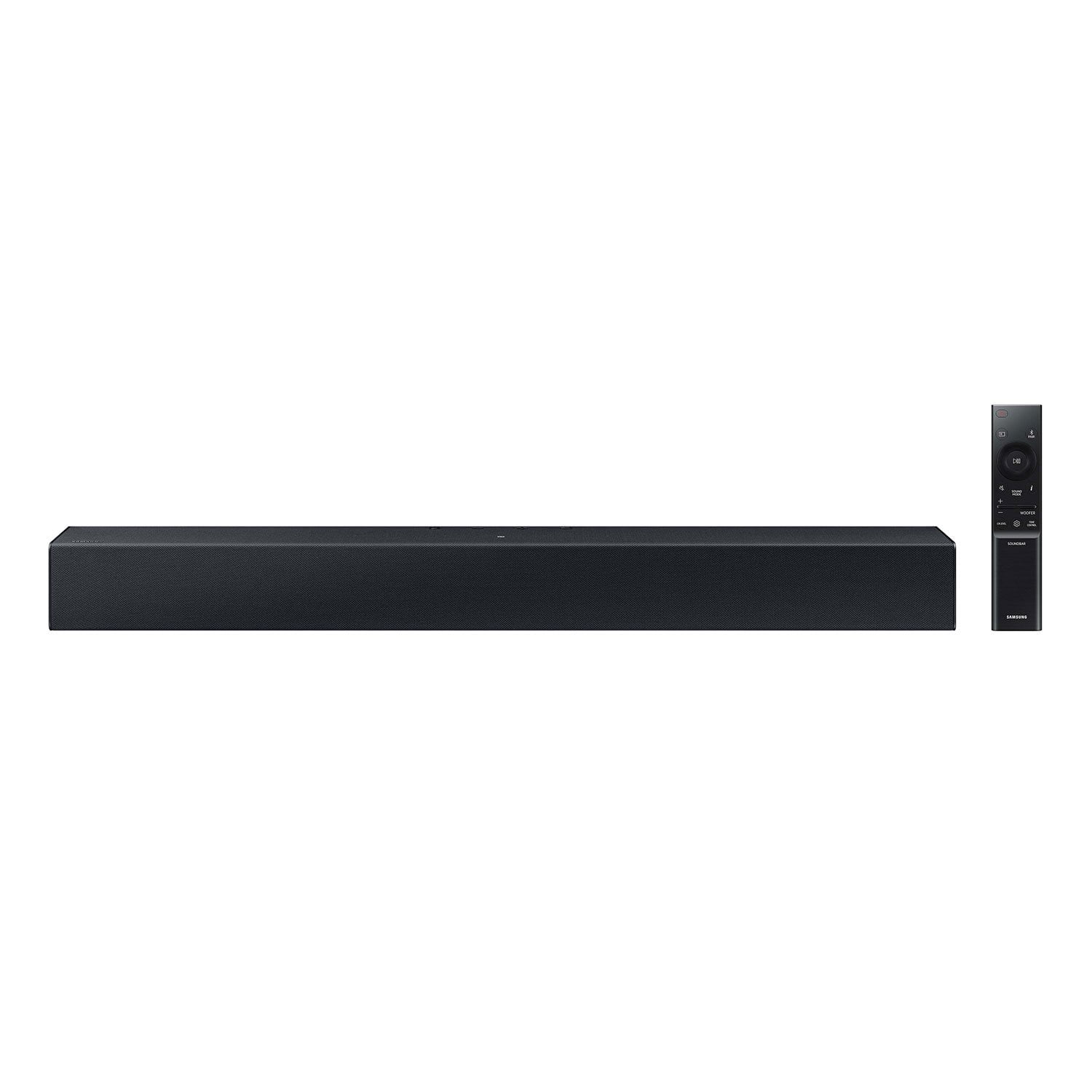
SAMSUNG C-Series 2.0 Soundbar with Built-in Subwoofer

Member photos

  • +29 images
Sort by |
Showing 41-50 of 430 reviews
Sep 28, 2024
Anonymous
5 out of 5 stars review

Verified Purchase

I am satisfied with the Soundbar, but I have to find so other wire connectors to make it work. The problem is on my end, not Walmart's. The Soundbar is just what we wanted and at the right price, I hope I can make it work.

Review from walmart.com
Helpful?1RFO10C7CO4E13617356790
Sep 9, 2024
WalmartCustomer
5 out of 5 stars review

Verified Purchase

[This review was collected as part of a promotion.] At first the remote didn't seem to be working. I moved the soundbar to a different location, it worked great.

Review from walmart.com
Helpful?1RFO10C7CO4E13617356790
Jan 20, 2024
Cortney
5 out of 5 stars review

Verified Purchase

Perfect for Bedroom

It's perfect for small spaces. paired with Samsung TV, it works seamlessly. Having a built-in subwoofer, it doesn't have the bass of the ones with a separate sub, but it isn't needed. i just wanted a better tv sound, and this did the job.

Review from walmart.com
Helpful?1RFO10C7CO4E13617356790
May 29, 2024
Bill
3 out of 5 stars review

Verified Purchase

Decent sound bar

This is a bargain basement sound bar with decent sound quality...which is better than the Samsung TV sound quality. For $100, it is a great buy. Took only about 15 minutes to set it up. Works well with my Samsung TV

Review from walmart.com
Helpful?1RFO10C7CO4E13617356790
reply from Samsung

Hi Bill,<br /><br />We appreciate you taking a moment to review the HW-C400 Soundbar.<br /><br />You can optimize your audio performance to your liking by pressing the SOUND MODE button on your soundbar remote and then selecting the desired sound effect by choosing SURROUND SOUND or STANDARD.<br /><br />By pressing the TONE CONTROL button, you can adjust the volume of the treble or bass sound. Press the button to select TREBLE or BASS and then adjust the volume between -6~&#43;6 by using the Up/Down buttons.<br /><br />Press and hold the SOUND CONTROL button for about 5 seconds to adjust the sound for each frequency band. 150Hz, 300Hz, 600Hz, 1.2kHz, 2.5kHz, 5kHz, and 10kHz are selectable using the Left/Right buttons and each can be adjusted to a setting between -6 to &#43;6 using the Up/Down buttons. (Make sure the Sound mode is set to “STANDARD”.<br /><br />Additionally, using the WOOFER button on the remote, you can adjust the subwoofer’s volume between -6 to &#43;6 by toggling the button up or down. To set the subwoofer volume level to 0, press the button down.<br /><br />If you need more help, Samsung is here for you. Please call us at 1-800-SAMSUNG, 8AM - 12AM EST (Ask for Soundbars), 7 days a week. Our Live Chat agents are also available by clicking on the ‘Support’ link on our website.<br /><br />~ Samsung Solutions

Aug 7, 2024
LAH
1 out of 5 stars review

Verified Purchase

Probably returning it

Probably returning it. No directions at all. Unable to hook this up to a Samsung tv. It should be incredibly easy to hook up and it was not. It also works when it feels like it. Nothing consistent

Helpful?1RFO10C7CO4E13617356790
reply from Samsung

Hello LAH,I’m very sorry for the difficulties you’ve experienced with your Soundbar’s setup. We completely understand your frustrations, and we are here to help.The HW-C400 Soundbar features two ways to connect to a TV; digital optical audio and Bluetooth wireless audio technology. If your TV is compatible with one of these two audio connections, you should have no issue connecting the soundbar to your TV. Follow the steps below to connect the soundbar to your TV via one of the two available connections:An optical cable is a great way to connect your soundbar to your TV and the method we recommend using for the HW-C400. With optical, you can also connect your devices (cable boxes, video game systems, and Blu-ray players) to the TV, and have the sound output from the TV to the soundbar.1. With the TV and soundbar turned on, connect one end of a digital optical cable to the OPTICAL OUT port on the TV.2. Then, connect the other end to the DIGITAL AUDIO IN (OPTICAL) port on the soundbar.3. Press Source on the remote or soundbar, and then set the soundbar to the D.IN. setting.4. Finally, on the TV, you need to set the speaker output to external speakers.The TV's sound will now play from the soundbar.Your soundbar is also compatible with a Bluetooth connection to the TV. To connect the soundbar wirelessly, follow the steps below:1) Press the PAIR button on the remote to enter BT PAIRING mode. You can also press the SOURCE button on the top panel and then select BT. “BT” changes to “BT PAIRING” in a few seconds automatically or changes to “BT READY” if there is a connect record. If BT READY appears, press and hold the SOURCE button on the top panel of the Soundbar for more than 5 seconds to display BT PAIRING.2) Select the Bluetooth sound mode on your TV (See your TV's user manual for assistance)3) Select “[AV] Samsung Soundbar A470 Series” from the list on the TV’s screen. An available Soundbar is indicated with “Need Pairing” or “Paired” on the TV’s Bluetooth device list. To connect the TV to the Soundbar, select the message, and then establish a connection. When the TV is connected, [TV Name] → “BT” appears on the Soundbar’s front display. You should now hear TV sound from the Soundbar. Once you have connected your soundbar for the first time, use the “BT READY” mode to reconnect.If you need more help, Samsung is here for you. Please call us at 1-800-SAMSUNG, 8AM - 12AM EST (Ask for Soundbars), 7 days a week. Our Live Chat agents are also available by clicking on the ‘Support’ link on our website.~ Samsung Solutions

Nov 29, 2023
Ran
4 out of 5 stars review

Verified Purchase

Sound is good

Bought this sound bar to fit on a small shelf in the kitchen. The sound is very good. Only dislike is the remote for the sound, it's like a toggle switch but I'm sure we will get used to it eventually.

Review from walmart.com
Helpful?1RFO10C7CO4E13617356790
Apr 30, 2024
Kim
3 out of 5 stars review

Verified Purchase

No on screen readout

other than not connecting to the television so there is an on- screen readout of the volume, woofer, treble readings (which render the thing iffy at best)...

Review from walmart.com
Helpful?1RFO10C7CO4E13617356790
reply from Samsung

Hi Kim,<br /><br />Thank you for sharing your review of Samsung’s HW-C400 Soundbar. We’re sorry your experience didn’t match your expectations. <br /><br />You can optimize your audio performance to your liking by pressing the SOUND MODE button on your soundbar remote and then selecting the desired sound effect by choosing SURROUND SOUND or STANDARD.<br /><br />By pressing the TONE CONTROL button, you can adjust the volume of the treble or bass sound. Press the button to select TREBLE or BASS and then adjust the volume between -6~&#43;6 by using the Up/Down buttons.<br /><br />Press and hold the SOUND CONTROL button for about 5 seconds to adjust the sound for each frequency band. 150Hz, 300Hz, 600Hz, 1.2kHz, 2.5kHz, 5kHz, and 10kHz are selectable using the Left/Right buttons and each can be adjusted to a setting between -6 to &#43;6 using the Up/Down buttons. (Make sure the Sound mode is set to “STANDARD”.<br /><br />Additionally, using the WOOFER button on the remote, you can adjust the subwoofer’s volume between -6 to &#43;6 by toggling the button up or down. To set the subwoofer volume level to 0, press the button down.<br /><br />I hope this tip helps improve your enjoyment. For more help, please call us at 1-800-SAMSUNG (Ask for Soundbars), 8 AM – 12 AM EST, 7 days a week. Live Chat with an agent as well as manuals, software, and warranty info can be found at the ‘Support’ link on our Samsung website.<br /><br />~ Samsung Solutions

Oct 16, 2023
Jen
4 out of 5 stars review

Verified Purchase

Good Sound Quality

[This review was collected as part of a promotion.] Good sound quality, the only thing I wish would work is our main universal remote. It won’t control the sound bar. Other then that, good sound quality.

Review from walmart.com
Helpful?1RFO10C7CO4E13617356790
Sep 6, 2023
Cal
5 out of 5 stars review

Verified Purchase

Good so far

The sound is very crisp and clear. This replaces my Sony 400W with separate woofer, I don't miss that, this is more than sufficient and just as loud except for the bass. I can hear clear dialogues from 50 ft away in avg volume.

Review from walmart.com
Helpful?1RFO10C7CO4E13617356790
Oct 14, 2023
Linda
1 out of 5 stars review

Verified Purchase

WATCH VIDEO BEFORE BUYING

[This review was collected as part of a promotion.] DOES NOT COME WITH NO HDML CORDS OR THE OTHER ADAPTER THAT GOES FROM SOUND BAR TO TV STILL HAVENT BEEN ABLE TO FIND WHAT I NEED HAD IT FOR 20 DAYS

Review from walmart.com
Helpful?1RFO10C7CO4E13617356790
reply from Samsung

Linda,<br />Thank you for purchasing the Samsung HW-C400 Soundbar. We value your input regarding any confusion with HDMI support. The HW-C400 connects wirelessly to your TV via Bluetooth or wired through optical cables.<br />If you’d like more help with settings, please know we’re here to help! Call us at 1-800-SAMSUNG (Ask for Soundbars), 8AM - 12AM EST, 7 days a week. Or visit us on the Samsung website and click on the ‘Support’ link for:<br />• LiveChat<br />• Manuals, Software, &amp; Warranty Info<br /><br />~ Samsung Solutions