Skip to Main Content
Sam's Club
Sam's Club
Customer reviews for SAMSUNG C-Series 2.0 Soundbar with Built-in Subwoofer for
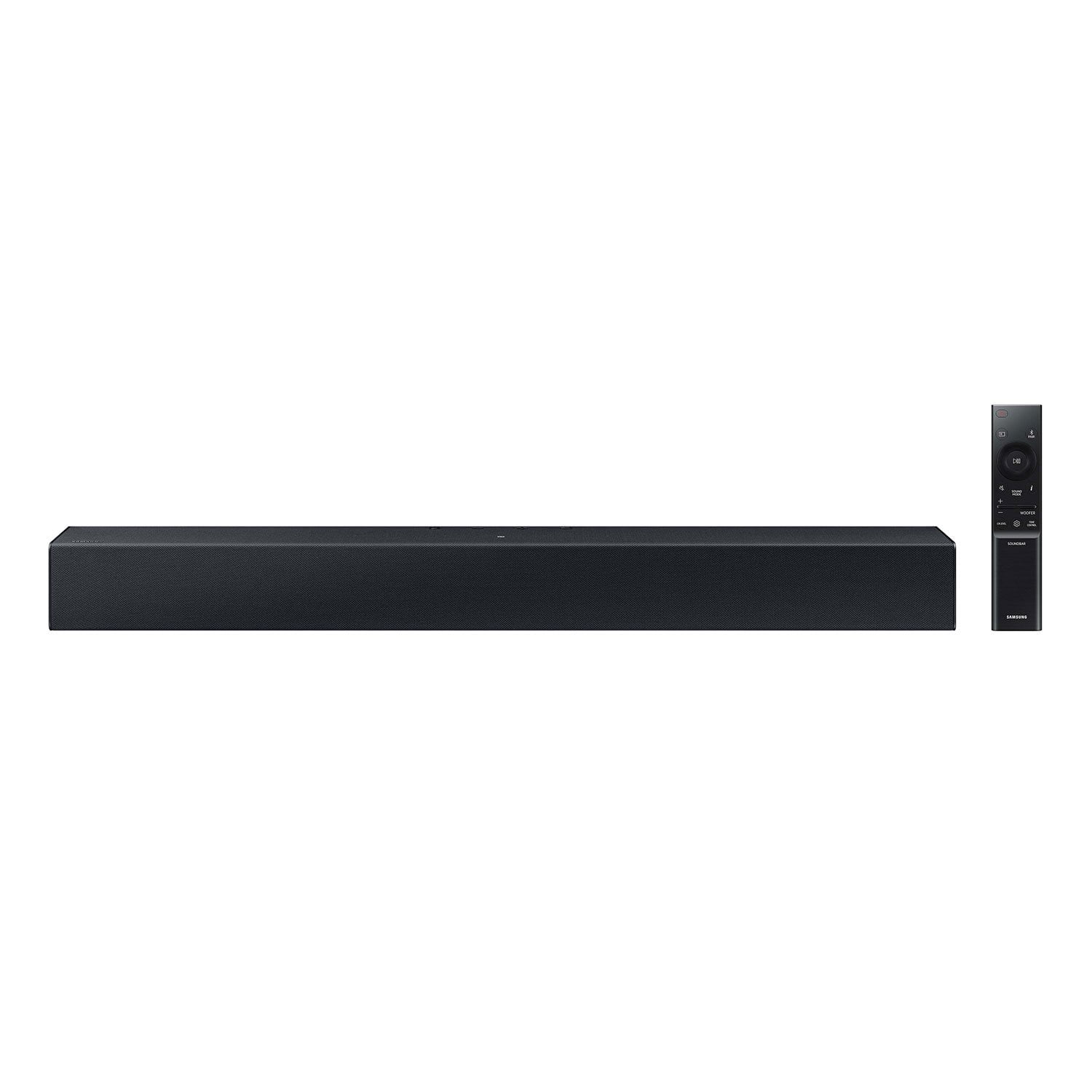
SAMSUNG C-Series 2.0 Soundbar with Built-in Subwoofer

Member photos

  • +29 images
Sort by |
Showing 421-430 of 430 reviews
Jul 7, 2024
anonymous
5 out of 5 stars review

Nice Sound Bar!!!!

For the price I paid, it is serving the purpose. So far so good.👍👍👍👍

Review from walmart.com
Helpful?1RFO10C7CO4E13617356790
Mar 30, 2024
Anonymous
3 out of 5 stars review

Sound as a Bluetooth device is great

Sound is great, could not get this particular bar to connect to my tv w/ multiple plug options

Review from walmart.com
Helpful?1RFO10C7CO4E13617356790
reply from Samsung

Hi Karen,<br /><br />Thank you for taking a moment to review the Samsung HW-C400 Soundbar.<br /><br />Here are some tips to try and connect your soundbar via optical cable.<br /><br />First check the optical cable and ensure it is undamaged and properly connected.<br />Than make sure the soundbar is set to the optical input mode.<br />If your soundbar has an auto power link function, consider enabling or disabling it by pressing and holding the left button on the remote for 5 seconds.<br />Also, please check your TV’s audio settings. Ensure that the sound output is set to optical.<br />If you’re using an external device (such as a Blu-ray player or gaming console), connect one end of the optical cable to the optical out port on the device and the other end to the digital audio in optical port on the soundbar.<br /><br />If you need more help, Samsung is here for you. Please call us at 1-800-SAMSUNG, 8AM - 12AM EST (Ask for Soundbars), 7 days a week. Our Live Chat agents are also available by clicking on the ‘Support’ link on our website.<br /><br />~ Samsung Solutions

Oct 3, 2024
courtney16817
5 out of 5 stars review

Samsung soundbar

Samsung has amazing products and this definitely was one of them

Review from Samsung Canada
Helpful?1RFO10C7CO4E13617356790
Mar 21, 2024
David
1 out of 5 stars review

Good sound, bad remote!!

Remote is very difficult to use, no instructions Wish I could return it, or will get rid of it

Review from walmart.com
Helpful?1RFO10C7CO4E13617356790
reply from Samsung

Hello David,<br /><br />We appreciate you taking the time to review the HW-C400 Soundbar. <br /><br />Here is a tip on using the Samsung Soundbar remote.<br /><br />Please know that many of the buttons on your remote have multiple functions. For example, the Volume button is moved UP/DOWN to adjust volume, and to MUTE the sound, you need to PRESS it in. Pressing it a second time will unmute. Please refer to page 11 of the of the Full Manual for details on using the remote-control including buttons with more than one function.<br /><br />If we can help with anything else, please call us at 1-800-SAMSUNG (Ask for Soundbars), 8 AM – 12 AM EST, 7 days a week. Live Chat with an agent as well as manuals, software, and warranty info can be found at the ‘Support’ link on our Samsung website.<br /><br />~ Samsung Solutions

Sep 30, 2024
Stephanie85217
5 out of 5 stars review

Samsung soundbar

The sound bar doesn’t take up much space in my table. The quality and sound is very good

Review from Samsung Canada
Helpful?1RFO10C7CO4E13617356790
May 3, 2024
James
5 out of 5 stars review

Terrific sound for the size of the unit

The first time I saw this unit I was amazed how much sound it putting out

Review from walmart.com
Helpful?1RFO10C7CO4E13617356790
Dec 5, 2023
alberto
5 out of 5 stars review

Very nice , highly recommended

Review from walmart.com
Helpful?1RFO10C7CO4E13617356790
Oct 21, 2023
Greg
5 out of 5 stars review

Awesome

Easy to set up great sound

Review from walmart.com
Helpful?1RFO10C7CO4E13617356790
Feb 5, 2025
Nickie
3 out of 5 stars review

Poor sound quality.

Quality is not what was expected for a Samsung product.

Review from Samsung US
Helpful?1RFO10C7CO4E13617356790
reply from Samsung Solutions

Hi Nickie, Thank you for taking a moment to review the Samsung HW-C400 Soundbar. You can optimize your audio performance to your liking by pressing the SOUND MODE button on your soundbar remote and then selecting the desired sound effect by choosing SURROUND SOUND or STANDARD. By pressing the TONE CONTROL button, you can adjust the volume of the treble or bass sound. Press the button to select TREBLE or BASS and then adjust the volume between -6~+6 by using the Up/Down buttons. Press and hold the SOUND CONTROL button for about 5 seconds to adjust the sound for each frequency band. 150Hz, 300Hz, 600Hz, 1.2kHz, 2.5kHz, 5kHz, and 10kHz are selectable using the Left/Right buttons and each can be adjusted to a setting between -6 to +6 using the Up/Down buttons. (Make sure the Sound mode is set to “STANDARD”. Additionally, using the WOOFER button on the remote, you can adjust the subwoofer’s volume between -6 to +6 by toggling the button up or down. To set the subwoofer volume level to 0, press the button down. If you need more help, Samsung is here for you. Please call us at 1-800-SAMSUNG, 8AM - 12AM EST (Ask for Soundbars), 7 days a week. Our Live Chat agents are also available by clicking on the ‘Support’ link on our website. ~ Samsung Solutions

Aug 17, 2024
Fernando
5 out of 5 stars review

It’s cool

It sounds better

Review from walmart.com
Helpful?1RFO10C7CO4E13617356790