Skip to Main Content
Sam's Club
Sam's Club
Customer reviews for SAMSUNG C-Series 2.0 Soundbar with Built-in Subwoofer for
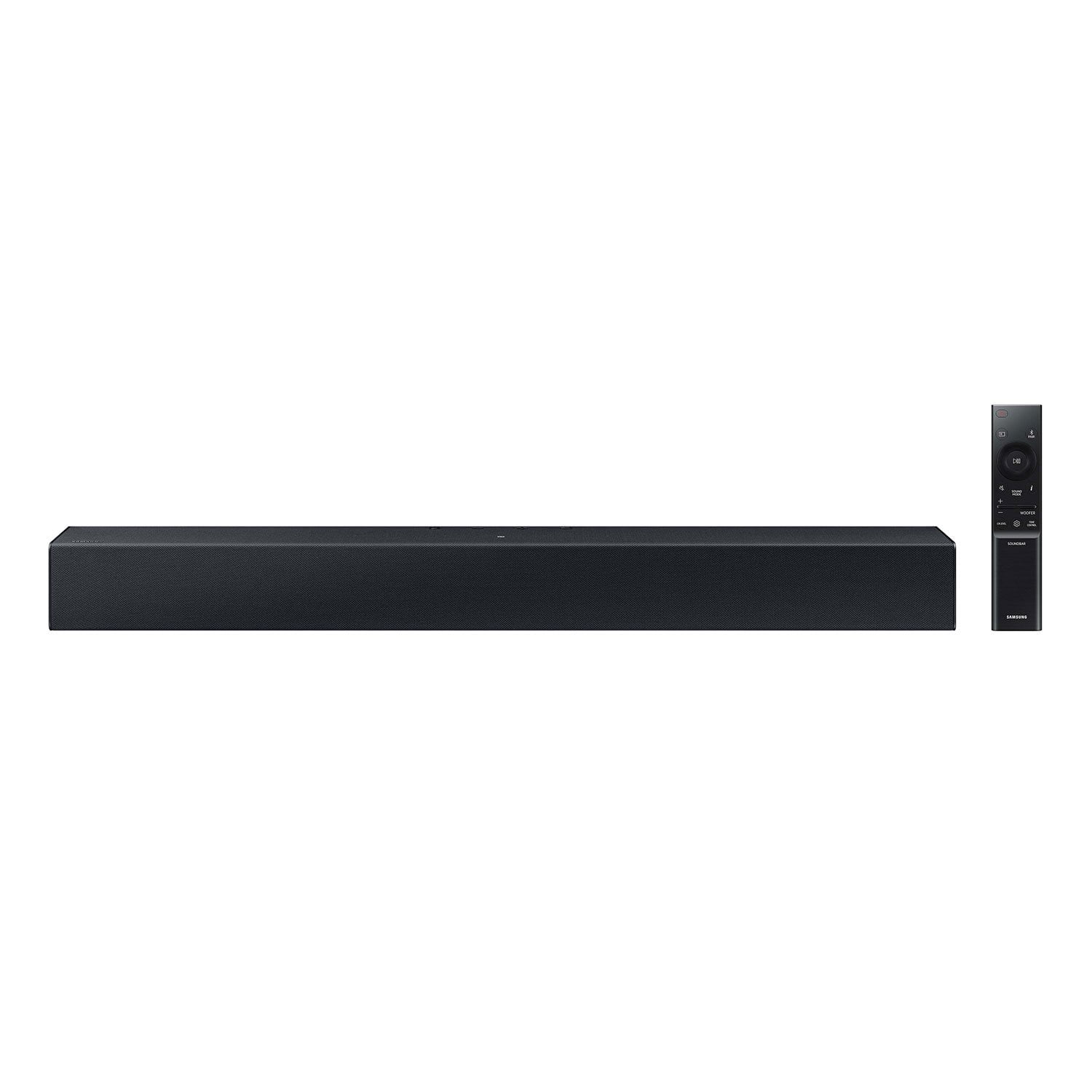
SAMSUNG C-Series 2.0 Soundbar with Built-in Subwoofer

Member photos

  • +29 images
Sort by |
Showing 391-400 of 430 reviews
Apr 10, 2024
Loralei
3 out of 5 stars review

SAMSUNG C400 SOUND BAR

Very disappointed that the cable needed to hook up to TV is not included. I need to know what type of cable I should use. I have no idea.

Review from walmart.com
Helpful?1RFO10C7CO4E13617356790
reply from Samsung

Hi loring,<br /><br />Thank you for taking a moment to review the HW-C400 Soundbar.<br /><br />You can also connect wirelessly to the TV via Bluetooth, please follow these steps:<br />1) Press the PAIR button on the remote to enter BT PAIRING mode. You can also press the SOURCE button on the top panel and then select BT. “BT” changes to “BT PAIRING” in a few seconds automatically or changes to “BT READY” if there is a connect record. If BT READY appears, press and hold the SOURCE button on the top panel of the Soundbar for more than 5 seconds to display BT PAIRING.<br />2) Select the Bluetooth sound mode on your TV (See your TV&#39;s user manual for assistance)<br />3) Select “[AV] Samsung Soundbar C Series” from the list on the TV’s screen. An available Soundbar is indicated with “Need Pairing” or “Paired” on the TV’s Bluetooth device list. To connect the TV to the Soundbar, select the message, and then establish a connection. <br />When the TV is connected, [TV Name] → “BT” appears on the Soundbar’s front display. You should now hear TV sound from the Soundbar. Once you have connected your soundbar for the first time, use the “BT READY” mode to reconnect.<br /><br />If we can help with anything else, please call us at 1-800-SAMSUNG (Ask for Soundbars), 8 AM – 12 AM EST, 7 days a week. Live Chat with an agent as well as manuals, software, and warranty info can be found at the ‘Support’ link on our Samsung website.<br /><br />~ Samsung Solutions

Sep 11, 2023
Luisakabebe
5 out of 5 stars review

Great product

[This review was collected as part of a promotion.] Great sound great bass I would recommend it to my family

Review from Samsung US
Helpful?1RFO10C7CO4E13617356790
Nov 27, 2023
Rakesh
4 out of 5 stars review

Sound bar c Series

[This review was collected as part of a promotion.] One of the good sound bar from Samsung where it has a very good sound

Review from Samsung US
Helpful?1RFO10C7CO4E13617356790
Sep 10, 2023
DeezNats
5 out of 5 stars review

Cool speeker

[This review was collected as part of a promotion.] It's pretty good ngl in NY personal opinion it's kinda good and not bad.

Review from Samsung US
Helpful?1RFO10C7CO4E13617356790
Nov 16, 2023
SamLove
3 out of 5 stars review

Cheap speakers

[This review was collected as part of a promotion.] Works well enough, affordable. Makes noise but not much bass

Review from Samsung US
Helpful?1RFO10C7CO4E13617356790
reply from Samsung Solutions

Hello SamLove, Thank you for sharing your thoughts regarding the HW-C400 Soundbar. You can optimize your audio performance to your liking by pressing the SOUND MODE button on your soundbar remote and then selecting the desired sound effect by choosing SURROUND SOUND or STANDARD. By pressing the TONE CONTROL button, you can adjust the volume of the treble or bass sound. Press the button to select TREBLE or BASS and then adjust the volume between -6~+6 by using the Up/Down buttons. Press and hold the SOUND CONTROL button for about 5 seconds to adjust the sound for each frequency band. 150Hz, 300Hz, 600Hz, 1.2kHz, 2.5kHz, 5kHz, and 10kHz are selectable using the Left/Right buttons and each can be adjusted to a setting between -6 to +6 using the Up/Down buttons. (Make sure the Sound mode is set to “STANDARD”. Additionally, using the WOOFER button on the remote, you can adjust the subwoofer’s volume between -6 to +6 by toggling the button up or down. To set the subwoofer volume level to 0, press the button down. Should you ever have questions or need help, please call us at 1-800-SAMSUNG (ask for Soundbars), available 8 AM – 12 AM EST, 7 days a week. For additional support resources, visit us on the Samsung website and click on the ‘Support’ link in the upper right corner of the homepage for: 1) Chat with Us/Product Help: To begin a chat or find solutions, choose ‘TVs & Home Theater’ and select your model & topic. 2) Manuals & Software 3) Warranty Info 4) Register a Product: For access to easy warranty support, convenient opt-in to special promos and offers, faster troubleshooting and service, and quick notification of system updates 5) Contact Us ~ Samsung Solutions

Dec 13, 2023
Martine88048
5 out of 5 stars review

very good soundbar

(This review was collected as part of a promotion.) Very good soundbar, easy to install and give a very good sound

Review from Caddle
Helpful?1RFO10C7CO4E13617356790
Oct 16, 2023
Live2ship
5 out of 5 stars review

This product was exactly what i expected

[This review was collected as part of a promotion.] Love its sound quality it really has been the best in the price range

Review from Samsung US
Helpful?1RFO10C7CO4E13617356790
Sep 30, 2024
Vidhi20657
5 out of 5 stars review

Awesome soundbar

It’s got an amazing quality and works great. I’d definitely recommend getting it if u love investing in music

Review from Samsung Canada
Helpful?1RFO10C7CO4E13617356790
May 9, 2025
vincent b.
1 out of 5 stars review

connectivity issues

can't connect via cable, I tried optical, USB, my PC does not detect the soundbar. I can use it with bluetooth, but that doesn't work for my use case

Review from Samsung Canada
Helpful?1RFO10C7CO4E13617356790
reply from Samsung Support Team

Hello, thank you for your review. We are here to help. Please contact us at 1-800-SAMSUNG or via live chat on our website (http://www.samsung.com/ca/support/) for assistance. Thanks again, we look forward to hearing from you.

Dec 12, 2023
Steven46495
5 out of 5 stars review

Great Speaker And Vibrant Sound

(This review was collected as part of a promotion.) Vibrant and clear sound. You can adjust the settings to how you like. Easy to connect.

Review from Caddle
Helpful?1RFO10C7CO4E13617356790