
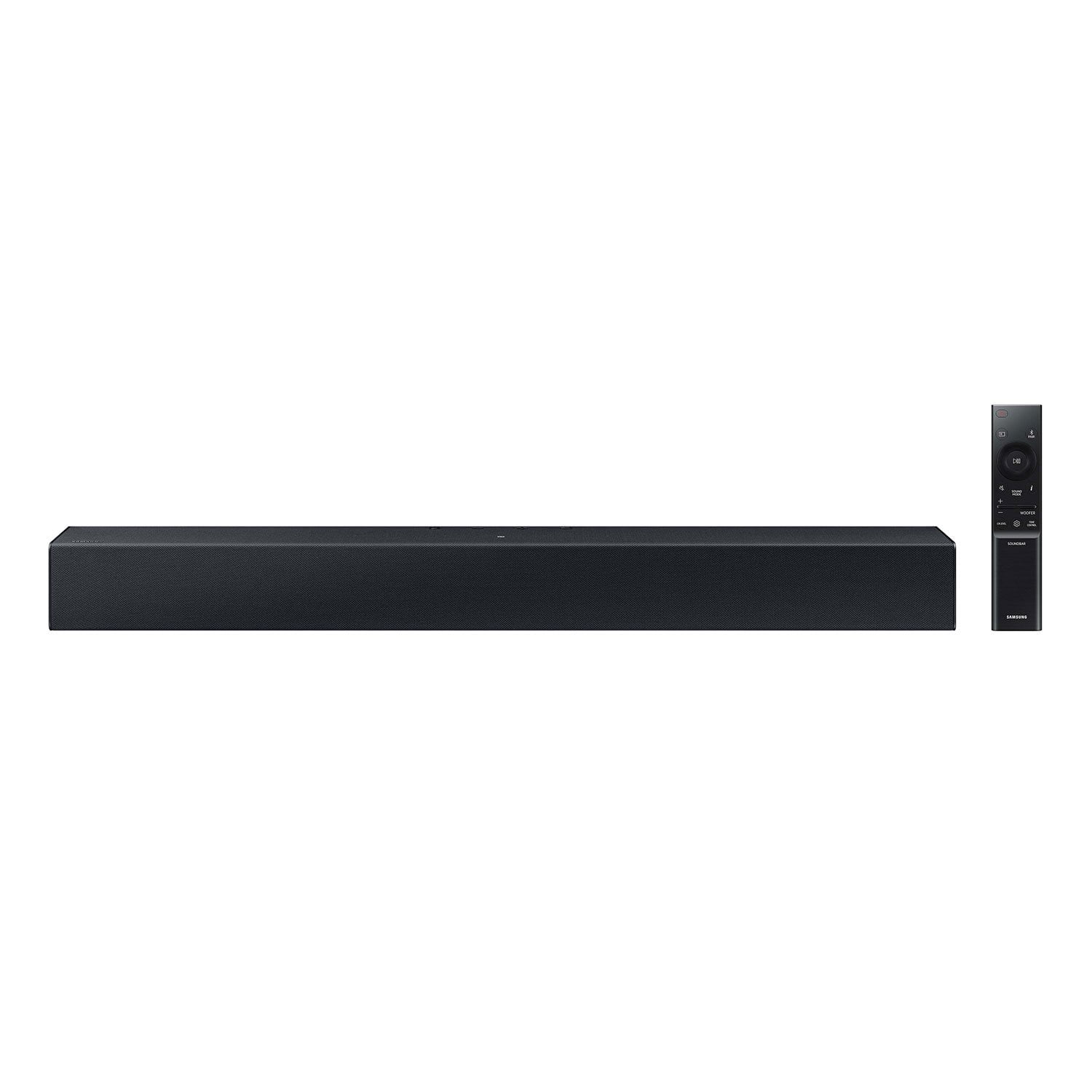
 Customer reviews for SAMSUNG C-Series 2.0 Soundbar with Built-in Subwoofer for
Member photos



 +29 images
Verified Purchase
I love my 40inch and my soundbar. Only complaint I have is. Need two(2) remotes for both. There might be a way but am a senior and can't figure out how to combine remotes. I even bought a new roku pro voice activated remote and still can't figure how
Verified Purchase
Not what I expected but you get what you pay for
This item is NOT surround sound. The NFC does not work with my iPhone I have to be synced with the speaker thru Bluetooth in order to play music thru the speaker, could be different with android phones. It’s a good price but you can do better for a few more bucks.
Jesus,<br /><br />Thank you for taking a moment to review the HW-C400 Soundbar.<br /><br />Did you know that you by pressing the TONE CONTROL button, you can adjust the volume of the treble or bass sound. Press the button to select TREBLE or BASS and then adjust the volume between -6~+6 by using the Up/Down buttons.<br /><br />Press and hold the SOUND CONTROL button for about 5 seconds to adjust the sound for each frequency band. 150Hz, 300Hz, 600Hz, 1.2kHz, 2.5kHz, 5kHz, and 10kHz are selectable using the Left/Right buttons and each can be adjusted to a setting between -6 to +6 using the Up/Down buttons. (Make sure the Sound mode is set to “STANDARD”.<br /><br />Additionally, using the WOOFER button on the remote, you can adjust the subwoofer’s volume between -6 to +6 by toggling the button up or down. To set the subwoofer volume level to 0, press the button down.<br /><br />If you need more help, Samsung is here for you. Please call us at 1-800-SAMSUNG, 8AM - 12AM EST (Ask for Soundbars), 7 days a week. Our Live Chat agents are also available by clicking on the ‘Support’ link on our website.<br /><br />~ Samsung Solutions
Verified Purchase
Hard to understand remote control instructions.
When I finally got the thing working I was very pleased. But I must be getting old. Took me several tried to figure out how to get the sound loud enough to enjoy. The instruction could have been more clear. The soundbar remote needs someone like me to write the instructions, you know, so a 76 year old can understand them.
Verified Purchase
Affordable but doesn't meet expectations
This paired well with my new Samsung smart tv, but the quality of sound, no matter the source, is poor. I expected it to enhance the sound, but it is very quiet, even compared to just the tv speakers alone. You nearly have to turn it up to the max just to even hear a movie. I am pretty disappointed with this purchase and am already shopping for a different sound bar.
Hi Jerrica,<br /><br />We appreciate you taking a moment to review the HW-C400 Soundbar.<br /><br />You can optimize your audio performance to your liking by pressing the SOUND MODE button on your soundbar remote and then selecting the desired sound effect by choosing SURROUND SOUND or STANDARD.<br /><br />By pressing the TONE CONTROL button, you can adjust the volume of the treble or bass sound. Press the button to select TREBLE or BASS and then adjust the volume between -6~+6 by using the Up/Down buttons.<br /><br />Press and hold the SOUND CONTROL button for about 5 seconds to adjust the sound for each frequency band. 150Hz, 300Hz, 600Hz, 1.2kHz, 2.5kHz, 5kHz, and 10kHz are selectable using the Left/Right buttons and each can be adjusted to a setting between -6 to +6 using the Up/Down buttons. (Make sure the Sound mode is set to “STANDARD”.<br /><br />Additionally, using the WOOFER button on the remote, you can adjust the subwoofer’s volume between -6 to +6 by toggling the button up or down. To set the subwoofer volume level to 0, press the button down.<br /><br />If you need more help, Samsung is here for you. Please call us at 1-800-SAMSUNG, 8AM - 12AM EST (Ask for Soundbars), 7 days a week. Our Live Chat agents are also available by clicking on the ‘Support’ link on our website.<br /><br />~ Samsung Solutions
Verified Purchase
Overall, good soundbar and easy to connect
Overall a really good speaker for the price. I bought a new Samsung TV and my Sony soundbar would no longer connect to it (no aux inputs). This soundbar connects through bluetooth which is nice so I can keep an HDMI open for something else later on. This Samsung soundbar packs a lot of sound for being a good 10 inches smaller than my last one. The remote control is a little confusing though.
Verified Purchase
Second soundbar no luck
I bought one, after a few days, it quit. I returned and was sent another. After about 2 months, it quit on me. It lights up. It just will not connect to bluetooth and obviously just won't make a sound other than letting me know when I switch the settings. So either Im tech dumb or this product is awful.
Brandy,<br /><br />We appreciate you taking a moment to review Samsung's HW-C400 Soundbar.<br /><br />There are a few things you may want to check:<br /><br />1) The maximum wireless signal transmission distance is about 33 ft. <br />2) Electronic devices may cause radio interference. Devices that generate electromagnetic waves should be kept away from the Soundbar main unit - e.g., microwaves, wireless LAN devices, etc.<br />3) Also, please be sure you have the latest firmware update. You can update your firmware by Auto Update, using the SmartThings app, or by using a USB device. You can find the update on the product page of your HW-C400 on the Samsung website.<br /><br />Should you need further assistance with this issue, or have any questions about features or operation, please know that Samsung is here to help. Just give us a call at 1-800-SAMSUNG (Ask for Soundbars), 8AM - 12AM EST, 7 days a week. Our Live Chat agents are also available by clicking on the ‘Support’ link on our website.<br /><br />~ Samsung Solutions
Verified Purchase
Bare Bones Soundbar - difficult adjustments
Bought this soundbar because my Samsung TV speakers were inadequate – the max volume was too low and dialogue hard to discern. This soundbar was an adequate remedy. Volume is not as high as I’d expected, but it is adequate. And the “voice enhancement” mode seems to help. But I have several issues. My first complaint is that there is no visual display of sound bar settings or adjustments (except volume). This is because there is no HDMI connection, only a single digital audio (optical) input cable (included). You are flying blind when trying to customize you sound settings. So, adjustments are difficult. Pressing the “Tone Control” button once announces “Treble,” but the sound cuts out while you make up/down adjustments. Press the button twice to adjust “Bass,” but again you can’t listen to the sound while making the adjustments and of course there are no numerical displays to indicate if you are near the top or bottom of your adjustment range. The same with “channel level.” Pressing it once causes “Center” to be announced, but the sound cuts out during adjustment. The manual suggests you can adjust individual channels (right, left?) but even with multiple pressings of the channel level button I can’t get it to announce any channel other than “Center.” A visual display would have helped in the situations above. My home power went out, and once restored I had no way to determine if my last settings were restored. There is no visual display of numeric values to compare with prior settings. Another complaint is that I cannot get the sound bar on/off to synchronize with the TV, even though both are recently purchased Samsungs. The online manual indicates it is possible by changing a setting using the “woofer” button. I tried each of the three settings, nothing worked. So, the soundbar is perpetually on - at least I think so, since there is no indicator light (see below). My final complaint is the indicator lights on the soundbar. They are useless you are at the soundbar looking down on its top. You can’t see them from your chair while watching TV. In its ambient state, whether on or off, no indicator lights are illuminated, so you can’t tell if the soundbar is powered on or not. This made my attempt to synchronize the TV and soundbar on/off especially tedious. In summary, an adequate soundbar for slight amplification and slight sound quality improvement if you have a TV with inadequate sound. But don’t expect anything more than that. Perhaps that all you should expect at this price.
Hi Ron,<br /><br />I’m sorry to hear that you’re dissatisfied with your HW-C400 soundbar.<br /><br />Here are some tips to optimize the audio performance of the HW-C400 to your liking by pressing the SOUND MODE button on your soundbar remote and then selecting the desired sound effect by choosing SURROUND SOUND or STANDARD.<br /><br />By pressing the TONE CONTROL button, you can adjust the volume of the treble or bass sound. Press the button to select TREBLE or BASS and then adjust the volume between -6~+6 by using the Up/Down buttons.<br /><br />Press and hold the SOUND CONTROL button for about 5 seconds to adjust the sound for each frequency band. 150Hz, 300Hz, 600Hz, 1.2kHz, 2.5kHz, 5kHz, and 10kHz are selectable using the Left/Right buttons and each can be adjusted to a setting between -6 to +6 using the Up/Down buttons. (Make sure the Sound mode is set to “STANDARD”.<br /><br />Additionally, using the WOOFER button on the remote, you can adjust the subwoofer’s volume between -6 to +6 by toggling the button up or down. To set the subwoofer volume level to 0, press the button down.<br /><br />If you need more help, Samsung is here for you. Please call us at 1-800-SAMSUNG, 8AM - 12AM EST (Ask for Soundbars), 7 days a week. Our Live Chat agents are also available by clicking on the ‘Support’ link on our website.<br /><br />~ Samsung Solutions
Verified Purchase
Excellent Soundbar!
This Samsung is my third for my new Samsung smart TV. The other brands were all returned and one was returned two times with nothing but trouble. A soundbar can be intricate for the proper sound that fits your sound needs for your room. This Samsung soundbar allows many sound options. NOTE: It took a bit of work learning the remote that operates the Samsung soundbar. (study your remote) Ounce I learned this new remote, I found exactly what I desired in sound. Wether you have a Samsung TV or an other good brand, this soundbar is excellent. When I received it, it connected instantly using bluetooth. The other brands were bad with disconnecting constantly and so much more negativity finding good sound. This is a great soundbar at a good price. The quality in sound, and construction is excellent. Highly recommend.
Verified Purchase
[This review was collected as part of a promotion.] I could not test the product, there was no power cord included because you guys sold me a returned product. I rated the quality higher because I own samsung products and even the cheapest Samsung products have decent quality. The price is decent for this soundbar.
Hello, Please know you are leaving a review for the HW-C400, not the service provided by Walmart. Please follow up directly with Walmart for further assistance. We hope your issue is resolved in a timely manner. Should you have questions regarding Samsung Products, please contact Samsung Support at 1-800-SAMSUNG, 8AM - 12AM EST, 7 days a week. Our LiveChat agents are also available by clicking on the ‘Support’ link on our website. ~ Samsung Solutions
Verified Purchase
Not very good.
[This review was collected as part of a promotion.] I bought this thinking the internal woofer would be ok but I was wrong, and being Samsung my expectations were high but what a let down this is. This sound bar isn’t much louder than my TV speakers which defeats the purpose. I am returning it due to the fact that the sound quality really stink.
Gregory,<br /><br />Thank you for your review of the Samsung HW-C400 Soundbar and for sharing the experience that has caused you to return your unit. Your feedback is very important to us and will be shared with our product team.<br /><br />Should you ever decide to give Samsung Soundbars another try and have questions or need assistance with settings, setup, or features, please know we are always here to help.<br /><br />Call us at 1-800-SAMSUNG (ask for Soundbars), available 8 AM – 12 AM EST, 7 days a week.<br /><br />~ Samsung Solutions