Skip to Main Content
Sam's Club
Sam's Club
Customer reviews for SAMSUNG C-Series 2.0 Soundbar with Built-in Subwoofer for
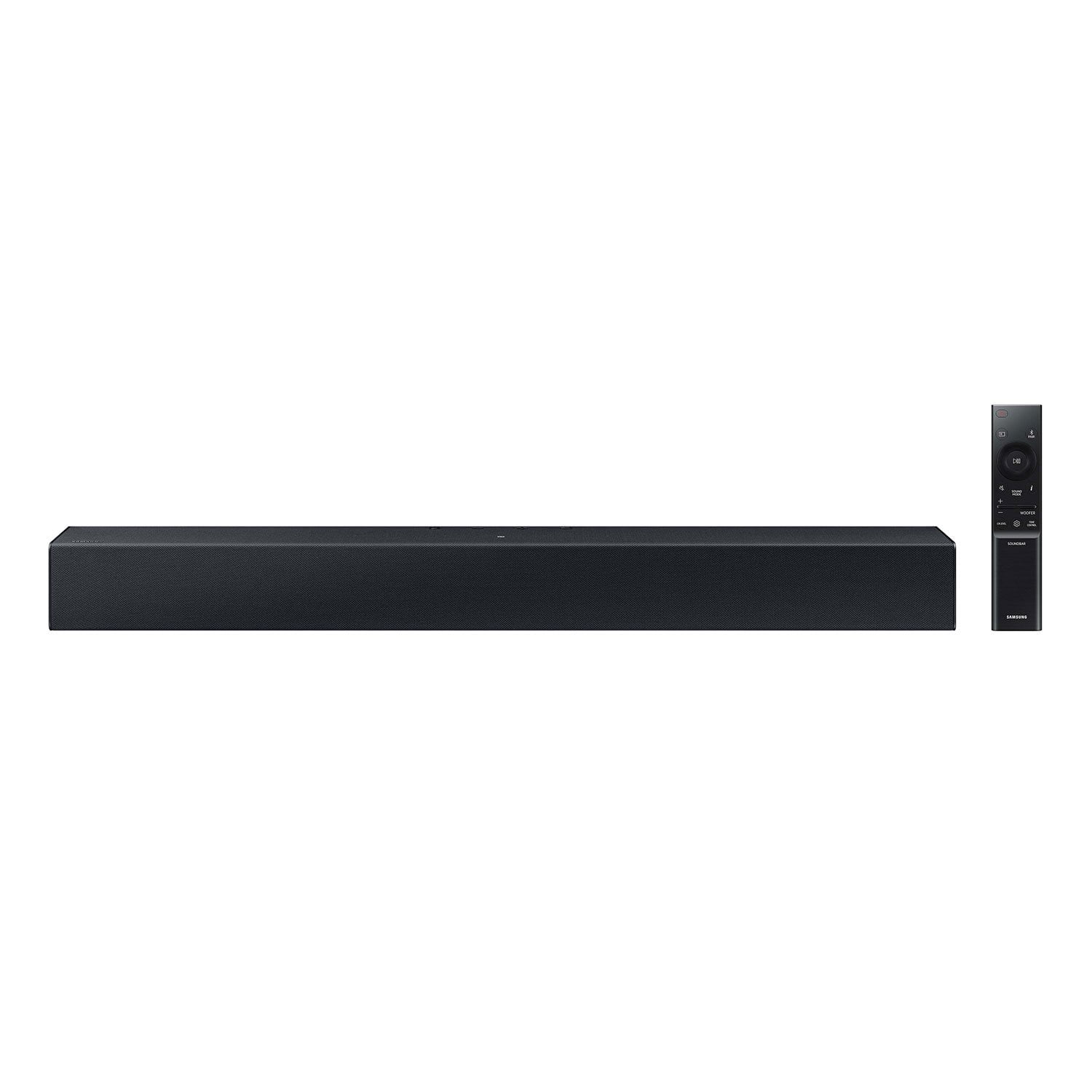
SAMSUNG C-Series 2.0 Soundbar with Built-in Subwoofer

Member photos

  • +29 images
Sort by |
Showing 181-190 of 430 reviews
Jul 31, 2023
Noemi
5 out of 5 stars review

Verified Purchase

Great sounds await

Easy to install and the sound is truly surround sound.

Helpful?1RFO10C7CO4E13617356790
Nov 8, 2023
Darlene
5 out of 5 stars review

Verified Purchase

Small but loud

This product definitely exceeded my expectations. Small and compact with a big sound. Love it!!

Helpful?1RFO10C7CO4E13617356790
Apr 16, 2024
Chris
1 out of 5 stars review

Verified Purchase

Didn’t work

The power cord was incorrect and won’t stay in

Review from walmart.com
Helpful?1RFO10C7CO4E13617356790
reply from Samsung

Hello Chris,<br /><br />Thank you for purchasing the Samsung HW-C400 Soundbar. We appreciate you sharing your feedback regarding your recent purchase. <br /><br />If purchased brand-new and unopened, please contact Samsung Customer Support and a representative will gladly help you. If purchased in open-box condition, we recommend contacting Walmart directly for assistance. We hope your issue is resolved in a timely manner.<br /><br />Should you have questions regarding the usage or setup of your product once you&#39;ve received it, please contact Samsung Support at 1-800-SAMSUNG, 8AM - 12AM EST, 7 days a week. Our LiveChat agents are also available by clicking on the ‘Support’ link on our website. <br /><br />~ Samsung Solutions

Jul 22, 2023
Lisa
1 out of 5 stars review

Verified Purchase

Cheap. Not any better than the tv speaker.

Review from walmart.com
Helpful?1RFO10C7CO4E13617356790
reply from Samsung

Hello Lisa,<br /><br />Thank you for purchasing the HW-C400 Soundbar. I am sorry to see that you are not completely happy with your new unit. <br /><br />Please contact Samsung Customer Support for step-by-step troubleshooting and optimizing assistance. Call us at 1-800-SAMSUNG (ask for Soundbars), available 8 AM – 12 AM EST, 7 days a week.<br /><br />LiveChat with an agent by clicking the ‘Support’ link on the Samsung website.<br /><br />~Samsung Solutions

Oct 16, 2023
KATINA
5 out of 5 stars review

Verified Purchase

Love it

[This review was collected as part of a promotion.] Sounds good

Review from walmart.com
Helpful?1RFO10C7CO4E13617356790
Nov 19, 2023
Michelle
5 out of 5 stars review

Verified Purchase

very nice product

liked everything about it.

Review from walmart.com
Helpful?1RFO10C7CO4E13617356790
Sep 9, 2024
mike
1 out of 5 stars review

Verified Purchase

There better out there

No loud at all won’t Bluetooth with my tv and remote is hard to work

Review from walmart.com
Helpful?1RFO10C7CO4E13617356790
reply from Samsung

Hi mike,<br /><br />Thank you for taking a moment to review the Samsung HW-C400 Soundbar.<br /><br />By pressing the SOUND MODE button on your soundbar remote and then selecting the desired sound effect by choosing SURROUND SOUND or STANDARD. By pressing the TONE CONTROL button, you can adjust the volume of the treble or bass sound. Press the button to select TREBLE or BASS and then adjust the volume between -6~&#43;6 by using the Up/Down buttons. Press and hold the SOUND CONTROL button for about 5 seconds to adjust the sound for each frequency band. 150Hz, 300Hz, 600Hz, 1.2kHz, 2.5kHz, 5kHz, and 10kHz are selectable using the Left/Right buttons and each can be adjusted to a setting between -6 to &#43;6 using the Up/Down buttons. (Make sure the Sound mode is set to “STANDARD”. Additionally, using the WOOFER button on the remote, you can adjust the subwoofer’s volume between -6 to &#43;6 by toggling the button up or down. To set the subwoofer volume level to 0, press the button down. <br /><br />If you need more help, Samsung is here for you. Please call us at 1-800-SAMSUNG, 8AM - 12AM EST (Ask for Soundbars), 7 days a week. Our Live Chat agents are also available by clicking on the ‘Support’ link on our website. ~ Samsung Solutions

Oct 13, 2023
DrDeb
1 out of 5 stars review

Verified Purchase

Low Quality

[This review was collected as part of a promotion.] Wasted money. My Tv has better sound than this!

Review from walmart.com
Helpful?1RFO10C7CO4E13617356790
reply from Samsung

Hello DrDeb,<br /><br />I&#39;m sorry to hear that you are dissatisfied with the sound quality of your C400 Soundbar. <br /><br />You can optimize your audio performance to your liking by pressing the SOUND MODE button on your soundbar remote and then selecting the desired sound effect by choosing SURROUND SOUND or STANDARD.<br /><br />By pressing the TONE CONTROL button, you can adjust the volume of the treble or bass sound. Press the button to select TREBLE or BASS and then adjust the volume between -6~&#43;6 by using the Up/Down buttons.<br /><br />Press and hold the SOUND CONTROL button for about 5 seconds to adjust the sound for each frequency band. 150Hz, 300Hz, 600Hz, 1.2kHz, 2.5kHz, 5kHz, and 10kHz are selectable using the Left/Right buttons and each can be adjusted to a setting between -6 to &#43;6 using the Up/Down buttons. (Make sure the Sound mode is set to “STANDARD”.<br /><br />Additionally, using the WOOFER button on the remote, you can adjust the subwoofer’s volume between -6 to &#43;6 by toggling the button up or down. To set the subwoofer volume level to 0, press the button down.<br /><br />I hope these tips help you enjoy your new product. <br /><br />You can always contact us for further help at 1-800-SAMSUNG (Ask for Soundbars), 8 AM – 12 AM EST, 7 days a week. Our LiveChat agents are also available by clicking on the ‘Support’ link on our website.<br /><br />~ Samsung Solutions

Jul 13, 2024
Erica
4 out of 5 stars review

Verified Purchase

It’s ok

Sound did cut in and out. Otherwise it sounded good

Review from walmart.com
Helpful?1RFO10C7CO4E13617356790
Dec 24, 2023
Brandent
5 out of 5 stars review

Verified Purchase

I m enjoy my sound bar !!!!

Review from walmart.com
Helpful?1RFO10C7CO4E13617356790