Skip to Main Content
Sam's Club
Sam's Club
Customer reviews for SAMSUNG C-Series 2.0 Soundbar with Built-in Subwoofer for
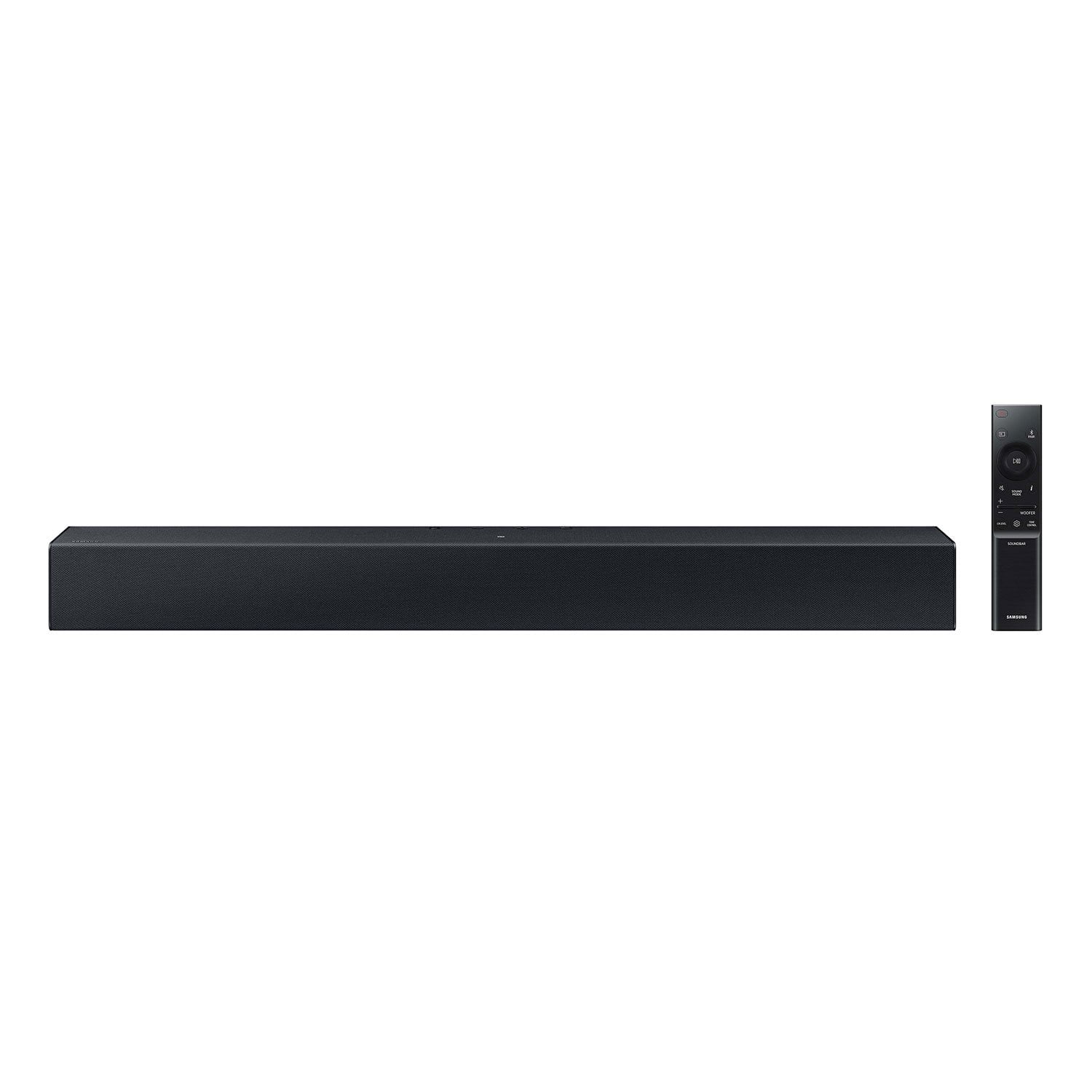
SAMSUNG C-Series 2.0 Soundbar with Built-in Subwoofer

Member photos

  • +29 images
Sort by |
Showing 161-170 of 430 reviews
Feb 16, 2024
william
3 out of 5 stars review

Verified Purchase

Disappointed

I should of spent more for better sound bar....

Review from walmart.com
Helpful?1RFO10C7CO4E13617356790
reply from Samsung

william,<br /><br />I’m sorry to hear that you’re dissatisfied with the performance of your HW-C400 soundbar.<br /><br />Here are some tips to optimize your audio performance to your liking by pressing the SOUND MODE button on your soundbar remote and then selecting the desired sound effect by choosing SURROUND SOUND or STANDARD.<br /><br />By pressing the TONE CONTROL button, you can adjust the volume of the treble or bass sound. Press the button to select TREBLE or BASS and then adjust the volume between -6~&#43;6 by using the Up/Down buttons.<br /><br />Press and hold the SOUND CONTROL button for about 5 seconds to adjust the sound for each frequency band. 150Hz, 300Hz, 600Hz, 1.2kHz, 2.5kHz, 5kHz, and 10kHz are selectable using the Left/Right buttons and each can be adjusted to a setting between -6 to &#43;6 using the Up/Down buttons. (Make sure the Sound mode is set to “STANDARD”.<br /><br />Additionally, using the WOOFER button on the remote, you can adjust the subwoofer’s volume between -6 to &#43;6 by toggling the button up or down. To set the subwoofer volume level to 0, press the button down.<br /><br />I hope this tip helps improve your enjoyment. For more help, please call us at 1-800-SAMSUNG (Ask for Soundbars), 8 AM – 12 AM EST, 7 days a week. LiveChat with an agent as well as manuals, software, and warranty info can be found at the ‘Support’ link on our Samsung website.<br /><br />~ Samsung Solutions

Sep 10, 2023
janie
1 out of 5 stars review

Verified Purchase

Going to return does not set up correctly

Review from walmart.com
Helpful?1RFO10C7CO4E13617356790
reply from Samsung

Hello janie,<br /><br />Thank you for your review of the Samsung HW-C400 Soundbar and for sharing your experiences with the issues that have caused you to consider returning your soundbar. Your experience is very important to us and will be shared with our product team.<br /><br />If you have not yet returned your unit, please give us the opportunity to troubleshoot your issue and work toward a solution.<br /><br />You can reach Samsung Support at 1-800-SAMSUNG (ask for Soundbars) 8 AM – 12 AM EST, 7 days a week.<br /><br />We hope to hear from you soon.<br /><br />~Samsung Solutions

Aug 28, 2024
Michele
2 out of 5 stars review

Verified Purchase

It was difficult to sync the speaker sound bar to the timing of the speech on the screen

Review from walmart.com
Helpful?1RFO10C7CO4E13617356790
reply from Samsung

Hello Michele,<br /><br />We appreciate you taking a moment to review the HW-C400 Soundbar. <br /><br />If the video on the TV and audio from the soundbar are not synchronized, press the SOUND CONTROL button on the soundbar remote, until you see AUDIO SYNC on the display. You can then set the audio delay between 0~300 milliseconds by using the Up/Down buttons.<br /><br />Additionally, please make sure your soundbar is using the latest firmware Version. You can update the firmware Version of your soundbar by using a USB device. If available, you may also want to update the firmware Version of your TV which may feature audio delay improvements.<br /><br />If you continue to experience audio delay, and are connected wirelessly, please use the included digital optical audio cable to connect the soundbar to the TV. Using a wired connection instead of wireless often eliminates the audio delay entirely and improves the user experience.<br /><br />If you need more help, Samsung is here for you. Please call us at 1-800-SAMSUNG, 8AM - 12AM EST (Ask for Soundbars), 7 days a week. Our Live Chat agents are also available by clicking on the ‘Support’ link on our website.<br /><br />~ Samsung Solutions

May 8, 2024
fergus
5 out of 5 stars review

Verified Purchase

Sound bar

The sound bar sounds great and was easy to install to my Samsung tv.

Review from walmart.com
Helpful?1RFO10C7CO4E13617356790
Feb 16, 2024
Tanya
5 out of 5 stars review

Verified Purchase

Easy install

Perfect sound. Great value!

Review from walmart.com
Helpful?1RFO10C7CO4E13617356790
Apr 17, 2024
Leonardo
1 out of 5 stars review

Verified Purchase

Deficient soundbar

The sound is really low, I don’t like it

Review from walmart.com
Helpful?1RFO10C7CO4E13617356790
reply from Samsung

Leonardo,<br /><br />Thank you for taking a moment to review the HW-C400 Soundbar.<br /><br />You can optimize your audio performance to your liking by pressing the SOUND MODE button on your soundbar remote and then selecting the desired sound effect by choosing SURROUND SOUND or STANDARD.<br /><br />By pressing the TONE CONTROL button, you can adjust the volume of the treble or bass sound. Press the button to select TREBLE or BASS and then adjust the volume between -6~&#43;6 by using the Up/Down buttons.<br /><br />Press and hold the SOUND CONTROL button for about 5 seconds to adjust the sound for each frequency band. 150Hz, 300Hz, 600Hz, 1.2kHz, 2.5kHz, 5kHz, and 10kHz are selectable using the Left/Right buttons and each can be adjusted to a setting between -6 to &#43;6 using the Up/Down buttons. (Make sure the Sound mode is set to “STANDARD”.<br /><br />Additionally, using the WOOFER button on the remote, you can adjust the subwoofer’s volume between -6 to &#43;6 by toggling the button up or down. To set the subwoofer volume level to 0, press the button down.<br /><br />If you need more help, Samsung is here for you. Please call us at 1-800-SAMSUNG, 8AM - 12AM EST (Ask for Soundbars), 7 days a week. Our Live Chat agents are also available by clicking on the ‘Support’ link on our website.<br /><br />~ Samsung Solutions

Jun 13, 2024
Anonymous
5 out of 5 stars review

Verified Purchase

sound bar

makes it so much easier to control the noise so I don't bother my neighbor

Review from walmart.com
Helpful?1RFO10C7CO4E13617356790
Dec 5, 2023
Tony
5 out of 5 stars review

Verified Purchase

Sounds good for the price

saved buy buying a stocked item online and waiting until the next day to pick it up.

Review from walmart.com
Helpful?1RFO10C7CO4E13617356790
Oct 28, 2024
Melinda
3 out of 5 stars review

Verified Purchase

Not as loud as I thought it would be

Review from walmart.com
Helpful?1RFO10C7CO4E13617356790
reply from Samsung

Hello Melinda,<br /><br />We appreciate you taking a moment to review the Samsung HW-C400 Soundbar.<br /><br />First, please check that you have positioned the soundbar correctly. It has come to our attention that customers may be positioning the soundbar incorrectly, resulting in poor sound quality. The soundbar should be placed with the SAMSUNG logo facing up towards the ceiling. If you position the soundbar with the logo facing up, you will see the display/status panel and the speakers will be facing outward. (Refer to product photos on Samsung.com and zoom in on the photos) If you have incorrectly placed the soundbar with the SAMSUNG logo perpendicular to the floor (facing you when you sit), you will experience muffled or low-quality sound because the unit will be resting on the speakers. <br /><br />You can optimize your audio performance to your liking by pressing the SOUND MODE button on your soundbar remote and then selecting the desired sound effect by choosing SURROUND SOUND or STANDARD.<br /><br />By pressing the TONE CONTROL button, you can adjust the volume of the treble or bass sound. Press the button to select TREBLE or BASS and then adjust the volume between -6~&#43;6 by using the Up/Down buttons.<br /><br />Press and hold the SOUND CONTROL button for about 5 seconds to adjust the sound for each frequency band. 150Hz, 300Hz, 600Hz, 1.2kHz, 2.5kHz, 5kHz, and 10kHz are selectable using the Left/Right buttons and each can be adjusted to a setting between -6 to &#43;6 using the Up/Down buttons. (Make sure the Sound mode is set to “STANDARD”.<br /><br />Additionally, using the WOOFER button on the remote, you can adjust the subwoofer’s volume between -6 to &#43;6 by toggling the button up or down. To set the subwoofer volume level to 0, press the button down.<br /><br />If you need more help, Samsung is here for you. Please call us at 1-800-SAMSUNG, 8AM - 12AM EST (Ask for Soundbars), 7 days a week. Our Live Chat agents are also available by clicking on the ‘Support’ link on our website.<br /><br />~ Samsung Solutions

Sep 20, 2023
Billie
5 out of 5 stars review

Verified Purchase

Awesome!

Loved by the winners in the employee monthly drawings.

Review from walmart.com
Helpful?1RFO10C7CO4E13617356790