Skip to Main Content
Sam's Club
Sam's Club
Customer reviews for SAMSUNG Q-series 5.1 Channel Sound Bar with Wireless Subwoofer, Q-Symphony & Dolby ATMOS Audio for
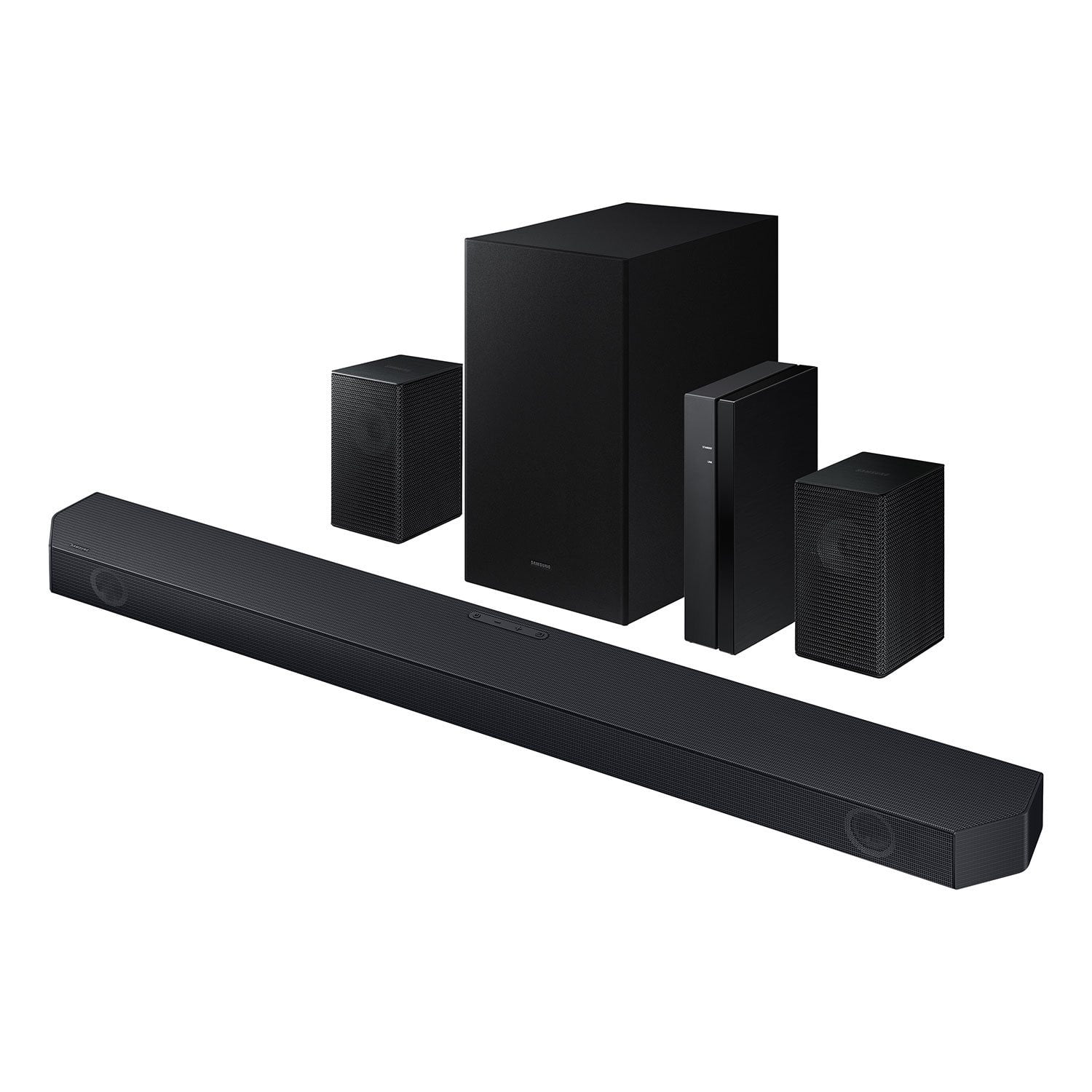
SAMSUNG Q-series 5.1 Channel Sound Bar with Wireless Subwoofer, Q-Symphony & Dolby ATMOS Audio
4.6 out of 5 stars
stars450 ratings336 reviews
  1. 5 stars76% (341)
  2. 4 stars14% (63)
  3. 3 stars5% (24)
  4. 2 stars1% (4)
  5. 1 star4% (18)

Member photos

  • +30 images
Sort by |
Showing 331-336 of 336 reviews
Dec 13, 2024
Crownowl
5 out of 5 stars review

Almost a 8.1 channel

[This review was collected as part of a promotion.] This was an amazing investment this almost sounds like an 8.1 channels sound system

Review from Samsung US
Helpful?3195MT0SA8FL13599821582
Nov 27, 2024
JSwift
4 out of 5 stars review

In The Q For An Experience

[This review was collected as part of a promotion.] This goes great with backlights feels like you are completely immersed into the environment.

Review from Samsung US
Helpful?3195MT0SA8FL13599821582
Apr 12, 2025
PepperJack
5 out of 5 stars review

Great Work

[This review was collected as part of a promotion.] Absolutely love it so fantastic with the level of sound great product.

Review from Samsung US
Helpful?3195MT0SA8FL13599821582
Apr 10, 2025
Huhcnttlknw
5 out of 5 stars review

Good product

[This review was collected as part of a promotion.] Use it all the time. Has excellent sound.hdhdjdjdjfjdnfnf jdjfjdjfhfjr dhdhdizjxbdudjdjzjP

Review from Samsung US
Helpful?3195MT0SA8FL13599821582
Nov 4, 2024
HB1234
1 out of 5 stars review

Bad

Had to download an upgrade so 2 small speakers would work! Nope!

Review from Samsung US
Helpful?3195MT0SA8FL13599821582
reply from Samsung Solutions

Hello HB1234, Thank you for taking a moment to review the HW-Q65C Soundbar. Use the color-coded speaker wires to connect the included wireless rear speakers to its wireless module and place these three in the back of your room. Plug the wireless receiver module power cord into an electrical outlet and into the wireless receiver module to turn on the wireless receiver module. Turn off your soundbar and press the Up button on the remote for 5 seconds. The ID SET message will appear on the soundbar for a short time and then disappear. After the ID SET process, the soundbar power is automatically turned on. The LINK LED indicator stops blinking and glows a solid blue when a connection is established between the soundbar and the wireless receiver module. If you need more help, Samsung is here for you. Please call us at 1-800-SAMSUNG, 8AM - 12AM EST (Ask for Soundbars), 7 days a week. Our Live Chat agents are also available by clicking on the ‘Support’ link on our website. ~ Samsung Solutions

Feb 9, 2025
Samrippedme
2 out of 5 stars review

Soso

Sound is not that good! Sometimes disconnects from tv ! Too much money for this

Review from Samsung US
Helpful?3195MT0SA8FL13599821582
reply from Samsung Solutions

Hi Samrippedme, We appreciate you taking a few moments to review the Samsung HW-Q65C Soundbar. I am sorry to hear that you are experiencing issues with the sound occasionally dropping from your soundbar. You may first want to check the cable connection of the soundbar to the TV or external device to ensure it is secure, and properly connected to the correct port. In addition to checking the connections of the soundbar, please make sure your soundbar is using the latest firmware Version. Updating the firmware on your soundbar gives you all the benefits of the latest improvements. You can update your firmware by using a USB device. You may also want to initialize your soundbar by pressing the - and + (volume) buttons on the top of the soundbar at the same time for at least 5 seconds. “INIT OK” appears on the display and then the Soundbar is reset. Please know, this will reset all settings on the soundbar back to default; any sound adjustments will need to be performed again. Should you continue to experience audio dropouts, and are connected wirelessly, please use the included cable to connect the soundbar to the TV. Using a wired connection instead of wireless often eliminates the issue entirely and improves the user experience. I hope these tips help resolve your issues. If you need more help, Samsung is here for you. Please call us at 1-800-SAMSUNG, 8AM - 12AM EST (Ask for Soundbars), 7 days a week. Our Live Chat agents are also available by clicking on the ‘Support’ link on our website. ~ Samsung Solutions