Skip to Main Content
Sam's Club
Sam's Club
Customer reviews for SAMSUNG Q-series 5.1 Channel Sound Bar with Wireless Subwoofer, Q-Symphony & Dolby ATMOS Audio for
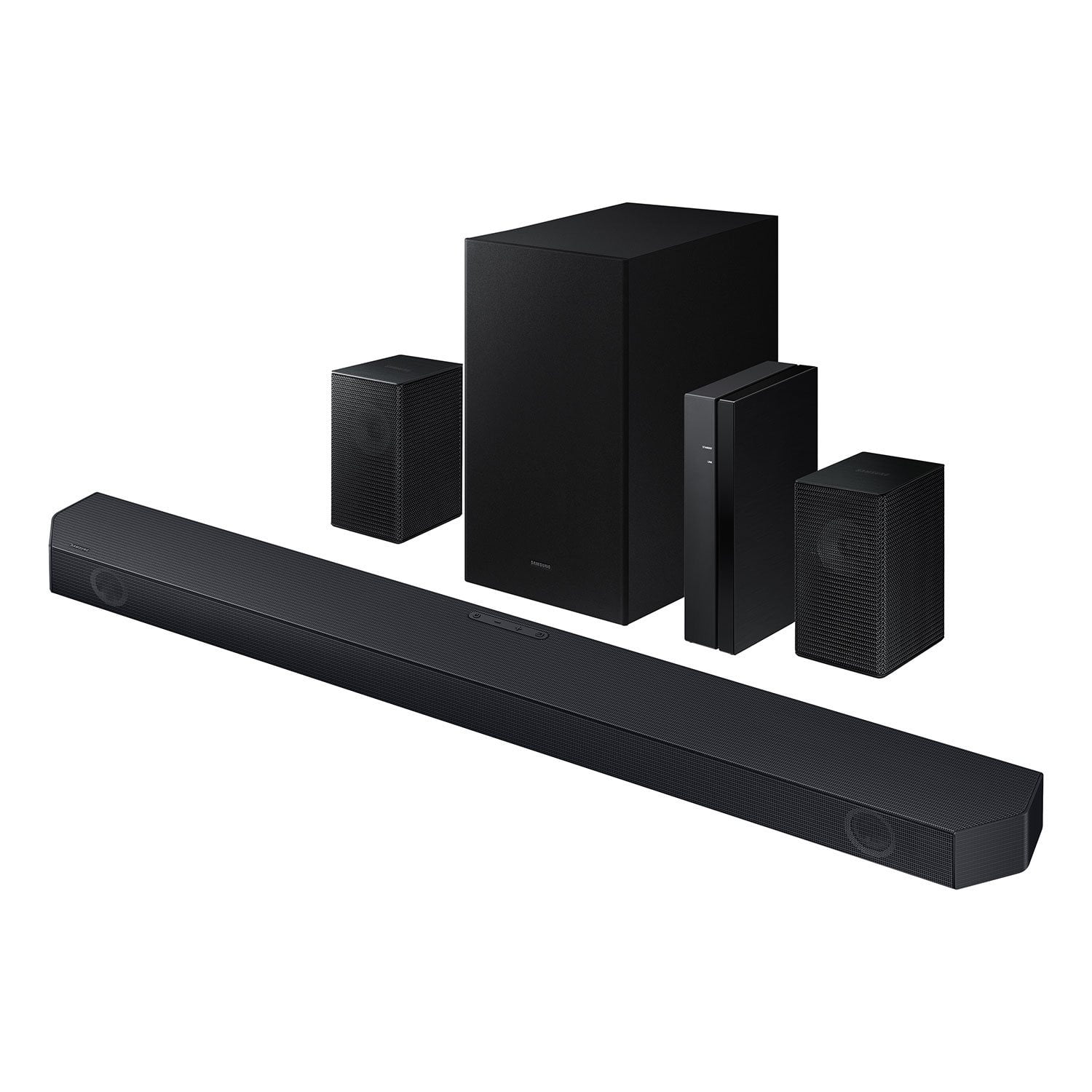
SAMSUNG Q-series 5.1 Channel Sound Bar with Wireless Subwoofer, Q-Symphony & Dolby ATMOS Audio
4.6 out of 5 stars
stars453 ratings338 reviews
  1. 5 stars76% (344)
  2. 4 stars14% (63)
  3. 3 stars5% (24)
  4. 2 stars1% (4)
  5. 1 star4% (18)

Member photos

  • +30 images
Sort by |
Showing 171-180 of 338 reviews
Oct 14, 2024
No your business
5 out of 5 stars review

Verified Purchase

Easy setup

Worth the money

Helpful?3195MT0SA8FL13599821582
Aug 7, 2024
Esau
5 out of 5 stars review

Verified Purchase

Great sound

Great sound bar

Helpful?3195MT0SA8FL13599821582
Jan 27, 2025
Bill
5 out of 5 stars review

Verified Purchase

Great

Great

Helpful?3195MT0SA8FL13599821582
Dec 25, 2024
Saheralbile
5 out of 5 stars review

Verified Purchase

Samsung serie q 5.1

Excelente

Helpful?3195MT0SA8FL13599821582
Dec 14, 2024
Ron A
5 out of 5 stars review

Verified Purchase

Great

Great addition

Helpful?3195MT0SA8FL13599821582
Oct 10, 2024
Kw
5 out of 5 stars review

Verified Purchase

Easy set up

Great sound !

Helpful?3195MT0SA8FL13599821582
Apr 1, 2025
Martin G
5 out of 5 stars review

Verified Purchase

#1 Samsung

Awesome Sound

Helpful?3195MT0SA8FL13599821582
Dec 4, 2025
DEBORAH
3 out of 5 stars review

Sound bar and sub woofer is great but I can't get the 2 back speakers to work.

Helpful?3195MT0SA8FL13599821582
reply from Samsung

Hello DEBORAH,<br /><br />We appreciate you taking a moment to review the Samsung HW-Q65C Soundbar.<br /><br />If the auto-connection process fails, you can try manually connecting the rears to the soundbar.<br /><br />To setup the wireless rear speaker kit included with the soundbar, first use the color-coded speaker wires to connect the rear speakers to its wireless module and place these three in the back of your room. Plug the wireless receiver module power cord into an electrical outlet and into the wireless receiver module to turn on the wireless receiver module. <br /><br />Press and hold the ID SET button on the back of the wireless module for at least 5 seconds or until the blue light starts blinking. Turn off your soundbar and press the Up button on the remote for 5 seconds. The ID SET message will appear on the soundbar for a short time and then disappear. After the ID SET process, the soundbar power is automatically turned on. The LINK LED indicator stops blinking and glows a solid blue when a connection is established between the soundbar and the wireless receiver module.<br /><br />If you need more help, Samsung is here for you. Please call us at 1-800-SAMSUNG, 8AM - 12AM EST (Ask for Soundbars), 7 days a week. Live Chat with an agent as well as manuals, software, creating a service ticket, and warranty info can be found at the ‘Support’ link on our Samsung website.<br /><br />~ Samsung Solutions

Dec 22, 2025
WJ
5 out of 5 stars review

Yes!

Easy set up and great sound! Using with a Vizio TV and it works well.

Helpful?3195MT0SA8FL13599821582
Nov 21, 2025
JOE
5 out of 5 stars review

easy set up 100% improvment over tv speakers. would highly recommend

Helpful?3195MT0SA8FL13599821582