Skip to Main Content
Sam's Club
Sam's Club
All Departments
All Services
Customer reviews for SAMSUNG Q-series 5.1 Channel Sound Bar with Wireless Subwoofer, Q-Symphony & Dolby ATMOS Audio for
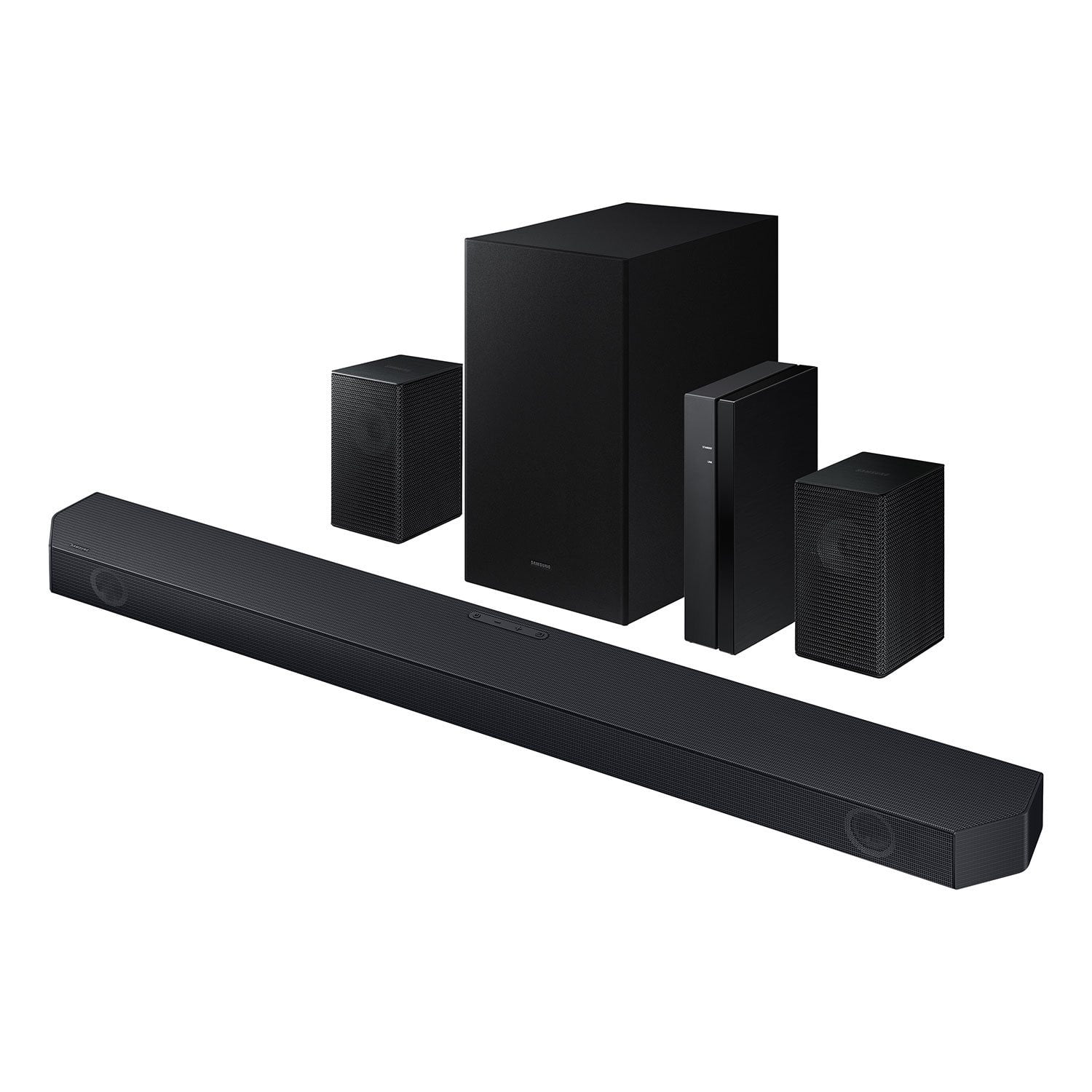
SAMSUNG Q-series 5.1 Channel Sound Bar with Wireless Subwoofer, Q-Symphony & Dolby ATMOS Audio
4.5 out of 5 stars
stars
525 ratings400 reviews
  1. 5 stars75% (394)
  2. 4 stars15% (77)
  3. 3 stars5% (24)
  4. 2 stars1% (6)
  5. 1 star5% (24)

Member photos

  • +59 images
Sort by |
Showing 161-170 of 400 reviews
Nov 28, 2024
Reviewer name: Steve
5 out of 5 stars
5 out of 5 stars review

Verified Purchase

GREAT EXPERIENCE

Alexa was AMAZING , she was so helpful in making my purchase so easy!! She fully explained & pretty much did everything to eliminate me having to do a thing with a purchase I had done a lot of research on & was sure I was purchasing the BEST (no pun intended) available to me. 👍👍👍👍👍👍👏👏👏👏👏👏!!!!!!

Helpful?3195MT0SA8FL13599821582
Nov 2, 2025
Reviewer name: Samsung do better
1 out of 5 stars
1 out of 5 stars review

“Wireless” is a joke

“Wireless” is a joke. I figured there would be power wires for the rear speakers, the speakers connect to a “wireless receiver.” Problem is, there's only one place in the room to put the receiver, and the wires aren't long enough to go from the receiver to the speakers. Thanks for useless product Samsung. Going to have to take my precious little free time to return your product.

Review from Samsung US
Helpful?3195MT0SA8FL13599821582
reply from Samsung Solutions

Hello, We appreciate you taking a moment to review the HW-Q65C Samsung Soundbar. Occasionally, customers have trouble hiding and running speaker wires from the front of the room (where their soundbar is) to the back of their room (where they have their rear speakers). The Rear Speaker Kit eliminates that hassle. Connect the rear speakers to its wireless module and place these three in the back of your room. One wire is required to connect each rear speaker to the wireless module. Then plug in the power cable to the module. The “wireless” convenience is in connecting your soundbar and any other speakers at the front of the room to the rear speakers – this can now be done via Wi-Fi through the wireless module, eliminating any clutter of long wires running the length of your room. If you need more help, Samsung is here for you. Please call us at 1-800-SAMSUNG, 8AM - 12AM EST (Ask for Soundbars), 7 days a week. Live Chat with an agent as well as manuals, software, creating a service ticket, and warranty info can be found at the ‘Support’ link on our Samsung website. ~ Samsung Solutions

Mar 8, 2025
Reviewer name: Marc
5 out of 5 stars
5 out of 5 stars review

Verified Purchase

Good

Good sound for a good price

Helpful?3195MT0SA8FL13599821582
Aug 26, 2024
Reviewer name: sssunada
5 out of 5 stars
5 out of 5 stars review

Verified Purchase

SAMSUNG 5.1 Channel Sound Bar HW-Q65C/ZA

Powerful, crisp, impactful audio experience

Helpful?3195MT0SA8FL13599821582
Jan 10, 2025
Reviewer name: Chris
1 out of 5 stars
1 out of 5 stars review

Verified Purchase

Poor Sound

This init does not sound any better than the sound from the TV.

Helpful?3195MT0SA8FL13599821582
reply from Samsung

Hi Chris,We appreciate you taking a few moments to review the Samsung HW-Q65C Soundbar.To control the volume of the treble or bass press the TONE CONTROL button, and then adjust the volume between -6 to +6 by using the Up/Down buttons on your soundbar remote. Press and hold the SOUND CONTROL button for about 5 seconds to adjust the sound for each frequency band. 150Hz, 300Hz, 600Hz, 1.2kHz, 2.5kHz, 5kHz, and 10kHz are selectable using the Left/Right buttons and each can be adjusted to a setting between -6 to +6 using the Up/Down buttons. (Make sure the Sound mode is set to “STANDARD”.) Press the CH LEVEL button so you can adjust the volume of each speaker. CENTER LEVEL can be adjusted using the UP/DOWN buttons from -6 to +6.With the included Wireless Rear Speaker Kit connected you can adjust the volume by using the provided Soundbar remote. Press CH LEVEL and select REAR LEVEL, then use the Up/Down buttons to adjust the volume within a -6 to +6 range. If you would like louder (or softer) bass from your subwoofer, you can adjust the level by rocking the WOOFER button on the soundbar remote, and then adjusting the level from -6 to +6. To set the subwoofer volume level to 0, press the button in.If you need more help, Samsung is here for you. Please call us at 1-800-SAMSUNG, 8AM - 12AM EST (Ask for Soundbars), 7 days a week. Our Live Chat agents are also available by clicking on the ‘Support’ link on our website.~ Samsung Solutions

Mar 12, 2025
Reviewer name: Darrin
5 out of 5 stars
5 out of 5 stars review

Verified Purchase

Worth the money

Absolutely love the sound! Paired with a Samsung 7200 series in the bedroom its amazing.

Helpful?3195MT0SA8FL13599821582
Sep 29, 2024
Reviewer name: DLM
3 out of 5 stars
3 out of 5 stars review

Verified Purchase

Rear speaker problem

Rear surround speaker system will not work. Instructions very poor

Helpful?3195MT0SA8FL13599821582
reply from Samsung

Hello DLM,Thank you for taking a moment to review the HW-Q65C Soundbar.If the auto-connection process to the rear speakers was unsuccessful, you can manually pair the rear speakers to the soundbar. Press the ID SET button on the back of the Left Rear Speaker with a pen tip for 5~6 second or until the LINK LED indicator blinks fast (in Blue).Next, with the soundbar powered OFF, press and hold the UP button on the remote control until ID SET message appears on the Soundbar’s Display. If the Soundbar does not have a display window then the LEDs will blink RED – Green – Blue (in that order) The LINK LED indicator stops blinking on the left rear speaker and glows a solid blue when a connection is established between the Soundbar and the Wireless Rear Speakers.I hope these tips help resolve the issues you are experiencing. If you would like additional assistance with the setup of your rear speakers, please contact Samsung Customer Support at 1-800-SAMSUNG, 8AM - 12AM EST (Ask for Soundbars), 7 days a week. Our Live Chat agents are also available by clicking on the ‘Support’ link on our website.~ Samsung Solutions

Mar 7, 2026
Reviewer name: BRAD
5 out of 5 stars
5 out of 5 stars review

👍

Sounds great! Easy to set up!

Helpful?3195MT0SA8FL13599821582
Nov 2, 2025
Reviewer name: Sundlowers
5 out of 5 stars
5 out of 5 stars review

Has great sound and audiov.

[This review was collected as part of a promotion.] I listen to I my foot ball threw this my music sounds great..

Review from Samsung US
Helpful?3195MT0SA8FL13599821582
Oct 5, 2025
Reviewer name: MomApproved
5 out of 5 stars
5 out of 5 stars review

As clear as water droplets

[This review was collected as part of a promotion.] My mom liked it so much that I gave it to her. We like watching movies and playing music.

Review from Samsung US
Helpful?3195MT0SA8FL13599821582