Skip to Main Content
Sam's Club
Sam's Club
All Departments
All Services
Customer reviews for SAMSUNG Q-series 5.1 Channel Sound Bar with Wireless Subwoofer, Q-Symphony & Dolby ATMOS Audio for
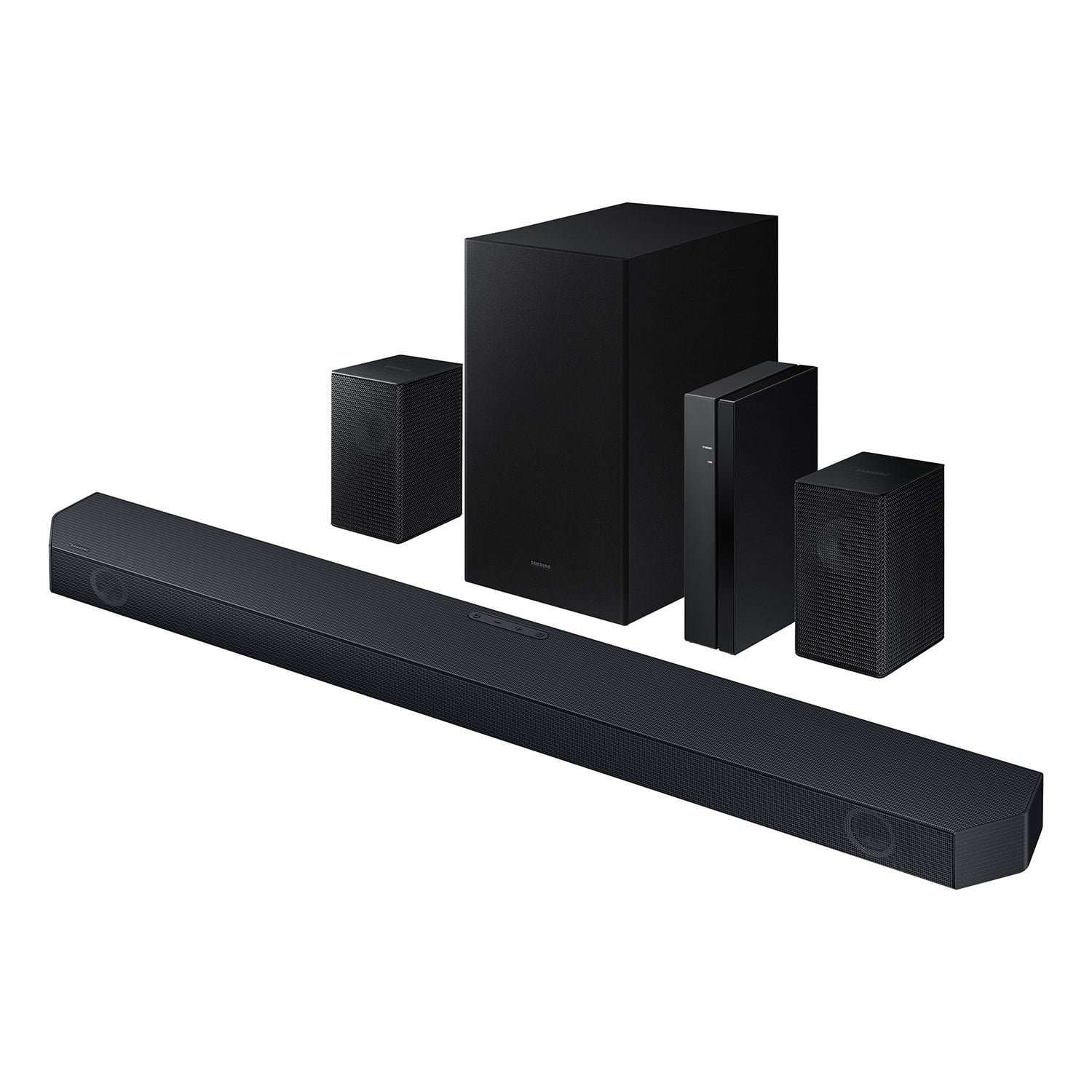
SAMSUNG Q-series 5.1 Channel Sound Bar with Wireless Subwoofer, Q-Symphony & Dolby ATMOS Audio
4.5 out of 5 stars
stars
527 ratings402 reviews
  1. 5 stars75% (395)
  2. 4 stars15% (78)
  3. 3 stars5% (24)
  4. 2 stars1% (6)
  5. 1 star5% (24)

Member photos

  • +59 images
Sort by |
Showing 131-140 of 402 reviews
Feb 8, 2026
Reviewer name: MICHELLE
4 out of 5 stars
4 out of 5 stars review

Note for 2025 Samsung Tv Owners

Yes, it will work, as you need to plug in it in via HDMI or optical, and if your TV is a 2025 Samsung model, you'll get the added benefit of Q-Symphony integration for enhanced audio.

Helpful?3195MT0SA8FL13599821582
Mar 11, 2026
Reviewer name: BNEW52
4 out of 5 stars
4 out of 5 stars review

Great sounds

[This review was collected as part of a promotion.] best quality to surround sound I have ever experienced in home theater systems and watching movies sports events or whatnot Samson q6 series you can never go wrong with it

Review from Samsung US
Helpful?3195MT0SA8FL13599821582
Mar 21, 2026
Reviewer name: Lindy
5 out of 5 stars
5 out of 5 stars review

Q symphony Soundbar

[This review was collected as part of a promotion.] I love this product! The sound clarity, direction, immersive, synchronization and soundstage is worth every dime.

Review from Samsung US
Helpful?3195MT0SA8FL13599821582
Mar 6, 2026
Reviewer name: RCBT
5 out of 5 stars
5 out of 5 stars review

Great Features

[This review was collected as part of a promotion.] Good sound for an average size room. The surround speakers are an added plus for the price. Really like how easy it was to set up and sync with the tv. Needing only 1 remote is great too.

Review from Samsung US
Helpful?3195MT0SA8FL13599821582
Mar 4, 2026
Reviewer name: Sweeper5150
3 out of 5 stars
3 out of 5 stars review

Great product bad instructions

[This review was collected as part of a promotion.] Great product but lousy instructions. A few clear pictures would really help. The video is not that useful

Review from Samsung US
Helpful?3195MT0SA8FL13599821582
reply from Samsung Solutions

Hi Sweeper5150, We appreciate you taking a few moments to review the HW-Q65C Samsung Soundbar. You can find the full manual for this soundbar by visiting the following link: https://downloadcenter.samsung.com/content/UM/202507/20250723034231001/HW-Q65C_ZA_WUG_03_ENG_250218.0.pdf If we can help with anything else, please call us at 1-800-SAMSUNG (Ask for Soundbars), 8 AM – 12 AM EST, 7 days a week. Live Chat with an agent as well as manuals, software, creating a service ticket, and warranty info can be found at the ‘Support’ link on our Samsung website. ~ Samsung Solutions

Mar 21, 2026
Reviewer name: KIM
5 out of 5 stars
5 out of 5 stars review

Feels like I'm in a movie theater!

I love the surround sound and deep bass! I had my daughter's boyfriend set it up for me since the instructions were a bit confusing for me. It works very well with my TV, which isn't a Samsung. For the money, this system is well worth it!

Helpful?3195MT0SA8FL13599821582
Mar 6, 2026
Reviewer name: bak1992
3 out of 5 stars
3 out of 5 stars review

Great sound

[This review was collected as part of a promotion.] the sound is terrific. Still having a problem hooking up the wireless speakers. No sound comes out

Review from Samsung US
Helpful?3195MT0SA8FL13599821582
reply from Samsung Solutions

Hi bak1992, Thank you for taking a moment to review the Samsung HW-Q65C Soundbar. To setup the wireless rear speaker kit included with the soundbar, first use the color-coded speaker wires to connect the rear speakers to its wireless module and place these three in the back of your room. Plug the wireless receiver module power cord into an electrical outlet and into the wireless receiver module to turn on the wireless receiver module. Press and hold the ID SET button on the back of the wireless module for at least 5 seconds or until the blue light starts blinking. Turn off your soundbar and press the Up button on the remote for 5 seconds. The ID SET message will appear on the soundbar for a short time and then disappear. After the ID SET process, the soundbar power is automatically turned on. The LINK LED indicator stops blinking and glows a solid blue when a connection is established between the soundbar and the wireless receiver module. If you need more help, Samsung is here for you. Please call us at 1-800-SAMSUNG, 8AM - 12AM EST (Ask for Soundbars), 7 days a week. Live Chat with an agent as well as manuals, software, creating a service ticket, and warranty info can be found at the ‘Support’ link on our Samsung website. ~ Samsung Solutions

Oct 26, 2025
Reviewer name: Don
5 out of 5 stars
5 out of 5 stars review

Verified Purchase

For the price it’s really a good sound bar

Like the sound

Helpful?3195MT0SA8FL13599821582
Nov 28, 2024
Reviewer name: Steve
5 out of 5 stars
5 out of 5 stars review

Verified Purchase

GREAT EXPERIENCE

Alexa was AMAZING , she was so helpful in making my purchase so easy!! She fully explained & pretty much did everything to eliminate me having to do a thing with a purchase I had done a lot of research on & was sure I was purchasing the BEST (no pun intended) available to me. 👍👍👍👍👍👍👏👏👏👏👏👏!!!!!!

Helpful?3195MT0SA8FL13599821582
Mar 8, 2025
Reviewer name: Marc
5 out of 5 stars
5 out of 5 stars review

Verified Purchase

Good

Good sound for a good price

Helpful?3195MT0SA8FL13599821582