Skip to Main Content
Sam's Club
Sam's Club
All Departments
All Services
Customer reviews for Brother Monochrome All-in-One Laser Printer, MFC-L2717DW for
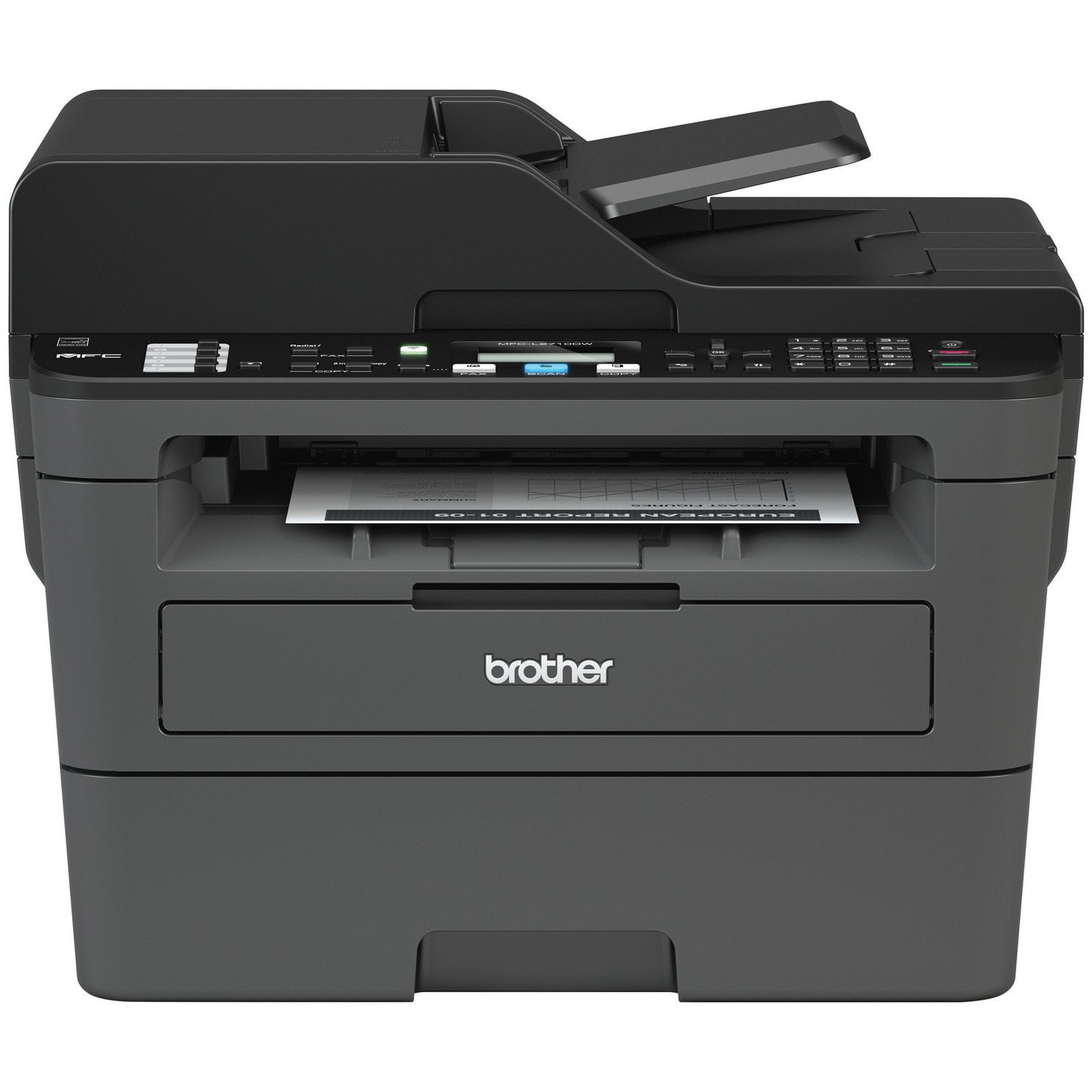
Brother Monochrome All-in-One Laser Printer, MFC-L2717DW
4.5 out of 5 stars
stars
666 ratings339 reviews
  1. 5 stars75% (500)
  2. 4 stars14% (94)
  3. 3 stars4% (29)
  4. 2 stars2% (15)
  5. 1 star4% (28)

Member photos

Sort by |
Showing 261-270 of 339 reviews
Jan 14, 2023
Reviewer name: Elcorbs
5 out of 5 stars
5 out of 5 stars review

A great home/office printer

Great printer with all the options I was looking for. Great being able to print ID’s on the same sheet. Easy to connect and the footprint is not too large. Graphics are clear.

Review from brother-usa.com
Helpful?4JKAVYPMSQKJ13585619711
May 4, 2022
Reviewer name: Anonymous
5 out of 5 stars
5 out of 5 stars review

Brother Printer/scanner

Brother Printer MFC-L2717DW was easy to set up and performs very well. I like its double sided copying capability. Scanning Documents is very easy and documents are clear

Review from brother-usa.com
Helpful?4JKAVYPMSQKJ13585619711
Feb 8, 2024
Reviewer name: dan
5 out of 5 stars
5 out of 5 stars review

No ink to dry up

1 hr to set up....(as with most wireless printers) Easy to use love it.... Print maybe 10 times a year I feel this will be a better choice as there is no ink to dry up

Helpful?4JKAVYPMSQKJ13585619711
Jun 17, 2024
Reviewer name: mcclainra
5 out of 5 stars
5 out of 5 stars review

Excellent Printer!

This is a great little printer. So much better & easier to use than previous Canon. Just wish there was a manual available that was easier to understand, but would definitely buy again.

Review from brother-usa.com
Helpful?4JKAVYPMSQKJ13585619711
May 9, 2022
Reviewer name: JSlaught
5 out of 5 stars
5 out of 5 stars review

My Brother's Keeper

This is my first Brother's printer, spending the last few years on HP Printers. I will have to say that I am very pleased with my Brother's printer, It's well designed and performs wonderfully. It's definitely a keeper!

Review from brother-usa.com
Helpful?4JKAVYPMSQKJ13585619711
Sep 12, 2022
Reviewer name: Pravin
5 out of 5 stars
5 out of 5 stars review

Great printing

[This review was collected as part of a promotion.] It prints great quality. I can choose the quality type I need. Also, gives me great quality scanning in "pdf" anf "jpag" fromat.

Review from brother-usa.com
Helpful?4JKAVYPMSQKJ13585619711
Dec 9, 2022
Reviewer name: Kathleen
5 out of 5 stars
5 out of 5 stars review

Brother printer

I am pleased with this product. I appreciated the complete, concise instructions for setting it up and starting usage. My previous printer (from a different manufacturer) did not provide that information. No issues with it's performance so far.

Review from brother-usa.com
Helpful?4JKAVYPMSQKJ13585619711
May 19, 2023
Reviewer name: FaithInGod
5 out of 5 stars
5 out of 5 stars review

Excellent Printer

Nice printer. Previously owned a HP. Like that it automatically prints back and front if over 2 pages to save paper. Have connected via computer & iPhone with no issues. Glad we made this purchase.

Review from brother-usa.com
Helpful?4JKAVYPMSQKJ13585619711
Feb 19, 2023
Reviewer name: vintage finds
4 out of 5 stars
4 out of 5 stars review

Brother for home and home business use.

The Brother MFC-L2717DW printer works well in our home office and for personal use. It is fast enough to meet our needs for B/W printing, and the toner lasts longer than print cartridges.

Review from brother-usa.com
Helpful?4JKAVYPMSQKJ13585619711
Feb 5, 2023
Reviewer name: Victor
2 out of 5 stars
2 out of 5 stars review

The printer doesn't work on network 1/2 of time

It is "Offline" half the time on my network. My previous Brother printer didn't do this. Furthermore, the "Update" software pops up way too much and is very annoying.

Review from brother-usa.com
Helpful?4JKAVYPMSQKJ13585619711
reply from Brother Customer Service

We would like to take this opportunity to thank you for your feedback. At Brother, customer satisfaction is something we take seriously. You can choose a frequency for Software Update notifications in the Brother Utilities by selecting Tools → Software Update notification. Below is an FAQ link that may help with the connectivity issues: https://help.brother-usa.com/app/answers/detail/a_id/153109 If you continue to have issues, our Brother Customer Support Team is available to assist you direct: www.brother-usa.com/brother-support