
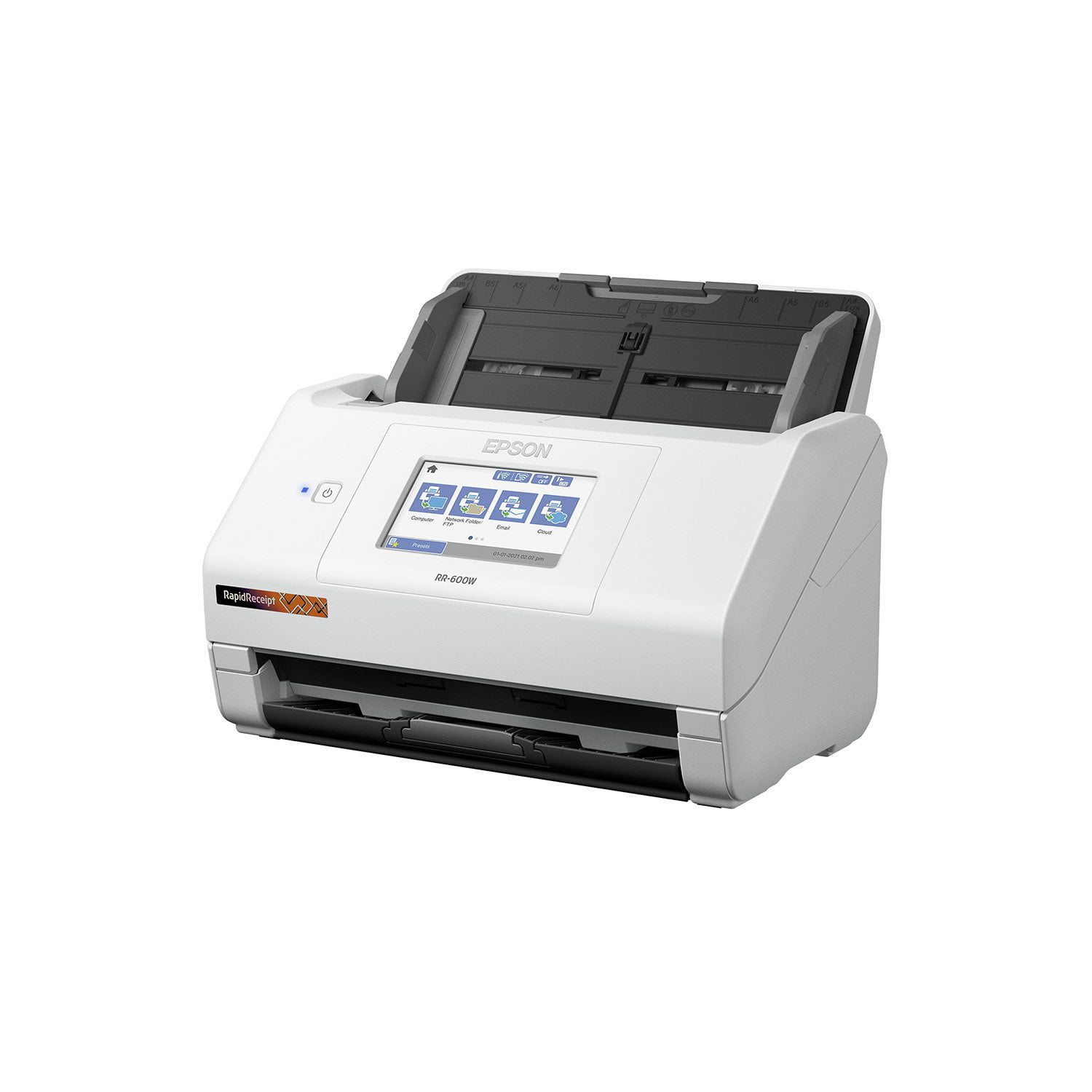
 Customer reviews for Epson RapidReceipt RR-600W Special Edition Scanner, 100-Sheet Duplex Auto Document Feeder for
Efficient but pairing with software took time
[This review was collected as part of a promotion.] I could have used this scanner years ago as we manage a lot of investment rental properties and my husband is a self-employed contractor. I use Quicken to track income and expenses which in turn are downloaded into TurboTax for our tax returns. Instead of filing many pesky receipts by category, the Epson RapidRecipt is more efficient and time-saving by attaching receipts to matching transactions. The only con is that it took a couple of hours to figure out how to sync the receipt scans with the Quicken entries. The instructions could have been a little more precise, but my years of computer experience prevailed with success. I definitely recommend this product for people who manage a lot of receipts each month.
Great scanner
[This review was collected as part of a promotion.] This scanner is simply amazing. It is so easy to setup and get started with using. I love how intuitive it is and how great it looks. I would strongly encourage anyone and everyone with receipt scanning needs to pick up one of these for your office.
FAST!!!
This scanner is truly plug and play. It did not take more than a few minutes to set this up and start scanning. The scanner is ready right out of the box! Being eager to test run this scanner, I ran my first scan without the instructions to see how user friendly it is, and it did not disappoint! The menus on the scanner touch screen are easy to read and are self-explanatory. The first scan I tried was a double-sided color page. The scanner moved extremely fast and the default quality of the scan was tremendous. I previously used an office printer/scanner combo and to do a double side scan meant clearing my schedule for the afternoon. I run a company by day and a tax practice by night which makes the exporting of images to other software packages a must for me. This scanner includes Epson Smart scan software that can scan, file, OCR, and export captured images and OCR data to many financial software including Quickbooks, Quicken, Turbotax, Excel and CSV files. I love that this scanner accepts multiple sizes of pages all in the same stack of papers to be scanned. Other scanners I’ve used do not allow for this meaning I had to sort and separate the various page sizes before scanning. The only downside thus far is now my coworkers all want one! This is a review for the Epson RR-600W Wireless Duplex Touchscreen Scanner that I received free of charge to do a beta test and review.
Perfect solution!
[This review was collected as part of a promotion.] I have drawers and files full of documents and receipts. I am so glad I found this scanner. Setting it up to my computer was fast and easy. Scanning the documents to my computer was a breeze. I can add my stack of documents and it will scan to the folder and keep it organized. It’s the perfect addition to my office.
Good Value Scanner
I was looking for a scanner to replace my ScanSnap s1300i. I needed to upgrade to a more compatible and better device. I am really enjoying using this Epson scanner. If you are looking for a flexible, easily upgradable sheet fed scanner I highly recommend it. The quality of the equipment is good. It scans well, sheets pass smoothly and has duplex functionality. The softwarAvishe is easy and with the touchscreen, it is just as one-touch as my old scanner. When using the scanner to scan receipts, it works perfectly and the included software has powerful OCR so it pulls the information from the receipt! Now that I’ve used it, I’m realizing it is a must! All scanning software should have this! Another great plus of this scanner is that it works wirelessly. This means it’s easy for me to scan to my laptop without having to plug in. I’m all about mobility and flexibility and this functionality allows that. Overall, this is a great scanner. It’s a great value buy that has all the basic functionality one could need and more. The quality of the scans is great and the speed is more than anyone should need. I highly recommend it. This is a review for the Epson RR-600W Wireless Duplex Touchscreen Scanner that I received free of charge to do a beta test and review.
amazing
[This review was collected as part of a promotion.] I love this scanner, it makes it so easy to scan to computer or device. You can put a ton of papers or receipts and it just scans it quick. I absolutely love that its wireless, it makes it so there are no more cords than needed. Its a decent size, not to big, it fits perfect next to computer. It also comes with software to collect and invoice everything. I love it and highly recommend.
Easy Breezy
The quality of this scanner is absolutely stunning! Setting up the scanner was easy for any one of any level of knowledge on setting up any device. Having used various scanners in the past, this one has quickly become my favorite of all time due to the very easy to understand touch screen capabilities. Not to mention the wireless setup that I chose to go with. Being able to have this scanner in whatever place is convenient without sacrificing function or having to clutter is priceless. Now, as someone who is a contract worker, I have to save all of my receipts for tax purposes. Being able to wirelessly scan not only important documents, but ALL of my receipts that are needed for tax purposes has proven to be a total lifesaver. The guides within the scanner are very easy to set in the correct place, making receipt scanning a complete breeze. The software allows you to do double sided scans, saving invaluable time and requiring minimal effort. This is a review for the Epson RR-600W Wireless Duplex Touchscreen Scanner that I received free of charge to do a beta test and review.
Best Scanner ever
This scanner is easy to setup I didn’t need no help which is huge for me I was able to set it up quickly. the size of this is convenient you can place it in any corner My work space is small so I was able to get it fit in a small compact space by my desk. The scanning features are great you can scan a two sided document you can place any size receipts. also you can place more than one document/receipt etc to scan it’s definitely a time saver. it’s very nice and high quality work gets everything done quickly The touchscreen is quick and responsive you can adjust your settings this way and enjoy this great feature. You can also use usb memory drive to transfer scans to your email. Also simply connect this to WiFi which is my favorite feature makes everything so much easier. This is a review for the Epson RR-600W Wireless Duplex Touchscreen Scanner that I received free of charge to do a beta test and review.”
amazing scanner!
This Epson Receipt RR-600W Remote Duplex Touchscreen scanner is a lifeline with regards to saving receipts. The machine is super speed which implies you simply feed the machine with receipts and blast it filters them unimaginably quick. Arrangement is simple just when you read the necessary projects and what is expected to effectively get the machine associated with wifi and working. In the wake of unpacking and fueled on, I went to Epson to download the Epson ScanSmart pack notwithstanding included Kofax Force PDF which permits clients to make editable PDF information that which an incredible just as Presto BizCard that is utilized to examine business cards and alter them the manner in which it gets accessible. What I loved about this machine is the plan, contact screen, opportunity of utilizing it wired and remote whether from a PC or cell phone or tablet (Epson Shrewd Board is needed to download on brilliant gadgets) such application is not difficult to utilize and permits me to set up the wifi direct output capacity and sweep from the telephone. Another component is the duplex that permits me to filter the two sides and the capacity to save documents locally or move to related applications on gadgets like One Drive or Google drive mists. Profoundly reco0mmnnededc machine for saving receipts, Bussines cards, id's, and make alters effectively as Epson filter programming removes and arranges the information out of the receipt naturally like date, merchant, money and other data on the receipt and capacity to alter and make it accessible effectively notwithstanding check archives at same quality instruments. Extraordinary scanner. This is a review for the Epson RR-600W Wireless Duplex Touchscreen Scanner that I received free of charge to do a beta test and review.
the best scanner
I received the RR-600W scanner and it arrived very well packaged, I used it for less than a week and I already scanned several receipts and documents that I had in disorder. And it was very easy to configure it is small it fits well on my desktop. The scanner has made my work days easier with my receipts and documents since I work from home because I have a small company and the scanner is my main work tool. The resolution is fabulous and the speed and it can also be scanned from your smartphone and computer quickly and easily. The best thing is that it has a touch screen and that helps me a lot and also when I want to send documents I can add several recipients It is an elegant and practical scanner with all the scanning options it contains, Another great advantage of this scanner is that it works in a If you need a scanner I recommend this is very practical, This is a review for the Epson RR-600W Wireless Duplex Touchscreen Scanner that I received free of charge to do a beta test and review