
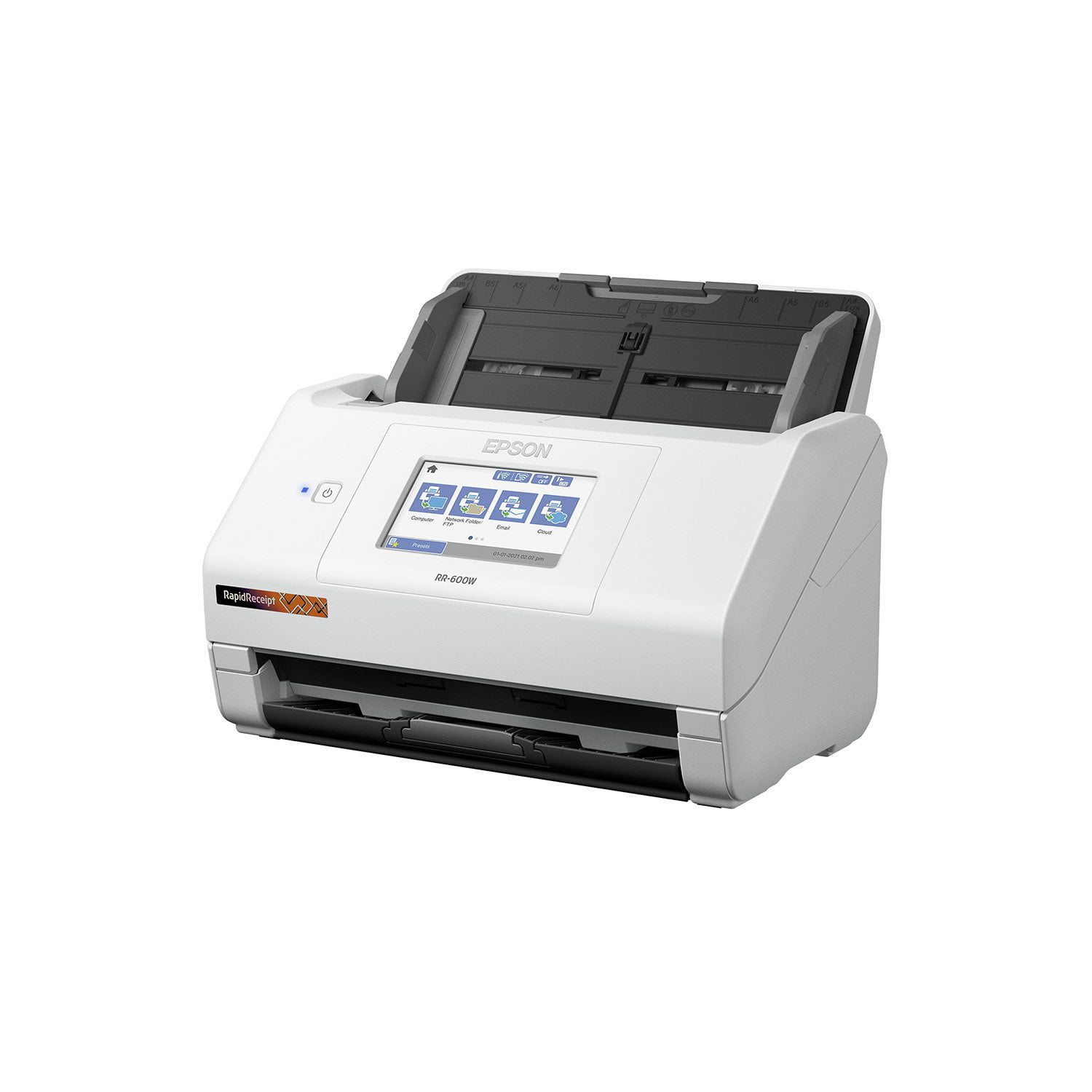
 Customer reviews for Epson RapidReceipt RR-600W Special Edition Scanner, 100-Sheet Duplex Auto Document Feeder for
Best Scanner ever
This scanner is easy to setup I didn’t need no help which is huge for me I was able to set it up quickly. the size of this is convenient you can place it in any corner My work space is small so I was able to get it fit in a small compact space by my desk. The scanning features are great you can scan a two sided document you can place any size receipts. also you can place more than one document/receipt etc to scan it’s definitely a time saver. it’s very nice and high quality work gets everything done quickly The touchscreen is quick and responsive you can adjust your settings this way and enjoy this great feature. You can also use usb memory drive to transfer scans to your email. Also simply connect this to WiFi which is my favorite feature makes everything so much easier. This is a review for the Epson RR-600W Wireless Duplex Touchscreen Scanner that I received free of charge to do a beta test and review.”
Nice Scanner
[This review was collected as part of a promotion.] This Wireless Touchscreen Scanner is nice to use for receipts, documents, or any other important paper that you have to scan for an important cause. I like how it was easy to install on my desktop computer. I like how it's easy to use because there isn't anything complicated about it. I like the size of the scanner, it's nothing to big or bulky.
Easy Breezy
The quality of this scanner is absolutely stunning! Setting up the scanner was easy for any one of any level of knowledge on setting up any device. Having used various scanners in the past, this one has quickly become my favorite of all time due to the very easy to understand touch screen capabilities. Not to mention the wireless setup that I chose to go with. Being able to have this scanner in whatever place is convenient without sacrificing function or having to clutter is priceless. Now, as someone who is a contract worker, I have to save all of my receipts for tax purposes. Being able to wirelessly scan not only important documents, but ALL of my receipts that are needed for tax purposes has proven to be a total lifesaver. The guides within the scanner are very easy to set in the correct place, making receipt scanning a complete breeze. The software allows you to do double sided scans, saving invaluable time and requiring minimal effort. This is a review for the Epson RR-600W Wireless Duplex Touchscreen Scanner that I received free of charge to do a beta test and review.
Works Great; More Information Would Help
From opening the box to loading the software and scanning documents, it is all easy and the scanner performance is flawless. However, the receipt processing software just has inadequate documentation. The neat receipt scanner I had is very slow compared to RapidReceipt, but the software is straight forward and can produce a expense report quickly. The Smart Scan software is just not documented and it has been hours so far and it appears the only solution is to buy quicken to get an expense report. So hey Epson it's a great scanner - but the software documentation is well - just substandard. I have a radical idea, make a video on how to use your software to produce an expense report.
No Nonsense Scanner
My husband and I constantly have to scan documents to our computer and phones. We used to use a very old all-in-one printer which had a scanner tray, but this scanner was slow and could not connect to our network. This scanner fixes all that in spades. First, it scans at an alarmingly fast rate, so fast in fact, that my husband jumped thinking he had broken something when the scanner almost literally spit the test document out at him. He was very much impressed and loaded up several pages and had the scanner scan both sides. This barely slowed the scanner down at all. In a matter of seconds both front and back scans of 6 documents were available on his phone. My husband said he was able to connect to the scanner fairly quickly using his phone and getting the scans using the Epson Smart Panel app. It will show you a preview of the document and the current rotation. You can easily rotate the document with the click of a button and change resolution and color. The touchscreen on the scanner is also easily traversed. It is very responsive and all the icons are easy to understand. There has been no haptic issues that we noticed. The only issue we had might have been user error. When we downloaded the driver and setup software, it said it had completed but, we couldn’t scan directly to the computer. Resetting the scanner didn’t do anything and neither did resetting the computer. My husband decided to try installing the drivers again and after installation, it went through a setup the hadn’t happened during the first installation. After that, the computer and scanner were working together perfectly. If you scan documents constantly and want a fast reliable scanner, then this will work perfectly for you. This is a review for the Epson RR-600W Wireless Duplex Touchscreen Scanner that I received free of charge to do a beta test and review.
Good Value Scanner
I was looking for a scanner to replace my ScanSnap s1300i. I needed to upgrade to a more compatible and better device. I am really enjoying using this Epson scanner. If you are looking for a flexible, easily upgradable sheet fed scanner I highly recommend it. The quality of the equipment is good. It scans well, sheets pass smoothly and has duplex functionality. The softwarAvishe is easy and with the touchscreen, it is just as one-touch as my old scanner. When using the scanner to scan receipts, it works perfectly and the included software has powerful OCR so it pulls the information from the receipt! Now that I’ve used it, I’m realizing it is a must! All scanning software should have this! Another great plus of this scanner is that it works wirelessly. This means it’s easy for me to scan to my laptop without having to plug in. I’m all about mobility and flexibility and this functionality allows that. Overall, this is a great scanner. It’s a great value buy that has all the basic functionality one could need and more. The quality of the scans is great and the speed is more than anyone should need. I highly recommend it. This is a review for the Epson RR-600W Wireless Duplex Touchscreen Scanner that I received free of charge to do a beta test and review.
Epson RR-600W Reviewq
Looks great, acts great when it works. Driver issues prevent my computer from communicating with the scanner and so it does not scan. Only on days it feels like communicating with my computer which is about 10% of the time. Soo sad.... to bad I lost my money in this machine.
Easy to Use
I have to give the RR-600W scanner an A+. The scanner is easy to set up and great for a remote office. It is wireless which is a huge plus for me since that means fewer cords. I can easily scan my documents for my home office including receipts for expenses. I love the touchscreen that makes it easy to adjust settings. It scans all black and white and well as color awesome. With the receipts, does scan at a high quality so I had no problem with the image once uploaded. It's great that it has duplex scanning. Love that you can categorize the documents, which makes it so much easier to find and organize docs. This is a review for the Epson RR-600W Wireless Duplex Touchscreen Scanner that I received free of charge to do a beta test and review.
Such an amazing scanner!
This Epson Receipt RR-600W Remote Duplex Touchscreen scanner is a lifeline with regards to saving receipts. The machine is super speed which implies you simply feed the machine with receipts and blast it filters them unimaginably quick. Arrangement is simple just when you read the necessary projects and what is expected to effectively get the machine associated with wifi and working. In the wake of unpacking and fueled on, I went to Epson to download the Epson ScanSmart pack notwithstanding included Kofax Force PDF which permits clients to make editable PDF information that which an incredible just as Presto BizCard that is utilized to examine business cards and alter them the manner in which it gets accessible. What I loved about this machine is the plan, contact screen, opportunity of utilizing it wired and remote whether from a PC or cell phone or tablet (Epson Shrewd Board is needed to download on brilliant gadgets) such application is not difficult to utilize and permits me to set up the wifi direct output capacity and sweep from the telephone. Another component is the duplex that permits me to filter the two sides and the capacity to save documents locally or move to related applications on gadgets like One Drive or Google drive mists. Profoundly recommended this machine for saving receipts, Business cards, id's, and make alters effectively as Epson filter programming removes and arranges the information out of the receipt naturally like date, merchant, money and other data on the receipt and capacity to alter and make it accessible effectively notwithstanding check archives at same quality instruments. Extraordinary scanner.
Quick, Accurate, Wireless, Touchcreen Scanner
I work in the Higher Education Administration field. I’ve been working remotely for about a year now. I miss having accessibility to the Canon C650 in my office. The Epson RR-600W Wireless Duplex Touchscreen Scanner is making me miss the Canon C650 in my office much less though. This is my first Epson Scanner and I am very impressed. The RR-600W measures about 6.9 (H) by 11.8 (W) by 6.6 inches (D) with its trays closed and weighs 8.1 pounds. It is plug and play. I took it out of the box, attached a few parts, and then plugged in the power adapter. Needless to say, it was easy to assembly, set up, and it is very light (not bulky and takes up little space). The intent of the Epson RR-600W Wireless Duplex Touchscreen Scanner is specifically designed for organizing and managing receipts and invoices. My job does not include organizing and managing receipts and invoices in Higher Education Administration. Thus, I used this feature to scan my personal receipts and invoices. My receipts come in different lengths and widths. For example, I recently went to H-E-B to restock after a winter storm in my area, and that receipt was very long because I bought a lot of items. Another example, I had a doctor’s appointment and that receipt was thin, 5 inches long by 2 inches wide. I put both receipts in the tray and the scanner scanned the receipts seamlessly. Within seconds the receipts appeared wirelessly onto my MacBook Air via the ScanSmart Accounting Edition, also known as the Receipt Manager software. This software is very impressive. It was able to identify vendor names, date on the receipt, total amount, sales tax, etc. I can see how this can benefit business owner who collect tons of receipts daily. They no longer need to manually enter data because the software accurately extracts and organizes data from receipts and invoices, and seamlessly integrates the data into Excel spreadsheets, QuickBooks, TurboTax, Quicken, etc. As mentioned in the above paragraph the Epson RR-600W is wireless. You do not need extra cables to connect the Epson RR-600W to your computer. I’m grateful that the Epson RR-600W is wireless because my MacBook Air only has two Thunderbolt ports. I’m glad I do not need to buy extra attachments. I use the Epson RR-600W mainly for its TWAIN driver feature. The TWAIN driver feature easily integrates my documents into PDF. I can now create searchable and editable PDFs at no cost and sent it to coworkers. I use the 4.3-inch touch screen control panel often. The screen control panel is very user friendly. The first thing I did was connected the Epson RR-600W to my wifi network. I scrolled right using the arrow to find “Settings” icon. I tapped the “Settings” icon and used the down arrow to scroll down to find the “Network Settings” icon. Then I clicked on the “Wifi Setup” icon. I’ve also used the 4.3-inch touch screen control panel to send data from the Epson RR-600W to my computer, to send data from the Epson RR-600W to coworker’s email, and to send data from the Epson RR-600W to a thumb drive. Lastly, the Epson RR-600W has a duplex feature. I’ve put a piece of paper with writing on front and back into the Epson RR-600W tray. The Epson RR-600W automatically scans both sides with me having to reinsert the back page manually. All features have been accomplished quickly and accurately. While the Epson RR-600W has many advantages; I wish it also included a way to print so that I could get rid of my bulky Brother HL-5070N printer. This is a review for the Epson RR-600W Wireless Duplex Touchscreen Scanner that I received free of charge to do a beta test and review.