
 Customer reviews for Epson RapidReceipt RR-600W Special Edition Scanner, 100-Sheet Duplex Auto Document Feeder for
Time saving multi purpose scanner
[This review was collected as part of a promotion.] You can very quickly scan various sizes of receipts and invoices . This thing really saves you some time ! It comes with easy to use software to sort and then save for quick books . No need to subscribe to anything . You can use this for both business and household. This is not bulky or heavy , it’s easily stored in a desk cubby .
Epson RR-600W Reviewq
Looks great, acts great when it works. Driver issues prevent my computer from communicating with the scanner and so it does not scan. Only on days it feels like communicating with my computer which is about 10% of the time. Soo sad.... to bad I lost my money in this machine.
Best Scanner by Far
With the change in work access while Working From Home, this scanner has been an amazing upgrade. I have had various scanners before and the quality and speed are by far my favorite. One of the reasons why I prefer this model is the touchscreen capabilities, my favorite. I did not realize how convenient this feature is and if your current scanner does not have a touch screen, I would reconsider. Setting the device was easy for any one of any level of knowledge on setting up any device. I opted for wireless setup as my office desk is small and I wanted the scanner to be close but not next to my laptop. I love how the software is able to give options do double sided scans very quickly and the image quality can be adjusted based on the detail desired. I opted for 300 dpi on my scans. Receipt scanning is a breeze, as long as you have the guides setup properly. This is a review for the Epson RR-600W Wireless Duplex Touchscreen Scanner that I received free of charge to do a beta test and review.
FAST!!!
This scanner is truly plug and play. It did not take more than a few minutes to set this up and start scanning. The scanner is ready right out of the box! Being eager to test run this scanner, I ran my first scan without the instructions to see how user friendly it is, and it did not disappoint! The menus on the scanner touch screen are easy to read and are self-explanatory. The first scan I tried was a double-sided color page. The scanner moved extremely fast and the default quality of the scan was tremendous. I previously used an office printer/scanner combo and to do a double side scan meant clearing my schedule for the afternoon. I run a company by day and a tax practice by night which makes the exporting of images to other software packages a must for me. This scanner includes Epson Smart scan software that can scan, file, OCR, and export captured images and OCR data to many financial software including Quickbooks, Quicken, Turbotax, Excel and CSV files. I love that this scanner accepts multiple sizes of pages all in the same stack of papers to be scanned. Other scanners I’ve used do not allow for this meaning I had to sort and separate the various page sizes before scanning. The only downside thus far is now my coworkers all want one! This is a review for the Epson RR-600W Wireless Duplex Touchscreen Scanner that I received free of charge to do a beta test and review.
Great addition to any office
The Epson Rapid Receipt RR-600W has been an amazing addition to my home office. I work for a non profit and most of my work is done from home. This scanner has enabled me to scan receipts and documents to export to Quickbooks. It has easy to follow instructions, setup is quick and understandable with minimal effort. First I set up wireless, downloading the app on my smartphone and software on the computer. The touchscreen on the scanner is easy to use, clear to read and makes setup uncomplicated. The buttons and instructions are easy to follow. I’m able to scan double sided documents with easy and without having to then the paper over. This saves lots of time. The scanned document is quickly sent so I can export data. Overall, this scanner has been an amazing addition to my desk. It saves time, is easy to use and gets the job done. This is a review for the Epson RR-600W Wireless Duplex Touchscreen Scanner that I received free of charge to do a beta test and review.
Best scanner I have ever used!
This is review of Epson RR-600W. First impression, It is simple and easy to use. Setup is simple, bonus is that this scanner is wireless and is completed in less than 10 minutes, including unboxing the scanner. This scanner offers different modes of scanning and locations of where the document will be stored. The scanner allows for double sided scans, and you can scan different items, including business cards, receipts, and documents in one batch. Scans can be exported to QuickBooks, TurboTax, Quicken, Excel, Dropbox, Google Drive, and more. The mobile app for the scanner works flawlessly. Another bonus feature is that the scanner has touchscreen capability, no more outdated, push buttons. The scanner comes with receipt management software included, no subscription required. The software allows you to automatically and accurately extract key data from receipts. I have used this on multiple occasions, and it works like a charm. Makes preparing receipts for tax documents a breeze. “This is a review for the Epson RR-600W Wireless Duplex Touchscreen Scanner that I received free of charge to do a beta test and review. I have had multiple scanners before and the quality, ease of use, setup, and speed are by far the best of any scanner I have ever had.
Nice Scanner
[This review was collected as part of a promotion.] This Wireless Touchscreen Scanner is nice to use for receipts, documents, or any other important paper that you have to scan for an important cause. I like how it was easy to install on my desktop computer. I like how it's easy to use because there isn't anything complicated about it. I like the size of the scanner, it's nothing to big or bulky.
Awesome scanner for receipts and documents!
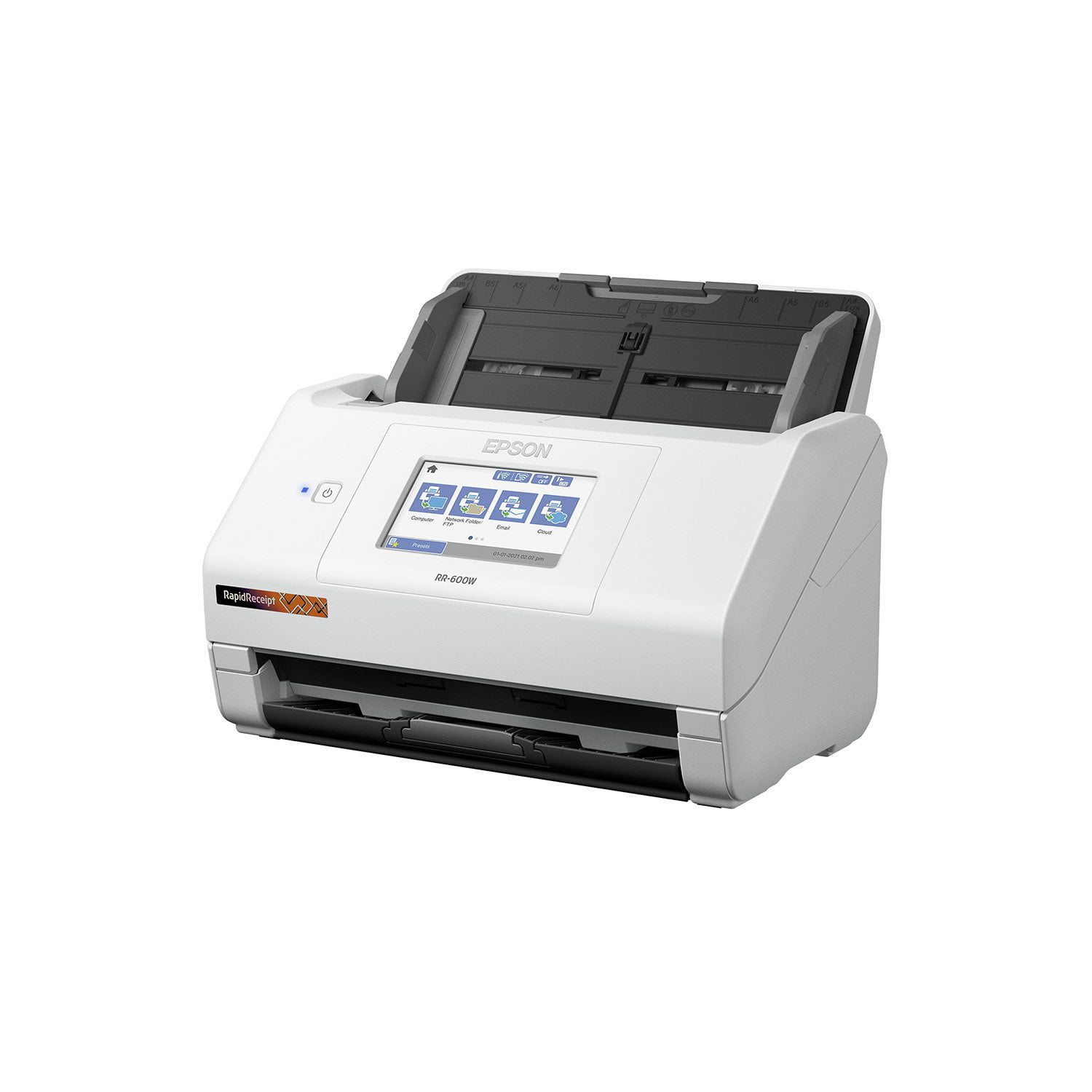
The Epson RR-600W is a fantastic space saving scanner designed to quickly scan in documents and receipts with the touch of an on screen button to many different locations, either via USB or your wireless network with ease. Setting up the Epson RR-600W was very simple, with easy to follow instructions on the bright and clear 4” LCD touch screen. Initial setup was a breeze, inputting date and time settings were easy and clear to set. To connect to Wifi, you do need to go into the settings, and configure the network settings. In my case, the scanner found my wifi network and I just needed to enter the wifi key. Once done, you have the option to register with Epson Connect services, which appeared to be required before you can scan to cloud services. In the case you do not want to scan wirelessly, Epson does include a USB cable to directly connect to a computer, as well as including the ability to scan to a USB flash drive. I tried both scanning via Wifi and via USB to computer, both were simple and easy to do. USB to PC scanning did require the download of the Espon software from Epson’s website, and setup of that software was quick and easy, and included registration of the scanner. When it comes to the operation of the scanner, the Automatic Document Feeder holds approximately 100 pages to be scanned, however I never found the need to batch scan so many any a time. At a rate of 70 pages per minute (in monochrome), this is no slouch. The ability to place a stack of receipts and send them directly to Google Drive has been such a time save. That feature is very handy if you find yourself expensing invoices to your employer. The duplex feature makes scanning double sided documents a breeze, a quick scan and both sides of your document appear in your chosen location. Duplexing options should just be standard nowdays, so kudos on that. There are plenty of options within scanning to get your document to easily be legible, regardless of how the original document appears. Black text on red background, no problem! The Epson ScanSmart software, which is included via download with the Epson RR-600W allows for automatic text extraction, as well as searchable PDFs. The ability to search scanned documents presents an even greater value, especially when scanning very important documents that may need to be referenced. For any of us that have had to manually comb through a scanned document for verbiage, this comes as a welcome. The receipt scanning portion of the software will also read the receipt for information like retailer, purchase cost, and date of purchase, among other things, again, making things much easier to keep purchases organized in a clean and simple way. You can also import receipts and expenses into Quickbooks, TurboTax and Quicken! A license is provided for Kofax PowerPDF for Windows or Mac for PDF manipulation. Presto! Bizcard 7 is also provided for simplifying the scanning and organization of business cards, another great function of the scanner. You can’t go wrong with the Epson RR-600W scanner. From speed, to scan quality, to fantastic OCR, this checks all my boxes for a great space saving document and receipt scanner. This is a review for the Epson RR-600W Wireless Duplex Touchscreen Scanner that I received free of charge to do a beta test and review.
This scanner is awesome
This scanner is a must have for small businesses. The duplex scanning feature is amazing. It saves so much time not having to flip something, realign and rescan. I never thought I needed a wireless scanner until I got this one and realized how much better it is to not have to be tethered to a desktop or laptop. It took some figuring to get wi-fi working but once I did it was awesome. This thing scans super fast and the results are super clear. It works great even with wrinkled receipts. Being able to categorize and export is a must have for anyone trying to keep track of business expenses. The software that came with it is grade A. The touchscreen is the perfect size so you're not fumbling around trying to click on what you need. After scanning you can save and categorize everything which makes it super easy to go back and find certain expenses and for exporting to QuickBooks effortlessly. I was able to scan over 400 documents one day with ease. Having this has saved me countless hours in my home office filing paperwork. This is a great product and I really recommend this to anyone running a business. Especially to those doing their own bookkeeping and taxes. This is a review for the Epson RR-600W Wireless Duplex Touchscreen Scanner that I received free of charge to do a beta test and review.
Master of Scanning
Your thoughts may be same as mine when we're thinking why is this unit; a scanner, so expensive compared to other all in one units. Where other units is a jack of all trades, this is a master of scanning and quite literally at that. It scans easily and fast, different sizes and double sided. There's no need to keep it near your computer even for installation. It quickly connects to wifi, the touchscreen is very responsive. Need to scan all your mail before shreading it? Done! Need all your reciepts scanned to a specific folder? Done! Need docs uploaded to FTP or a Google Drive? Done! You don't even need a computer to do the setup. It'll help speed some stuff up but once you're set up, you can do it all on the scanner itself. All the scanning, size, location, and scanning settings can be customized on the scanner itself. Just plop it into the feeder and hit scan. This is a review for the Epson RR-600W Wireless Duplex Touchscreen Scanner that I received free of charge to do a beta test and review.