Customer reviews for Brother P-Touch Home & Office Label Maker PT-2040SC forMember photos
Verified Purchase
Awesome Little Machine
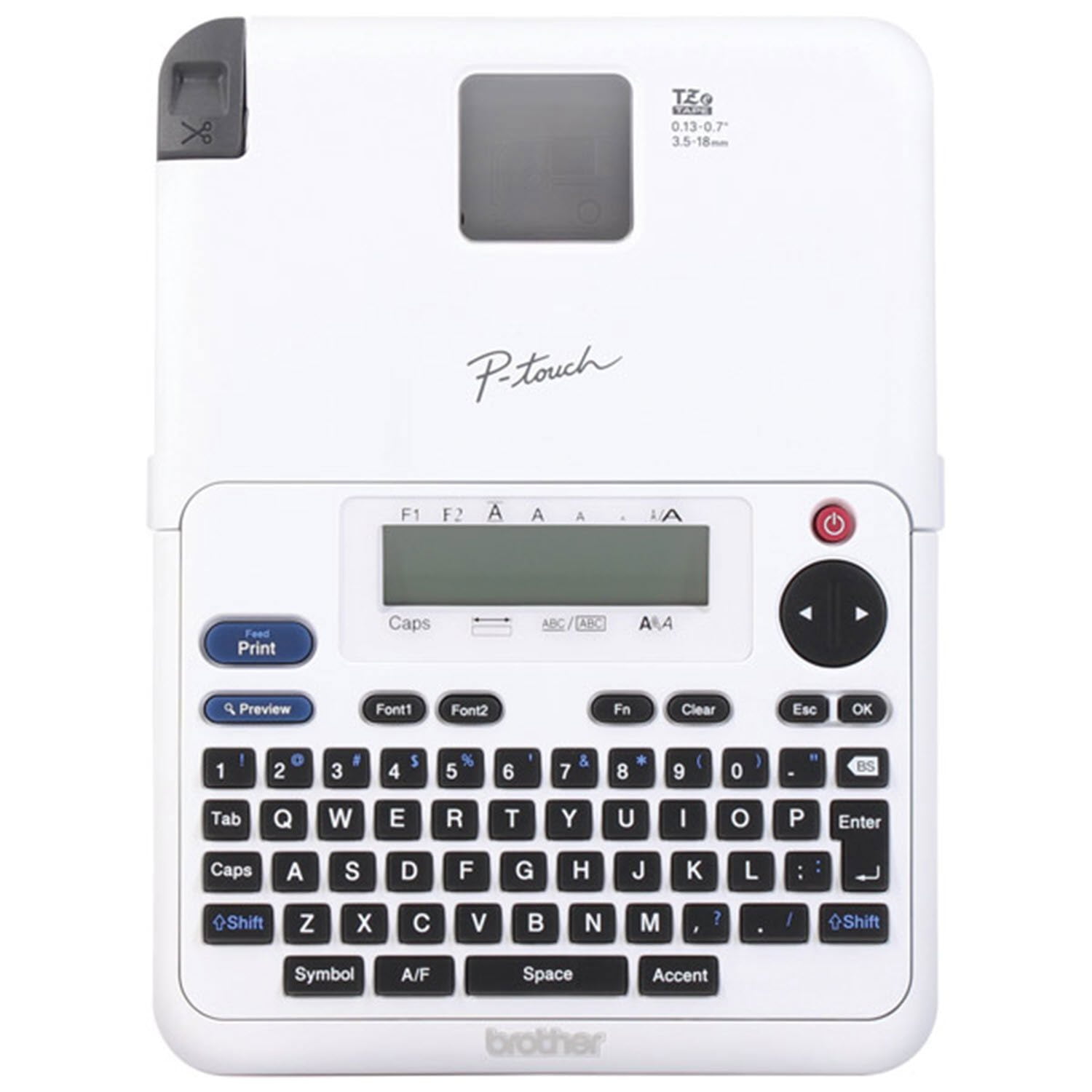
Works exactly as expected and I love using it to organize my life. The machine can be used on the go with batteries or you can plug it in. Small, light, easy to use and has a qwerty key board. Gotta go label some more stuff....
Verified Purchase
Great deal! Great product!
Affordable label maker for a classroom. It doesn't have all of the features of some of the more expensive models, but is perfect for most labeling needs. The included AC adapter is worth about $15 and is not included in the more expensive models.
Verified Purchase
Quick & easy way to label and keep things organize
I needed to replace an older model that no longer worked. This is so much like my old one that it was very easy to learn how to use this one. I'm very pleased with the variety of print options with font sizes and label borders and more.
Verified Purchase
I love this thing!
I love it! I’ve been labeling everything!! Perfect for the new school year. My kids are at home this year for their schooling and it’s really nice that since everything is labeled they aren’t mixing up each other’s supplies!
Good AND Cheap.
I have been carrying a P-touch w/ Tz tape for nearly ten (10) years. I use it for work, but I take care of it. It is in a bubble wrap envelope and goes in a soft zipper bag with the power supply, extra batteries, various sizes, colors and sticky adhesive of tapes, and a pair of good scissors so that I can trim the excess off. YES, it spits out about an inch extra tape that seems to be a waste BUT that is how much it takes to move from the print head to the cutter. Maybe the next design will move the cutter closer to the print head so not as much tape is wasted.
Verified Purchase
Not easy to use
It's not easy to use
We would like to take this opportunity to thank you for your feedback. We are sorry to hear that you are not satisfied with your Brother PT2040SC. At Brother, customer satisfaction is something we take seriously. Your feedback is important to us and will be reviewed to help us improve our future products.We would like to hear more details to be able to better assist you. Our Brother customer support team is available to assist you directly at www.brother-usa.com/brother-support.
Basic Label Maker Bundle at Great Price!
Great overall value for a basic label maker. The A/C adapter alone costs almost as much as this printer bundled with the adapter and what amounts to 1.5 cartridges of tape. The keyboard means this type of label maker may be used as is to create simple labels and very portable since it uses readily available AA batteries or the included A/C adapter. However, this particular model does have fewer font choices (two), frames (twenty), symbols (90), and storage slots (5) to select from versus more expensive models. This was less than the ten years+ older PT-2730 model I was trying to replace. Tape sticks well, but surprisingly leave little or no residue behind when removed. Mine have come off easily. No Goo Gone needed. Text remains visible in indoor and outdoor applications (I've used them on my doors, mailbox, bins in the attic, household, etc.). The last much longer than non-laminated tapes. Because the tape is laminated, there is some waste at the beginning of each tape. The reason for this is the printer "prints" and then has to apply the laminate over the printed area. This is accomplished by the unique design of the tape cartridges these Brother models take. One can save tape by using the "chain" print feature instead of printing and cutting labels individually. One can save money on tapes by buying generic, but your results may vary with that. First of all, you may want to go to Brother's website to compare. This model is a great value if one needs a basic standalone label maker only with limited fonts, frames, and memory storage, which is all I thought I want when trying to replace the PT-2730. This one also prints .75" tall labels versus 1" or 1.5" tall labels other models have. It only prints two lines of text versus more, and I occasionally use mine to print a label with an address on it. I prefer the keyboard models over the Cube for two main reasons. First reason. Being an owner of a previous model that is over 10 years old, one realizes the value of the keyboard. My older model could also connect to the pc and create labels that way too. Newer keyboard models can connect via pc or the older phone app which still works on newer devices. The Cube can connect and create labels through the software, older phone app, and a newer phone app. However, the keyboard allowed me to use my older model even though it wasn't supported by software anymore and never was supported by an app. It turns out Brother did release a driver for Windows over the summer for this older model, but Mac support appears to have been abandoned. Even for newer printers, features on Mac are not the same as what is available on Windows. Therefore a Cube that may still work could eventually have to be replaced just because there is no app support for it on newer devices, and there is no physical keyboard to use it as a standalone. One could just use an older device that would still run the app. Windows users will probably get longer support with more features. Power Options. Be aware that some Cubes do not seem to have an option for A/C adapter. They run on a rechargeable battery only. The rechargeable battery may be difficult to find later. If it is not charged, you will have to wait for it to have some charge before using. Right now, it is almost half the cost of the Cube to replace that battery. I've had good success using rechargeable AA batteries with my keyboard model, so there's that if rechargeable is a factor in your decision. And I have the option of using the A/C adapter. In the end, I returned this printer unopened. The keyboard model I would get, probably the pt-d610bt, to replace the PT-2730 does come with the adapter. Unfortunately Sam's does not carry this model right now. I would miss the ability to create and print labels using a computer and like the idea of being able to use it with an app too.
great value and works great!
I love & would but again. I got it for my birthday when it was on sale for $20. I’ve been labeling everything and it’s very satisfying! The only way to reduce using extra tape is to select the “Fn” button and go to margins. Switch it to narrow if you’re doing single prints, or chain print if multiple prints. (Chain print you don’t cut after each print, you wait until you’ve printed all the labels you want. I recommend you Check YouTube )
The print in the example pics does not exist
I purchased this because it is the same cost as 2 label cartridges for my current label maker. I decided to get this machine based off the labels on the example pics of the coffee cups. I like the arrow bracket outline but after trying all the outlines I found it doesn't exist on this machine and I dont know which machine it might be, Part of me wants to return it because I have a perfectly good 12 yr old label maker.
We are sorry that you are experiencing issues with creating an specific label with your Brother PT2040SC. We'll be happy to help you. Our Brother Customer Support Team is on stand-by to provide quality products and service to our customers via online, email or live chat: www.brother-usa.com/brother-support
Verified Purchase
Too complex instructions
Did not expect instructions to be so complex, haven't figured out how to cut label when complete.
We understand you are experiencing issues using your Brother PT2040SC. We'd like to help. Please contact the Brother USA support team at: https://brother-usa.com/support