Skip to Main Content
Sam's Club
Sam's Club
All Departments
All Services
Customer reviews for Brother P-Touch Home & Office Label Maker PT-2040SC for
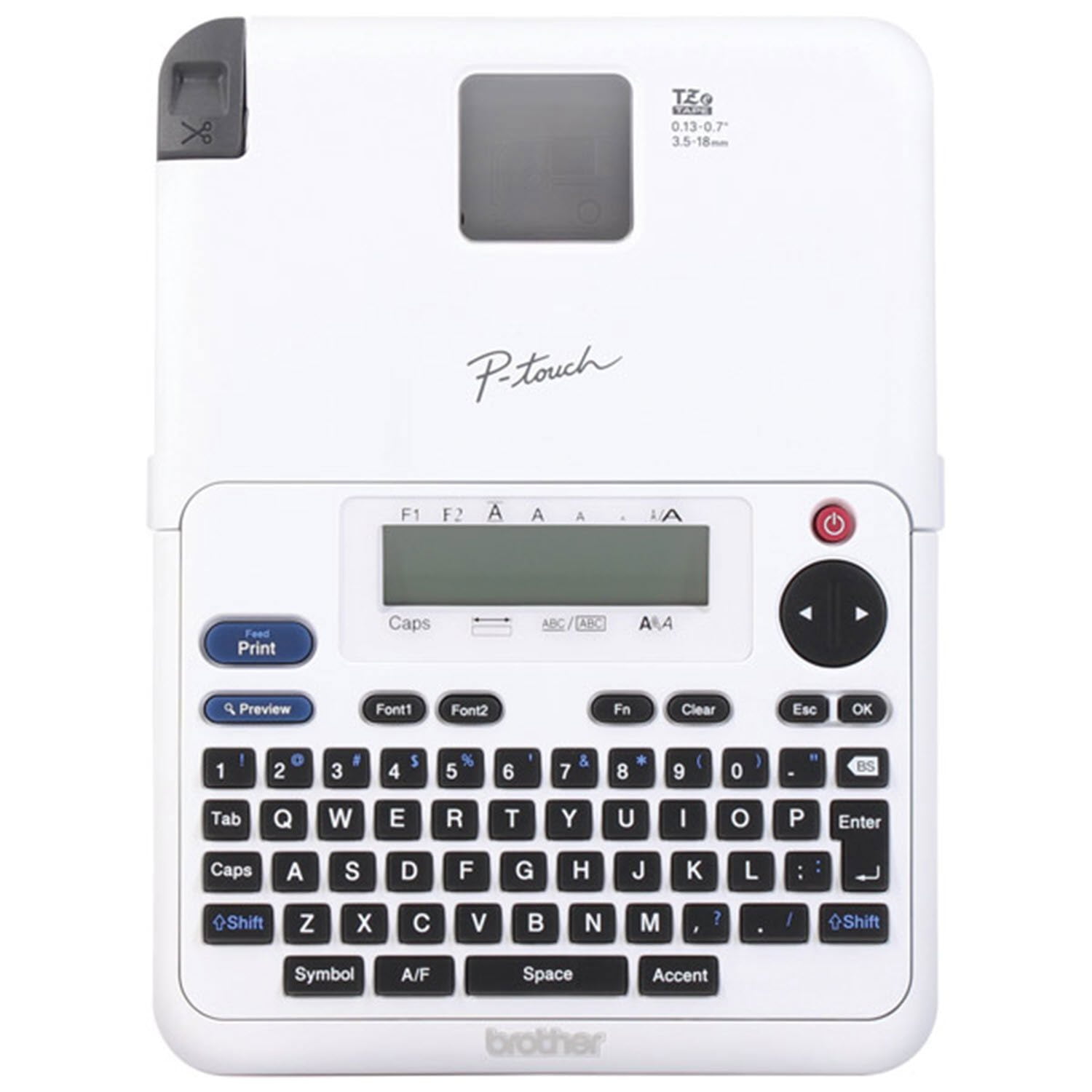
Brother P-Touch Home & Office Label Maker PT-2040SC
4.7 out of 5 stars
stars
586 ratings231 reviews
  1. 5 stars82% (479)
  2. 4 stars11% (67)
  3. 3 stars4% (22)
  4. 2 stars1% (5)
  5. 1 star2% (13)
Sort by |
Showing 1-10 of 231 reviews
Jul 16, 2026
Bobby J
5 out of 5 stars review

Verified Purchase

Works great and is super handy

Very easy to use. My wife and I use it for file folders, storage tubs, craft room organization, etc., etc. You’ll find quickly that having a portable label printer is very useful. We got a little carrying case for it as we take it all over the place. The batteries last a long time and it comes with a power adapter if you want to keep it on your desk or something. Would buy again.

Helpful?10ZEUL54R5FZ1250265539
Jun 5, 2026
Dave
5 out of 5 stars review

Verified Purchase

Label Making made easy!

Love the new Label maker, better than my old one! Easy to load the tape cartridge. There are different color labels that are easy to swap out. Also, you can choose the font you want and also various sizes!!!

Helpful?10ZEUL54R5FZ1250265539
Dec 2, 2024
Vikki
5 out of 5 stars review

Verified Purchase

Brother P-Touch Label Maker

My daughter asked why I got another label maker since I already have 4 others. The others are older and take batteries and/or can't find the tape for them. The main selling point was I can plug this one in if I didn't want to put in batteries. Easy to program how you want the label to work and the tape backing comes off super smooth. I am very happy I got this

Helpful?10ZEUL54R5FZ1250265539
Feb 28, 2026
Liquidplumber
5 out of 5 stars review

Verified Purchase

Works great, helps organize my shop space.

Easy to use everything you need comes included. Price was great! Used this to label my toolboxes, drawers and shelves in my shop to be able to quickly find the tools I need when working on stuff. It also helps me remember where to put those things when I’m done.

Helpful?10ZEUL54R5FZ1250265539
Jan 16, 2026
Susan
5 out of 5 stars review

Verified Purchase

This one is really high tech for me. It prints out fun designs too. I printed out the English directions and learned a lot. I love this one. I bought this for the EA but she gave it to me because it was too hard for her to figure out.

Review from walmart.com
Helpful?10ZEUL54R5FZ1250265539
Sep 12, 2022
Sue
4 out of 5 stars review

Verified Purchase

Does What is Needed

Needed to label files for the office. Wanted something simple. This does the trick... can run on batteries or electric, can adjust size of print. The ONLY down sided, as is noted in many reviews, is the length of the lead, which seems wasteful. You can only use the , chain, option if its the same file name over and over. And once you use the chain option, ya have to reset by using the narrow so then you have waste at that end. Don't know if any other label maker would be different. Otherwise, easy to use.

Helpful?10ZEUL54R5FZ1250265539
Jan 23, 2020
Phyl
4 out of 5 stars review

Verified Purchase

Impressive prints for labels

Machine works great However be prepared to pay a lot for the tape cartridges. They should be 50% less. If you don’t mind paying extra for the cartridge then this is an excellent. If you prefer to pay less for the replacement cartridges look to buy in bulk or try a different label maker

Helpful?10ZEUL54R5FZ1250265539
Oct 3, 2024
Mom of 2
4 out of 5 stars review

Verified Purchase

Does what it says

Does what it says but wastes a lot of tape if you don’t change the margins to chain. Over an inch on each side of the label is the smallest setting you are able to select unless you choose the chain margin.

Helpful?10ZEUL54R5FZ1250265539
Aug 13, 2025
George
3 out of 5 stars review

Verified Purchase

New but not improved

The label maker works, but is actually a downgrade of a previous model. It is less intuitive and has a manual cutter instead of an automated one. It still wastes label material when the label is made by the way it spaces before and after the text. If you never had the previous model, learning how to operate the new one may not be an issue.

Helpful?10ZEUL54R5FZ1250265539
reply from Brother

We would like to take this opportunity to thank you for your feedback. At Brother, customer satisfaction is something we take seriously. Your feedback is important to us and will be reviewed. <br /><br />Thank you for being a Brother customer. Please know that we will be here, should you need to contact us in the future. Please contact us directly at:<br /><br />https://www.brother-usa.com/support/PT2040SC

Dec 1, 2025
Terry
1 out of 5 stars review

Verified Purchase

Too hard for a senior to read instructions

Instructions too small to read

Helpful?10ZEUL54R5FZ1250265539
reply from Brother

Thanks for taking the time to review your experience with the Brother PT2040SC. We appreciate your feedback. I’m sorry to hear that the Instructions are too small to read on the Brother PT2040SC. I sincerely apologize for any inconvenience this issue may have caused you. Below is a link to the Brother PT2040SC Manuals. <br /><br />Answer Link: https://support.brother.com/g/b/manualtop.aspx?c&#61;us&amp;lang&#61;en&amp;prod&#61;2040eus <br /><br />If you still have difficulties, please contact Brother Customer Service at:<br /><br />https://www.brother-usa.com/support/PT2040SC