Skip to Main Content
Sam's Club
Sam's Club
All Departments
All Services
Customer reviews for Brother P-Touch Home & Office Label Maker PT-2040SC for
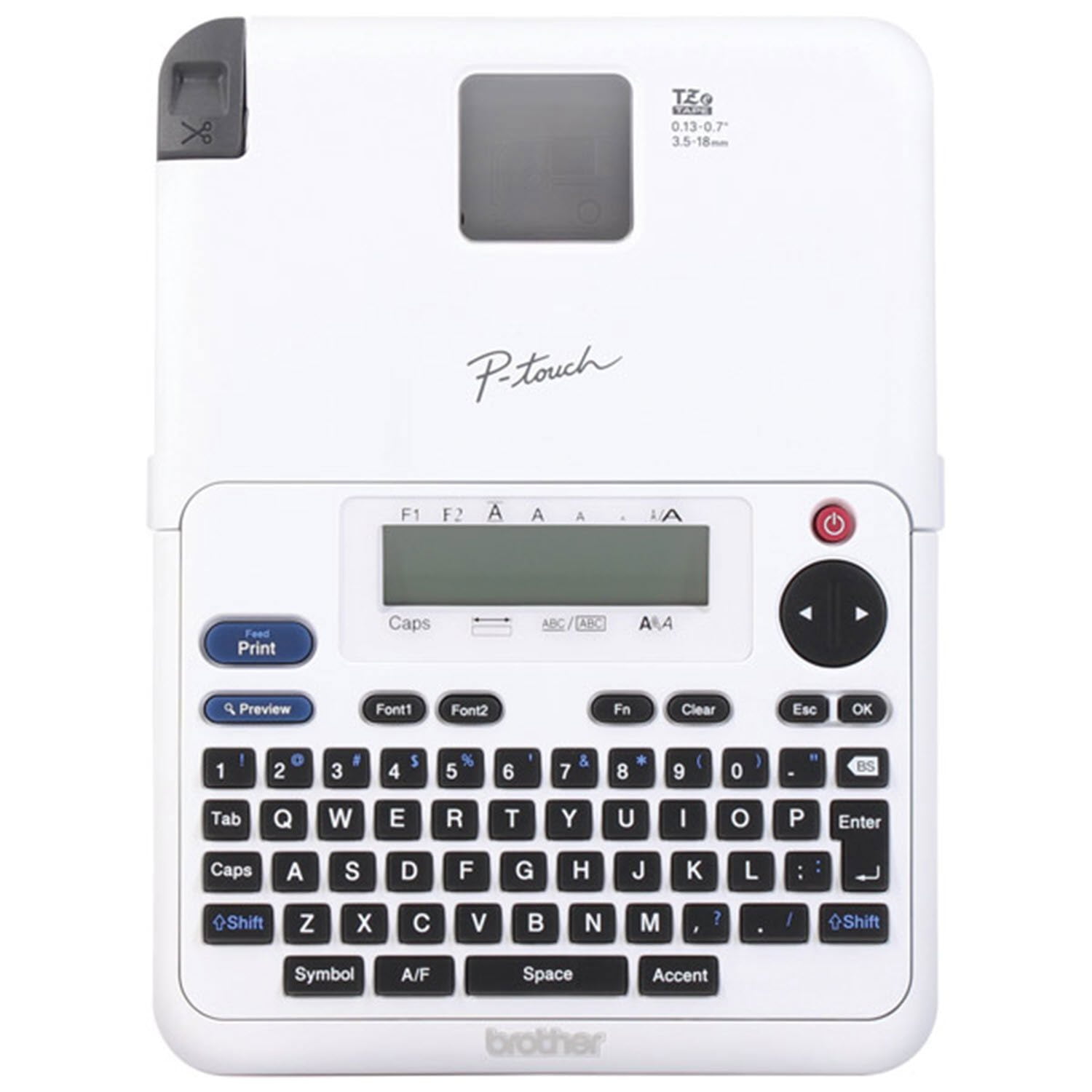
Brother P-Touch Home & Office Label Maker PT-2040SC
4.7 out of 5 stars
stars
597 ratings237 reviews
  1. 5 stars81% (485)
  2. 4 stars11% (68)
  3. 3 stars4% (24)
  4. 2 stars1% (6)
  5. 1 star2% (14)

Member photos

Sort by |
Showing 11-20 of 237 reviews
Aug 3, 2026
Reviewer name: anonymous
1 out of 5 stars
1 out of 5 stars review

Waste of money don’t buy!

It literally doesn’t work %26 the lamination part peels off the sticker. This is the most unhelpful purchase I’ve made!

Helpful?10ZEUL54R5FZ1250265539
reply from Brother

Thank you for your feedback. We&#39;re sorry to hear the Brother P-touch PT-2040SC label maker did not work as expected and that the laminate peeled away from the sticker. We understand how frustrating that must be. We&#39;d like the opportunity to learn more and help troubleshoot the issue. Please contact Brother Customer Support directly so we can assist and work toward a solution.<br />https://www.brother-usa.com/support

Jul 27, 2023
Reviewer name: theoriginallacey
2 out of 5 stars
2 out of 5 stars review

Designed to waste tape

Even with narrow margins selected you will get an inch of wasted tape at the beginning of each label and you will have to attempt to cut it straight with scissors which is nearly impossible. I would not purchase this model again.

Helpful?10ZEUL54R5FZ1250265539
reply from Brother

We understand you're experiencing tape issues with your Brother PT2040SC machine. We'd like to help. Below is a FAQ that may help you with this issue: https://help.brother-usa.com/app/answers/detail/a_id/126201 If you continue to have issues, our Brother Customer Support Team is available to assist you direct: www.brother-usa.com/brother-support

Oct 3, 2024
Reviewer name: Mom of 2
4 out of 5 stars
4 out of 5 stars review

Verified Purchase

Does what it says

Does what it says but wastes a lot of tape if you don’t change the margins to chain. Over an inch on each side of the label is the smallest setting you are able to select unless you choose the chain margin.

Helpful?10ZEUL54R5FZ1250265539
Aug 21, 2023
Reviewer name: Ventura_Liza
5 out of 5 stars
5 out of 5 stars review

Verified Purchase

Excellent Label Maker for At-Home Use

This purchase was a replacement for a Brother label maker that I had for 15+ years and the screen finally died. One of the selling features for me was the ability to plug it in to the wall instead of using batteries as my former label maker use a lot of batteries. It is perfect for making labels for my bead boxes. The clear and white labels that came with the maker was a bonus. Definitely a best value purchase over any other label maker of this quality that I could find online. I expect that it will serve me well for years to come.

Helpful?10ZEUL54R5FZ1250265539
Nov 2, 2025
Reviewer name: Ralph Cooey
5 out of 5 stars
5 out of 5 stars review

Verified Purchase

Brother P-Touch Home & Office Label Maker

Easy to use, good instructions

Helpful?10ZEUL54R5FZ1250265539
Dec 1, 2025
Reviewer name: Terry
1 out of 5 stars
1 out of 5 stars review

Verified Purchase

Too hard for a senior to read instructions

Instructions too small to read

Helpful?10ZEUL54R5FZ1250265539
reply from Brother

Thanks for taking the time to review your experience with the Brother PT2040SC. We appreciate your feedback. I’m sorry to hear that the Instructions are too small to read on the Brother PT2040SC. I sincerely apologize for any inconvenience this issue may have caused you. Below is a link to the Brother PT2040SC Manuals. <br /><br />Answer Link: https://support.brother.com/g/b/manualtop.aspx?c&#61;us&amp;lang&#61;en&amp;prod&#61;2040eus <br /><br />If you still have difficulties, please contact Brother Customer Service at:<br /><br />https://www.brother-usa.com/support/PT2040SC

Oct 17, 2025
Reviewer name: dannyboy651
5 out of 5 stars
5 out of 5 stars review

Verified Purchase

Labeler with tape at a great value!

Best value for a labeler. Comes with two cassettes of labeling tape for less monies than three cassettes of labeling tape.

Helpful?10ZEUL54R5FZ1250265539
Sep 24, 2022
Reviewer name: Rabid rabbit
4 out of 5 stars
4 out of 5 stars review

Verified Purchase

Not as easy to use as prior model owned.

Still trying to figure out how to save settings and not allow wasted tape every time I print. Always have to answer # requested each time.

Helpful?10ZEUL54R5FZ1250265539
Nov 13, 2022
Reviewer name: T Sims
3 out of 5 stars
3 out of 5 stars review

Verified Purchase

Not user friendly

Too complicated for older person. Just wanted to print a label. Instructions are hard to see printed to small. Would not recommend for seniors.

Helpful?10ZEUL54R5FZ1250265539
reply from Supplier Response

We would like to take this opportunity to thank you for your feedback. At Brother, customer satisfaction is something we take seriously. We would love to hear from you with more details to be able to better assist you. Our Brother Customer Support Team is available to assist you direct: www.brother-usa.com/brother-support

Feb 5, 2026
Reviewer name: M Lilly
5 out of 5 stars
5 out of 5 stars review

Verified Purchase

Love it!

So easy to use! My daughters love it as much as I do! Many sizes and different fonts features make it even better. Definitely recommend!

Helpful?10ZEUL54R5FZ1250265539