Skip to Main Content
Sam's Club
Sam's Club
All Departments
All Services
Customer reviews for Brother P-Touch Home & Office Label Maker PT-2040SC for
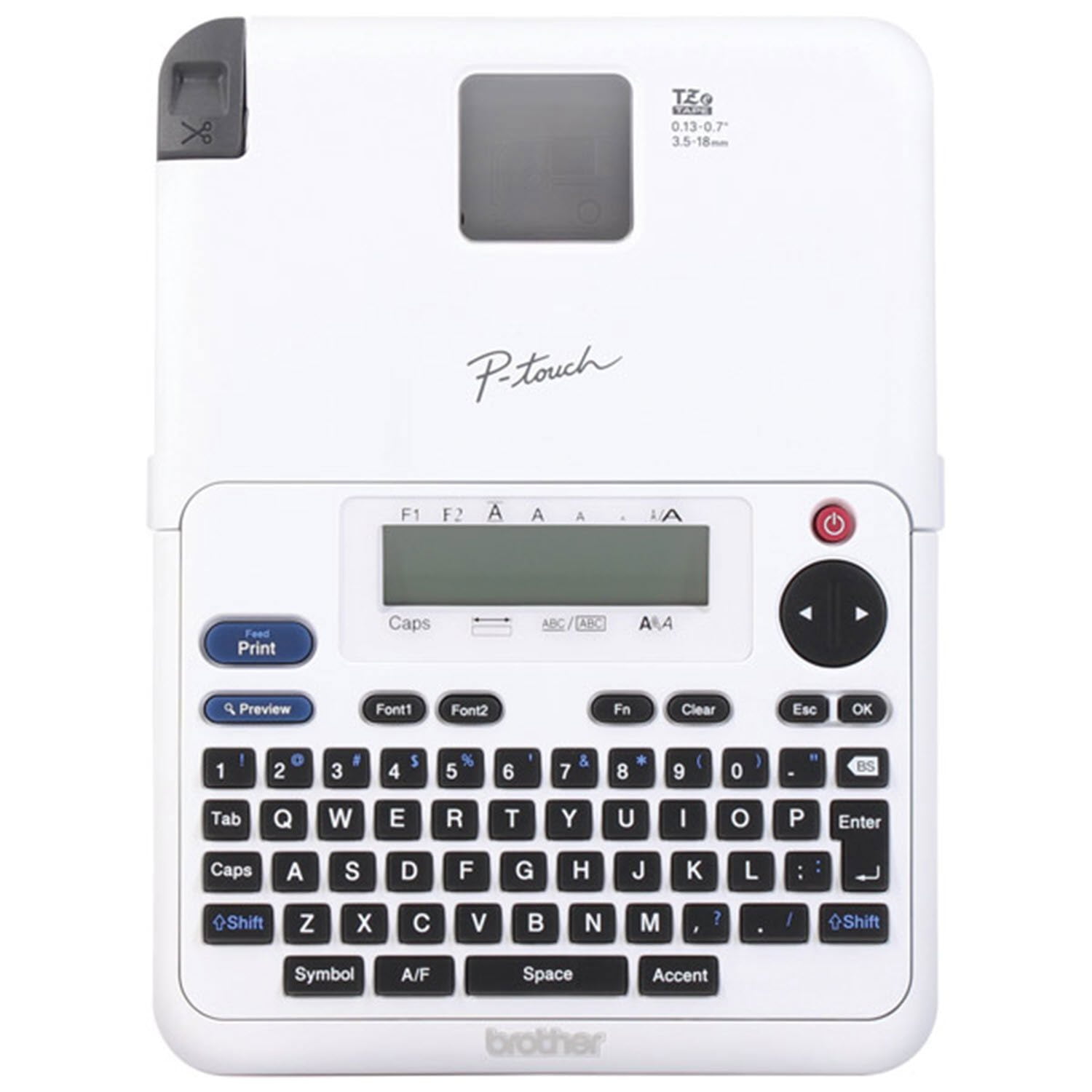
Brother P-Touch Home & Office Label Maker PT-2040SC
4.7 out of 5 stars
stars
597 ratings237 reviews
  1. 5 stars81% (485)
  2. 4 stars11% (68)
  3. 3 stars4% (24)
  4. 2 stars1% (6)
  5. 1 star2% (14)

Member photos

Sort by |
Showing 21-30 of 237 reviews
Feb 5, 2026
Reviewer name: Cathy
5 out of 5 stars
5 out of 5 stars review

Verified Purchase

Nice labels

Makes nice labels, large, easy to read, but wish there was less wasted space between labels. I end up throwing too much blank space away.

Helpful?10ZEUL54R5FZ1250265539
Jan 16, 2026
Reviewer name: Susan
5 out of 5 stars
5 out of 5 stars review

Verified Purchase

This one is really high tech for me. It prints out fun designs too. I printed out the English directions and learned a lot. I love this one. I bought this for the EA but she gave it to me because it was too hard for her to figure out.

Review from walmart.com
Helpful?10ZEUL54R5FZ1250265539
Jul 15, 2026
Reviewer name: Leisa
5 out of 5 stars
5 out of 5 stars review

Verified Purchase

Very easy to use! I love it.

Review from walmart.com
Helpful?10ZEUL54R5FZ1250265539
Jun 29, 2026
Reviewer name: Jeff
5 out of 5 stars
5 out of 5 stars review

Verified Purchase

Loving it

Easy to use great looking prints and lots of characters

Helpful?10ZEUL54R5FZ1250265539
Dec 3, 2021
Reviewer name: Abbey_J
5 out of 5 stars
5 out of 5 stars review

Verified Purchase

Necessary Tool for Your Household

I bought this on a whim help me get organized, and it is amazing! Labels have helped me with organization, and I label my kids’ things for daycare and school! I ordered 2 more to give as Christmas gifts. Everyone needs a label maker!

Helpful?10ZEUL54R5FZ1250265539
Jun 30, 2024
Reviewer name: Martin
5 out of 5 stars
5 out of 5 stars review

Verified Purchase

Great product

It was very simple to set up, just insert the tape included and connect the plug or use it witj AAA Batteries . The instruction are easy to follow with pictures included. ⁩I love that there are 14 font options, and many templates and symbols⁦. Great way to simplify and organize my home kitchen and office. Highly recommend this product

Helpful?10ZEUL54R5FZ1250265539
Feb 13, 2022
Reviewer name: sglmom
5 out of 5 stars
5 out of 5 stars review

Verified Purchase

Useful for every purpose organizing home or office

Very Useful for keeping track of everything from your pantry goods (dry goods, I use these labels to mark what is in the clear containers and their expiration dates), to supplies in drawers (or cabinets), to letting you know what is in a file folder (in your cabinets -- I have horrid handwriting, so clear labels is a must). I also use them to organize my personal recipe notebook as well - I never realized just how many recipes I had until I organized them by category with the labels on the dividers!. They are readable even for elderly eyes (clear, clean lettering). Sure the cartridges you use are a little costly, but worth it when you know you can rely on the labels in organizing your home.

Helpful?10ZEUL54R5FZ1250265539
Jan 14, 2026
Reviewer name: Lonnie Eads
5 out of 5 stars
5 out of 5 stars review

Verified Purchase

Ok

Would love a smaller version

Helpful?10ZEUL54R5FZ1250265539
Jan 29, 2026
Reviewer name: art
5 out of 5 stars
5 out of 5 stars review

Verified Purchase

Great deal.

Very good labeler for the price.

Helpful?10ZEUL54R5FZ1250265539
Mar 10, 2026
Reviewer name: kth
3 out of 5 stars
3 out of 5 stars review

Verified Purchase

Not like the previous P-touch

This no longer has an auto cut feature, manual cut wastes tape

Helpful?10ZEUL54R5FZ1250265539
reply from Brother

I am sorry that you are having issues with the Brother PT-2040SC . You can adjust how much of the tape is used during printing. Here is an FAQ that may help. <br /><br />https://support.brother.com/g/b/faqend.aspx?c&#61;us&amp;lang&#61;en&amp;prod&#61;2040eus&amp;faqid&#61;faqp00000848_014 <br /><br />If you still have the issue, please contact Brother Customer Service at:<br />https://www.brother-usa.com/support