
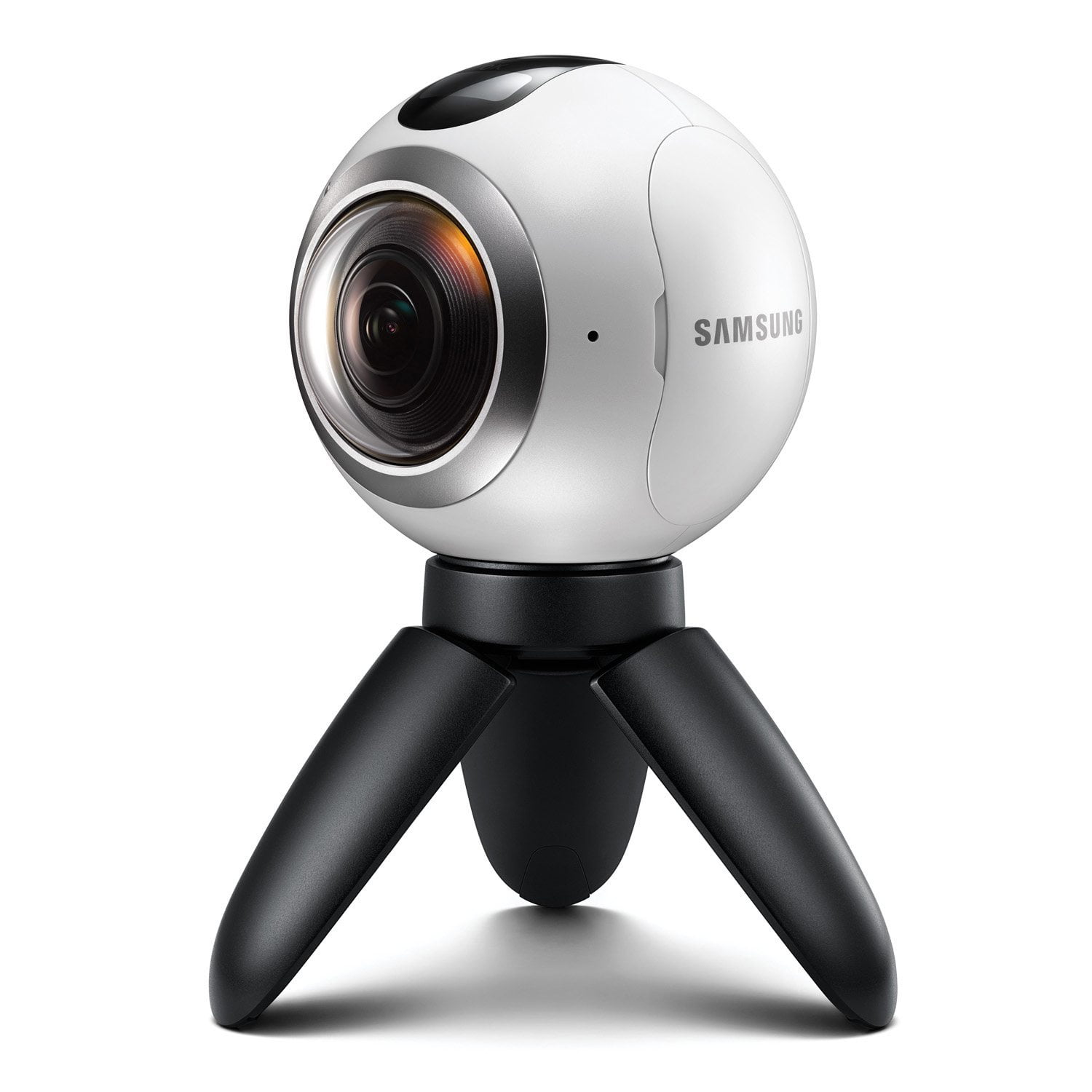
I love my Samsung Gear 360
I have to say I love my Gear 360. It does in seconds something that in the past would take me an hour. The picture quality is very good although I'm looking forward to the next generation. Better resolution and better sensitivity in low light is a necessary. The functions are quite incredible. Simple operation from the menu and straight forward operation from the mobile phone makes it very easy to use. The stitching algorithms are doing a good job and it doesn't take that long using the phone. I love straight forward time lapse solution and battery last long enough to record long sessions and if that's not enough, you can always plug USB power bank. I like the design – it looks nice and interesting but I have to say that here we have the weakest point of this camera. The lenses. They protrude from the camera quite allot and are very easy to scratch or possibly break. In my opinion this is the only bad point of Samsung Gear 360.
A great 360 camera that's got some great features.
This is a great 360 camera & the more you experiment with it, the more it amazes. The 360 view is great as is the 180. Timelapse is good but is only for video so you end up with a couple of minutes of speeded up video. It would be nice to take still images as well and remember to start with a full battery! There's a nice feature where you can use Wi-Fi direct to connect the camera to your phone & add your own street view images.
Technological milestone!
I currently own a few Samsung products as I feel their technology is superior to a lot of competitors. This includes the Galaxy S7 Edge, Gear VR headset and Curved TV. Having been blown away by Virtual Reality on the Gear VR when I purchased my S7 Edge (it was a free gift) I couldn't wait to purchase the Gear 360 to create fully 360 images and videos to try out and relive. The packaging of the 360 is premium and set up to the phone is great. You download an app from Google Play store (so it is compatible with other handsets). The product itself is well build and quite weighty to hold. Two cameras one each side are what makes the 360 image. Also in the box is a cloth bag, microfiber cloth cleaner and a mini tripod. Set up is easy and within seconds was ready to shoot. The included mini tripod is great to start with and it has the right adapter to attach to a bigger tripod if you wanted to! The image quality is amazing for stills in both single lens mode and 360 mode. The detail is amazing. Video quality is brilliant the only disappointment is the stiching down the middle of the camera which obviously cannot be avoided. Top Tip: If you look at the camera the line round the middle of the camera casing is a good indicator of where the stich will be, so try and frame your image using this as a guide! Using this in the Gear VR headset is something else. It really feels like I'm back there again! This camera is honestly so good and to be one of the first people to own this new technology is something special!
Great way to get into the world of 360 video..
It's a quality product, built very well and feels solid. The Camera setup was very easy with my S7 edge, Quick app download and I was up and running in minutes. I took a few test videos straight away; it's very easy to use. Even without the app it's very simple using the buttons on the camera. The cam beeps to let you know you have pressed record and it has bright LED's on both sides to let you know what lens you are recording on. The video quality is very good. Camera has 4 operation modes Video, Photo, Time lapse and video looping. You can also switch between using front, rear or both lenses. Samsung opted to use standard screw size for the mounting giving you lots of options. overall I'm very happy with it.
Great design, very futuristic and can capture truly unique moments.
I like the overall build quality of the device; it looks a very modern product even futuristic in appearance. That being said the fish eye lenses do look slightly vulnerable should you drop your device and it has made me a little cautious when handling it and on when deciding to use it. I have felt this may put some people off, as you perhaps avoid taking it on certain outings where you can't ensure its safety. I know many will say you have to take care of every product and that is true, but I just felt I needed to be extra careful here, so as not to damage this product in anyway. I would think Samsung should improve the quality of the bag they provide to carry the device around in, or at least recommend suitable protection for it perhaps they don't want to impact the design, so I can appreciate it is about getting a balance between this and suitable protection that makes people more comfortable in using it. Using the Samsung Gear 360 has been incredibly easy. After taking the device out of the box it arrived in and putting the battery and memory card in, charging it was next, this won't take hours like perhaps your phone might, you should always be sure to get a good charge in to it, before you head off for heavy use. With a fully charged Samsung Gear 360 and also a Samsung Galaxy s7 edge phone that I use at the ready with Samsung Gear 360 Manager installed as an application, you're ready to connect, with NFC enabled on your phone it truly is moments before you are connected and ready for ongoing use by literally just tapping your phone on the Gear 360. I had a 128gb memory card, I haven't had any concerns about capturing a moment and needing to cut it short because I haven't got enough storage left, so that is fantastic. Copying the contents from the Gear 360 to either your phone or computer is quite straightforward, but it will be at this point, those keen to really enhance the experience will want to use the editor available for your computer. You can really make things look great, but it might not be for everyone. In that case you can quite easily share the content from your phone to whatever service you need. Facebook, YouTube etc. I think for many this will be the option they take. For those that have a Samsung Gear VR, you can view the content within this as well. This makes it really very exciting. I am looking forward to being able to show family and friend's moments from our summer holiday for example. Overall I am really pleased with the Samsung Gear 360 and would certainly recommend it for those keen on capturing some really unique moments. It integrates really well with other products, particularly Samsung ones.
It's cute, compact and oh-so-round!
This is one amazing little camera, simple to use, fast setup charge last a couple of hours of recording and has a removable battery. Now think about all the moments you won't miss because you weren't facing the right direction. You get it all even if you missed it, it doesn't. It feels real solid, not like it will break easily like some cameras I've had in the past and comes with a micro tripod. The setup to shooting from storage is less than 30 seconds; you don't even have to use the phone app. I've always wanted to try the latest in video because I firmly believe motion pictures are better than still pictures in truly capturing a given moment in time. This camera takes that concept to a whole new level by allowing you to see --as Willy Wonka would say-- "sideways, and slantways, and longways, and backways, and squareways, and front ways, and any other ways that you can think of." You can not only capture 360 photos, but 360 video. Incredible! Even without having to refer to the instructions, I was able to get the camera up and running in minutes. Sorry Apply fanboys, but Samsung now rules when it comes to user-friendly and ergonomic design. I was able to figure out the entire camera, all it's features, download and install the related apps, and record some test footage, all within an hour. If there were one criticism I'd have of this camera, it's that you must have a Samsung phone to use it. My understanding is that the software needed to stitch the photos and video together is in the app, and not built-in to the camera. That's a pity because this camera shouldn't be limited to the small percentage of smartphone users who specifically use Samsung. But honestly, I would be willing to trade-up to a Samsung from another brand or buy a dedicated Samsung phone just to use this camera. That may not be the case for everyone, but I'm loving 360 video. Even with pictures, Instagram feels like a joke. Why capture a square postage stamp when there is so much more to capture!? Okay, I'm gushing at this point. But seriously: This camera is absolutely wonderful, and I only wished I'd had it for so many life memories and experiences I'd love to have captured in 360 degrees. Photos: As someone who used to do the manual way of taking 20 shots with my phone to make a photosphere, this instant way of taking a 360 photo was perfect. No weird 'half human' stitches from people walking between shots. The photos are stitched well as long as the nearest subject is at least about a foot away from either lens. Putting the brightest light source (like the sun) pointing at the area between the lenses helps to give really nice consistent stitching. Video: Video resolution is 4k, but keep in mind that's 4k when stitched together, NOT per lens. The quality is again really good, but if something is moving fast (a Eurofighter Typhoon flying past at near Mach speeds) you won't see smooth high res motion, but a little more jumpy motion. Night video isn't that great unfortunately, so you have to bump the ISO limit up for there to be enough light, and that will introduce noise into the video. Also, the videos are split into multiple smaller files and can take a really long time to transfer to the phone. However previewing the videos on the phone (without downloading them) is really fast. Phone App: The Samsung Gear 360 Manager is a mobile app that can be quickly downloaded from the Google Play or Samsung app stores that let's you connect the camera to your Samsung phone using Wi-Fi direct, Bluetooth, and NFC. It's very simple, but can be slow to respond when trying to connect to the 360. Keep in mind that the 360 does not stitch the images/videos in camera, your phone does all that. I love using the Live View feature of the app so I can attach the camera to a railing or on a standard tripod to setup a shot and then move away to view the action or I set up the shot for still pictures. You can also use the app to change shooting modes - in addition to regular photos and videos, there is time-lapse video (for slow events, like sunsets) and looping video (for creating seamless action that repeats). It's also very easy to change the limited camera settings (ISO, exposure value, quality/size, white balance, etc) with the app. The app also allows you to share you videos and pictures quickly and easily to your favourite social media sites or on my Samsung Gear VR device. Build Quality: The Gear 360 is a ridiculously sweet-looking camera, with a bright white spherical design that looks almost like a tiny robot – think BB-8 from Star Wars – with an eye staring back at you. It's light too, although completely the wrong shape for slinging into your pocket. The camera build quality is pretty solid overall, but being that it has two huge lenses on either side so you will not want to drop it. I wish there was some sort of screen protector I could put on the lenses to protect them. Buttons are kept to a minimum. There's a big record button on the top, with a further two buttons on the side for selecting which mode you want to use. There's a removable battery, plus a slot for a microSD card and water, dust, dirt, etc are no issue. Accessories: The 360 comes with the battery, a USB cable, a mini, and a nice draw-string carrying pouch. There is an optional accessories pack that includes a remote control, various types of mounts for the 360, and a longer tripod, so you can pop it down on a tablet and record without fear of it rolling around. Overall: The Samsung Gear 360 is a game-changer. It's a fun, creative, and easy to use device that allows me to take great pictures and videos to share 360 memories with my friends and family. It's a great start to what will hopefully only get better. As the whole VR craze continues to get more and more popular, I think 360 cameras will be seen more and more. Right now, everyone stares at my 360 like it's some alien device and are very interested in what it is... but I think we'll see more people with them in the future. If you want to jump on 360 bandwagon and take photos and videos of vacations, trips, etc this is the perfect gadget for that and the best camera to start with... just make sure you have a Samsung phone.
A well-made, study little camera
The gear 360 camera is a well made device. It has got a sturdy construction whilst still being beautiful. The colors and overal design is luxurious and pretty. The camera is very easy to use, with a few menu options which are not confusing. Operating it using a Samsung phone is very easy and staryightfoward. The photos and videos are awesome. The only downside is that I would have wanted a longer battery life on this camera. A few hours is not enough. I want to be able to go outdoors for the whole day, and be able to capture videos until the sun comes down. However, I understand that the easiest solution would be to carry a few spare batteries.
A fantastic new way to explore your world
I was a little skeptical that I would find the 360 feature any better than recording images on my S6. I am pleased to say that I was wrong. The Gear 360 easily links to my S6 allowing me to set up my photos and focus my images to get the best look. It is easy to flip between the 180 and 360 functions on my phone. Images are really good quality and after sticking the images together it was amazing being able to explore the images and zooming in on different areas of the image. The only downside is that when in video mode there is no ability to zoom in while recording that I found which means that you have to stop in the middle of recording and then reset the focal point before starting the filming again. Replay sound quality on video was as good as on my phone. I would invest in a selfie stick as when you try to hold it in your hand while taking pictures you can wind up with a weird half claw look. At Xmas I used it at a family function on the centre of the table which gave some really good images of us enjoying ourselves. The images came out really well and my relatives really enjoyed experiencing the images through the VR app and headset. The camera is light and come in its own little soft pouch making it easy for me to carry in a handbag on a night out or pack into my luggage when I went away on short breaks. Yet the camera is very solid in construction and gives you confidence that it could survive being knocked in a bag or a fall from a potential stand. I seriously love this camera and if you have any compatible Samsung phone that supports VR it is definitely a must have. I am looking forward to taking it away with me on my future travels.
Great piece of kit
Fantastic 360 camera. Looks and feels like a smart and high quality product. Its quite small in size, smaller than a tennis ball but surprisingly heavy for its size. It can take an SD card in the device. The battery is removable too so I can carry a back up in case it runs out but the battery life lasts quite long in my experience. The camera can shoot 360 or wide angled pictures. The 360 pictures stitch seamlessly using the 2 wide angled lenses, with no camera rotation. You can change between photo, film or time lapse using the camera itself but I haven't yet found a way to switch between dual lens, just front and just back using the camera so I've been switching lenses using the app on the Galaxy S7. This is a shame because I've pulled the camera out to take a quick shot a few times and when I've opened up the app to look at it, it has remembered the previous lens choice and not taken a 360 automatically. The app makes it a lot easier to use the camera with live view and easier option changes such as how many lenses and what type of shot you require. The app also makes it easy to take shots using a tripod. You can set the tripod up and use the live view through the app to take the shot meaning you don't need a stable surface as such to put the camera. It came with a carry case and wrist strap but I rarely use the wrist strap as it shows in the 360 pictures. The sound quality is fairly good for such a small device when playing back videos. I like that I can take 360 videos using the camera, view them on my S7 very easily and then play them back through the Gear VR headset. The app is easy to use and all 3 devices work perfectly together.
Best 360 camera
Samsung's Gear 360 is one of the best consumer 360 cameras for Galaxy owners you can get right now. The camera itself is very easy to use. With only three buttons on the camera and its small screen you are able to change the settings and shooting modes, which there are four: Video, Photo, Time-lapse Video and Looping Video. Switch to the mode you want, press the record button on top and the camera does the rest, instantaneously catching the view from the front and rear cameras and merging them into one MP4 video or JPEG photo. It comes with the Action Director software to edit your shots (could be better – needs improvement). All the stitching is complete as you transfer the video and photos from your microSD card onto your computer via the software. The longer your videos are, the LONGER it will take to stitch them together. Limited handset compatibility (I wish it to be compatible with more devices) and ordinary VR video quality It's an exciting addition to mine and my husband's photographic collection and to be able to add a 360 image to my gallery helps set the scene for my other shots.