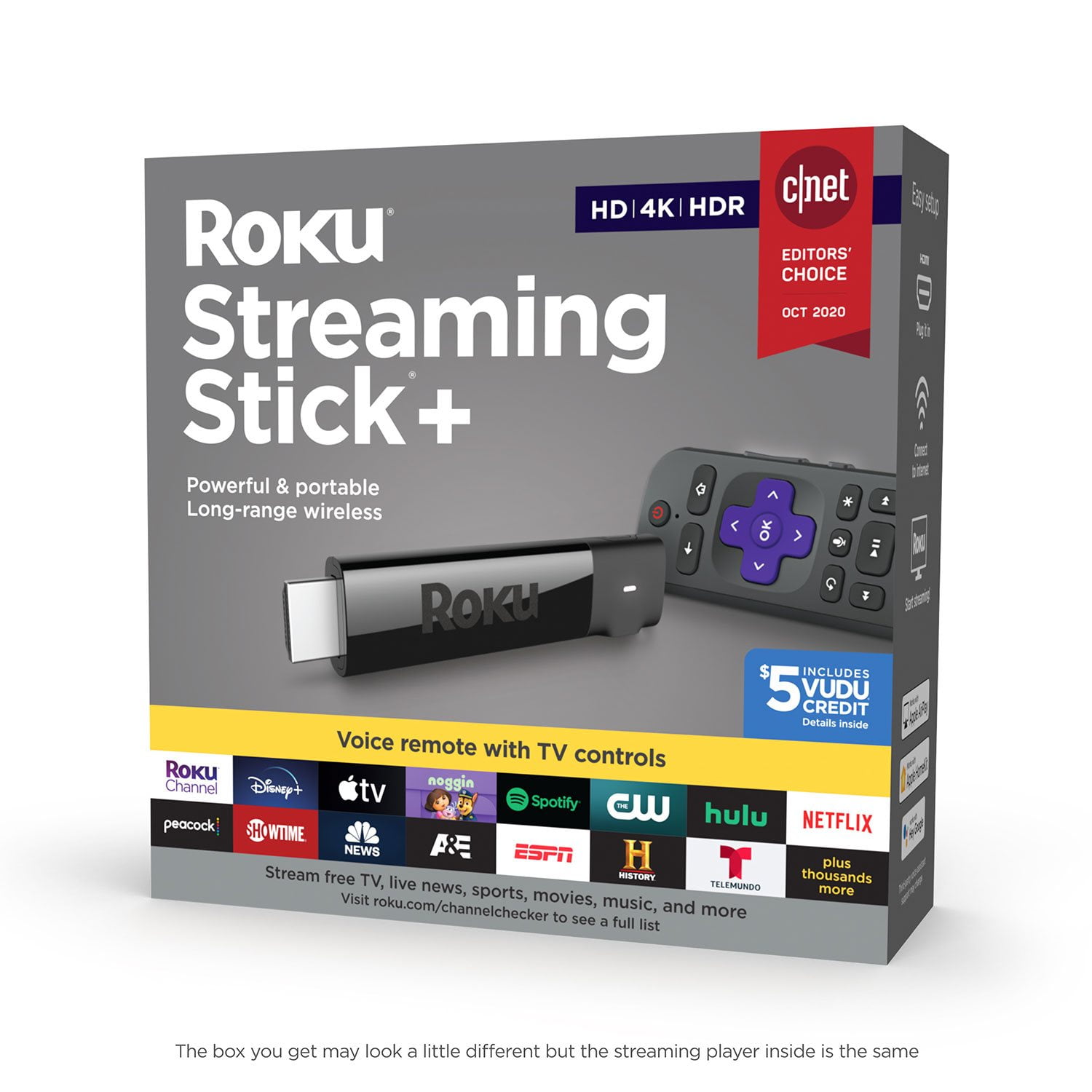
Customer reviews for Roku Streaming Stick+ HD/4K/HDR Streaming Device with Long-range Wireless and Voice Remote with TV Controls forRoku Streaming Stick
I had a for more than a year. This a good product it is small and easy to setup. Overheating is the main issue I have during summer time. My Samsung TV use a smart box for connection which is mean to hide all the wire underneath the TV, but with the Roku stick it get over heating warning after 2 hours of uses if the indoor temperature is reaches around 70-75 F.
Verified Purchase
Not quite what I expected.
Some good shows and movies available. Living in a remote area, there are few options for antenna tv. Sorely disappointed on the available free shows that I was used to watching. Most channels are for fee, and I was hoping to be able to connect with my computer without running a very long HDMI video cable.
Roku is great, remote sucks
I have to use the remote thru the App because none of my remotes will connect any longer. Roku customer service said it's simmering in my wireless set up at home. But nothing has changed as it was fine the first 4 months I owned it. I have done all of cust service's suggestions and trouble shooting. Even have a different remote..... Same problem but just got worse. I had no issues like this with my roku stick just the stick+. I'm switching products!!
Fast and Sharp
My old Roku (about 3 years) was up and stopping on us in a middle of a show. The screen went blank and it would reboot play for a while then die. So we decided to buy this one. It was about the same to set up. The difference is the speed and picture quality. All the streaming channels have updated their façades. Model 3810 cuts right through it. It just gets you to where you want to go 3 times as quickly than the old one. Picture quality and I believe sound quality are much better.
Best streaming stick out there - AirPlay 2.0
Overall by far the best streaming stick out there. The voice search and interaction is really amazing compared to other platforms. Fast, high quality, great picture. The most amazing addition is the software update to AirPlay 2.0. Even my older streaming stick from 3 years ago got this update for free!
I bought my 1st streaming stick about 3 yrs ago.
I bought the premier. Now all of a sudden neither can connect to the tv. We are in a dead zone so we are unable to get internet. We use our hot spot on our iPhones.I went on the connectivity site and then I realized that this is coming out of India and I was told that I had to sign up for a 6 month contract to get connected. Do yo charge everybody for this service? Not Happy in Alaska.
Remote died in few months for unknown reason
Low rating is due to failure of the remote. It simply stopped working within a few months and I had to buy a new one. Was not dropped or abused. Have to assume poor quality control. Very disappointing when buying a new remote costs almost as much as a new player including the remote. Support was slow to respond.
Roku Channel has free movies/Locast has Free TV
I've been a customer of Roku for years,using several different models. Roku has recently released The Roku Channel,which has hundreds of free movies.It is ad supported.And now Locast app gives you free local broadcast stations CBS,NBC,FOX,ABC and PBS.Locast now offers local TV network broadcasts for New York,Boston,Chicago,Houston,Dallas,Denver areas and plans to add many more cities.This means many folks will no longer need antennas to watch local networks for free. Roku has just about every app you can imagine (YouTube/Pandora/Netflix/Amazon/Hulu/HBO Now) and thousands of more apps in many different categories.This Roku Streaming Stick PLUS does have more advanced WiFi antenna than the regular Streaming Stick.Here are some points to consider when deciding on which model of Roku to buy: 1)If you need to connect by WiFi in a room far away from your WiFi router,I would recommend the Roku Streaming Stick PLUS or Roku Ultra. 2)If you have a 4K TV,I would recommend the Roku Ultra or Roku Streaming Stick PLUS.The Premiere 2018 model also plays 4K. 3)To search for content using your voice,go with either the Streaming Stick,Streaming Stick PLUS or Ultra.All 3 of these models also have a remote that can control the power and volume on a TV.There is also a Roku app for Android & iPhone/iPad that lets you use your smartphone/tablet to control any Roku device and use your phone/tablet on-screen keyboard for searches. 4)If you want a wired ethernet connection,go with the Roku Ultra. 5)If you want to connect to an old TV with RCA/Composite audio/video jacks,you will need the Express PLUS 6)The Express & Premiere 2018 models have a remote where it has to be pointed at the device,unlike the other Roku models. 7)If you are only going to buy one Roku device,I would recommend the Roku Ultra.The Ultra has many unique features that the other Roku models don't such as: -Gaming buttons to play video games -Remote finder to find a lost remote control -Ethernet port for a wired connection -Micro SD card slot -USB Port -Night listening mode (this lowers the volume of loud,explosive sounds and raises the volume of soft sounds like whispers.Very useful!) -Headphone jack on the remote for listening without disturbing others For those who have not used a Roku before,here are some tips that might be helpful: 1)There is no monthly fee to use a Roku.There are many free channels/apps with free movies,music and TV programs and some people use Roku only for the free channels and do not pay any fees. You do NOT have to enter credit card info if you only wish to view free content and you can always add credit card info to your account later for paid channels/apps.If you plan on viewing free content only,I suggest setting up a Roku account before you activate the device.When you reach the page to enter credit card info,some browsers will show a "Skip,I'll add later" option at the bottom.If you do not see this option,simply log out of your account,then log back in.You may have to then enter a different activation code for your device if you skip entering credit card info during device set up,but you do NOT have to enter credit card info if you only want to view free content. 2)Some of the most popular free channels/apps are: YouTube,Pandora radio,The Roku Channel,Pluto TV,Tubi TV,Crackle,CBS News,NBC News,ABC,PBS, PBS KIds and many more.You can also find a free live stream of FOX News on YouTube by searching "Fox News Live" on YouTube. 3)Some of the most popular paid channels/apps are Netflix,Hulu,Amazon video,HBO Now,Vudu,Sling TV,Spectrum TV and Direct TV Now. 4)If you are looking for a bundle of channels of live TV to replace cable TV,check out Sling TV,YouTube TV,Spectrum TV,Direct TV Now,Hulu,Pluto TV and Playstation Vue.All of these are paid services except for Pluto TV,which is free. 5)To find and add new channels on Roku,just press the Home button on the remote control,scroll down and select "Streaming Channels".There you will find thousands of channels/apps in many different categories and many of them are free. My one gripe about Roku (and other streaming devices) is the lack of a fully functional web browser and I hope Roku will include web browsing on models in the near future.I have been surfing the web on the big screen for years and find it ridiculous when an internet connected TV device does not allow you to surf the internet and forces one to switch to yet another internet connected device to do so. I am aware of the screen mirroring function from smartphone/PC/tablet but find that a poor excuse to not include a web browser.Many people who type a lot of messages and/or emails like myself prefer typing on a wireless keyboard rather than a phone/tablet/remote control. Bottom Line:You can now get a Roku device to replace your cable TV box & service or to replace an antenna for free local network TV.And of course you can create your own custom TV experience that simply is not possible with cable or antenna TV.
BEWARE OF THIS PRODUCT IF YOU VALUE YOUR TV
SORRY ROKU BUT I AM POSTING THIS REVIEW TO TELL THE WORLD TO BEWARE IF YOU BUY & INSTALL A ROKU STREAMING STICK PLUS. It's going on over a month and haven't heard anything from you. My install was going fine until I got to the screen where you choose pixel quality. I Believe I chose 1080I(?). When I advanced to the next screen, the screen turned green and quickly flashed a message for a second saying something like "your TV has been compromised...you have to finish......"and then the screen went totally black and bounced me out of the setup mode altogether. I shut the TV off, and tried to start install over but when I turned the TV on, it flashes a picture of the show for a few seconds and then the screen goes black again. The sound stays on but no picture. I tried this process several times and even did a factory reset of the TV and it didn't help. I don't have anything to say about customer service because I haven't received any. The automated robo customer service was useless. The last thing I wanted to do was broadcast my frustration, but what do you do when you get NO SERVICE after asking for it. I returned the stick to the store today but I am stuck with a damaged 43" Samsung flat screen TV that was only 5 years old! I bought a SMART TV to replace it and am happy with it. I will gladly remove this VERY NEGATIVE review if ROKU reimburses me for the TV the I just purchased. I AM NOT HAPPY AT ALL! - but sending Happy Holiday wishes to everyone!
Roku is it!
Always have been impressed with rook, ever since my first which was a roku2 with angry birds! had the amazon fire for a couple yrs but was ready to get something else, tried the new apple 4k, nope! did not like the remote! swipe to fast, not enough, did not feel good holding the thin remote, bought the new streaming stick+ with all the good 4k goodies, easy to set up love the remote! feels good and solid! all the functions i wanted power and volume, easy simple interface, and very very affordable, looking forward to putting this to its limits!