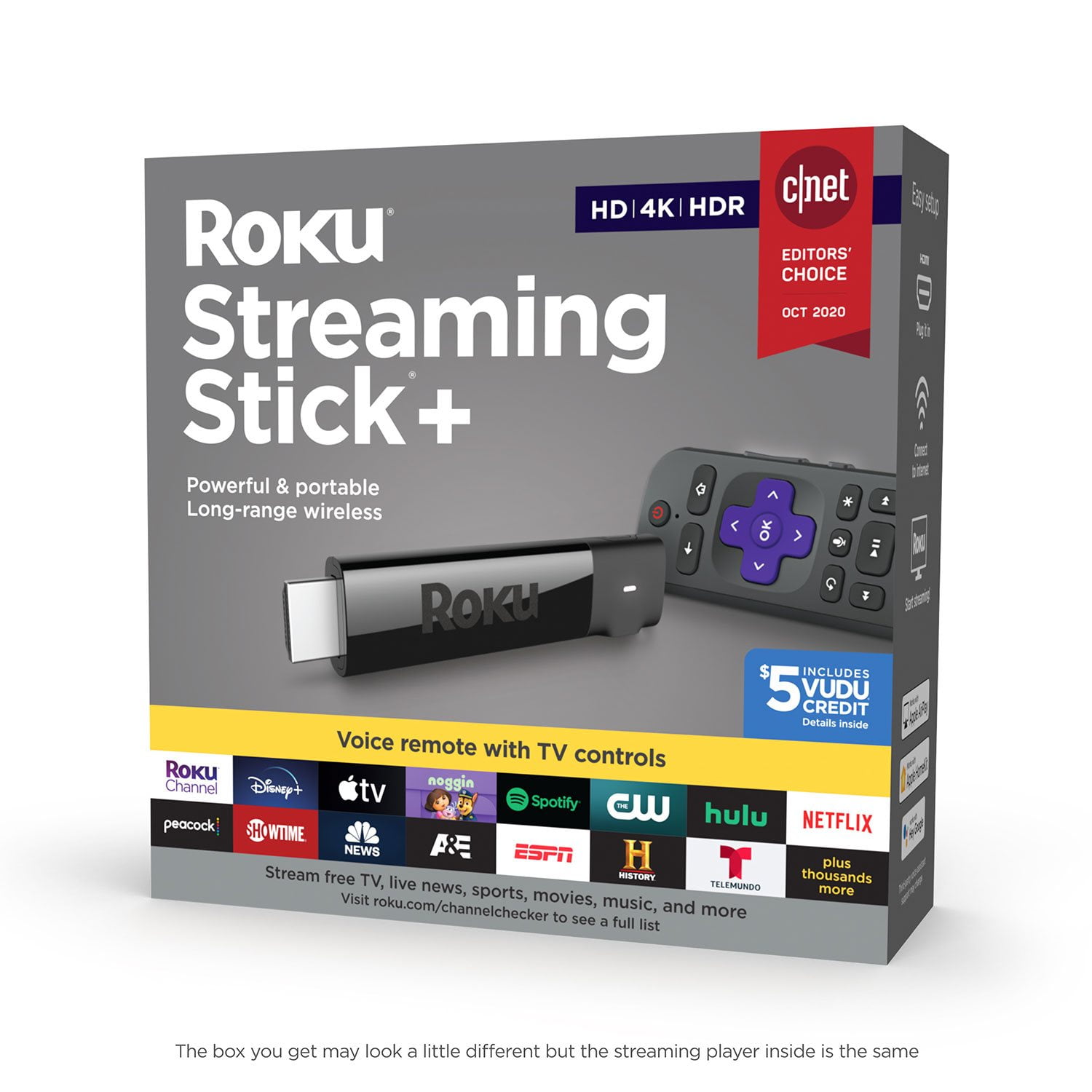
I've been a customer of Roku for years,using several different models. Roku has recently released The Roku Channel,which has hundreds of free movies.It is ad supported.And now Locast app gives you free local broadcast stations CBS,NBC,FOX,ABC and PBS.Locast now offers local TV network broadcasts for New York,Boston,Chicago,Houston,Dallas,Denver areas and plans to add many more cities.This means many folks will no longer need antennas to watch local networks for free. Roku has just about every app you can imagine (YouTube/Pandora/Netflix/Amazon/Hulu/HBO Now) and thousands of more apps in many different categories.This Roku Streaming Stick PLUS does have more advanced WiFi antenna than the regular Streaming Stick.Here are some points to consider when deciding on which model of Roku to buy:
1)If you need to connect by WiFi in a room far away from your WiFi router,I would recommend the Roku Streaming Stick PLUS or Roku Ultra.
2)If you have a 4K TV,I would recommend the Roku Ultra or Roku Streaming Stick PLUS.The Premiere 2018 model also plays 4K.
3)To search for content using your voice,go with either the Streaming Stick,Streaming Stick PLUS or Ultra.All 3 of these models also have a remote that can control the power and volume on a TV.There is also a Roku app for Android & iPhone/iPad that lets you use your smartphone/tablet to control any Roku device and use your phone/tablet on-screen keyboard for searches.
4)If you want a wired ethernet connection,go with the Roku Ultra.
5)If you want to connect to an old TV with RCA/Composite audio/video jacks,you will need the Express PLUS
6)The Express & Premiere 2018 models have a remote where it has to be pointed at the device,unlike the other Roku models.
7)If you are only going to buy one Roku device,I would recommend the Roku Ultra.The Ultra has many unique features that the other Roku models don't such as:
-Gaming buttons to play video games
-Remote finder to find a lost remote control
-Ethernet port for a wired connection
-Micro SD card slot
-USB Port
-Night listening mode (this lowers the volume of loud,explosive sounds and raises the volume of soft sounds like whispers.Very useful!)
-Headphone jack on the remote for listening without disturbing others
For those who have not used a Roku before,here are some tips that might be helpful:
1)There is no monthly fee to use a Roku.There are many free channels/apps with free movies,music and TV programs and some people use Roku only for the free channels and do not pay any fees.
You do NOT have to enter credit card info if you only wish to view free content and you can always add credit card info to your account later for paid channels/apps.If you plan on viewing free content only,I suggest setting up a Roku account before you activate the device.When you reach the page to enter credit card info,some browsers will show a "Skip,I'll add later" option at the bottom.If you do not see this option,simply log out of your account,then log back in.You may have to then enter a different activation code for your device if you skip entering credit card info during device set up,but you do NOT have to enter credit card info if you only want to view free content.
2)Some of the most popular free channels/apps are: YouTube,Pandora radio,The Roku Channel,Pluto TV,Tubi TV,Crackle,CBS News,NBC News,ABC,PBS, PBS KIds and many more.You can also find a free live stream of FOX News on YouTube by searching "Fox News Live" on YouTube.
3)Some of the most popular paid channels/apps are Netflix,Hulu,Amazon video,HBO Now,Vudu,Sling TV,Spectrum TV and Direct TV Now.
4)If you are looking for a bundle of channels of live TV to replace cable TV,check out Sling TV,YouTube TV,Spectrum TV,Direct TV Now,Hulu,Pluto TV and Playstation Vue.All of these are paid services except for Pluto TV,which is free.
5)To find and add new channels on Roku,just press the Home button on the remote control,scroll down and select "Streaming Channels".There you will find thousands of channels/apps in many different categories and many of them are free.
My one gripe about Roku (and other streaming devices) is the lack of a fully functional web browser and I hope Roku will include web browsing on models in the near future.I have been surfing the web on the big screen for years and find it ridiculous when an internet connected TV device does not allow you to surf the internet and forces one to switch to yet another internet connected device to do so.
I am aware of the screen mirroring function from smartphone/PC/tablet but find that a poor excuse to not include a web browser.Many people who type a lot of messages and/or emails like myself prefer typing on a wireless keyboard rather than a phone/tablet/remote control.
Bottom Line:You can now get a Roku device to replace your cable TV box & service or to replace an antenna for free local network TV.And of course you can create your own custom TV experience that simply is not possible with cable or antenna TV.

 Customer reviews for Roku Streaming Stick+ HD/4K/HDR Streaming Device with Long-range Wireless and Voice Remote with TV Controls for