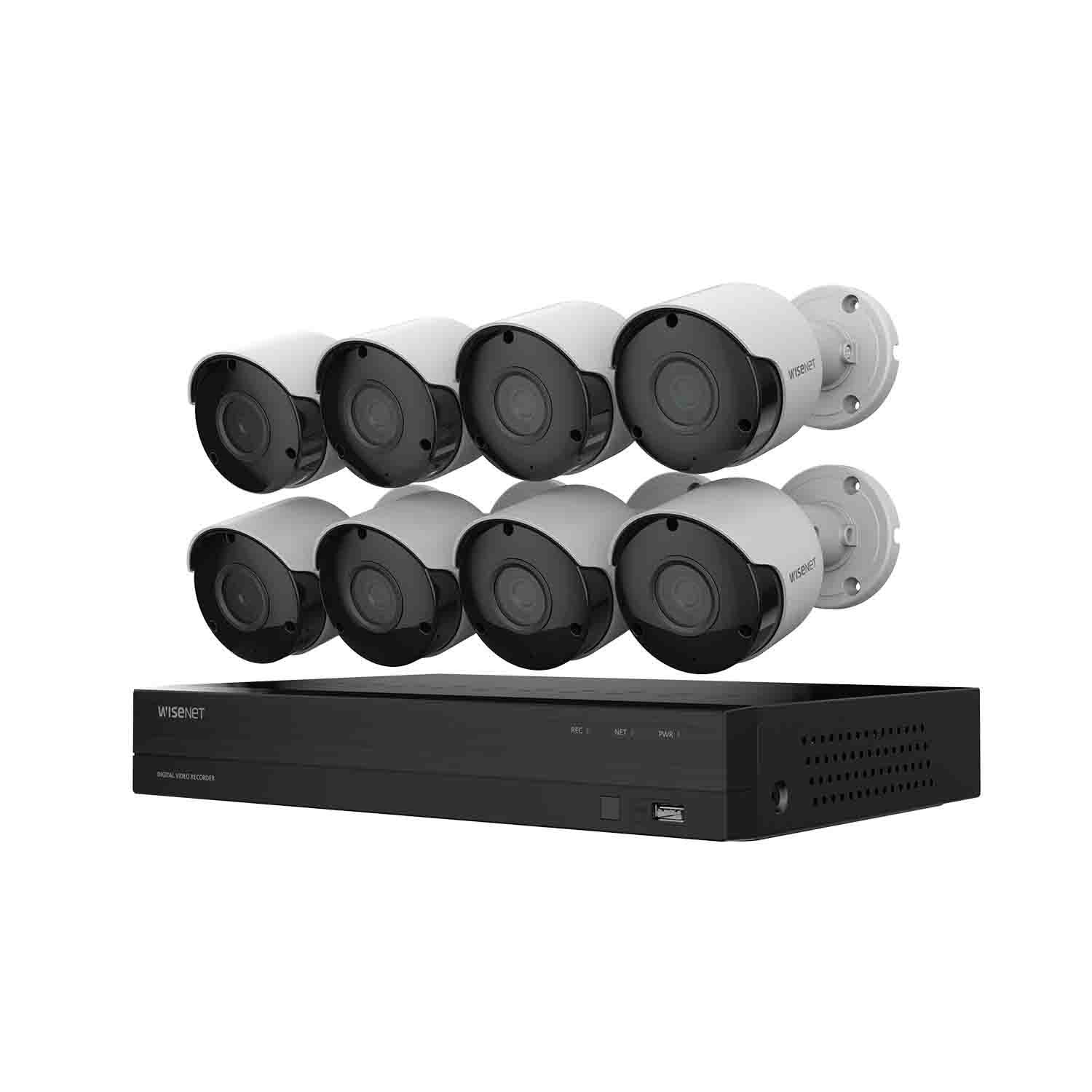
I am generally pleased with this system and its capabilities. I bought my system from Sam's Club for about $400. It seems to be well made and was easy to set up and even to access remotely. The software DVR user interface is mouse controlled and the mouse is needed for setup and maintenance. The monitor for set-up is not included, but you can temporarily repurpose a TV or PC monitor for this. It does have some annoying features that are described later. It also has an IR remote control (like a TV) which I do not foresee using.
I set up the system with one camera next to my router just to test it. I seemed to get everything working and explore the control menus in a couple of hours including remote access via my computer and cell phone. It was surprisingly easy. It came with a ~100 page Quick Start Guide. I was impressed until I realized that it was in five languages. It is really a twenty page guide (mostly pictures) that got me through setup, but nothing more. The software has more features than I anticipated.
There is no built in help in the software, so you will have to hunt for the many nice features in the software menus or download the PDF document that can be found online. When that failed to answer all of my questions, I called the phone help number and got the answers. This service was good, but I did have to wait in a queue to reach a person each time that I called.
Several reviewers have complained about the camera being upside down when mounting on the ceiling or soffit. This is not a valid concern because all you have to do is loosen one or two screws and rotate the camera any way you wish. It has three axes of adjustment. The quick start guide does not tell you this, or anything else about the camera except to provide a mounting template (i.e. foot print). I was unable to find any documentation on the included SDC-89445BF cameras anywhere. You might overlook the protective cellophane on the camera lens. Taking this off improves the picture.
Three things annoy me about this design.
1. The 8 camera system comes with three power supplies that must be plugged into an outlet near the DVR. One is for the DVR and two are for the 8 cameras. This will create an unnecessary snarl of wires, and require an outlet multiplier of some kind. A single power supply would have been easier and would produce a nicer installation.
2. The second annoyance is that the DVR requires a complex password, and it times out very quickly. I must have tediously clicked it in (with just a mouse) a dozen times during the set up and initial exploration. I have not found a way to change this, and it does not recognize a keyboard to type it in. The Wisenet Life App that you install on your remote devices is nice, but it also requires a complex password. I have no problem with this password which can be typed in and remembered on the device.
3. I was surprised by the noise that the DVR makes. It sounds like an old desktop computer. You can hear the fan and the hard disk running. It is not excessive, just unexpected. Un-like a computer, it never goes to sleep. It makes just enough noise to call attention to itself if it is otherwise inconspicuously set in a quiet place.
I am quite surprised at how easy they made the remote internet interface. I expected to have to program my router to allow the interface through the firewall, but I didn't. I don't know whether to be pleased that they made it so easy, or concerned that my firewall is inadequate.
There is no provision for selectively erasing video. You can only reformat the disk. When you do this, all the setup parameters are lost, unless you first save them to an external USB drive and reload them after.
In spite of other reviewer's comments to the contrary, I had no problem using Firefox browser on the Wisenet Life internet app.
There are a lot of features that are not well documented, even in the online PDF manual.
For example, there is …
Normal recording, Motion recording, Normal Capture, Motion Capture, Manual Capture, Manual Recording. The only problem here, is that I did not know exactly what these terms mean and in what combinations or circumstances to use them. The online manual illustrates the controls, but not what they are to be used for or how they interact. Apparently, the author assumes that the buyer has prior knowledge of these terms and their utility.