Skip to Main Content
Sam's Club
Sam's Club
All Departments
All Services
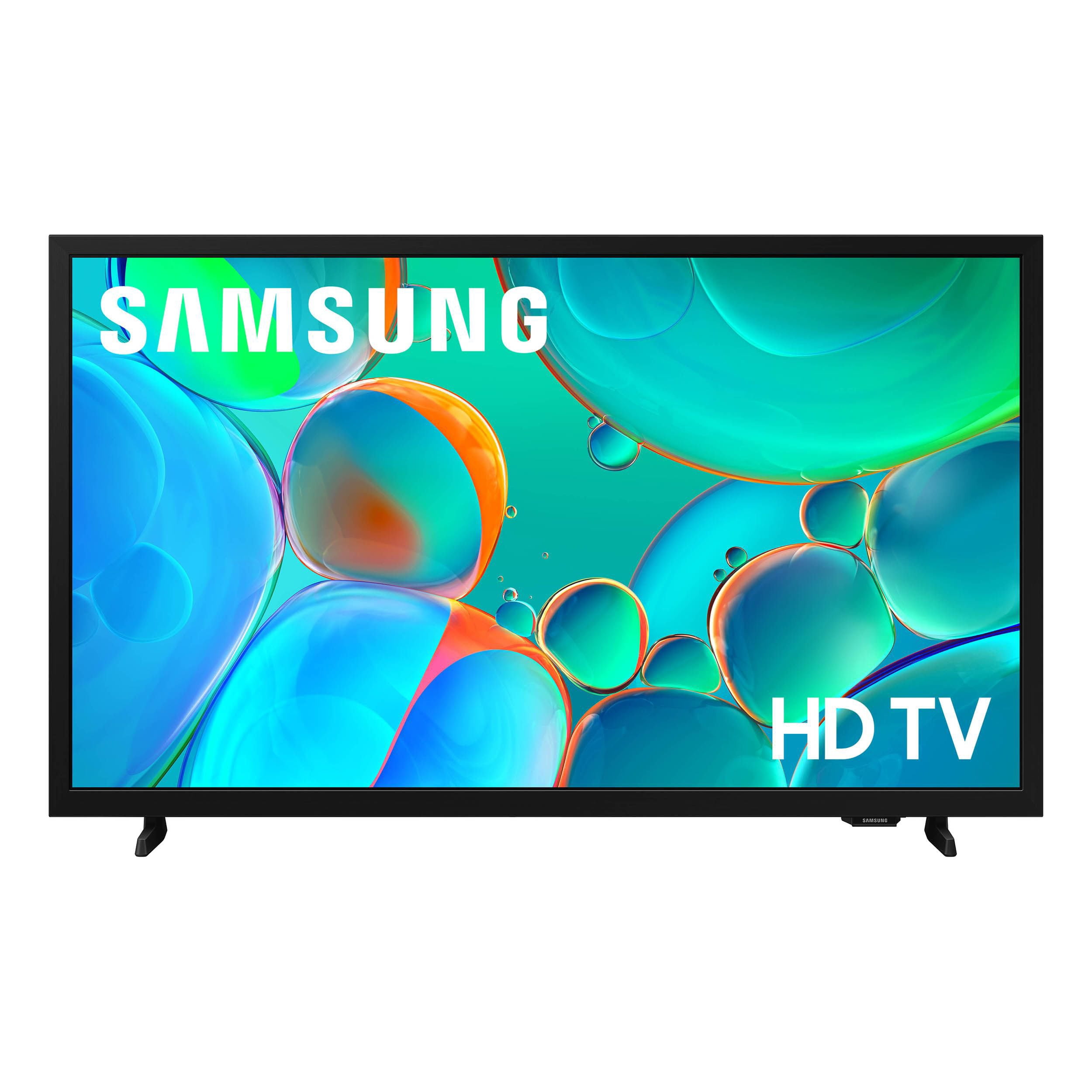
Customer reviews for SAMSUNG 32” Class H5000F Series LED HD Smart Tizen TV for
SAMSUNG 32” Class H5000F Series LED HD Smart Tizen TV
4.6 out of 5 stars
stars
3,617 ratings3,605 reviews
  1. 5 stars75% (2,723)
  2. 4 stars16% (591)
  3. 3 stars4% (154)
  4. 2 stars2% (64)
  5. 1 star2% (85)
Sort by |
Showing 3,131-3,140 of 3,605 reviews
Mar 23, 2026
Reviewer name: Snowmaker
5 out of 5 stars
5 out of 5 stars review

Good all around tv

[This review was collected as part of a promotion.] Contract and color immersion best in business pretty secure to

Review from Samsung US
Helpful?3BXE5P3J9PH420390161112
Mar 23, 2026
Reviewer name: Chucky
3 out of 5 stars
3 out of 5 stars review

Features

[This review was collected as part of a promotion.] Volume not that great picture is good easy set up color is great

Review from Samsung US
Helpful?3BXE5P3J9PH420390161112
reply from Samsung Advisor

Hi Chucky, Thank you for purchasing Samsung’s H5000F TV and for sharing your feedback regarding low volume. To start, we recommend making sure your TV is running the latest firmware, as updates can include improvements to sound performance: Home > left directional key > Settings > Support > Software Update If volume levels still seem too low, you can improve sound performance by adjusting a few key settings: Sound Mode: Navigate to: Settings > All Settings > Sound > Sound Mode You can also explore Expert Settings to fine-tune sound output with adjustments for Balance, Equalizer, and more. If you’re considering enhancing your setup, Samsung’s Q- and S-Series Soundbars feature Q-Symphony, which syncs your TV and soundbar speakers for a fuller, more immersive sound experience. For personalized support with these settings or selecting a soundbar to complement your setup, contact Samsung Support at 1-800-SAMSUNG (8AM – 12AM EST, 7 days a week) or use LiveChat via the ‘Support’ link on our website. ~ Samsung Advisor

Mar 23, 2026
Reviewer name: Jdub
5 out of 5 stars
5 out of 5 stars review

Excellence

[This review was collected as part of a promotion.] Wow would recommend this to anyone who prefers top tier apps only.

Review from Samsung US
Helpful?3BXE5P3J9PH420390161112
Feb 17, 2026
Reviewer name: Kellie
5 out of 5 stars
5 out of 5 stars review

Great tv

[This review was collected as part of a promotion.] Very good picture. Good color. Good sound. It is a little small.

Review from Samsung US
Helpful?3BXE5P3J9PH420390161112
Feb 17, 2026
Reviewer name: Anonymous
3 out of 5 stars
3 out of 5 stars review

It doesnt work for me without a firestick

[This review was collected as part of a promotion.] Works well other than cant seem to get apps loaded so have to use firestick

Review from Samsung US
Helpful?3BXE5P3J9PH420390161112
reply from Samsung Advisor

Hi TankAbbott, Please give us a chance to assist you by calling us at 1-800-SAMSUNG, 8AM – 12AM EST, 7 days a week. LiveChat is also available via the ‘Support’ link on our website. ~ Samsung Advisor

Feb 17, 2026
Reviewer name: Themoroccanguy22
5 out of 5 stars
5 out of 5 stars review

Gaming monitor

[This review was collected as part of a promotion.] I like the screen I use it for gaming and its good for my ps5

Review from Samsung US
Helpful?3BXE5P3J9PH420390161112
Mar 24, 2026
Reviewer name: Dawnx3
5 out of 5 stars
5 out of 5 stars review

Awesome picture

[This review was collected as part of a promotion.] I love this TV. The picture quality is about the best I've seen. And it was a great price.

Review from Samsung US
Helpful?3BXE5P3J9PH420390161112
Feb 16, 2026
Reviewer name: Anonymous
4 out of 5 stars
4 out of 5 stars review

Great picture

[This review was collected as part of a promotion.] No comment great picture no interference great product.

Review from Samsung US
Helpful?3BXE5P3J9PH420390161112
Feb 17, 2026
Reviewer name: Phillykid13
2 out of 5 stars
2 out of 5 stars review

It's not that great

[This review was collected as part of a promotion.] it's not all that great not the best that I've seen on the market

Review from Samsung US
Helpful?3BXE5P3J9PH420390161112
reply from Samsung Advisor

Hi Phillykid13, We appreciate your feedback on the H5000F TV. If you are not satisfied with the picture you are seeing on your screen, there are several adjustments you can make to better suit your viewing environment and content type. First, please ensure your TV is running the latest firmware, as updates may include important picture quality enhancements. Go to: Home > Left directional button > Settings > Support > Software Update > Update Now To explore picture mode options, navigate to: Home > Left directional button > Settings > All Settings > Picture > Picture Mode. Options include: • Standard – Ideal for general viewing • Dynamic – Brighter and more vibrant for well-lit spaces • Eco – Optimized for energy efficiency • Movie – Best for viewing in low light You can further customize your image by going to: Settings > All Settings > Picture > Expert Settings, where you can adjust Brightness, Contrast, Color Tone, Sharpness, Contrast Enhancer and more. If you’d like help finding the best picture settings for your preferences, please don’t hesitate to contact Samsung Support at 1-800-SAMSUNG, available 8AM – 12AM EST, 7 days a week. You can also LiveChat with an agent or explore additional resources on our website by clicking the ‘Support’ link. ~ Samsung Advisor

Feb 11, 2026
Reviewer name: Lil momma j
5 out of 5 stars
5 out of 5 stars review

TV for me

[This review was collected as part of a promotion.] No issues. Nice color, good soud. Easy hook up with remote control is nice and convenient n

Review from Samsung US
Helpful?3BXE5P3J9PH420390161112