Skip to Main Content
Sam's Club
Sam's Club
All Departments
All Services
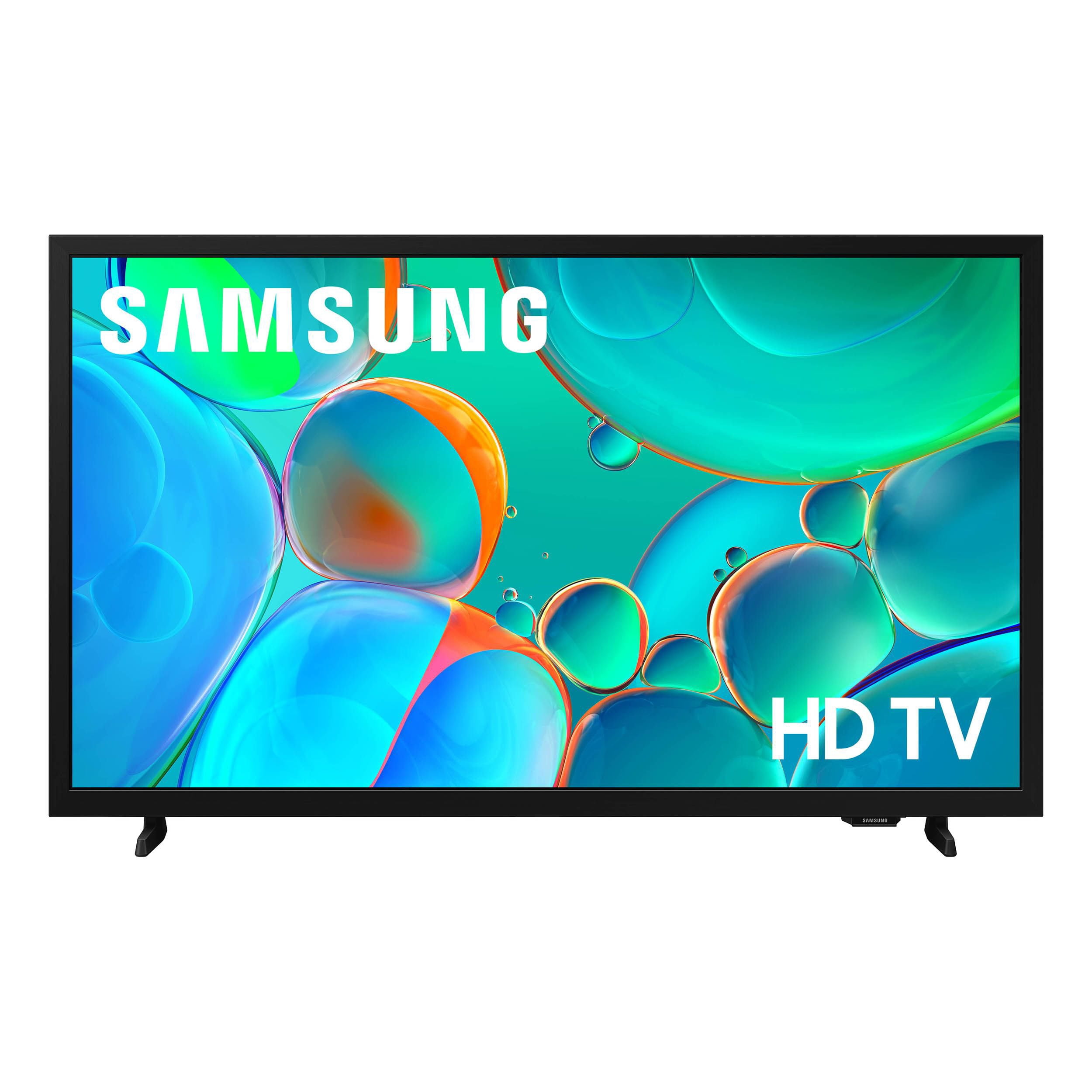
Customer reviews for SAMSUNG 32” Class H5000F Series LED HD Smart Tizen TV for
SAMSUNG 32” Class H5000F Series LED HD Smart Tizen TV
4.7 out of 5 stars
stars
2,234 ratings2,234 reviews
  1. 5 stars77% (1,722)
  2. 4 stars16% (368)
  3. 3 stars4% (82)
  4. 2 stars1% (28)
  5. 1 star2% (34)
Sort by |
Showing 281-290 of 2,234 reviews
Jul 20, 2026
GadaSkims
3 out of 5 stars review

Great tv for the price.

The tv is great for a small space. It was a good picture, and sound for the price. However, it is a bit slow with its software. At times, I have to wait too long for it to respond to remote control commands.

Review from Samsung US
Helpful?3BXE5P3J9PH420390161112
Jul 3, 2026
Joey
4 out of 5 stars review

Good size!

[This review was collected as part of a promotion.] Very serviceable. I like the appeal of the screen size being not to large and still high definition.

Review from Samsung US
Helpful?3BXE5P3J9PH420390161112
Jul 4, 2026
TD76
5 out of 5 stars review

Great picture

Enhanced high definition smart t.v.! And that is exactly what this television is! The picture quality and overall contrast is incomparable! And designed to fit in places you have always wanted a television before.

Review from Samsung US
Helpful?3BXE5P3J9PH420390161112
Jul 6, 2026
RamZ
5 out of 5 stars review

Easy Setup

I plugged in the TV without much attention to the manual. There was no need to connect cable there were so many apps available that I've turned in the cable box. Adding a antenna gave me clear access to local channels.

Review from Samsung US
Helpful?3BXE5P3J9PH420390161112
Jul 7, 2026
Frustrated
3 out of 5 stars review

So-so

The TV is okay. The picture is stunning. Cannot find the apps, so until I hire someone to come program the set, I'm stuck with 10 year old reruns on Samsung TV. Cannot get any local channels.

Review from Samsung US
Helpful?3BXE5P3J9PH420390161112
reply from Samsung Advisor

Hi Frustrated, Thank you for sharing your experience. Please know that you can customize your Home screens by installing, removing or adding your favorite apps to Apps Home and/or For You Home screen. Here's how: Searching for & Installing Apps 1. From the Home screen, press left on the remote’s directional pad. 2. Navigate to and select Search. 3. Using the search bar, enter the content or app you’d like to find. 4. Navigate to and select the app you’d like to install, then select Install. Note: Previously installed apps can be accessed on the Settings screen. Adding & Managing Apps on Home Screen 1. Go to App Settings (these can be found at the bottom of the Apps screen) and select the app you want to move. The following options will be available: a. Add to Home: Move the app to your desired location on the Home screen. b. Delete: Delete app. c. Lock/Unlock: Lock the app with a PIN so only you can use it. When the app is selected again, you will be prompted to enter the PIN to unlock it. d. Reinstall: Reinstall the app. e. View Details: View the app’s information and details. If you need more help with app management, please don’t hesitate to reach Samsung Support at 1-800-SAMSUNG (8AM – 9PM EST Mon – Fri, 8AM – 6PM Sat – Sun), or reach us via text anytime. You can also visit ‘Support’ on our website for: • Live Chat • Manuals, Software, & Warranty Info ~ Samsung Advisor

Jul 20, 2026
Network
3 out of 5 stars review

Nice TV for the bedroom.

Nice tv and perfect size for the bedroom. I cannot expect the same level of performance I receive from my Frame Tv. It's slower to respond to the remote. But the picture and sound are acceptable for the price. Thanks for asking.

Review from Samsung US
Helpful?3BXE5P3J9PH420390161112
Jul 5, 2026
Chuck
1 out of 5 stars review

Terrible TV

This tv is horrible! There is no sleep timer button on the remote so you have to complete 8 steps to set a timer. The guide screen is not easy to use. Sometimes I have to turn the tv off and start all over. I never should have bought it.

Review from Samsung US
Helpful?3BXE5P3J9PH420390161112
reply from Samsung Advisor

Hi Chuck, We appreciate your feedback and are sorry to hear the H5000F TV is not meeting your standards. For optical performance, please ensure your TV is up to date with the latest Firmware. Go to Settings> Support> Software Update. If you need additional support, Samsung is here to help. Please call us at 1-800-SAMSUNG (8AM – 9PM EST Mon – Fri, 8AM – 6 PM Sat – Sun), or reach us via text 24/7. You can also visit ‘Support’ on our website for: • Live Chat • Manuals, Software, & Warranty Info ~ Samsung Advisor

Jul 5, 2026
Day1
5 out of 5 stars review

All Around Fantastic Product

I can't say enough about the Samsung Frame TV. The art is spectacular. The interface is simple to navigate. The color is very good. Everyone who visits has raved about it. It's my favorite by far

Review from Samsung US
Helpful?3BXE5P3J9PH420390161112
Jul 6, 2026
Walt
5 out of 5 stars review

Great features and easy access !

Love the television ! The picture is spectacular, colors are vivid and easy to use remote. Overall it is a wonderful television at a very good price. Walter

Review from Samsung US
Helpful?3BXE5P3J9PH420390161112
Jun 27, 2026
Nej777
4 out of 5 stars review

Lasts long time

[This review was collected as part of a promotion.] I enjoy the imaging contrast and brightness. The soundstaging is good and excellent interface. I think security is solid.

Review from Samsung US
Helpful?3BXE5P3J9PH420390161112