 Customer reviews for HP OfficeJet Pro 9128 Wireless All-in-One Inkjet Printer, 6 Months Instant Ink for
Member photos
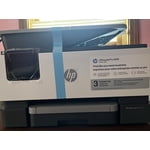
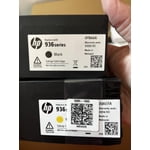
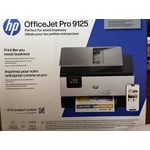
 +26 images
Fine printing.
[This review was collected as part of a promotion.] The HP Office oJet 9122 All-In-One printer was super easy to setup. It walks you through almost every step. The printing has been of very good quality and it does it pretty fast. Although it does go through quite a bit of ink pretty fast. But that all depends on the amount of printing you are doing. The scanner makes very good copy's and you can make pdf from it to email. You can also setup printing from your phone or tablet. Over all this printer has been a great printer.
Easy Setup & Fast Printing
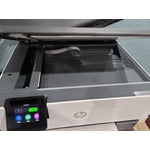
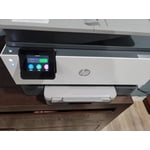
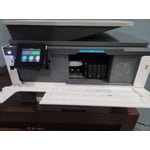
[This review was collected as part of a promotion.] My HP OfficeJet came just in time for summer! Every morning we are printing off worksheets and activities to keep us busy and off the screens and my old printer could not keep up. This one prints so fast, and the colors are perfect. I can print front and back and make copies super easily. I love that it lets me know when the paper is low, instead of finding out mid print when there's no paper left. I love that they will ship me ink as I need it so I'm not scrambling last minute. I could not recommend this printer enough!
Exactly What I Needed
[This review was collected as part of a promotion.] I've been long overdue for A new printer. The one I had was a true dinosaur, didn't have wifi, and had to be attached to my laptop through USB. This printer was a breeze to setup. I downloaded the app, connected to my wifi, and can now print from my phone. The printing quality is amazing! I even enrolled in automatic ink and paper refills for the convenience. This printer is EXACTLY what I needed.
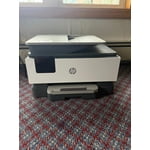
HP powerhouse printer
[This review was collected as part of a promotion.] HP delivers again. I will admit I was hesitant about replacing my old HP officejet printer because it was so efficient and such a workhorse, but let me tell you HP continues to impress! My new HP officejet 9122 is a true powerhouse. It delivers brilliant color prints and super fast black and white documents like a dream. I didn't think HP could get faster or quieter but I do believe this printer runs smoother and faster on both color and black and white prints. I do a lot of crafting so I need a printer that can manage thicker paper as well as copy and this printer was on point! I had no issues running my cardstock or sticker paper with no complications at all. The document feeder with double sided copy feature makes copying so quick and simple as well as the double sided print feature. The instant ink offered by HP ensures I will always have ink ready when I'm low and won't run out. The printer connects to the internet and let's them know when to send more. I even send them my old cartridges in the mail and don't have to worry about polluting the environment. Another plus is the awesome HP app where you can remote print documents from anywhere and have them waiting on you when you get home. The fax machine gives great flexibility if you are working from home or need to send that last minute document securely to a business. The scan bed offers the ability to scan documents or items that won't fit through the document feeder, such as, a driver's license, social security card, and pictures. There are so many features on this powerhouse I'm sure I've still missed something, but overall it's a beast. I would highly recommend this printer.

Finally an Affordable dual side scan printer
[This review was collected as part of a promotion.] I've been using the HP OfficeJet 9122 for a while now, and it's honestly become one of those things we didn't realize we'd depend on so much. Setup was quick, and getting it connected to our computers and phones was easy, so everyone in the house could start using it right away without any confusion. It's been especially nice not having to troubleshoot or spend time figuring things out. The real test came when we had to scan a 50-page double-sided legal document, which is usually the kind of task everyone avoids. Normally that would take forever, but the dual-side scanning made it incredibly simple. We just loaded everything in and let it run, no flipping pages or standing there watching it the whole time. What really impressed me was the mobile scanning feature. The AI automatically figured out the correct page orientation, so everything came through clean, straight, and in the right order without any extra effort. Print quality has been solid across the board, whether it's basic documents or color prints, and it's been reliable with no issues so far. Between work documents and random family needs like school papers and forms, it gets used a lot and hasn't slowed us down at all. It's been a great fit for our household and especially helpful for the work files I need to print and scan.
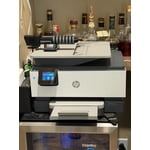
Great printer!
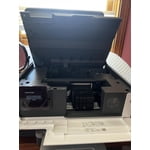
[This review was collected as part of a promotion.] The HP printer 9122 has been great to use. It was easy to set up. I really like how easy it was to load and unload the ink cartridges. I used almost all the features: scanning, double sided printing, and even used different types of paper to try out. It worked great on everything. The printer worked so fast too. it's my first time with instant ink but I'm very intrigue and can't wait to keep trying out the subscription.
Little Workhorse
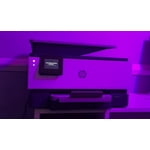
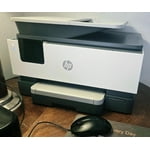
[This review was collected as part of a promotion.] I love this new addition to our small home office. I love that its compact yet not flimsy. This printer prints pages fast and the color printing is remarkable. During setup, the printer connected to the internet very easily. We are able to print from all our devices (ipads, iphones, etc). The printer is able to meet the needs of our business. I love that it will print one or two sided, duplex printing and has a automatic document feeder holds more than 30 pages. The touchscreen is very responsible and can be tilted for the best view. I love the security HP Wolf Pro Security built in to keep our business information secure. The only downside to this printer is that you will have to use HP ink.
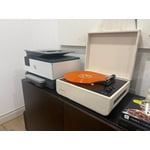
Solid, reliable workhorse for a home office once y
[This review was collected as part of a promotion.] I bought the HP OfficeJet 9122e All-in-One Printer a couple of weeks ago to replace an aging, sluggish printer that kept losing its wireless connection. Overall, I am very pleased with how it performs day-to-day, though the initialization process took a little patience. The Setup Experience Unboxing the printer was straightforward, but the physical setup does require a bit of space since it has a fairly substantial footprint. When you first turn it on, the printer goes through a lengthy internal calibration cycle and makes some pretty loud mechanical banging noises. Don't alarm yourself—it's just adjusting the ink cartridges, but it definitely sounds like it's working hard. Connecting to my local network via the HP Smart app on my phone was relatively smooth, though I found navigating the tiny 2.7-inch color touchscreen on the unit a bit tedious. The on-screen alphanumeric characters are small, so entering a long Wi-Fi password requires precise finger positioning. Once it was finally linked up, the dual-band self-healing Wi-Fi proved to be incredibly stable and hasn't dropped the connection once, even when printing large files from the opposite side of the house. Day-to-day, this thing is a total workhorse and prints shockingly fast. Black-and-white text for documents and bills comes out incredibly sharp honestly, it looks just as crisp as a laser printer. I've printed off a few colored pages and documents too, and the colors look great with zero smudging or ink bleeding, even on cheap, standard paper. The 35-sheet automatic document feeder and the auto double-sided printing make scanning or copying a stack of paperwork completely hands-off, and I haven't had a single paper jam yet. Plus, the main paper tray holds a ton of paper, so I'm not constantly stopping to reload it. Finally, Just keep in mind that it uses HP' to buy original HP ink cartridges, though I just signed up for their Instant Ink trial to avoid dealing with that for now. It's also a little noisy when it first wakes up to start a print job, but it prints so fast that it's not a huge deal. Overall, if you need a reliable, fast printer for a home office that can handle a lot of paperwork without any hassle, this is an excellent choice and feels like it's built to last.
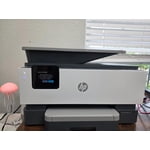
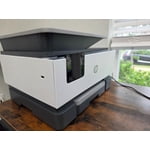
Monster Of An All-In-One Printer!
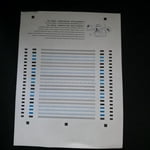
[This review was collected as part of a promotion.] The HP OfficeJet 9122 All-In-One printer has been incredibly productive the short time I've had it.. I mainly print and fax documents, it has fulfilled these functions with ease. It boasts an impressive 20ppm in black ink, and includes a generous 250 sheet paper tray! Since I store a bunch of documents on google drive, it's cloud service allows me to print directly from the printer instead of logging into your computer. Print calibration is as easy as taking candy from a baby! It automatically prints a calibration document, and you simply put the document on the scanning glass and it does its thing! The WiFi connection is top notch, it allows fast and secure wireless printing from my desktop computer, and never goes offline when its asleep. The app is super convenient, giving me the capability to print directly from my phone when not near my computer. I don't know anyone that faxes more frequent than myself, the fax resolution affords dark and crisp lines to the receiver. The color touchscreen is extremely responsive, especially when you have chunky fingers such as mine. It can be a bit noisy, but its a small tradeoff when considering the performance and features you get in this all-in-one printer. I give it an A+!
A solid printer for home office
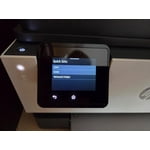
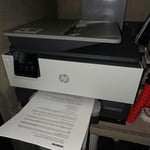
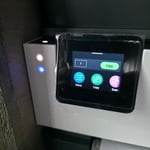
[This review was collected as part of a promotion.] The HP OfficeJet 9122 All-in-One Printer is a solid printer with several useful features, including: * Fast printing and scanning; * Convenient automatic double-sided printing and scanning; * Automatic synchronization with internet time servers, eliminating the need to manually adjust the clock when daylight saving time begins or ends. However, I encountered a few minor issues: * All four ink cartridges must be functional for the printer to operate, even if you only want to use scanning features. I understand this is standard behavior for HP OfficeJet printers, but it would be preferable if non-printing functions such as scanning could still work when an ink cartridge is empty. * HP appears to have packed too many options into the 2.7-inch control panel. Because of the small fonts and limited screen space, I occasionally selected the wrong option. One additional point worth mentioning: although the specifications state that the printer supports Windows Server platforms, the HP software installer did not work on Windows Server 2022. In addition, the Microsoft IPP Class Driver did not recognize features such as automatic double-sided printing. After some research, I was able to manually install the “HP OfficeJet 9120 Series PCL-3 (V4)” driver to make the printer function correctly on Windows Server 2022. As a result, unless you are comfortable troubleshooting drivers and manually configuring printers, the OfficeJet series like 9122 is best suited for environments running mainstream operating systems such as Windows 10, Windows 11, or macOS.