Join Now
Skip to Main Content
Sam's Club
Sam's Club
All Departments
All Services
Customer reviews for HP OfficeJet Pro 8128 Wireless All-in-One Inkjet Printer, 1 Year Instant Ink for
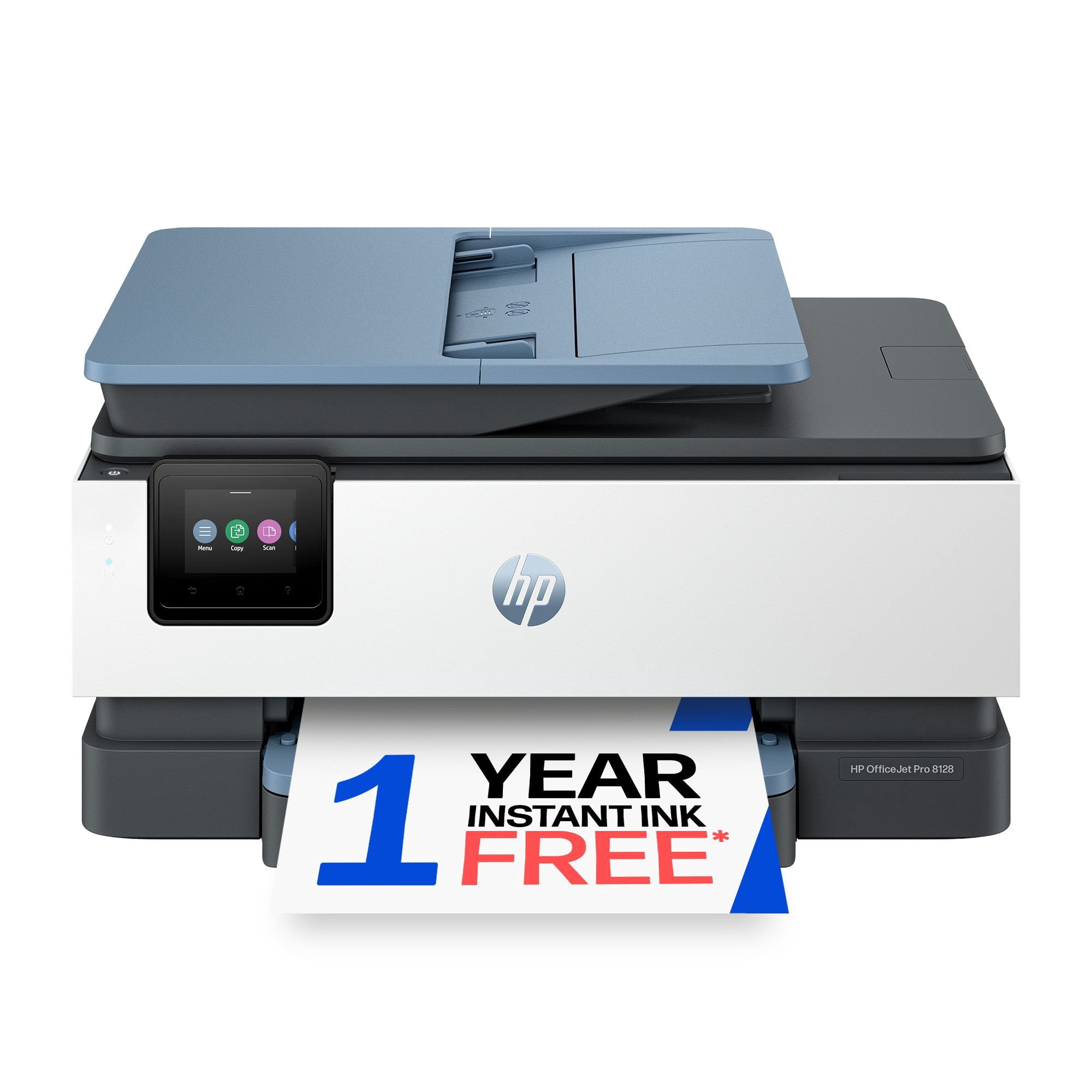
HP OfficeJet Pro 8128 Wireless All-in-One Inkjet Printer, 1 Year Instant Ink
4.2 out of 5 stars
stars
970 ratings487 reviews
  1. 5 stars64% (617)
  2. 4 stars15% (144)
  3. 3 stars7% (71)
  4. 2 stars6% (54)
  5. 1 star9% (84)

Member photos

  • +32 images
Sort by |
Showing 61-70 of 487 reviews
Sep 7, 2026
Reviewer name: Teresa
5 out of 5 stars
5 out of 5 stars review

Verified Purchase

I will NEVER switch!!

I have had a few printers through my life. I help run my husbands small business so printing and/or facing is a staple. When my last hp broke I just ran to the store and grabbed any printer, when I came home and set it up I returned it after printing just a handful of things. I WILL NEVER NOT use anything other than HP. User friendly, no problems printing, can print from anywhere in my home, holds a lot of paper, easy setup, can scan to my phone or computer it also keeps up with the printing my kids have it so. Good printing quality for their homework. I don't know what I would do without it.

Review from hp.com
Helpful?5FXNC6SDEQT120035223602
Sep 4, 2026
Reviewer name: Scott
1 out of 5 stars
1 out of 5 stars review

Verified Purchase

Don't bother with this one

The whole printer is cheaply assembled using inferior pieces. The touch screen is difficult to use because you have to press your options numerous times before you get a response. The wifi signal keeps dropping offline, so when you want to print, you constantly have to restart the printer. The instant ink is a ripoff....you have to sign up for it and now you're locked into something you don't need. I would not recommend purchasing this printer, possibly any printer, from HP. They've really gone downhill on quality products.

Review from hp.com
Helpful?5FXNC6SDEQT120035223602
Sep 7, 2026
Reviewer name: Beth
3 out of 5 stars
3 out of 5 stars review

Verified Purchase

Small display window

Mine is actually a 8120. The touch screen control panel is too small - buttons don't work very well and screen pad won't stay in position. I'm having an issue printing PDF's - sometimes it prints fine, other times the page prints full of thick black lines.

Review from hp.com
Helpful?5FXNC6SDEQT120035223602
Sep 7, 2026
Reviewer name: Sandy
3 out of 5 stars
3 out of 5 stars review

Verified Purchase

Ok, except for setting up

I am having a terrible time with my wifi connection and the printer...Everytime I try to print something it won't print. I have started from the beginning of setup to making sure all is setup properly..I have done that a few times and, it is still not connecting or disconnects.. My older HP printer worked much better than this one....very frustrating to say the least....Can't really print...plus, when i print more than one page double sided, it only prints the first page, or a partial page, not the second side, or, anything else...Not to happy about it all....

Review from hp.com
Helpful?5FXNC6SDEQT120035223602
Sep 7, 2026
Reviewer name: Carla G
3 out of 5 stars
3 out of 5 stars review

Verified Purchase

Doesn't meet expectations

The printer is very slow to print and you have to keep the page that you're printing pulled up until the print is done otherwise it cancels the print. Also, it will run a blank page through and then cancel the print job. Didn't expect such issues with an HP.

Review from hp.com
Helpful?5FXNC6SDEQT120035223602
Sep 4, 2026
Reviewer name: Steve
3 out of 5 stars
3 out of 5 stars review

Verified Purchase

Issues

There is only one paper tray. My old hp printer had two. And it doesn't extend automatically when printing. The paper tray feels very flimsy. Sometimes the first time I try to print the icon just spins and requires a second request before it works. The attached touch screen is not user friendly. Very difficult to tap it properly to get a response. When changing a new router password, the characters are too small and am constantly to correct. Also very slow to respond

Review from hp.com
Helpful?5FXNC6SDEQT120035223602
Sep 7, 2026
Reviewer name: USMel
5 out of 5 stars
5 out of 5 stars review

Verified Purchase

All is well

It's good to know that I don't have to worry about running out of ink and having to drive several miles to purchase more and have to do without in the middle of a project until ink is replenished. I use it to print a church bulletin every week to provide a copy to the small congregation.

Review from hp.com
Helpful?5FXNC6SDEQT120035223602
Sep 7, 2026
Reviewer name: SBD
1 out of 5 stars
1 out of 5 stars review

Verified Purchase

Worst printer I ever had.

Always has trouble getting signal from computer to print (connection is definitely set up properly and wifi is perfect). Always prints a blank page when I print. Have to click print a second time every time to actually print. Wastes too much of my time.

Review from hp.com
Helpful?5FXNC6SDEQT120035223602
Sep 4, 2026
Reviewer name: David
4 out of 5 stars
4 out of 5 stars review

Verified Purchase

Very good but not perfect.

Touchpad on printer is slow reacting. Software is cumbersome and could be much better. There is no automatic warning that an ink cartridge is low. It just stops printing. Now for the really good part - It is relatively quiet. The print quality is very good. It looks good. Unfortunately, I didn't read the specs well enough, because I found out that I cannot easily copy or scan two-sided documents.

Review from hp.com
Helpful?5FXNC6SDEQT120035223602
Sep 4, 2026
Reviewer name: Katie
3 out of 5 stars
3 out of 5 stars review

Verified Purchase

Should be better.

When the paper tray is full, I keep getting the out of paper message so it will not print. The control panel is very difficult to read because it is on the side of the printer. It should be on the top. The chute that holds the printed pages needs to be bigger so that the printed pages stay in the tray.

Review from hp.com
Helpful?5FXNC6SDEQT120035223602