Skip to Main Content
Sam's Club
Sam's Club
All Departments
All Services
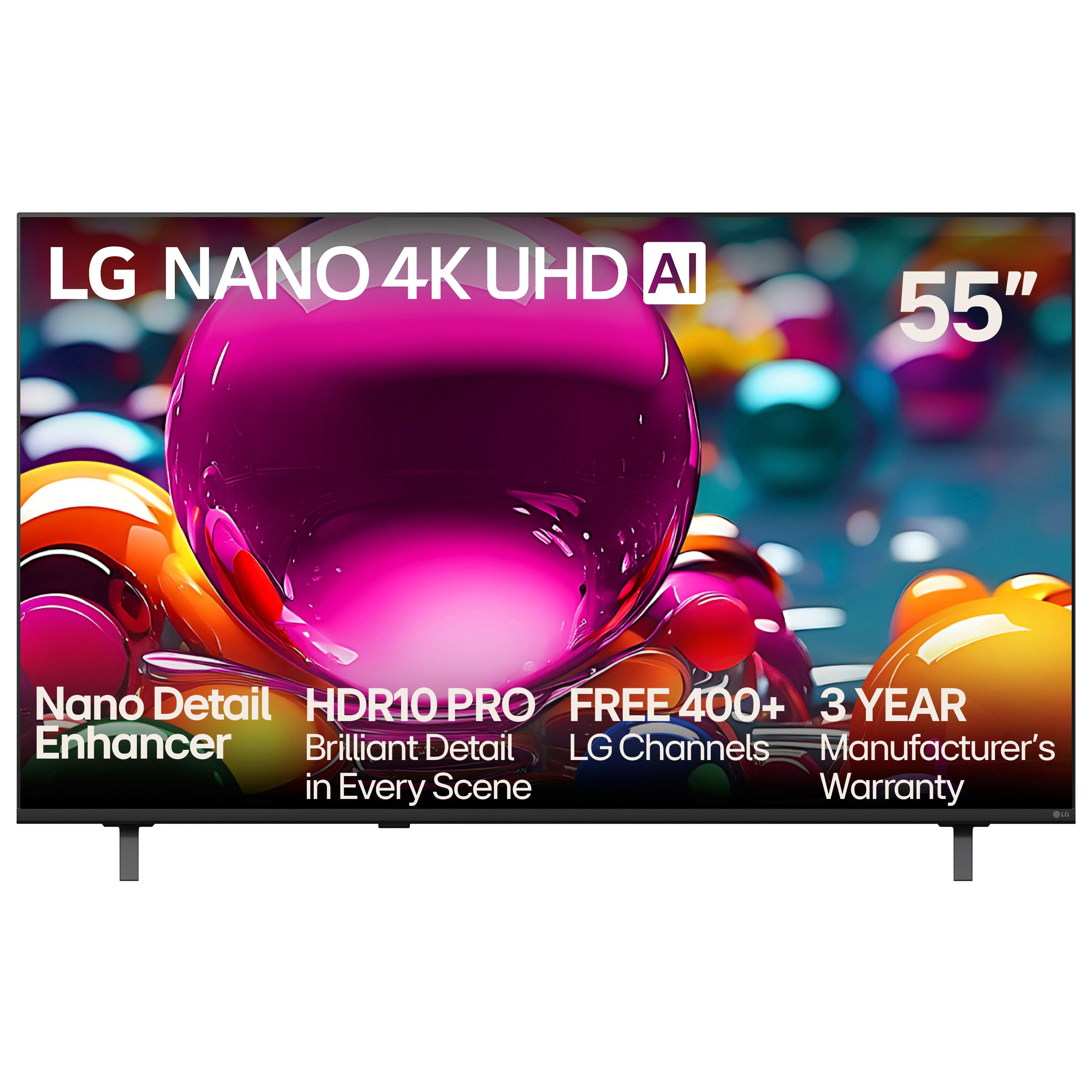
Customer reviews for LG 55" Class Nano NU850 Series 4K Smart TV for
LG 55" Class Nano NU850 Series 4K Smart TV
3.7 out of 5 stars
stars
77 ratings77 reviews
  1. 5 stars44% (34)
  2. 4 stars22% (17)
  3. 3 stars10% (8)
  4. 2 stars8% (6)
  5. 1 star16% (12)
Sort by |
Showing 71-77 of 77 reviews
Jul 6, 2025
Reviewer name: SAMUSER0
5 out of 5 stars
5 out of 5 stars review

Great picture, price and features.

The picture is truly fantastic sharp and clear with colors that smack you in the face The price range I needed with the quality I wanted. Loving all the features and learning more daily.

Review from lg.com
Helpful?5JUHU8QLNI9U19936016783
reply from LG Digital Team

We love hearing how much you're enjoying your LG TV! That bold, brilliant picture and feature-packed performance were made to impress, especially at a price that fits just right. Here’s to discovering even more to love every day! For more feedback or questions, private message us on social media @LGUSSupport . Thanks for making LG a part of your home! 🙂 ^David #LifeisGood

Jul 22, 2025
Reviewer name: Anonymous
5 out of 5 stars
5 out of 5 stars review

Beautiful color; rapid screen response.

I bought a 37” LG in 2010. I have since added a fire stick for streaming programming. This TV has continued to work beautifully, while 2 different larger screen sets of other manufacturers died quickly.

Review from lg.com
Helpful?5JUHU8QLNI9U19936016783
reply from LG Digital Team

Wow, Margie! Thanks for sharing your experience with your 2010 LG TV. What an amazing run! We love hearing how your Fire stick brought fresh life to a screen that is still going strong. When you're ready to upgrade, you can count on LG for your next big screen. Private message us on social media @LGUSSupport with your contact details. Our LG product experts can help you choose the perfect replacement. They may have an exclusive discount promo code just for you. Thank you for choosing LG! ^David

Jul 30, 2025
Reviewer name: CantCme
3 out of 5 stars
3 out of 5 stars review

Why Do I have to spend extra for a remote?

Pros: great picture. Cons: no magic remote. I bought an LG sound bar and can not control it with TV remote supplied.

Review from lg.com
Helpful?5JUHU8QLNI9U19936016783
reply from LG Digital Care Team

Thanks for sharing your thoughts about the 65UA7700PUB—your praise for its picture quality means a lot. 🌟 We’re thrilled it delivers a stunning visual experience! We hear your feedback on the remote setup, and we understand how important seamless control is for an elevated entertainment experience. While the Magic Remote isn’t bundled with every model, it’s designed to unlock intuitive control and richer compatibility across LG devices, including sound bars. That said, your insight helps us better tailor our offerings to what matters most to our LG family. If you’re ever curious about enhancing your setup or exploring remote options, our team @LGUSSupport through our social media platforms are always ready to assist. Your voice shapes the future of innovation—and we’re thankful you shared it with us. ^Anthony

Aug 5, 2025
Reviewer name: Nikki 75
4 out of 5 stars
4 out of 5 stars review

Amazing Picture

Great picture and the AI features are great! I gave it a four because it didn’t have the magic remote!

Review from lg.com
Helpful?5JUHU8QLNI9U19936016783
reply from LG Digital Care Team

We’re thrilled to hear you’re loving the amazing picture quality and AI features—your appreciation means the world to us, Nikki! We totally understand how important the Magic Remote is in bringing that seamless LG experience to life, and we’re here to help make every moment with your TV feel effortless and immersive. Your feedback is invaluable, and we’re so grateful you chose LG to be part of your home entertainment. Here’s to many more stunning views ahead! 📺✨ ^Anthony

Aug 14, 2025
Reviewer name: Booberry22
1 out of 5 stars
1 out of 5 stars review

Awful tv

It wants to update every app and it hangs up on YouTube tv. Remote is very sensitive and the tv lags.

Review from lg.com
Helpful?5JUHU8QLNI9U19936016783
reply from LG Digital Team

Hey there. We get it—tech should make life easier, not more complicated. If your LG TV is lagging or struggling with app updates, a few quick tweaks in the settings menu can often bring things back up to speed. To resolve this, check out these troubleshooting steps here: https://www.lg.com/us/support/help-library/tv-video-lag--20150774974899. If this persists after these steps, send us your contact details at lg.sprinklrsuppport.com. Your comfort and convenience matter to us, and we’re always working to improve. Thanks for sharing your experience—it helps us serve you better. ^David

Jul 15, 2025
Reviewer name: disappointed010
1 out of 5 stars
1 out of 5 stars review

Updates make it worse

Performance gets worse with each update. "Free Channels" now take forever to load.

Review from lg.com
Helpful?5JUHU8QLNI9U19936016783
reply from LG Digital Care Team

Thanks for sharing your feedback, we know it’s frustrating when updates seem to slow things down instead of improving them. We'd like to help look into this, reach us through social media @LGUSSUpport. We’ll be glad to check if there are any optimizations or resets that could help get things running smoother again! ^Jose

Jun 20, 2025
Reviewer name: jjjjjjjjjjjj
1 out of 5 stars
1 out of 5 stars review

NO where can I find a list of the 300 channels you offer for free.

Review from lg.com
Helpful?5JUHU8QLNI9U19936016783
reply from LG Digital Team

We got you! LG Channels offers over 300 free live and on-demand channels on your LG Smart TV—no subscriptions or logins needed. You’ll find a wide variety of content, including news, sports, movies, music, lifestyle, and kids' entertainment. To view the complete list of channels, press the Home button on your LG Magic Remote and open the LG Channels app. From there, you can browse categories or access the built-in channel guide. The lineup may vary by region and is updated regularly with new content. For the latest list, visit the official LG Channels here: http://spr.ly/64284kUIw.. You can check out these tips and tricks to surf our LG Channels here: http://spr.ly/64294kUIb. It’s all designed to bring more entertainment to your screen and is free and easy to access. For more feedback or questions, private message us on social media @LGUSSupport . We're always here to help! ^David