Skip to Main Content
Sam's Club
Sam's Club
All Departments
All Services
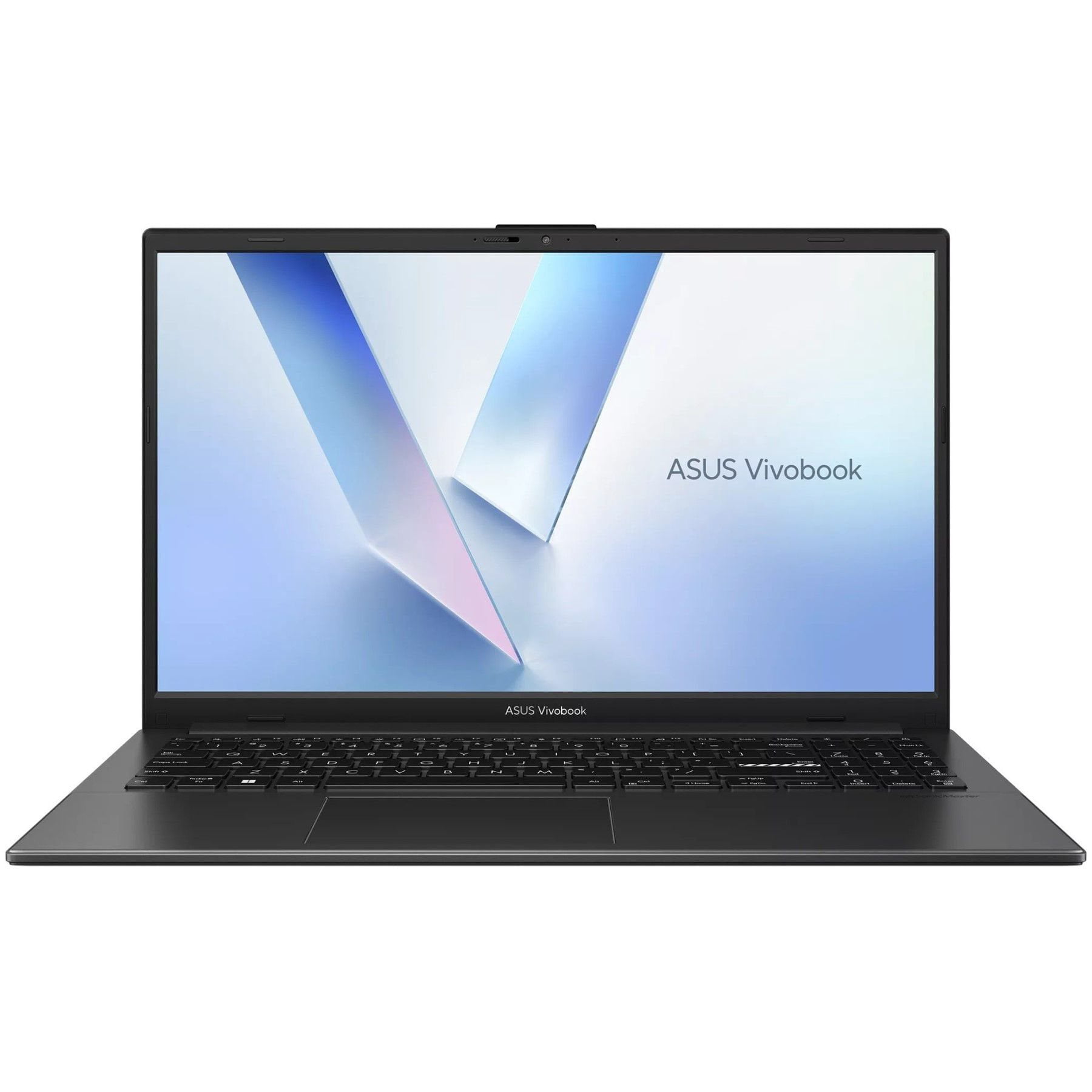
Customer reviews for ASUS VivoBook Go 15.6" FHD Laptop, Intel Core i3-N305, 8GB RAM, 128GB UFS, Windows 11 Home for
ASUS VivoBook Go 15.6" FHD Laptop, Intel Core i3-N305, 8GB RAM, 128GB UFS, Windows 11 Home
4.3 out of 5 stars
stars
92 ratings92 reviews
  1. 5 stars73% (67)
  2. 4 stars9% (8)
  3. 3 stars5% (5)
  4. 2 stars3% (3)
  5. 1 star10% (9)
Sort by |
Showing 1-10 of 92 reviews
Jul 15, 2026
Reviewer name: Byrd
5 out of 5 stars
5 out of 5 stars review

Verified Purchase

Laptop

I love the look of the product. Its sleek in size and the screen is very clear.

Review from https://www.asus.com
Helpful?13JNHLZE8TP919921609909
Jul 22, 2026
Reviewer name: Trish
5 out of 5 stars
5 out of 5 stars review

Verified Purchase

Great for work!

I've been using my ASUS Vivobook Go 15 for my new title work position, and so far I'm really impressed. It was easy to set up, runs smoothly, and is perfect for the web-based programs and multitasking I use throughout the day. The laptop is lightweight, starts up quickly, and the battery life has been great. The keyboard is comfortable for long hours of typing, and the screen is bright and clear, making it easy to work on documents for extended periods. For anyone looking for a reliable, budget-friendly laptop for work, school, or everyday use, I'd definitely recommend the ASUS Vivobook Go 15. It's been a great investment, and I'm very happy with its performance.

Review from https://www.asus.com
Helpful?13JNHLZE8TP919921609909
Jun 9, 2026
Reviewer name: mammaw chuck
5 out of 5 stars
5 out of 5 stars review

Verified Purchase

Very nice laptop

I wanted another one just like the one I have on reserve in case something happens to it. I got it and it works great.

Review from https://www.asus.com
Helpful?13JNHLZE8TP919921609909
Aug 13, 2026
Reviewer name: anonymous
5 out of 5 stars
5 out of 5 stars review

Verified Purchase

ASUS

quick to use, most apps pre-installed

Review from walmart.com
Helpful?13JNHLZE8TP919921609909
Mar 5, 2026
Reviewer name: Marie M
5 out of 5 stars
5 out of 5 stars review

Verified Purchase

Easy to navigate

Runs smooth, storage space excellent for my needs.

Review from https://www.asus.com
Helpful?13JNHLZE8TP919921609909
Mar 25, 2026
Reviewer name: Rocky1234
5 out of 5 stars
5 out of 5 stars review

Verified Purchase

Great Computer

Easy to use and I love the keyboard. Has a awesome clear screen and great for my ministry work.

Review from https://www.asus.com
Helpful?13JNHLZE8TP919921609909
May 20, 2025
Reviewer name: John
5 out of 5 stars
5 out of 5 stars review

Verified Purchase

Perfect for school

Very good basic computer. I’m only using it for school work and research so it’s perfect for that. I’m storing most things on a thumb drive so I’m good with the storage. It did not come with Microsoft so beware if you need that. Not a deal breaker though as I found one on Groupon so all in all, very satisfied with this computer purchase.

Review from walmart.com
Helpful?13JNHLZE8TP919921609909
May 16, 2025
Reviewer name: Bryce
5 out of 5 stars
5 out of 5 stars review

Verified Purchase

Asus excels

I got this laptop for my mother for mother's day and she absolutely loves it! She's been playing a lot of facebook games on it since I got it and we haven't had any issues with it so far it has been worth the money and it was cost friendly so if you're planning on buying this for watching videos or just simple web exploring this is the product you're looking for

Review from walmart.com
Helpful?13JNHLZE8TP919921609909
May 20, 2025
Reviewer name: Cheryl
1 out of 5 stars
1 out of 5 stars review

Verified Purchase

Won't turn on after use of twenty days.

Delivered on 4/29/25 stopped working on 5/19/25. Was using it all day on 4/28 next day wouldn't even come on not sure what happened but it has all my info already stored on it, so trying to figure out what to do and where to take it. I did register it with Asus so will try to get a hold of them. I don't want to just return the laptop since it has all my info but I do want a new one to replace it. This little laptop is decent for the money I guess I just got lucky and got the one that didn't want to work. lol

Review from walmart.com
Helpful?13JNHLZE8TP919921609909
reply from ASUS Answers

Dear Cheryl, Thank you for your comment. We certainly understand your disappointment and the inconvenience this may have caused if the laptop does not power on after twenty days of usage. ASUS is an ISO certified company, and as a result, all products go into a strict quality manufacturing standard. All ASUS products undergo intensive quality control testing and inspections that ensure each one is trouble-free, and are built to last. ASUS provides warranty coverage for the product. If the laptop will not boot up or it's just black screen but the fan, do the following. Try to do a power cycle by pressing and holding down the power button to shut it down completely, then power on. If the laptop will not boot up or it's just black screen but the fan, please do the following. If it powers on but stays on black screen after at least 10 minutes, repeat the power cycle process again. If the laptop is applying updates in the System Registry, it will black screen temporarily until the update is applied successfully. Additionally, please try to disconnect the power cable and let the unit drain for 24 hours to clear the memory. This will reset the hardware to default settings. After doing this, please reconnect your AC adapter, do not power on the laptop until the battery is charged. If you need further assistance with the product, please email me at cl-rodel@asus.com and I would be more than happy to help. Or, you are most welcome to call Product Support Hotline at: 1(888) 678-3688. Also, you can chat with an ASUS live support agent from the link: https://www.asus.com/us/support/article/1135/. Thank you for choosing an ASUS product. Regards, Rodel ASUS Customer Loyalty

Oct 21, 2025
Reviewer name: Michael
1 out of 5 stars
1 out of 5 stars review

Verified Purchase

Bought hardware - not software | Big Mistake

When purchasing information management tools I go with names that I trust. In past ASUS has been reliable. This purchase has been different. I don't care for the bloatware of Microsoft products so the first thing I do - and have done with other hardware - is to dump Windows and install my current Linux favorite. In this case it was MX Linux. The install went well until I attempted to boot from the internal drive. ASUS firmware and UEFI environment prevent non-Windows functionality according to the support communications. This is wrong. I purchased a "Laptop" not an operating system. ASUS is being nasty now refusing any warranty help after their failed warranty repair attempt.

Review from walmart.com
Helpful?13JNHLZE8TP919921609909
reply from ASUS Answers

Dear Michael, Thank you for your comment. We do understand your disappointment with this laptop and the inconvenience if you are experiencing difficulty installing your own Linux Distro. We don't provide Linux drivers since this laptop was only qualified, validated and released with Windows 11. To dual boot on this laptop model and install another OS, you need to disable Secure Boot and Fast Boot, enable CSM (Compatibility Support Module) in the BIOS setup page, and then boot from the installation media to install the second operating system. It's crucial to back up your data before you begin. Should you need further assistance with the product, please email me at cl-rodel@asus.com and I would be more than happy to help. Or, you are most welcome to call Product Support Hotline at: 1(888) 678-3688. Also, you can chat with an ASUS live support agent from the link: https://www.asus.com/us/support/article/1135/. Thank you for choosing an ASUS product. Regards, Rodel ASUS Customer Loyalty