
 Customer reviews for SAMSUNG 75” Class M70H Series Mini LED 4K UHD Vision AI Companion Smart Tizen TV for
Member photos









 +81 images
Lots if pluses here
[This review was collected as part of a promotion.] should I please with the new TV it's responsive below the color and it's responsive I love the color and clarity it's just the right size for my space also appreciate the fact that it's a smart TV program certain things and and give it directions through a voice monitor those are all very positive things for me
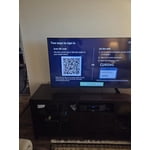
Insufficient Remote Control "how to" information
[This review was collected as part of a promotion.] I like my TV, but I was shocked about how little information Samsung provided me. All I received in the box were simple instructions on how to install the legs. The remote was simply a circular button. Most of the time, new remotes are fairly intuitive. This one was not and I couldn't find any information on line, unless I wanted to pay for it. Please give your new TV owners a fighting chance to set up their new TV properly.
C man, We appreciate you sharing your experience with the included remote. To help you get the most from your TV and remote functions, you can download the full e-Manual and more by visiting Samsung’s website then navigating to: Support > Manual & Software > TVs & Home Theater. From there, you can search for and select your M70HD TV model to view or download the available guides. The e-Manual & Remote Control Guide are also conveniently built into your TV: Settings > Support > Tips and User Guides Learn TV Remote is another feature designed to help users become familiar with the layout and function of each button on the Samsung remote. When enabled, pressing any button (except the Power button, which will still turn off the TV) will prompt the TV to announce the button’s name and its purpose – without affecting TV operation. This teaching mode is especially useful for users who are visually impaired or new to Samsung remotes. To enable this feature, go to: Settings > All Settings > General & Privacy > Accessibility > Learn TV Remote. To exit, simply press the Return key twice. If you’d like more assistance with this feature, please reach Samsung Support at 1-800-SAMSUNG (8AM – 9PM EST Mon – Fri, 8AM – 6PM Sat – Sun). LiveChat agents are also available through the ‘Support’ link on our website. ~ Samsung Specialist
Highly Satisfied! Perfect Visuals and Sound!
[This review was collected as part of a promotion.] Aloha‼︎ Living in Hawaii, Samsung is always my top choice due to their excellent delivery options and reliable after-purchase support. Unfortunately, my previous 55" Class Q7 Series QLED TV suddenly blacked out after about four and a half years. Thankfully, it was covered by a 5-year warranty, and Samsung responded quickly! This allowed us to upgrade to the Samsung 65" Class M70H Series 4K Mini LED Smart TV. Thanks to the Mini LED technology, the weak points of our previous model seem resolved, and this new one feels incredibly stable. It seems to be a very popular model, so delivery took some time, but we had fun rearranging our living room while anticipating its arrival. When it finally arrived, we were thrilled! While it is significantly larger, it doesn't feel overwhelming at all—in fact, the size is a perfect fit for our room. My husband, who wears hearing aids, was absolutely delighted. Not only is the picture quality amazing, but the sound is beautifully mellow. He noticed no harsh high frequencies, making it much easier for him to catch clear dialogue while watching movies. The picture quality is exceptionally smooth and gentle on the eyes. While the images are crystal clear, our very first impression was how soothing and natural the colors felt, just like the audio. I occasionally suffer from migraines with aura when watching TV in a dark room for too long, but this display causes zero eye strain, and I haven't had any issues at all. My husband is already counting down the days until football season! Since we've only had it for a short time, this might not be a definitive long-term review, but we can confidently say we are absolutely thrilled with this purchase. TV trends are moving toward massive, ultra-thin screens with blinding brightness, but for us, this size and quality are the perfect sweet spot. It offers incredible value for the price!
Great little set.
[This review was collected as part of a promotion.] I use this set in my work out room. The 55” replaces an 32” old set. What a difference. Screen detail, brightness makes it a worthwhile investment. We really enjoy the set while grunting and sweating Set up was easy once we figured out how to use to magic remote. Personally i think the remote sucks. Give me one with buttons that work. The sound requires a sound bar w/sub. Also note if you do install a sound system to the set you will need to turn on the eArc system on the set. For some reason Samsung doesn't ship with it on. Lots of magic buttons and steps to get it on. Pricing was good and the set a pleasure to watch. Great for a small space.
Great TV
[This review was collected as part of a promotion.] This is my 3rd Samsung big screen and this one is the best so far. Beautiful picture, easy remote control and, paired with a Samsung sound bar, it's the perfect television experience, especially for the price. The picture is as good, or better, than most higher priced models I've considered. Samsung is my 'go to' brand and will be forever.
OK...but
[This review was collected as part of a promotion.] This is an ok TV. We're cable cutters who have for several years streamed our TV content. The picture quality is ok but there are times when the picture is slightly "fuzzy" which may be more of a streaming issue rather than the TV's problem. The reason for 3 stars is that we bought this particular TV because it was one of the few cabable of having 2 Bluetooth wireless headphones operating at the same time. However, you have "reconnect" the "paired" headphones each time the TV is turned on...but even more frustrating is the fact this TV frequently drops the headphone connection while watching a show. We use a Bose and Cowin headphone so its not a headphone problem...it a Samsung TV problem.
Hi Randyfish, We appreciate your feedback on the M70HD TV. For the most optimal performance, please ensure your TV and headphones are up to date with the latest software. To update your TV, go to Settings> Support> Software Update. Please also note that the TV and Bluetooth device may disconnect if the distance between them is too great or if there are obstacles. Next, buffering during streaming is typically related to internet speed or signal strength. This can happen when your connection isn’t able to deliver data quickly enough for smooth playback. We recommend the following steps to help improve streaming performance: 1. Use a 5GHz Wi-Fi connection, if available 2. Try a wired LAN connection for more stability 3. Reposition your router to minimize obstacles between it and the TV 4. Make sure your TV is running the latest firmware (Settings > Support > Software Update) 5. Run Device Care to optimize performance: Home > left directional key > Settings > Support > Device Care > Start Device Care If buffering continues, you may want to contact your internet service provider to check your current speed or explore upgrade options. If we can assist further, please call us at 1-800-SAMSUNG, (8AM – 9PM EST Mon – Fri, 8AM – 6PM Sat – Sun). LiveChat with an agent as well as manuals, software, and warranty info can be found at the ‘Support’ link on our Samsung website. ~ Samsung Advisor
poor remote
[This review was collected as part of a promotion.] The remote is no good I have to use the old remote from a old samsung tv to change the stations. That's no good. If i had seen the remote and how it was made with no key board or numbers on it i would have bought another brand with a remote i could use a lot easier.
Hi 1234, We appreciate your thoughts on the M70H TV’s remote. While it may appear minimal at first glance, many of the buttons are designed with dual or long-press functions to help reduce clutter without sacrificing functionality. For example: • Volume rocker: Push UP/DOWN to adjust volume; press and release quickly to MUTE. • Long-press Volume button: Hold for more than 1 second to access Accessibility Shortcuts. • RETURN button: Press to go back to the previous screen or menu; when watching TV, it takes you back to the previous channel. These combined functions help create a cleaner design while keeping everything you need just a button away. If you ever need help with your remote or want to learn more shortcuts, we’re here to assist. You can reach us at 1-800-SAMSUNG (8AM – 9PM EST Mon – Fri, 8AM – 6PM Sat – Sun), or reach us via text anytime. You can also visit ‘Support’ on our website for: • Live Chat • Manuals, Software, & Warranty Info ~ Samsung Advisor
BEAUTIFUL DISPLAY
[This review was collected as part of a promotion.] At first I was a little skeptical it wasn't as clear as my 4K curve But as time went on and we got our updates and then adjusted to my room it just turned into a fantastic television that I can read the subtitles without glasses it is pretty amazing thank you and very happy with it Samsung
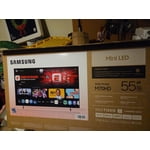
What a bright and sharp screen!
[This review was collected as part of a promotion.] What a bright and sharp screen! The mini-LED's were well worth the extra money. Very dark in areas supposed to be dark. Sharp across the entire screen. I do wish it would boot up faster, and have an optical sound output.
Great features
[This review was collected as part of a promotion.] This is an excellent TV for most people for their normal dally watching. Its brightness, color, contrast and responsiveness are all good enough for everyday use. It came with Samsung live TV, and some free premier movies.