Skip to Main Content
Sam's Club
Sam's Club
All Departments
All Services
Customer reviews for SAMSUNG 50” Class U8000H Series Crystal UHD 4K Vision AI Companion Smart Tizen TV for
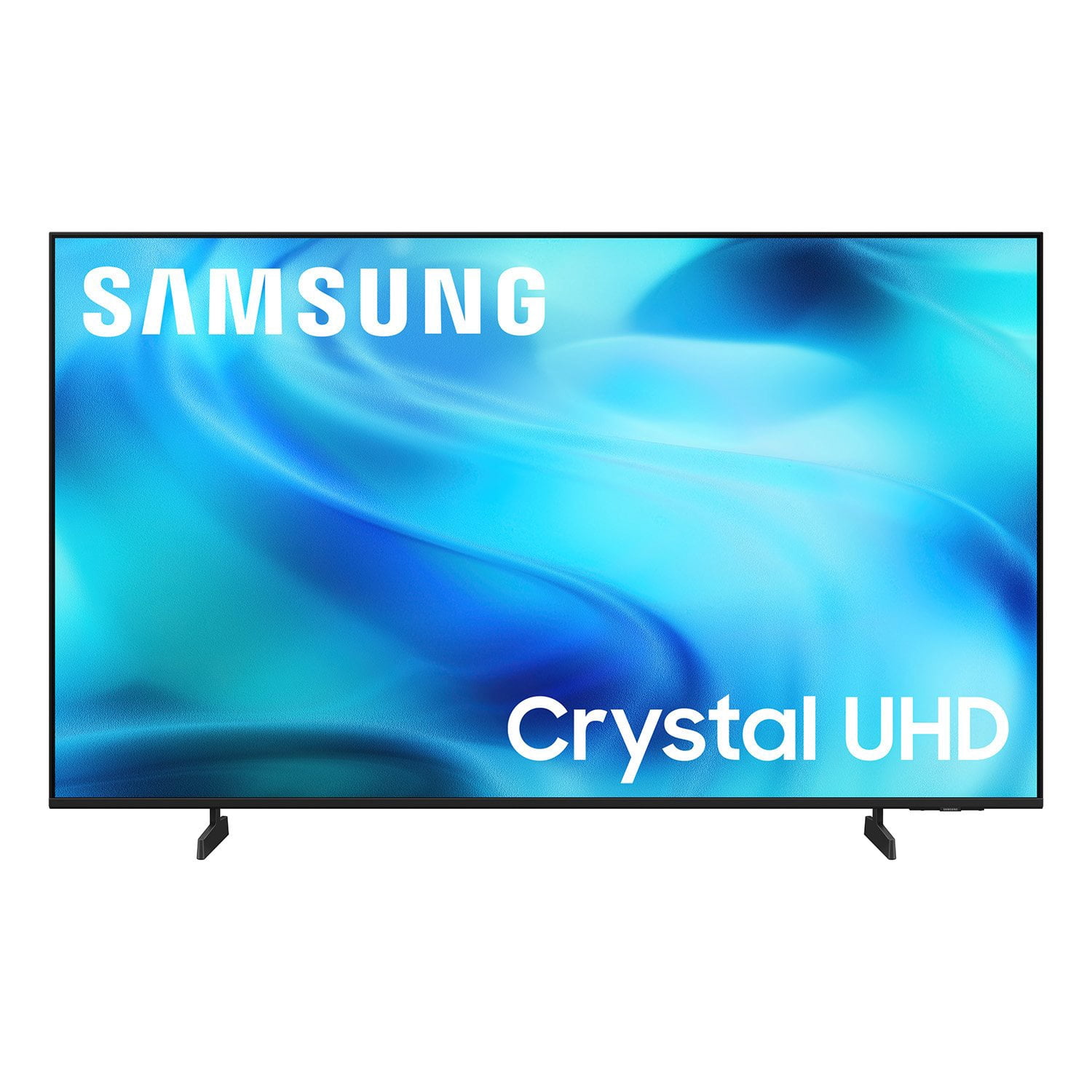
SAMSUNG 50” Class U8000H Series Crystal UHD 4K Vision AI Companion Smart Tizen TV
4.7 out of 5 stars
stars
773 ratings757 reviews
  1. 5 stars79% (609)
  2. 4 stars14% (109)
  3. 3 stars4% (31)
  4. 2 stars2% (14)
  5. 1 star1% (10)
Sort by |
Showing 121-130 of 757 reviews
Oct 20, 2026
Reviewer name: Yasmin
5 out of 5 stars
5 out of 5 stars review

Good features.

[This review was collected as part of a promotion.] Good product so far. Enjoying the tv. Good pictures and color. I am hoping to enjoy this for a very long time to come. Nice shape and pretty looking tv.

Review from Samsung US
Helpful?3PDR7R7F67UH19901005916
Oct 20, 2026
Reviewer name: JanS
5 out of 5 stars
5 out of 5 stars review

Samsung TV PLus, wifi, and no cable.

[This review was collected as part of a promotion.] Replaced an older non-Samsung smart tv with this Samsung model for the bedtoom. We have discontinued cable tv and use an antenna and wifi. We watch Samsung TV Plus a lot on our tvs.

Review from Samsung US
Helpful?3PDR7R7F67UH19901005916
Nov 5, 2026
Reviewer name: Spwalsh0222
5 out of 5 stars
5 out of 5 stars review

Love it

[This review was collected as part of a promotion.] We love our new Samsun television. Wished we had bought one a lot sooner. We've never had a television with such bright contrast. It's very refreshing to look at.

Review from Samsung US
Helpful?3PDR7R7F67UH19901005916
Nov 5, 2026
Reviewer name: Toni62
4 out of 5 stars
4 out of 5 stars review

Easy to set up! I was able to do it myself!

[This review was collected as part of a promotion.] This unit was one of the easiest devices to set up! There were detailed paper copies with good visuals. Also great ‘about this Samsung' online/?included as part of the set up help.

Review from Samsung US
Helpful?3PDR7R7F67UH19901005916
Oct 23, 2026
Reviewer name: Motley
4 out of 5 stars
4 out of 5 stars review

Simple

[This review was collected as part of a promotion.] Simple tv it has an easiness to it for any non te h person but clear pix some of the things about it are a little missing some stuff it serves its purpose

Review from Samsung US
Helpful?3PDR7R7F67UH19901005916
Nov 4, 2026
Reviewer name: Ajaz83
5 out of 5 stars
5 out of 5 stars review

Internet usage

[This review was collected as part of a promotion.] I really like everything else - is there anyway you can use the bandwidth of internet to decide to pause the show and not instead pixelate ? Can we ch

Review from Samsung US
Helpful?3PDR7R7F67UH19901005916
Nov 5, 2026
Reviewer name: Angel
5 out of 5 stars
5 out of 5 stars review

Wonderful

[This review was collected as part of a promotion.] My television is absolutely wonderful! Crisp and clear. Centerpiece on my wall. I would definitely purchase again. Thanks Samsung for a great product.

Review from Samsung US
Helpful?3PDR7R7F67UH19901005916
Nov 5, 2026
Reviewer name: LoriP
5 out of 5 stars
5 out of 5 stars review

Great bedroom tv

[This review was collected as part of a promotion.] I love the crisp picture, ease of set up and the great wifi responsiveness. It was an exceptional price for the quality of the product. Great addition to home of larger Samsung televisions.

Review from Samsung US
Helpful?3PDR7R7F67UH19901005916
Nov 5, 2026
Reviewer name: Tdub
5 out of 5 stars
5 out of 5 stars review

Beats using a smaller computer monitor!

[This review was collected as part of a promotion.] As a computer monitor it's excellent and the size is perfect for viewing drawings and documents. The speed and accuracy works extremely well with my Logi MX Master 35 Mouse mx keys keyboard.

Review from Samsung US
Helpful?3PDR7R7F67UH19901005916
Nov 10, 2026
Reviewer name: Mico
3 out of 5 stars
3 out of 5 stars review

remote problems

[This review was collected as part of a promotion.] The remote is hit and miss on functioning. the remote is hit and miss I have to touch the buttons many many times to finally get a hit on it so it can function that is not a good thing

Review from Samsung US
Helpful?3PDR7R7F67UH19901005916
reply from Samsung Advisor

Hi Mico, Thank you for your feedback. If your remote isn’t responding, here are a few quick steps to help determine if it’s working correctly: 1. Check the batteries: Remove the back cover of your remote and replace the batteries with a fresh set, ensuring they are inserted in the correct direction. 2. Test for infrared signal: Point the front of the remote at your smartphone camera. While holding down any button, you should see a flashing light through the camera screen. (For iPhone users, the front-facing camera works best.) If you see the light, your remote is working and may need to be re-paired with your TV. 3. Point the remote correctly: Try pointing the remote directly at the TV from about 5-6 feet away. This can help ensure a clearer signal between the remote and the TV. 4. Clean the remote: Gently wipe the top edge of the remote (where the infrared sensor is located) with a soft, dry cloth to remove any dust or debris that could interfere with functionality. If you still need assistance, please contact Samsung Support at 1-800-SAMSUNG (8AM – 9PM EST Mon – Fri, 8AM – 6PM Sat), or visit the ‘Support’ link on our website to start a LiveChat session. ~ Samsung Advisor