Skip to Main Content
Sam's Club
Sam's Club
All Departments
All Services
Customer reviews for SAMSUNG 85” Class M70H Series Mini LED 4K UHD Vision AI Companion Smart Tizen TV for
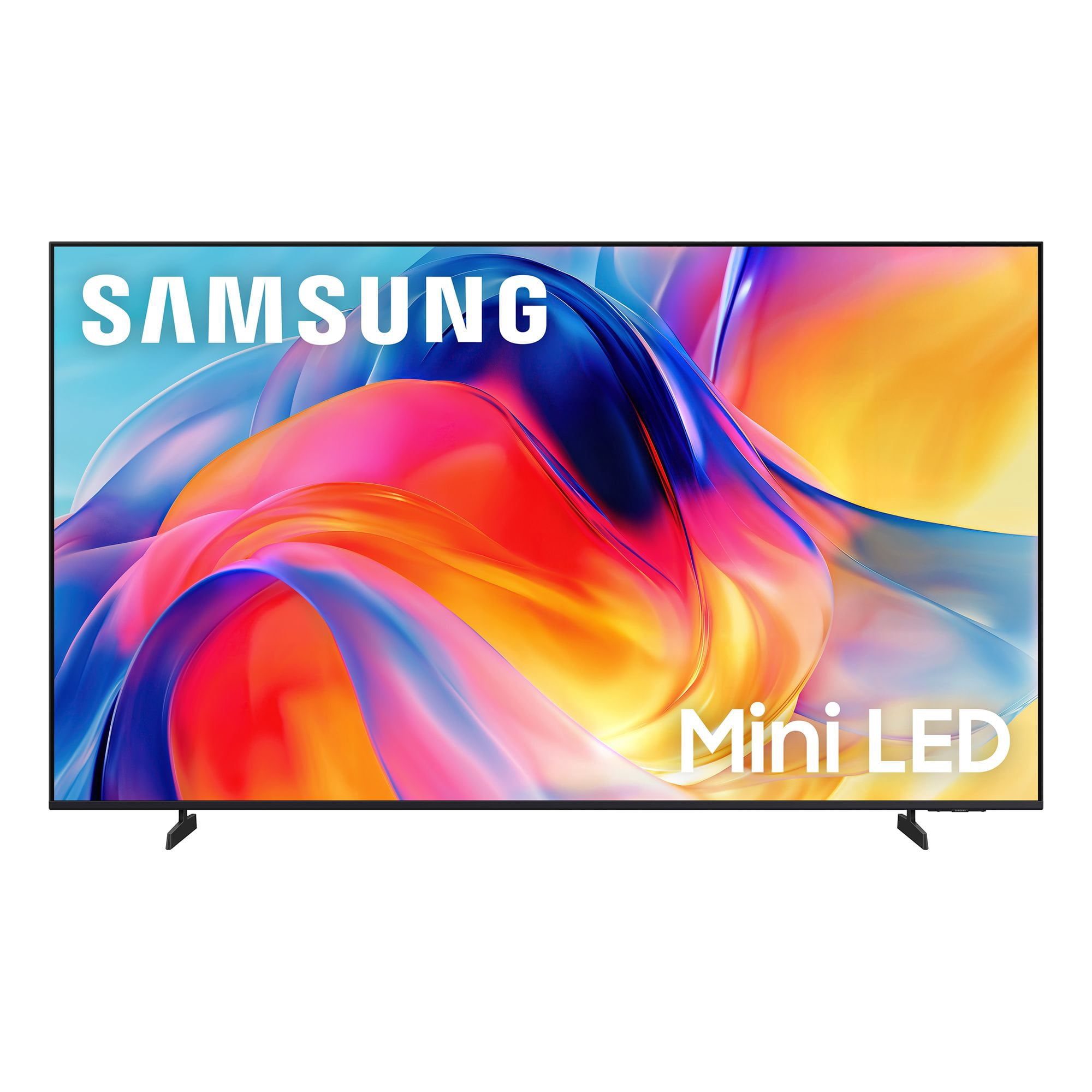
SAMSUNG 85” Class M70H Series Mini LED 4K UHD Vision AI Companion Smart Tizen TV
4.5 out of 5 stars
stars
455 ratings448 reviews
  1. 5 stars71% (323)
  2. 4 stars15% (69)
  3. 3 stars7% (31)
  4. 2 stars5% (22)
  5. 1 star2% (10)

Member photos

  • +122 images
Sort by |
Showing 31-40 of 448 reviews
Nov 9, 2026
Reviewer name: Susan
2 out of 5 stars
2 out of 5 stars review

Horrible remote

[This review was collected as part of a promotion.] The TV seems okay. It was purchased for my 97 year old father. The remote that comes with the TV is beyond horrible. It is difficult to use for a young person never mind for an elderly person with arthritic fingers. I had to purchase other remotes. I should not have needed to do that.

Review from Samsung US
Helpful?5B1TBKY04O0L19900257824
reply from Samsung Advisor

Hi Susan, Thanks for your review. While Samsung remotes are designed for ease and versatility, universal remotes can also be used to control your TV. If you're using a third-party remote, please refer to its manufacturer guide for the correct Samsung code and setup process. If you run into any trouble or have compatibility questions, Samsung Support is happy to help. You can reach us at 1-800-SAMSUNG (8AM – 9PM EST Mon – Fri, 8AM – 6PM Sat). LiveChat agents are also available at the ‘Support’ link on our website. ~ Samsung Advisor

Oct 21, 2026
Reviewer name: BobM
5 out of 5 stars
5 out of 5 stars review

Good product

[This review was collected as part of a promotion.] The contrast is awesome. Dark screen scenes are now very viewable. It's really good Brightness auto adjusts great. Colors seem to be very true. Uniformity and responsiveness make the characters appear to be in the room at times.

Review from Samsung US
Helpful?5B1TBKY04O0L19900257824
Nov 5, 2026
Reviewer name: MCM 99
4 out of 5 stars
4 out of 5 stars review

Overall Good, terrible UX tho

[This review was collected as part of a promotion.] The picture is good. The remote it difficult to operate, and UX is glitchy. Even changing the channel can be a minor ordeal. For the price I expect better. The picture quaility is outstanding though.

Review from Samsung US
Helpful?5B1TBKY04O0L19900257824
Nov 5, 2026
Reviewer name: Senagers
5 out of 5 stars
5 out of 5 stars review

Great definition and clarity.

[This review was collected as part of a promotion.] We never knew what we were missing. The picture is so clear and bright. Colors are wonderful. We see things in movies that we never noticed before, amazing details. Even the black and white shows have more definition, it is so clear. We feel like we are part of the program. We purchased the sound bar also and wow what an experience. We are seniors and our TV will make the winter months livable. Best choice we have made.

Review from Samsung US
Helpful?5B1TBKY04O0L19900257824
Nov 5, 2026
Reviewer name: Kelly
4 out of 5 stars
4 out of 5 stars review

Above Average

[This review was collected as part of a promotion.] Takes about one minute to allow me to open channels. Then it goes to Samsung TV for another 30 seconds before I can change to local channels or anything else.!! Once I have everything opened the color, brightness are great..!!

Review from Samsung US
Helpful?5B1TBKY04O0L19900257824
Oct 21, 2026
Reviewer name: Bill
3 out of 5 stars
3 out of 5 stars review

Worst TV I ever had

[This review was collected as part of a promotion.] This TV thinks that it is in charge of my life. It comes on and starts playing video that I don't want. It takes a full minute or more to respond to my needs. I also don't appreciate that you will not allow me to load DirectTv on to this set as that is where I get 90% of my content. So in a word MISTAKE

Review from Samsung US
Helpful?5B1TBKY04O0L19900257824
reply from Samsung Advisor

Hi Bill, Thank you for your review. While your M70HD TV may currently default to Samsung TV Plus when powered on, you can customize what your TV does at startup by adjusting the Start Screen Options. To do this, navigate to: Settings > All Settings > Advanced Features > Start Screen Option and choose from the following: 1. Start with Smart Hub Home – Automatically launches Smart Hub when the TV is turned on. You can enable or disable this option based on your preference. 2. Autorun Samsung TV Plus – Automatically launches Samsung TV Plus when the TV is turned on. If this option is turned off, the last used source will be displayed instead. 3. Autorun Multi View Casting – If you cast YouTube content from your mobile device, the TV will automatically display the content using Multi View. 4. Autorun Multi View Mirroring – When you screen mirror your mobile device, Multi View will automatically open to show your device’s screen. 5. Autorun Last App: The last used app is automatically run when you turn on the TV. You can turn this function on or off. Press the Select button at the current menu If you need help adjusting these settings or have any other questions, please contact Samsung Support at 1-800-SAMSUNG (8AM – 9PM EST Mon – Fri, 8AM – 6PM Sat). LiveChat agents are also available by clicking on the ‘Support’ link on our website. ~ Samsung Advisor

Nov 5, 2026
Reviewer name: Jason
3 out of 5 stars
3 out of 5 stars review

It's good but not great

[This review was collected as part of a promotion.] The picture and sound are quite good. however there is significant lag between the remote and the television. The settings menu is not user friendly and it can be difficult to do something simple like switching audio output. to that end a complete lack of an optical output for an external sound bar was an odd thing to take off.

Review from Samsung US
Helpful?5B1TBKY04O0L19900257824
reply from Samsung Advisor

Hi Jason, We appreciate your feedback regarding remote performance. If your M70HD TV is responding slowly or inconsistently to the remote, try the following steps: 1. Re-pair the remote – Stand within 1 foot of your TV and press Return and Play/Pause simultaneously for at least 5 seconds. A message should appear confirming it's connected. 2. Check the battery level – Go to: Home > left directional key > Settings > All Settings > General & Privacy > Remote Control 3. Ensure proper charging – SolarCell Remotes can charge using: o Room light or direct sunlight (solar panel should face light source) o USB-C cable (preferably Samsung-branded) 4. Update your TV’s firmware – Go to: Settings > Support > Software Update > Update Now 5. Run Device Care to clear memory and close background apps that may slow performance: Settings > Support > Device Care > Start Device Care If these steps don’t resolve the issue, please contact Samsung Support at 1-800-SAMSUNG (8AM – 9PM EST Mon – Fri, 8AM – 6PM Sat). LiveChat is also available through the ‘Support’ link on our website. ~ Samsung Advisor

Nov 8, 2026
Reviewer name: Random
5 out of 5 stars
5 out of 5 stars review

A very great TV

[This review was collected as part of a promotion.] The brightness works wonderfully the color is clear, anything I log into it responds quickly and on the live TV and there has been no glitches and works really good on any app like Netflix, YouTube, live TV

Review from Samsung US
Helpful?5B1TBKY04O0L19900257824
Nov 5, 2026
Reviewer name: Lori
5 out of 5 stars
5 out of 5 stars review

Great tv

[This review was collected as part of a promotion.] I love the brightness. The color is outstanding. This is my 6th Samsung tv. My oldest one is 16 years old and is still going strong. If I ever need another tv in the future it will without a doubt be a Samsung.

Review from Samsung US
Helpful?5B1TBKY04O0L19900257824
Nov 5, 2026
Reviewer name: Electricman
5 out of 5 stars
5 out of 5 stars review

Great TV

[This review was collected as part of a promotion.] Great picture, color and contrast! The remote control is compact and very functional with quick response, way better than my old TV! Readily takes a mounting bracket. The audio is the best I've ever heard from "just" the TV speakers.

Review from Samsung US
Helpful?5B1TBKY04O0L19900257824