Skip to Main Content
Sam's Club
Sam's Club
All Departments
All Services
Customer reviews for SAMSUNG 85” Class M70H Series Mini LED 4K UHD Vision AI Companion Smart Tizen TV for
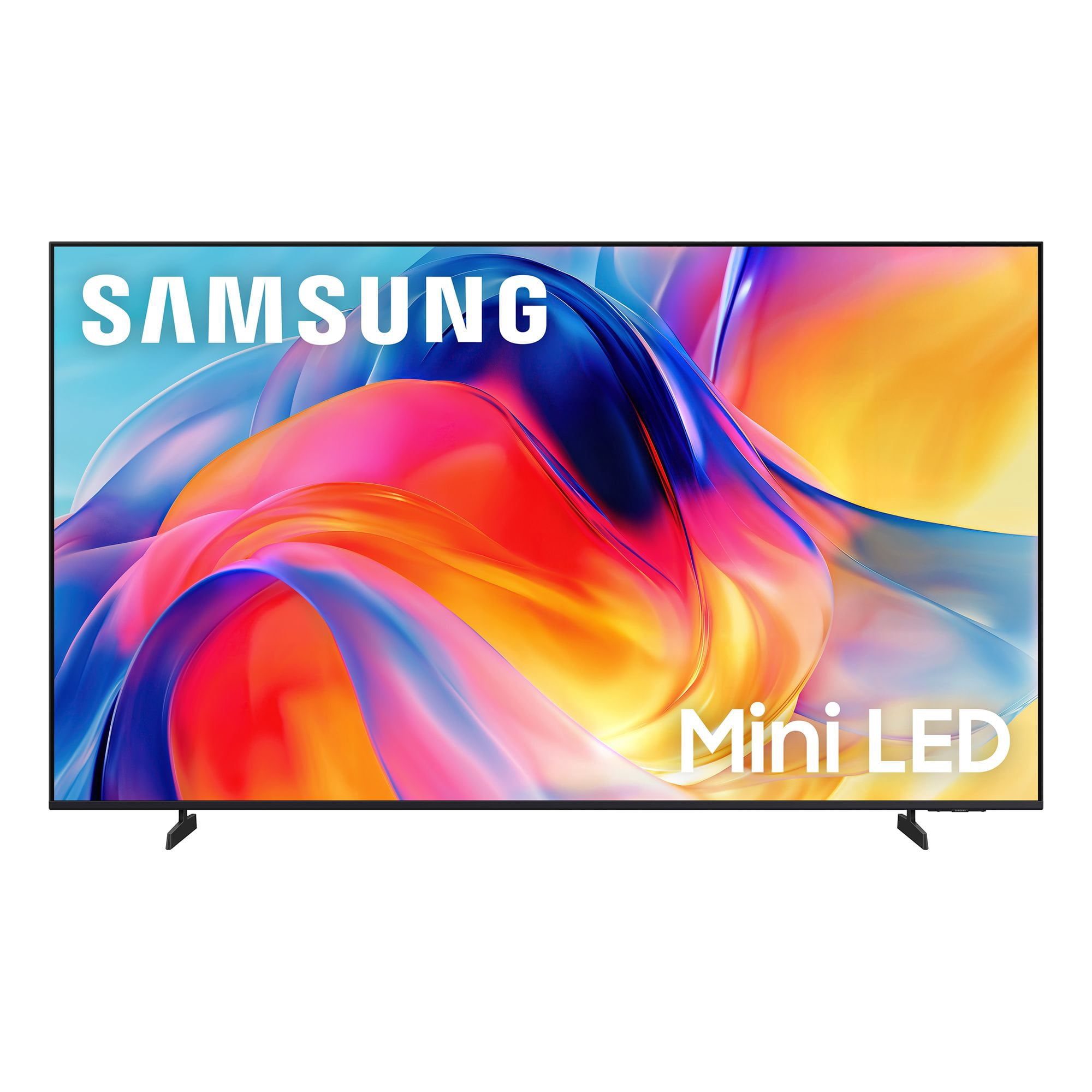
SAMSUNG 85” Class M70H Series Mini LED 4K UHD Vision AI Companion Smart Tizen TV
4.5 out of 5 stars
stars
455 ratings448 reviews
  1. 5 stars71% (323)
  2. 4 stars15% (69)
  3. 3 stars7% (31)
  4. 2 stars5% (22)
  5. 1 star2% (10)

Member photos

  • +122 images
Sort by |
Showing 261-270 of 448 reviews
Aug 7, 2026
Reviewer name: Anonymous
4 out of 5 stars
4 out of 5 stars review

Big and Beautiful!

[This review was collected as part of a promotion.] The TV is great ! Unfortunately the sound bar is not Working . I've plugged it in but can't seem to Sync the TV and the sound bar . I guess I'll eventually figure it out.

Review from Samsung US
Helpful?5B1TBKY04O0L19900257824
Aug 5, 2026
Reviewer name: blueracer
3 out of 5 stars
3 out of 5 stars review

its ok - priced right

[This review was collected as part of a promotion.] TV looks good however i don't like the fact i have to register with my email and all my info to get the tv up and running. I'd also expect the navigation to be faster on a 2026 model.

Review from Samsung US
Helpful?5B1TBKY04O0L19900257824
reply from Samsung Advisor

Hi blueracer, Thank you for your review and for sharing your concerns. A Samsung Account is required to access Smart Hub, which powers the core smart features of your TV - including app access (like Netflix and YouTube), service updates, and content personalization. Without signing in and accepting the Terms and Conditions, your TV will function in a basic mode - supporting external devices (such as HDMI and over-the-air antenna), but streaming apps and Smart Hub services will be unavailable. We understand this requirement may not be ideal for all users, but it’s necessary for full access to Samsung’s smart features and connected services. If you need assistance creating or logging into a Samsung Account, we’re here to help. Please contact Samsung Support at 1-800-SAMSUNG (8AM – 9PM EST Mon – Fri, 8AM – 6PM Sat – Sun). LiveChat and additional support resources are also available through the Support link on our website. ~ Samsung Advisor

Sep 9, 2026
Reviewer name: Squirelybird
4 out of 5 stars
4 out of 5 stars review

Awesome features

[This review was collected as part of a promotion.] Great product , I would recommend it to all my friends and family members. Top notch, cant live without it now. Amazing..

Review from Samsung US
Helpful?5B1TBKY04O0L19900257824
Sep 13, 2026
Reviewer name: Tv man
5 out of 5 stars
5 out of 5 stars review

Great picture

[This review was collected as part of a promotion.] Very good picture. Bright, clear. Would buy again. Really like the color contrast. The remote is easy and simple. Uniformity and responsiveness are just great

Review from Samsung US
Helpful?5B1TBKY04O0L19900257824
Sep 5, 2026
Reviewer name: FreddyG
5 out of 5 stars
5 out of 5 stars review

Color

[This review was collected as part of a promotion.] I love everything about my television and will always speak well of samsung. The telvisiom is spevtacular and is my first damsung tv. The color is great.

Review from Samsung US
Helpful?5B1TBKY04O0L19900257824
Aug 5, 2026
Reviewer name: Cindylou
5 out of 5 stars
5 out of 5 stars review

Great buy

[This review was collected as part of a promotion.] Wonderful tv! I love it! The picture is so clear and I love how easy it is to navigate screens. The price was amazing too!

Review from Samsung US
Helpful?5B1TBKY04O0L19900257824
Sep 5, 2026
Reviewer name: KOL1
4 out of 5 stars
4 out of 5 stars review

Great TV/ Poor remote

[This review was collected as part of a promotion.] Love the TV and brightness. I do not like that the remote doesn't have a microphone and the app Smart Things isn't easy to use.

Review from Samsung US
Helpful?5B1TBKY04O0L19900257824
Aug 20, 2026
Reviewer name: Emiske
3 out of 5 stars
3 out of 5 stars review

Color and tone

[This review was collected as part of a promotion.] Had problems adjusting color and tone. I finally found the soccer view which corrected some issues, but it's still dark when there's poor lighting in the background I can't see the details.

Review from Samsung US
Helpful?5B1TBKY04O0L19900257824
reply from Samsung Advisor

Hi Emiske, We appreciate your feedback on the color and tone of the M70HD TV. If the image doesn’t quite match your preferences, there are several adjustments you can make to better suit your viewing environment and content type. First, please ensure your TV is running the latest firmware, as updates may include important picture quality enhancements. Go to: Home > Left directional button > Settings > Support > Software Update > Update Now To explore picture mode options, navigate to: Home > Left directional button > Settings > All Settings > Picture > Picture Mode. Options include: • Standard – Ideal for general viewing • Dynamic – Brighter and more vibrant for well-lit spaces • Eco – Optimized for energy efficiency • Movie – Best for viewing in low light • Filmmaker Mode – Preserves the content creator’s intent and disables motion smoothing for supported content You can further customize your image by going to: Settings > All Settings > Picture > Expert Settings, where you can adjust Brightness, Contrast, Color Tone, Sharpness, Contrast Enhancer and more. If you’d like help finding the best picture settings for your preferences, please don’t hesitate to contact Samsung Support at 1-800-SAMSUNG (8AM – 9PM EST Mon – Fri, 8AM – 6PM Sat – Sun). You can also LiveChat with an agent or explore additional resources on our website by clicking the ‘Support’ link. ~ Samsung Advisor

Sep 5, 2026
Reviewer name: PDK1
5 out of 5 stars
5 out of 5 stars review

Review

[This review was collected as part of a promotion.] So far everything works as it should. Little difficulty in the initial setup process. But now everything functions as it should. Great price for the size!

Review from Samsung US
Helpful?5B1TBKY04O0L19900257824
Sep 20, 2026
Reviewer name: Deed
3 out of 5 stars
3 out of 5 stars review

Samsung 65 inch TV

[This review was collected as part of a promotion.] If I am standing straight onto the TV the color is fine along with the brightness and contrast but as soon as I move to the side it fades

Review from Samsung US
Helpful?5B1TBKY04O0L19900257824
reply from Samsung Advisor

Hi Deed, We appreciate your feedback on the picture quality of Samsung’s M70HD TV. If the image doesn’t quite match your preferences, there are several adjustments you can make to better suit your viewing environment and content type. First, please ensure your TV is running the latest firmware, as updates may include important picture quality enhancements. Go to: Home > Left directional button > Settings > Support > Software Update > Update Now To explore picture mode options, navigate to: Home > Left directional button > Settings > All Settings > Picture > Picture Mode. Options include: • Standard – Ideal for general viewing • Dynamic – Brighter and more vibrant for well-lit spaces • Eco – Optimized for energy efficiency • Movie – Best for viewing in low light • Filmmaker Mode – Preserves the content creator’s intent and disables motion smoothing for supported content You can further customize your image by going to: Settings > All Settings > Picture > Expert Settings, where you can adjust Brightness, Contrast, Color Tone, Sharpness, Contrast Enhancer and more. If you’d like help finding the best picture settings for your preferences, please don’t hesitate to contact Samsung Support at 1-800-SAMSUNG (8AM – 9PM EST Mon – Fri, 8AM – 6PM Sat – Sun). You can also LiveChat with an agent or explore additional resources on our website by clicking the ‘Support’ link. ~ Samsung Advisor