Join Now
Skip to Main Content
Sam's Club
Sam's Club
All Departments
All Services
Customer reviews for SAMSUNG 85” Class M70H Series Mini LED 4K UHD Vision AI Companion Smart Tizen TV for
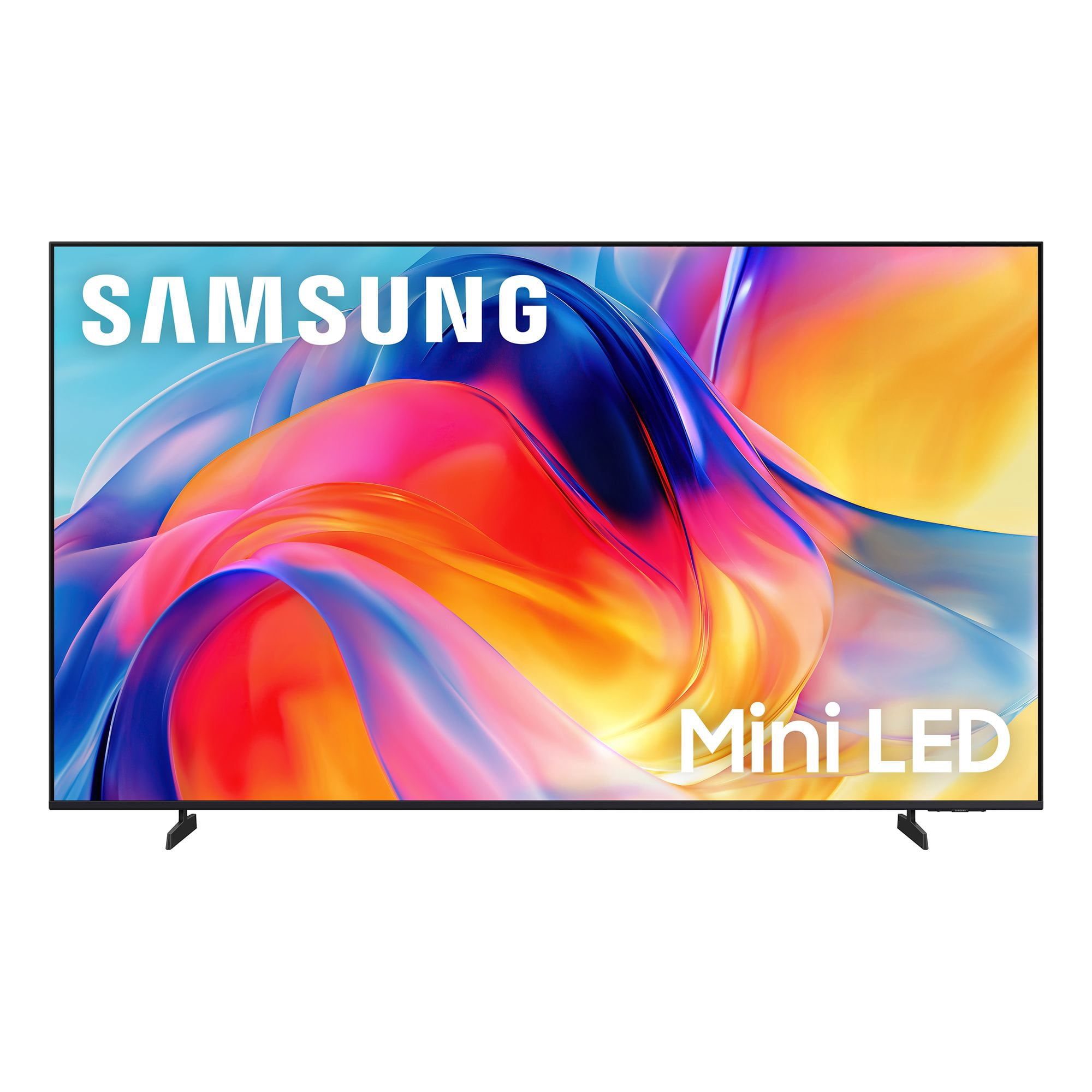
SAMSUNG 85” Class M70H Series Mini LED 4K UHD Vision AI Companion Smart Tizen TV
4.5 out of 5 stars
stars
455 ratings448 reviews
  1. 5 stars71% (323)
  2. 4 stars15% (69)
  3. 3 stars7% (31)
  4. 2 stars5% (22)
  5. 1 star2% (10)

Member photos

  • +122 images
Sort by |
Showing 171-180 of 448 reviews
Aug 20, 2026
Reviewer name: Deesdeuce
5 out of 5 stars
5 out of 5 stars review

Great screen & features

[This review was collected as part of a promotion.] This mini-LED 55" TV is a wonderful value with beautiful screen quality & features. The brightness and color are top notch. Only negative is Samsung's log-on process to receive free Samsung Plus channels as it was very cumbersome.

Review from Samsung US
Helpful?5B1TBKY04O0L19900257824
Sep 20, 2026
Reviewer name: Nighthawk
4 out of 5 stars
4 out of 5 stars review

Great TV, Lousy for rendering from PC

[This review was collected as part of a promotion.] The Color and Clarity were the reason I chose this brand over other's. I was not disappointed in the results. The only reason I did not give it a 5 out of 5, was because it is very difficult to set up for rendering my PC to the television. I can get it to recognize the PC to play movies on the television for only a couple of seconds. Then it locks up and the PC is no longer available. This television system is not Google friendly. If I ever need to replace this TV I will probably go with another model. But as far as just being a television, this model is top notch.

Review from Samsung US
Helpful?5B1TBKY04O0L19900257824
Sep 5, 2026
Reviewer name: Milo
5 out of 5 stars
5 out of 5 stars review

Amazing experience

[This review was collected as part of a promotion.] The colors are wonderful and the brightness like I haven't had before in other tvs. The color contrast are seamlessly. This is a tv that I will enjoy for years to come. Colors tend to blend so uniformly, you think is right in real life.

Review from Samsung US
Helpful?5B1TBKY04O0L19900257824
Aug 10, 2026
Reviewer name: Coolpines
5 out of 5 stars
5 out of 5 stars review

Great Television

[This review was collected as part of a promotion.] Great television for the price, color and brightness are perfect for living room near window and responds to lighting. Looking forward to football season already! Great product, already recommended to others for purchasing.

Review from Samsung US
Helpful?5B1TBKY04O0L19900257824
Aug 20, 2026
Reviewer name: Coach
5 out of 5 stars
5 out of 5 stars review

excellent quality

[This review was collected as part of a promotion.] Still getting used to features abut picture quality is perfect. Colors and contrast are excellent along with the brightness. This 65 inch Samsung replaced another 65 inch Samsung which was about seven years old and the picture would not emerge, just the sound. I have owned no other brand in the last fifteen years and well satisfied with the quality.

Review from Samsung US
Helpful?5B1TBKY04O0L19900257824
Aug 11, 2026
Reviewer name: C man
2 out of 5 stars
2 out of 5 stars review

Insufficient Remote Control "how to" information

[This review was collected as part of a promotion.] I like my TV, but I was shocked about how little information Samsung provided me. All I received in the box were simple instructions on how to install the legs. The remote was simply a circular button. Most of the time, new remotes are fairly intuitive. This one was not and I couldn't find any information on line, unless I wanted to pay for it. Please give your new TV owners a fighting chance to set up their new TV properly.

Review from Samsung US
Helpful?5B1TBKY04O0L19900257824
reply from Samsung Specialist

C man, We appreciate you sharing your experience with the included remote. To help you get the most from your TV and remote functions, you can download the full e-Manual and more by visiting Samsung’s website then navigating to: Support > Manual & Software > TVs & Home Theater. From there, you can search for and select your M70HD TV model to view or download the available guides. The e-Manual & Remote Control Guide are also conveniently built into your TV: Settings > Support > Tips and User Guides Learn TV Remote is another feature designed to help users become familiar with the layout and function of each button on the Samsung remote. When enabled, pressing any button (except the Power button, which will still turn off the TV) will prompt the TV to announce the button’s name and its purpose – without affecting TV operation. This teaching mode is especially useful for users who are visually impaired or new to Samsung remotes. To enable this feature, go to: Settings > All Settings > General & Privacy > Accessibility > Learn TV Remote. To exit, simply press the Return key twice. If you’d like more assistance with this feature, please reach Samsung Support at 1-800-SAMSUNG (8AM – 9PM EST Mon – Fri, 8AM – 6PM Sat – Sun). LiveChat agents are also available through the ‘Support’ link on our website. ~ Samsung Specialist

Sep 16, 2026
Reviewer name: Helen
1 out of 5 stars
1 out of 5 stars review

NOT USER FRIENDLY

[This review was collected as part of a promotion.] Very complicated TV. Nothing easy about it. I have a Toshiba smart tv and much easier to use. Never even got a tv manual. Everyone does not have a smart phone to ask questions. Picture is beautiful. Sound is ok at times. I would never recommend this tv to any of my friends. IT IS NOT USER FRIENDLY WHY DOES MY SAMSUNG TV GO BY ITSELF IN THE MIDDLE IF THE NIGHT. VERY COSTLY AND VERY ANNOYING

Review from Samsung US
Helpful?5B1TBKY04O0L19900257824
reply from Samsung Advisor

Hi Helen, Thank you for your feedback. If your TV is powering on by itself, there are a few settings and external triggers to review: 1. Power On with Mobile – Your TV may be connected to the SmartThings app or other networked devices. To stop wake signals, turn this feature off: Settings > All Settings > Connection > Network > Expert Settings > Power On with Mobile = Off 2. Check for Active Timers – Go to Settings > All Settings > General & Privacy > System Manager > Time > Timer Settings, then disable any On Timers or Sleep Timers 3. Anynet+ (HDMI-CEC) – If your TV is connected to external HDMI devices, one of them may be triggering power-on behavior. To disable this feature: Settings > All Settings > General & Privacy > External Device Manager > Anynet+ (HDMI-CEC) = Off 4. Software Update – Make sure your TV is up to date: Settings > Support > Software Update > Update Now To help you get the most from your TV, you can download the full e-Manual and more by visiting Samsung’s website then navigating to: Support > Manual & Software > TVs & Home Theater. From there, you can search for and select your M70HD TV model to view or download the available guides. The e-Manual and Remote Control Guide are also conveniently built into your TV: Settings > Support > Tips and User Guides If you need additional help, please contact Samsung Support at 1-800-SAMSUNG (8AM – 9PM EST Mon – Fri, 8AM – 6PM Sat – Sun). LiveChat agents are also available through the ‘Support’ link on our website. ~Samsung Advisor

Sep 5, 2026
Reviewer name: George
1 out of 5 stars
1 out of 5 stars review

This TV is bad news!!!

[This review was collected as part of a promotion.] It's is very difficult to start it up. The sound will not go up very loud. The BOSE sound bar isn't working now! The TV shuts itself off after 30 minutes. My extenal BOSE speakers are not working now!!!

Review from Samsung US
Helpful?5B1TBKY04O0L19900257824
reply from Samsung Advisor

Hi George, We're sorry to hear you are experiencing issues with your M70HD TV. If you're not hearing sound from your connected device over HDMI ARC or eARC, here are some steps that can help: 1. Confirm proper port connection. Make sure you're using the HDMI port labeled ARC or eARC on both your TV and the connected device (like a soundbar or receiver). Use a High-Speed HDMI cable with Ethernet (HEC) or Ultra High-Speed HDMI cable to ensure full functionality. 2. Enable HDMI eARC Mode. Go to: Home > left directional key > Settings > All Settings > Sound > Expert Settings > HDMI eARC Mode, and set it to Auto. 3. Enable Anynet+ (HDMI-CEC). ARC and eARC require HDMI-CEC to function. Go to: Settings > All Settings > General & Privacy > External Device Manager > Anynet+ (HDMI-CEC) and set it to On. 4. Adjust Digital Output Audio Format. Some receivers and soundbars may not support all audio formats. Go to: Settings > All Settings > Sound > Expert Settings > Digital Output Audio Format, and set this to Auto if your audio device does not support Dolby Digital+ or other advanced formats. If your device does support higher formats, Pass-Through can be selected to send audio directly without additional processing from the TV. 5. Check TV firmware. Updates may improve compatibility and resolve sound issues. Go to: Settings > Support > Software Update > Update Now to install the latest version. If the issue continues, try restarting both the TV and the audio device, switching HDMI cables, or toggling Anynet+ off and back on. If you need further help, please reach out to Samsung Support at 1-800-SAMSUNG (8AM – 9PM EST Mon – Fri, 8AM – 6PM Sat – Sun). LiveChat agents are also available on the ‘Support’ section of our website. ~ Samsung Advisor

Sep 5, 2026
Reviewer name: Humpy 58
5 out of 5 stars
5 out of 5 stars review

Love this TV

[This review was collected as part of a promotion.] It's the perfect size for my space and has an amazing picture, colors are so bright and vivid. As a senior I wish the remote was a little bigger it would be easier to hold and see especially if arthritis is present in my hands.

Review from Samsung US
Helpful?5B1TBKY04O0L19900257824
Sep 20, 2026
Reviewer name: BobH
5 out of 5 stars
5 out of 5 stars review

Great TV

[This review was collected as part of a promotion.] Great Samsung TV, the colors are bright and sharp. Very easy to surf channels and find my picks. The price was better than other brands.

Review from Samsung US
Helpful?5B1TBKY04O0L19900257824