Skip to Main Content
Sam's Club
Sam's Club
All Departments
All Services
Customer reviews for SAMSUNG 43” Class M70H Series Mini LED 4K UHD Vision AI Companion Smart Tizen TV for
SAMSUNG 43” Class M70H Series Mini LED 4K UHD Vision AI Companion Smart Tizen TV
4.5 out of 5 stars
stars
470 ratings466 reviews
  1. 5 stars71% (335)
  2. 4 stars15% (70)
  3. 3 stars7% (33)
  4. 2 stars5% (25)
  5. 1 star1% (7)

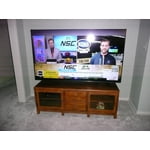
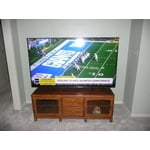
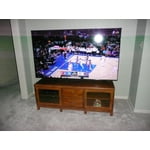
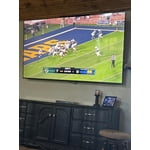
Member photos

  • +123 images
Sort by |
Showing 101-110 of 466 reviews
Nov 11, 2026
Reviewer name: DrinkswithMo
5 out of 5 stars
5 out of 5 stars review

Great Tv

[This review was collected as part of a promotion.] Color and speed of apps has been quite the upgrade from my old Samsung that was 8 years old. Great quality . I will only purchase Samsung appliances. They have been very reliable in my home.

Review from Samsung US
Helpful?75IY9CO16QMG19894754865
Nov 5, 2026
Reviewer name: Jud1
4 out of 5 stars
4 out of 5 stars review

Don't like remote. Volume/channel too close.

[This review was collected as part of a promotion.] Remote problem. When trying to control sound i get the caption on feature. Too close together. Never had Samsung Tv so trying to get use to remote.

Review from Samsung US
Helpful?75IY9CO16QMG19894754865
Nov 7, 2026
Reviewer name: Rodel
5 out of 5 stars
5 out of 5 stars review

My 75” LED TV is Fantastic
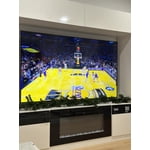
[This review was collected as part of a promotion.] The brightness and color of the videos are really outstanding. Having the 75” TV is liking having the characters on the TV in real life. I really love Samsung products.

Review from Samsung US
Helpful?75IY9CO16QMG19894754865
Nov 20, 2026
Reviewer name: Zack
5 out of 5 stars
5 out of 5 stars review

Overall Perfect

[This review was collected as part of a promotion.] Love the clarity and colors on the screen. Responsiveness is great with the controller. Brightness seems perfect. Overall uniformity of the picture is phenomenal.

Review from Samsung US
Helpful?75IY9CO16QMG19894754865
Nov 5, 2026
Reviewer name: Rudy
4 out of 5 stars
4 out of 5 stars review

Very good TV

[This review was collected as part of a promotion.] Very good TV. Picture quality is good(color, sharpness). Processor is slow. Noticeable in sports. This is an excellent TV for 98% of viewing. I'd buy it again.

Review from Samsung US
Helpful?75IY9CO16QMG19894754865
Nov 6, 2026
Reviewer name: Mancave
5 out of 5 stars
5 out of 5 stars review

Love it

[This review was collected as part of a promotion.] Tv is very sharp beautiful colors and love the apps and samsung smart things allows my security cameras to display ok tv !! Very fast to load apps no waiting !

Review from Samsung US
Helpful?75IY9CO16QMG19894754865
Nov 5, 2026
Reviewer name: HAGEN
4 out of 5 stars
4 out of 5 stars review

GAMES

[This review was collected as part of a promotion.] not friendly to games like XBOX etc..., Slow loading or wants you to buy subscription other than that all good nice picture sound an Price Thank YOU

Review from Samsung US
Helpful?75IY9CO16QMG19894754865
Nov 5, 2026
Reviewer name: Kenr
5 out of 5 stars
5 out of 5 stars review

Great viewing.
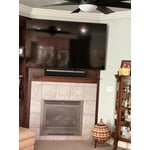
[This review was collected as part of a promotion.] Enjoy the color and clarity. I have chosen Samsung for our television viewing for many years and have not been disappointed. The quality has always been there as well as picture quality.

Review from Samsung US
Helpful?75IY9CO16QMG19894754865
Nov 20, 2026
Reviewer name: Anonymous
5 out of 5 stars
5 out of 5 stars review

Awesome

[This review was collected as part of a promotion.] I love the tv and how advanced it is. The optional remote that can be used on the phone makes it even better. The vision is clear and you are able to adjust the brightness as needed. Awesome pick.

Review from Samsung US
Helpful?75IY9CO16QMG19894754865
Nov 20, 2026
Reviewer name: Old Hippy
3 out of 5 stars
3 out of 5 stars review

Streaming services

[This review was collected as part of a promotion.] while the picture and sound are very good, I am disappointed that I can't get other download services other then the ones you decided I needl (e.g. HBOMax)

Review from Samsung US
Helpful?75IY9CO16QMG19894754865
reply from Samsung Advisor

Hi Old Hippy, Thank you for sharing your experience. You can download apps not pre-installed on your TV through the built-in app store. Searching for & Installing Apps 1. Press Home on your remote > left directional key, then scroll up to the magnifying (search) icon at the top of the screen. 2. Using the search bar, enter the content or app you’d like to find. 3. Navigate to and select the app you’d like to install, then select Install. Note: Previously installed apps can be accessed on the Settings screen. Moving Apps Already on Home Screen 1. From the For You Home Screen’s App List, scroll to the end of the list and select List Edit. 2. Find the app you’d like to relocate, then press select. 3. You can now use the left or right directional keys to reposition the app, then press select. Managing & Adding Apps on Home Screen 1. Go to App Settings (these can be found at the bottom of the Apps screen) and select the app you want to move. The following options will be available: a. Add to Home: Move the app to your desired location on the Home screen. b. Delete: Delete app (applicable for manually installed apps only) c. Lock/Unlock: Lock the app with a PIN so only you can use it. When the app is selected again, you will be prompted to enter the PIN to unlock it. d. Reinstall: Reinstall the app. e. View Details: View the app’s information and details. If you need more help with app management, please don’t hesitate to reach Samsung Support at 1-800-SAMSUNG (8AM – 9PM EST Mon – Fri, 8AM – 6PM Sat). LiveChat agents are also available through the ‘Support’ link on our website. ~ Samsung Advisor