Skip to Main Content
Sam's Club
Sam's Club
All Departments
All Services
Customer reviews for SAMSUNG 43” Class U8000H Series Crystal UHD 4K Vision AI Companion Smart Tizen TV for
SAMSUNG 43” Class U8000H Series Crystal UHD 4K Vision AI Companion Smart Tizen TV
4.7 out of 5 stars
stars
190 ratings178 reviews
  1. 5 stars82% (155)
  2. 4 stars13% (25)
  3. 3 stars3% (5)
  4. 2 stars2% (4)
  5. 1 star1% (1)

Member photos

  • +34 images
Sort by |
Showing 11-20 of 178 reviews
Jul 20, 2026
BioPat
5 out of 5 stars review

Well done, Samsung

We have multiple. Samsung TV's. Of all TV's, this new one is by far superior to the others. The contrast. Of all the items that might be in the screen. The responsiveness, how quick it is to set up even in a house that it uses only streaming. The sound is amazing. We are very pleased with the TV. That we've only had a week but look forward to many years of good service.

Review from Samsung US
Helpful?5DGA54WPGP8K19891552175
Jul 5, 2026
Anonymous
5 out of 5 stars review

Great Smart TV.

Our previous smart tv died. We needed an affordable replacement. After doing research we decided to purchase the new Samsung. The quality of the picture was a pleasant surprise. The ease in setting up the TV and activating the apps to stream was relatively simple. We are very pleased that we chose Samsung.

Review from Samsung US
Helpful?5DGA54WPGP8K19891552175
Jul 7, 2026
Ludite1976
1 out of 5 stars review

No Account No TV

I could not use the TV without making a Samsung Account. I do not want a samsung account. The menus are horribly nested. Over air TV broadcast is our primary usage and it is 3 or 4 clicks deep from turning on. The picture is decent, but only after turning off all of the enhancements that make it look like a soap opera.

Review from Samsung US
Helpful?5DGA54WPGP8K19891552175
reply from Samsung Advisor

Hi Ludite1976, Thank you for your review and for sharing your concerns. A Samsung Account is required to access Smart Hub, which powers the core smart features of your TV - including app access (like Netflix and YouTube), service updates, and content personalization. Without signing in and accepting the Terms and Conditions, your TV will function in a basic mode - supporting external devices (such as HDMI and over-the-air antenna), but streaming apps and Smart Hub services will be unavailable. We understand this requirement may not be ideal for all users, but it’s necessary for full access to Samsung’s smart features and connected services. If you need assistance creating or logging into a Samsung Account, we’re here to help. Please contact Samsung Support at 1-800-SAMSUNG (8AM – 9PM EST Mon – Fri, 8AM – 6PM Sat – Sun). LiveChat and additional support resources are also available through the Support link on our website. ~ Samsung Advisor

Jul 7, 2026
CLIM
4 out of 5 stars review

Great Picture/No Optical Port
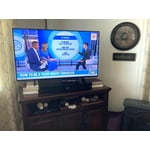
Overall I'm delighted with my budget friendly Samsung. Color is great. However, it's caused me some extra expense and lots of trouble connecting to my older Bose Solo because it does not have an optical port so that the Bose can be connected directly to the Samsung TV and using Bluetooth works but does not give quality sound. Eventually and with difficulty, I bought an Extractor and a Switch and an extra HDMI cable. I finally have a great picture and great sound, but it took a great deal of effort.

Review from Samsung US
Helpful?5DGA54WPGP8K19891552175
Jul 20, 2026
MJKArch27
5 out of 5 stars review

Great Features for the price

Excellent TV for the price. It was very easy to setup because the TV did most of the setup itself. The picture quality is fantastic with very good sound quality as well. The remote control that is provided has gotten very slender but it still is very responsive and doesn't lack any features.

Review from Samsung US
Helpful?5DGA54WPGP8K19891552175
Jul 20, 2026
JoJo
5 out of 5 stars review

43" Crystal UHD

We were counting on Samsung's reputation and have not been disappointed. Setup was a bit time-consuming, but probably that was because we hadn't had a new television in a while. One suggestion for improvement would be to make contrasting colors on the remote; black on black is not easy to see in a darkened room We've accommodating by just using the sense of touch.

Review from Samsung US
Helpful?5DGA54WPGP8K19891552175
Jul 11, 2026
Geg1953
5 out of 5 stars review

Geg Samsung review

[This review was collected as part of a promotion.] We purchased this television for the bedroom and only use it for a short time when retiring for the night.the television has a great picture and many options on channels and programs. Since we only use it for a short timeframe daily we are still learning how to navigate through the channels. We are enjoying the television. This is not our first Samsung Smart television. We had purchased a 65” Samsung Smart television 8 years ago and very pleased with it.

Review from Samsung US
Helpful?5DGA54WPGP8K19891552175
Jun 5, 2026
Vicki
3 out of 5 stars review

Picture = Great / Sound = Awful

[This review was collected as part of a promotion.] The tv is great in terms of picture but HORRIBLE in terms of sound quality. There is absolutely no setting at all that isn't far too loud on commercials and then you cannot hear the dialog when the show or movie is back on. And when music plays in the show?! It is beyond distorted. It is awful. I have no bought a soundbar almost as expensive as the tv itself hoping that helps because the tv picture is great. Very disappointed with sound, it is difficult to watch anything it is that bad.

Review from Samsung US
Helpful?5DGA54WPGP8K19891552175
reply from Samsung Advisor

Hi Vicki, Thank you for sharing your experience with volume fluctuations on your Samsung U8000HD TV. Sudden changes in volume can often be related to audio settings or content differences between sources or apps. Please try the following adjustments to help stabilize your TV's audio: 1. Enable Auto Volume. Go to: Settings > All Settings > Sound > Expert Settings > Auto Volume. This feature helps maintain a consistent volume level when switching channels or apps. 2. Try a different sound mode to see if one offers a more stable output: Settings > All Settings > Sound > Sound Mode (We recommend Standard or Amplify for more even performance.) 3. Check External Devices. If you're using a soundbar, receiver, or other audio device, check that its volume leveling or dynamic range settings aren’t interfering with the TV’s audio. 4. Update Firmware. Ensure your TV is running the latest software, as updates may include audio improvements: Settings > Support > Software Update > Update Now If the issue persists after these steps, please don’t hesitate to reach Samsung Customer Support at 1-800-SAMSUNG (8AM – 9PM EST Mon – Fri, 8AM – 6PM Sat – Sun). LiveChat is also available via the ‘Support’ link on our website. ~ Samsung Advisor

Jun 20, 2026
Dannstu
4 out of 5 stars review

Hard for Elderly

I purchased this for my 89 year old Mother-in-Law. We installed it on her kitchen wall. Everything works fine, but the issue is getting the TV to go to her Xfinity service from turning the TV on. She doesn't know how to navigate the smart TV to the proper HDMI selection and then get to Xfinity. Otherwise the TV. works great and has great clarity.

Review from Samsung US
Helpful?5DGA54WPGP8K19891552175
reply from Samsung Advisor

Hi Dannstu, Thank you for sharing your feedback with us. To help you and your mother get the most from your TV, you can download the full e-Manual and more by visiting Samsung’s website, then navigating to: Support > Manual & Software > TVs & Home Theater. From there, you can search for and select your U8000H TV model to view or download the available guides. The e-Manual & User Guide are also conveniently built into your TV: Settings > Support > Tips and User Guides. Your TV includes Learn Menu Screen, an accessibility feature that provides audio guidance for on-screen menus. When enabled, your TV will announce the name and function of each menu item as you scroll, without making any changes. This feature is particularly helpful for users who are visually impaired or new to Smart TV menus. To enable, go to: Settings > All Settings > General & Privacy > Accessibility > Learn Menu Screen. To exit, press the Return key twice. If you’d like more assistance with this feature, please reach Samsung Support at 1-800-SAMSUNG (8AM – 9PM EST Mon – Fri, 8AM – 6PM Sat – Sun). LiveChat agents are also available through the ‘Support’ link on our website. ~ Samsung Advisor

Jun 22, 2026
RedwoodT
5 out of 5 stars review

Perfect main television

I'm really happy with my 50-inch Samsung smart TV — the picture is crisp, the colors pop, and the UI is smooth and easy to navigate. Everything from movies to sports look great. The smart features feel fast and thought out, switching between apps is quick and painless. It also looks great on the wall, very streamline rather and bulky and out of place. It delivers exactly what I wanted as my main TV.

Review from Samsung US
Helpful?5DGA54WPGP8K19891552175