Skip to Main Content
Sam's Club
Sam's Club
All Departments
All Services
Customer reviews for SAMSUNG 55” Class M70H Series Mini LED 4K UHD Vision AI Companion Smart Tizen TV for
SAMSUNG 55” Class M70H Series Mini LED 4K UHD Vision AI Companion Smart Tizen TV
4.4 out of 5 stars
stars
331 ratings320 reviews
  1. 5 stars69% (230)
  2. 4 stars15% (51)
  3. 3 stars7% (24)
  4. 2 stars5% (17)
  5. 1 star3% (9)

Member photos

  • +81 images
Sort by |
Showing 131-140 of 320 reviews
Jul 5, 2026
Reviewer name: Yasso
5 out of 5 stars
5 out of 5 stars review

Excellent picture, easy setup, and outstanding tv.

⭐⭐⭐⭐⭐ Excellent TV! Crystal-clear picture, vibrant colors, and great sound. Easy to set up and the smart features work flawlessly. Highly recommend! Option 2: ⭐⭐⭐⭐⭐ Very impressed! The picture quality is stunning, the interface is fast, and streaming apps load quickly. Great value for the money. Option 3: ⭐⭐⭐⭐⭐ Fantastic purchase! Bright, sharp display with smooth performance. Perfect for movies, sports, and gaming. Samsung delivered another great TV.

Review from Samsung US
Helpful?38IP7LKS6PZ819847274541
Aug 5, 2026
Reviewer name: Charlie
5 out of 5 stars
5 out of 5 stars review

Samsung

[This review was collected as part of a promotion.] I didn't want this big of a TV when we went to look! My husband saw this one and loved it! So we purchased it; got it home and we both LOVE it! The color is outstanding! Much better than our old one that died. The brightness is great!

Review from Samsung US
Helpful?38IP7LKS6PZ819847274541
Jul 5, 2026
Reviewer name: Fred
4 out of 5 stars
4 out of 5 stars review

Changes??

[This review was collected as part of a promotion.] I previously had another 50 inch Samsung tv and loved it! The picture got smaller and smaller, so I replaced it with another Samsung 50 inch tv. I had my tv mounted on a swing out wall mount. The mounting holes on the new tv are 3 inches lower that the previous tv!! Considerable modifications were made to ensure proper placement in cabinet. The power plug in is UNDER the swing arm mounting plate ?? I previously used a BOSE external speaker which utilized an optical cable. No optical plugin on new tv!!!!! I was able to connect with Bluetooth , but have yet to get it functioning properly! Minor issues, but combined they were very time consuming and frustrating! But I am looking forward to watching my new Samsung!! Thank you!

Review from Samsung US
Helpful?38IP7LKS6PZ819847274541
Jul 5, 2026
Reviewer name: Leon
5 out of 5 stars
5 out of 5 stars review

Wonderful product that has been trouble free

[This review was collected as part of a promotion.] My new Samsung tv has very good color with true skin tones, vibrant tones in the primary colors. The contrast and brightness can be set to varying levels all of which could be appreciated based on the light or size of your viewing area!

Review from Samsung US
Helpful?38IP7LKS6PZ819847274541
Jun 14, 2026
Reviewer name: EvilLabs15
5 out of 5 stars
5 out of 5 stars review

Great TV!!!

[This review was collected as part of a promotion.] This TV is great!!! The color, brightness, and clarity are amazing. The contrast and resolution are amazing as well. The only problem I had was setting up SmartThings, but that could've been user error

Review from Samsung US
Helpful?38IP7LKS6PZ819847274541
Aug 7, 2026
Reviewer name: Wilson
5 out of 5 stars
5 out of 5 stars review

BEAUTIFUL DISPLAY
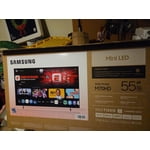
[This review was collected as part of a promotion.] At first I was a little skeptical it wasn't as clear as my 4K curve But as time went on and we got our updates and then adjusted to my room it just turned into a fantastic television that I can read the subtitles without glasses it is pretty amazing thank you and very happy with it Samsung

Review from Samsung US
Helpful?38IP7LKS6PZ819847274541
Jun 22, 2026
Reviewer name: Ibarra
5 out of 5 stars
5 out of 5 stars review

Very good product

[This review was collected as part of a promotion.] This television offers impressive picture quality with vibrant colors and deep blacks. Its interface is intuitive and easy to navigate, allowing you to access your favorite content without hassle. Connectivity is excellent, making it easier to integrate with other devices in your home. In addition, its modern and elegant design is perfectly suited to any space. You will enjoy an immersive, high-level viewing experience with this device.

Review from Samsung US
Helpful?38IP7LKS6PZ819847274541
Jun 20, 2026
Reviewer name: 1234
2 out of 5 stars
2 out of 5 stars review

poor remote

[This review was collected as part of a promotion.] The remote is no good I have to use the old remote from a old samsung tv to change the stations. That's no good. If i had seen the remote and how it was made with no key board or numbers on it i would have bought another brand with a remote i could use a lot easier.

Review from Samsung US
Helpful?38IP7LKS6PZ819847274541
reply from Samsung Advisor

Hi 1234, We appreciate your thoughts on the M70H TV’s remote. While it may appear minimal at first glance, many of the buttons are designed with dual or long-press functions to help reduce clutter without sacrificing functionality. For example: • Volume rocker: Push UP/DOWN to adjust volume; press and release quickly to MUTE. • Long-press Volume button: Hold for more than 1 second to access Accessibility Shortcuts. • RETURN button: Press to go back to the previous screen or menu; when watching TV, it takes you back to the previous channel. These combined functions help create a cleaner design while keeping everything you need just a button away. If you ever need help with your remote or want to learn more shortcuts, we’re here to assist. You can reach us at 1-800-SAMSUNG (8AM – 9PM EST Mon – Fri, 8AM – 6PM Sat – Sun), or reach us via text anytime. You can also visit ‘Support’ on our website for: • Live Chat • Manuals, Software, & Warranty Info ~ Samsung Advisor

Jul 8, 2026
Reviewer name: I hate samsung
1 out of 5 stars
1 out of 5 stars review

Not living up to your advertising

[This review was collected as part of a promotion.] the TV is nothing but a huge disappointment. the remote is super janky . the Samsung TV app is glitchy and not user-friendly. it is very difficult to get unsupported apps. the apps that it does have is a short list. had to get a firestick to compensate for the massive short comings of this unit. never going to purchase any Samsung products again

Review from Samsung US
Helpful?38IP7LKS6PZ819847274541
reply from Samsung Advisor

Hi, Thank you for sharing your experience. For optimal performance on your M70HD TV, please ensure you are running the latest Firmware update. Go to Settings> Support> Software Update. Please know that you can customize your Home screens by installing, removing or adding your favorite apps to Apps Home and/or For You Home screen. Here's how: Searching for & Installing Apps 1. From the Home screen, press up on the remote’s directional pad. 2. Navigate to and select Search. 3. Using the search bar, enter the content or app you’d like to find. 4. Navigate to and select the app you’d like to install, then select Install. Note: Previously installed apps can be accessed on the Settings screen. Adding & Managing Apps on Home Screen 1. Go to App Settings (these can be found at the bottom of the Apps screen) and select the app you want to move. The following options will be available: a. Add to Home: Move the app to your desired location on the Home screen. b. Delete: Delete app. c. Lock/Unlock: Lock the app with a PIN so only you can use it. When the app is selected again, you will be prompted to enter the PIN to unlock it. d. Reinstall: Reinstall the app. e. View Details: View the app’s information and details. If you need additional support, Samsung is here to help. Please call us at 1-800-SAMSUNG (8AM – 9PM EST Mon – Fri, 8AM – 6 PM Sat – Sun), or reach us via text 24/7. You can also visit ‘Support’ on our website for: • Live Chat • Manuals, Software, & Warranty Info ~ Samsung Advisor

Jul 5, 2026
Reviewer name: KJMaxa
5 out of 5 stars
5 out of 5 stars review

What a bright and sharp screen!

[This review was collected as part of a promotion.] What a bright and sharp screen! The mini-LED's were well worth the extra money. Very dark in areas supposed to be dark. Sharp across the entire screen. I do wish it would boot up faster, and have an optical sound output.

Review from Samsung US
Helpful?38IP7LKS6PZ819847274541