Skip to Main Content
Sam's Club
Sam's Club
All Departments
All Services
Customer reviews for SAMSUNG 65” Class M70H Series Mini LED 4K UHD Vision AI Companion Smart Tizen TV for
SAMSUNG 65” Class M70H Series Mini LED 4K UHD Vision AI Companion Smart Tizen TV
4.4 out of 5 stars
stars
104 ratings101 reviews
  1. 5 stars67% (70)
  2. 4 stars18% (19)
  3. 3 stars6% (6)
  4. 2 stars7% (7)
  5. 1 star2% (2)

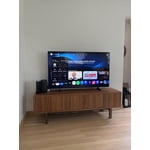
Member photos

  • +6 images
Sort by |
Showing 31-40 of 101 reviews
Jul 9, 2026
NJtvUser
3 out of 5 stars review

Its 75 inch

Even after playing with visual settings, it just felt bland. Sound also was an issue. Compared to a TLC, thos should of knocked it out of the park but its comparable.

Review from Samsung US
Helpful?0XWIJWU36LZK19823766916
reply from Samsung Advisor

Hi NjtvUser, We appreciate your feedback on the picture quality of Samsung’s M70HD TV. If the image doesn’t quite match your preferences, there are several adjustments you can make to better suit your viewing environment and content type. First, please ensure your TV is running the latest firmware, as updates may include important picture quality enhancements. Go to: Home > Left directional button > Settings > Support > Software Update > Update Now To explore picture mode options, navigate to: Home > Left directional button > Settings > All Settings > Picture > Picture Mode. Options include: • Standard – Ideal for general viewing • Dynamic – Brighter and more vibrant for well-lit spaces • Eco – Optimized for energy efficiency • Movie – Best for viewing in low light • Filmmaker Mode – Preserves the content creator’s intent and disables motion smoothing for supported content You can further customize your image by going to: Settings > All Settings > Picture > Expert Settings, where you can adjust Brightness, Contrast, Color Tone, Sharpness, Contrast Enhancer and more. To improve your sound, try different Sound Modes (Standard, Optimized, Amplify), or fine-tune your setup in Expert Settings under: Settings > All Settings > Sound If you’d like help finding the best picture or sound settings for your preferences, please don’t hesitate to contact Samsung Support at 1-800-SAMSUNG (8AM – 9PM EST Mon – Fri, 8AM – 6PM Sat – Sun). You can also LiveChat with an agent or explore additional resources on our website by clicking the ‘Support’ link. ~ Samsung Advisor

Jul 5, 2026
Ton3WicK
5 out of 5 stars review

Excellent TV For The Price!!

I love this tv it was a choice between the tv I currently own and and the Oled model I chose the mini led because honestly the picture looked a lot better and crisp

Review from Samsung US
Helpful?0XWIJWU36LZK19823766916
May 18, 2026
Ryj Ørny
5 out of 5 stars review

Best TV I've ever owned

[This review was collected as part of a promotion.] Best TV I've ever owned. The brightness is very Dynamic ranging from a dark room to being able to see it in a bright room and direct sunlight the color is really rich and the picture is crystal clear. Works great for high resolution as a monitor.

Review from Samsung US
Helpful?0XWIJWU36LZK19823766916
May 11, 2026
BC1028
5 out of 5 stars review

Exactly what I needed

[This review was collected as part of a promotion.] This TV has been amazing. Everybody mentions how good the picture looks when they come over. Makes you feel good about hosting parties. Sports look clear and everything pops with bright colors. Happy with this purchase as a lifelong Samsung purchaser.

Review from Samsung US
Helpful?0XWIJWU36LZK19823766916
May 20, 2026
Frank
3 out of 5 stars review

So so

[This review was collected as part of a promotion.] Tv is beautiful, as far as picture and all that stuff. The remote control is terrible!. Volume is hard to work and channel selection is very slow! Can't get my fingers to move the remote. I should have opted for the Visio instead!

Review from Samsung US
Helpful?0XWIJWU36LZK19823766916
reply from Samsung Specialist

Hi Frank, Thank you for sharing your experience. While it's great to hear you’re enjoying the Mini LED Processor 4K on your Samsung M70HD TV, please know we are here to support you with any issues you are encountering. If your remote isn’t responding, here are a few quick steps to help determine if it’s working correctly: 1. Check the batteries: Remove the back cover of your remote and replace the batteries with a fresh set, ensuring they are inserted in the correct direction. 2. Test for infrared signal: Point the front of the remote at your smartphone camera. While holding down any button, you should see a flashing light through the camera screen. (For iPhone users, the front-facing camera works best.) If you see the light, your remote is working and may need to be re-paired with your TV. 3. Point the remote correctly: Try pointing the remote directly at the TV from about 5-6 feet away. This can help ensure a clearer signal between the remote and the TV. 4. Reset the remote: Press and hold the Return and Enter (center of navigation pad) buttons for more than 10 seconds. 5. Re-pair the remote: After resetting, stand within 1 foot of your TV and press Return and Play/Pause simultaneously for at least 5 seconds, or until a pairing message appears on your TV. 6. Check for firmware updates, as these can include both TV and remote optimizations: Settings > Support > Software Update > Update Now If you still need assistance, please contact Samsung Support at 1-800-SAMSUNG (8AM – 9PM EST Mon – Fri, 8AM – 6PM Sat – Sun), or visit the ‘Support’ link on our website to start a LiveChat session. ~Samsung Advisor

May 10, 2026
XoxoJojo
5 out of 5 stars review

Real life in a box on my wall!

[This review was collected as part of a promotion.] Needed a smaller TV for my kids room and they absolutely love it. Just because it's smaller doesn't mean it lacks in quality or features! My kids are obsessed with it and I can't get them off the dang Xbox! The picture looks crazy, like real life is shining through the screen. The color is so vibrant and bright that you wouldn't know it's a movie if it didn't have a tiny black frame around it. Me and my family love Samsung and all our products! Thank you!

Review from Samsung US
Helpful?0XWIJWU36LZK19823766916
Jun 21, 2026
Rweaver
4 out of 5 stars review

Great upgrade

This television has been wonderful. Color, picture, and size fit the room well. The only reason for the4 instead of 5 is the apps load a little slower than I would like.

Review from Samsung US
Helpful?0XWIJWU36LZK19823766916
reply from Samsung Advisor

Hi Rweaver, Thank you for sharing your experience with the M70HD app on your TV. The issue you’re encountering may be related to network strength or stability. We recommend the following steps: 1. Connect to a 5GHz Wi-Fi network, if available 2. Use a wired LAN connection for increased stability 3. Reposition your router to reduce obstacles between the TV and the router Please also check that your TV is running the latest firmware by going to: Settings > Support > Software Update. From there, you can also enable Auto Update for added convenience. For improved app performance, we recommend running Device Care, which can help by clearing memory and closing background apps. To access it: Settings > Support > Device Care We hope these steps improve your streaming experience. If the issue continues, please reach out to us at 1-800-SAMSUNG (8AM – 9PM EST Mon – Fri, 8AM – 6PM Sat – Sun), or reach us via text anytime. You can also visit ‘Support’ on our website for: You can also chat with one of our agents by clicking the ‘Support’ link on our website for: • Live Chat • Manuals, Software, & Warranty Info ~ Samsung Advisor

Jun 1, 2026
Manny22
3 out of 5 stars review

Good TV with so-so UI.

[This review was collected as part of a promotion.] It's a good TV for the Samsung standard but the UI still needs a great deal of improvement after all these years.

Review from Samsung US
Helpful?0XWIJWU36LZK19823766916
reply from Samsung Advisor

Hi Manny22, We appreciate your feedback on the UI of the M70HD TV. For optimal performance, please ensure your TV is running the latest firmware. You can check this by going to: Home > left directional key > Settings > Support > Software Update To further optimize performance, try running Device Care, which checks memory, clears unused cached data, and closes background apps: Home > left directional key > Settings > Support > Device Care > Start Device Care If issues continue, please reach Samsung Support at 1-800-SAMSUNG (8AM – 9PM EST Mon – Fri, 8AM – 6PM Sat – Sun). LiveChat is also available via the ‘Support’ link on our website. ~Samsung Advisor

Jun 6, 2026
PRTY
5 out of 5 stars review

Another awesome product

[This review was collected as part of a promotion.] My only complaint was it won't let me register my TV. Kept saying my product number was incorrect.

Review from Samsung US
Helpful?0XWIJWU36LZK19823766916
Jun 21, 2026
Rich
2 out of 5 stars review

Other features are okay

Samsung has done the dumbest thing ever! They allow me to use my hearing aids but in doing so theycut off the sound for the rest of the room! I should be able to use the TV speakers at the same time I activate the hearing aids! How stupid!

Review from Samsung US
Helpful?0XWIJWU36LZK19823766916
reply from Samsung Advisor

Hi Rich, Thank you for reaching out to us. Please note that your TV features Multi-output Audio, enabling simultaneous sound through both the TV speakers and Bluetooth headphones. You can also adjust each audio output independently - for instance, keeping the TV volume lower while boosting volume on your headphones. To enable: Home > left directional key > Settings > All Settings > General & Privacy > Accessibility > Multi-output Audio We hope this tip helps. If you need additional help, feel free to reach Samsung Customer Support at 1-800-SAMSUNG (8AM – 9PM EST Mon – Fri, 8AM – 6PM Sat – Sun). You can also LiveChat with an agent or explore more resources under the Support link on our website. ~ Samsung Advisor