Skip to Main Content
Sam's Club
Sam's Club
All Departments
All Services
Customer reviews for SAMSUNG 65” Class M70H Series Mini LED 4K UHD Vision AI Companion Smart Tizen TV for
SAMSUNG 65” Class M70H Series Mini LED 4K UHD Vision AI Companion Smart Tizen TV
4.5 out of 5 stars
stars
326 ratings313 reviews
  1. 5 stars70% (229)
  2. 4 stars15% (48)
  3. 3 stars7% (24)
  4. 2 stars5% (17)
  5. 1 star2% (8)

Member photos

  • +80 images
Sort by |
Showing 21-30 of 313 reviews
Sep 5, 2026
Reviewer name: Humpy 58
5 out of 5 stars
5 out of 5 stars review

Love this TV

[This review was collected as part of a promotion.] It's the perfect size for my space and has an amazing picture, colors are so bright and vivid. As a senior I wish the remote was a little bigger it would be easier to hold and see especially if arthritis is present in my hands.

Review from Samsung US
Helpful?0XWIJWU36LZK19823766916
Aug 29, 2026
Reviewer name: TV watcher
5 out of 5 stars
5 out of 5 stars review

Great TV, not great remote control set up

[This review was collected as part of a promotion.] Not crazy about the remote control set up. The volume buttons are not the best to use. I struggle to turn it up and then it suddenly gets really loud when I just wanted it a bit louder. Same issue with reducing the volume. Wish we could turn off the AI option.

Review from Samsung US
Helpful?0XWIJWU36LZK19823766916
Sep 6, 2026
Reviewer name: CHICO
5 out of 5 stars
5 out of 5 stars review

75in upgrade to 85in great decision

[This review was collected as part of a promotion.] Great TV and so much more. Colors brilliant and bright sound is great. Images are beautifully defined. Samsung TV is great with so much to watch with out streaming services. AI technology and easy wireless connectivity makes respone time very fast.

Review from Samsung US
Helpful?0XWIJWU36LZK19823766916
Aug 23, 2026
Reviewer name: stoney
2 out of 5 stars
2 out of 5 stars review

Remote

[This review was collected as part of a promotion.] The picture is fine. The remote is the most difficult tool I have ever used. It is very small. The volume control has a "hair trigger" that very easily goes to the mute setting. I have not figured out how to select a channel on antenna viewing without going to the "guide" which is default set to the lowest channel to be received

Review from Samsung US
Helpful?0XWIJWU36LZK19823766916
reply from Samsung Advisor

Hi Stoney, While the M70HD TV Remote may appear minimal, many buttons offer multiple or long-press functions to help simplify the design without sacrificing functionality. For example: • Settings/Number/Color: Allows you to easily access your TV's Quick Settings and input channel numbers. • Volume rocker: Push up/down to adjust volume. Press and release quickly to mute. • Long-press Volume button: Hold for more than 1 second to open Accessibility Shortcuts. • RETURN button: Press to go back to the previous menu or screen. While watching TV, it takes you back to the previous channel. These functions allow for a more streamlined experience without adding extra buttons. Learn TV Remote is a feature designed to help users become familiar with the layout and function of each button on the Samsung remote. When enabled, pressing any button (except the Power button, which will still turn off the TV) will prompt the TV to announce the button’s name and its purpose – without affecting TV operation. This teaching mode is especially useful for users who are visually impaired or new to Samsung remotes. To enable this feature, go to: Settings > All Settings > General & Privacy > Accessibility > Learn TV Remote. To exit, simply press the Return key twice. If you’d like more assistance with this feature, please reach Samsung Support at 1-800-SAMSUNG (8AM – 9PM EST Mon – Fri, 8AM – 6PM Sat – Sun). LiveChat agents are also available through the ‘Support’ link on our website. ~ Samsung Advisor

Sep 6, 2026
Reviewer name: Always peeping
5 out of 5 stars
5 out of 5 stars review

Great look

[This review was collected as part of a promotion.] I like the look of the TV I like how lightweight it is. I like the way the picture looks. I like all the options it has I also like that you could add or delete things that you might want. I like the versatility of the TV.

Review from Samsung US
Helpful?0XWIJWU36LZK19823766916
Aug 20, 2026
Reviewer name: Suzy q
5 out of 5 stars
5 out of 5 stars review

Love the TV

[This review was collected as part of a promotion.] Wonderful color and very realistic picture. The sound is great too. We are not using our sound bar anymore. Only thing we struggle with is the remote. We wish it was more like the old-style remotes with more buttons. My husband has had several strokes and he struggles with the new remote.

Review from Samsung US
Helpful?0XWIJWU36LZK19823766916
Sep 7, 2026
Reviewer name: Chrisball
4 out of 5 stars
4 out of 5 stars review

I'm in love and you'll be too.
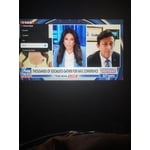
[This review was collected as part of a promotion.] We just ordered yesterday our Samsung 75" M70HD MINI LED 4K SMART TV w 4yr coverage. It was to replace a 65" smart Samsung from several years ago. I'm so happy w the color, 4k clarity,contrast & brightness looks great. And sound before hooking to my system is also pretty awesome. I gave 4 stars only because I can't speak to longevity yet but if it's anything like the last one it's a 5 star for sure. The remote is so easy to work with all the bells and whistles for customizations. I highly recommend my new Samsung TV you guys so don't hesitate on getting this one at all.

Review from Samsung US
Helpful?0XWIJWU36LZK19823766916
Sep 7, 2026
Reviewer name: Debbie
5 out of 5 stars
5 out of 5 stars review

Great picture quality

[This review was collected as part of a promotion.] The TV looks beautiful, feels very high quality, and the smart features are easy to use. I'm especially impressed with how detailed everything looks, even on a huge screen. It was definitely worth the investment, and I'm extremely happy with my purchase.

Review from Samsung US
Helpful?0XWIJWU36LZK19823766916
Sep 7, 2026
Reviewer name: Patricia
3 out of 5 stars
3 out of 5 stars review

Samsung customer

[This review was collected as part of a promotion.] Hello I've always been a Samsung TV customer But this TV that I had just bought in July The sound increases with a commercials. Also do not have cable I have apps only And when I Tune in to an app I have no volume for a couple minutes. This has just started happening the last three weeks. I will be contacting your technical dept. soon.

Review from Samsung US
Helpful?0XWIJWU36LZK19823766916
reply from Samsung Advisor

Hi Patricia, Thank you for your review. If you're not hearing sound from your M70HD TV, please try the following: • Check your volume and mute settings, and confirm external speakers are powered on. • If using HDMI ARC/eARC, make sure you’re using a certified HDMI cable and go to: Settings > All Settings > Sound > Expert Settings > HDMI eARC Mode = Auto. Also enable Anynet+ (HDMI-CEC) under External Device Manager. • For Optical, be sure the external audio device is on before connecting, and set Sound Output = Optical. • For Bluetooth, try unpairing and reconnecting: Settings > Sound > Sound Output > Bluetooth Speaker List • For Wi-Fi speakers, use: Sound Output > Wi-Fi Speaker Surround Setup and make sure both devices are on the same network. You can also try running a Sound Test: Settings > Support > Device Care > Self Diagnosis > Sound Test If you’re noticing volume fluctuations, try enabling Auto Volume to help maintain consistent levels: Settings > All Settings > Sound > Expert Settings > Auto Volume If your issue continues, we’re happy to help at 1-800-SAMSUNG (8AM – 9PM EST Mon – Fri, 8AM – 6PM Sat – Sun). Our LiveChat agents are also available by clicking the ‘Support’ link at Samsung.com. ~ Samsung Advisor

Aug 20, 2026
Reviewer name: TV Buff
5 out of 5 stars
5 out of 5 stars review

Trust Samsung Products

[This review was collected as part of a promotion.] Went straight to Samsung Name due to having a good rating overall. The picture, sound and size (50") is perfect for the bedroom. The only thing I had a problem with was the remote. I had to study the manual to understand the buttons. Still a little confusing.

Review from Samsung US
Helpful?0XWIJWU36LZK19823766916