Skip to Main Content
Sam's Club
Sam's Club
All Departments
All Services
Customer reviews for Samsung 4.1 Channel Soundbar w/Subwoofer - HW C47M for
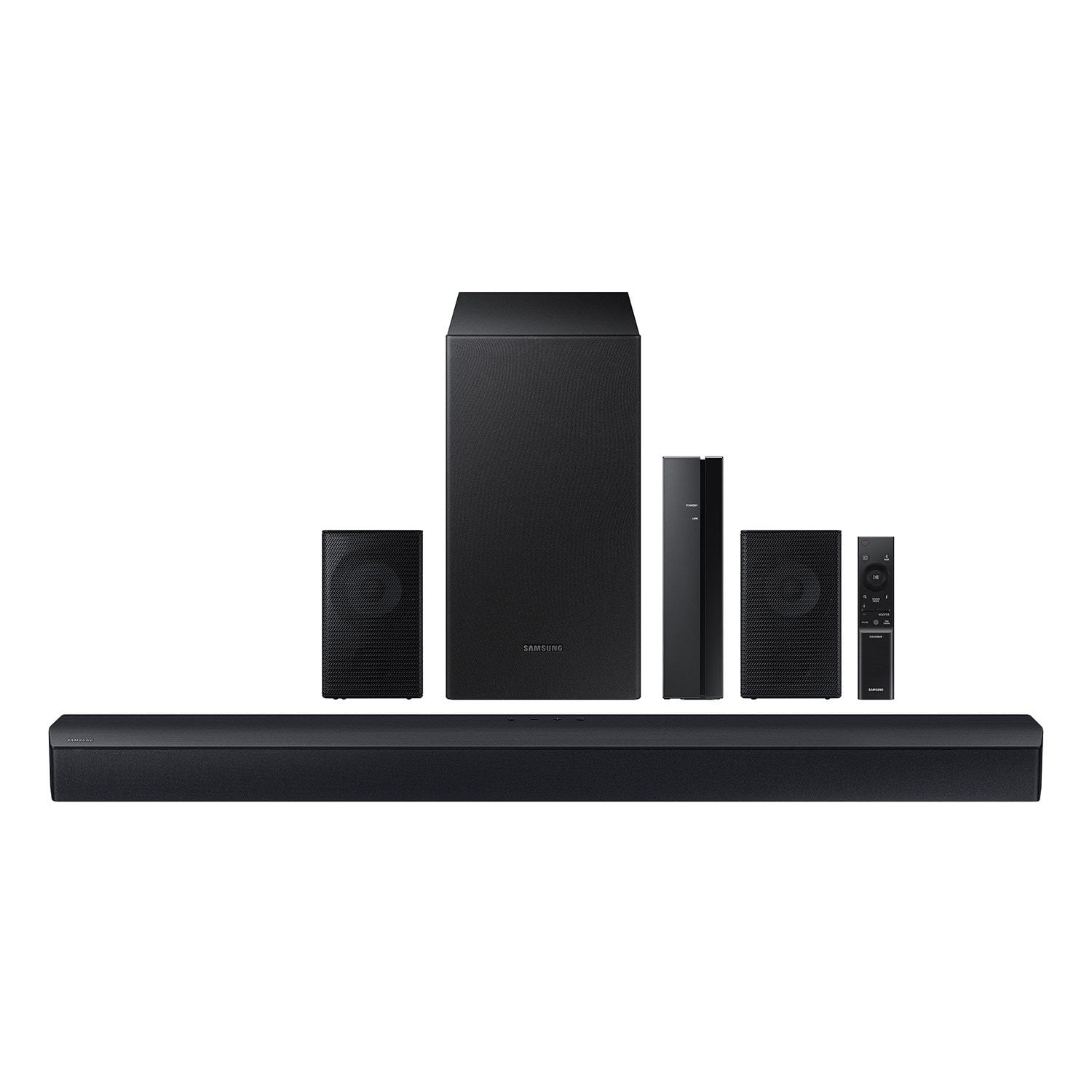
Samsung 4.1 Channel Soundbar w/Subwoofer - HW C47M
4.2 out of 5 stars
stars
800 ratings790 reviews
  1. 5 stars66% (531)
  2. 4 stars12% (98)
  3. 3 stars6% (48)
  4. 2 stars5% (38)
  5. 1 star11% (85)
Sort by |
Showing 71-80 of 790 reviews
Jan 23, 2026
Reviewer name: Travis
5 out of 5 stars
5 out of 5 stars review

Verified Purchase

Awesome system sounds amazing

Review from walmart.com
Helpful?6U2SK3AEJBKZ19585623078
Jan 3, 2026
Reviewer name: veronica
1 out of 5 stars
1 out of 5 stars review

Verified Purchase

great price not-so-great product

I cannot update the firmware. it is beyond annoying

Review from walmart.com
Helpful?6U2SK3AEJBKZ19585623078
reply from Samsung

Hello veronica,<br /><br />Thank you for taking a moment to review the HW-C47M Samsung Soundbar.<br /><br />When an update is available, you can update the Soundbar by connecting the USB drive that contains the update firmware to the SERVICE port of the Soundbar.<br /><br />1.Go to the Samsung Electronics website (www.samsung.com) → click on the “Support” option in the upper right corner. <br />2.Click on “Manuals &amp; Software” from the pop-up list &gt; TVs &amp; Home Theater &gt; Home Theater &gt; Select your model<br />2. Download the firmware file (USB type). <br />3. Unzip the file to create a folder with the file name. <br />4. Store the created folder in a USB and then connect it to the Soundbar. <br />5. A sequence of “UPDATE” &gt; “BYE” &gt; “ON” will appear on the display 3 times. This will take around 6 minutes.<br /> - During update, do not turn it off or remove the USB. <br /> - If “UPDATE” does not appear on the display window, remove the power cord from the Soundbar and then reconnect it.<br /> - When the latest Version is installed, no update is performed. <br /> - Depending on the USB type, update may not be supported.<br />6. After the 3 cycles are complete, the Soundbar will restart and last source used will appear on the display for about 20 seconds and then it will go off (“UPDATE” &gt; “BYE” &gt; “ON”) 3 times “D.IN” &gt; off<br /><br />If you need more help, Samsung is here for you. Please call us at 1-800-SAMSUNG, 8AM - 12AM EST (Ask for Soundbars), 7 days a week. Live Chat with an agent as well as manuals, software, creating a service ticket, and warranty info can be found at the ‘Support’ link on our Samsung website.<br /><br />~ Samsung Solutions

Apr 23, 2026
Reviewer name: Donald
5 out of 5 stars
5 out of 5 stars review

Verified Purchase

Easy set-up....solid sound.

Review from walmart.com
Helpful?6U2SK3AEJBKZ19585623078
Jan 2, 2026
Reviewer name: Tyra
5 out of 5 stars
5 out of 5 stars review

Verified Purchase

Great sound!!! Easy setup worth every penny!

Review from walmart.com
Helpful?6U2SK3AEJBKZ19585623078
Jan 30, 2026
Reviewer name: anonymous
4 out of 5 stars
4 out of 5 stars review

Verified Purchase

worth the cost

a cheap but good all around surround system

Review from walmart.com
Helpful?6U2SK3AEJBKZ19585623078
Apr 23, 2026
Reviewer name: Matthew
3 out of 5 stars
3 out of 5 stars review

Verified Purchase

Not user friendly. Had to consult YouTube for installation. Not all of us are sound engineers.

Review from walmart.com
Helpful?6U2SK3AEJBKZ19585623078
reply from Samsung

Hello Matthew,<br /><br />Thank you for taking a moment to review the Samsung HW-C47M Soundbar.<br /><br />You can optimize your audio performance to your liking by pressing the SOUND MODE button on your soundbar remote and then selecting the desired sound effect by choosing SURROUND SOUND, GAME, or STANDARD. <br /><br />By pressing the TONE CONTROL button, you can adjust the volume of the treble or bass sound between -6~&#43;6 by using the Up/Down buttons. <br /><br />Additionally, using the WOOFER button on the remote, you can adjust the subwoofer’s volume between -6 to &#43;6 by toggling the button up or down. To set the subwoofer volume level to 0, press the button down. <br /><br />When you press the CH LEVEL button, you can adjust the volume of the VIRTUAL CENTER LEVEL. This will allow you to adjust the overall dialogue between -6 to &#43;6 using the UP/DOWN button on the provided Soundbar remote. When you press the CH LEVEL button when the Wireless Rear Speaker Kit connected to the Soundbar, you can adjust the rear speakers between -6 to &#43;6 using the UP/DOWN buttons. <br /><br />Press and hold the SOUND CONTROL button for about 5 seconds to adjust the sound for each frequency band. 150Hz, 300Hz, 600Hz, 1.2kHz, 2.5kHz, 5kHz, and 10kHz are selectable using the Left/Right buttons and each can be adjusted to a setting between -6 to &#43;6 using the Up/Down buttons. (Make sure the Sound mode is set to “STANDARD”. <br /><br />If you need more help, Samsung is here for you. Please call us at 1-800-SAMSUNG, Mon – Fri 8 AM – 9 PM EST, Sat &amp; Sun 8 AM – 6 PM EST. Live Chat with an agent as well as manuals, software, creating a service ticket, and warranty info can be found at the ‘Support’ link on our Samsung website.<br /><br />~ Samsung Solutions

Apr 13, 2026
Reviewer name: Ronald
5 out of 5 stars
5 out of 5 stars review

Verified Purchase

Excellent Product

Excellent product, sinks very easy to my Fire. TV. Would definitely recommend.!

Review from walmart.com
Helpful?6U2SK3AEJBKZ19585623078
Jan 6, 2026
Reviewer name: Brandon
5 out of 5 stars
5 out of 5 stars review

Verified Purchase

Lovely

This is a really good in house surround soun system

Review from walmart.com
Helpful?6U2SK3AEJBKZ19585623078
Feb 11, 2026
Reviewer name: Connie
3 out of 5 stars
3 out of 5 stars review

Verified Purchase

Rear speakers don't have much sound

Review from walmart.com
Helpful?6U2SK3AEJBKZ19585623078
reply from Samsung

Hi Connie,<br /><br />Thank you for taking a moment to review the Samsung HW-C47M Soundbar. We value your feedback and will share it with our teams. <br /><br />Please know, there are various settings you can adjust to improve your experience with the rear speakers.<br /><br />You can adjust the volume of the rear speakers by using the remote included with the connected soundbar. Press the CH LEVEL button on the soundbar remote, then select REAR LEVEL and use the Up/Down buttons to adjust the volume within a -6 to &#43;6 range.<br /><br />Additionally, make sure that the source (e.g. TV output) is sending surround channels to the Soundbar. If you are using a format such as PCM, you may experience decreased volume to the rear speakers. Select Bitstream, Auto, or Pass-Through as these settings will allow the TV to send the correct channels to the rear speakers.<br /><br />I hope these tips help to enhance your audio enjoyment. Should you need further assistance with this issue or have any questions, please contact Samsung Customer Support.<br /><br />Select Samsung Soundbars allow you to enable or disable Dynamic Range Control. You can try turning off DRC by pressing and holding the Sound Mode button while the Soundbar is in standby mode.<br /><br />I hope this tip helps improve your enjoyment. For more help, please call us at 1-800-SAMSUNG (Ask for Soundbars), 8 AM – 12 AM EST, 7 days a week. Live Chat with an agent as well as manuals, software, creating a service ticket, and warranty info can be found at the ‘Support’ link on our Samsung website.<br /><br />~ Samsung Solutions

Mar 7, 2026
Reviewer name: WalmartCustomer
5 out of 5 stars
5 out of 5 stars review

Verified Purchase

One of the items appeared bigger on website otherwise very satisfied

Review from walmart.com
Helpful?6U2SK3AEJBKZ19585623078