Skip to Main Content
Sam's Club
Sam's Club
All Departments
All Services
Customer reviews for Samsung 4.1 Channel Soundbar w/Subwoofer - HW C47M for
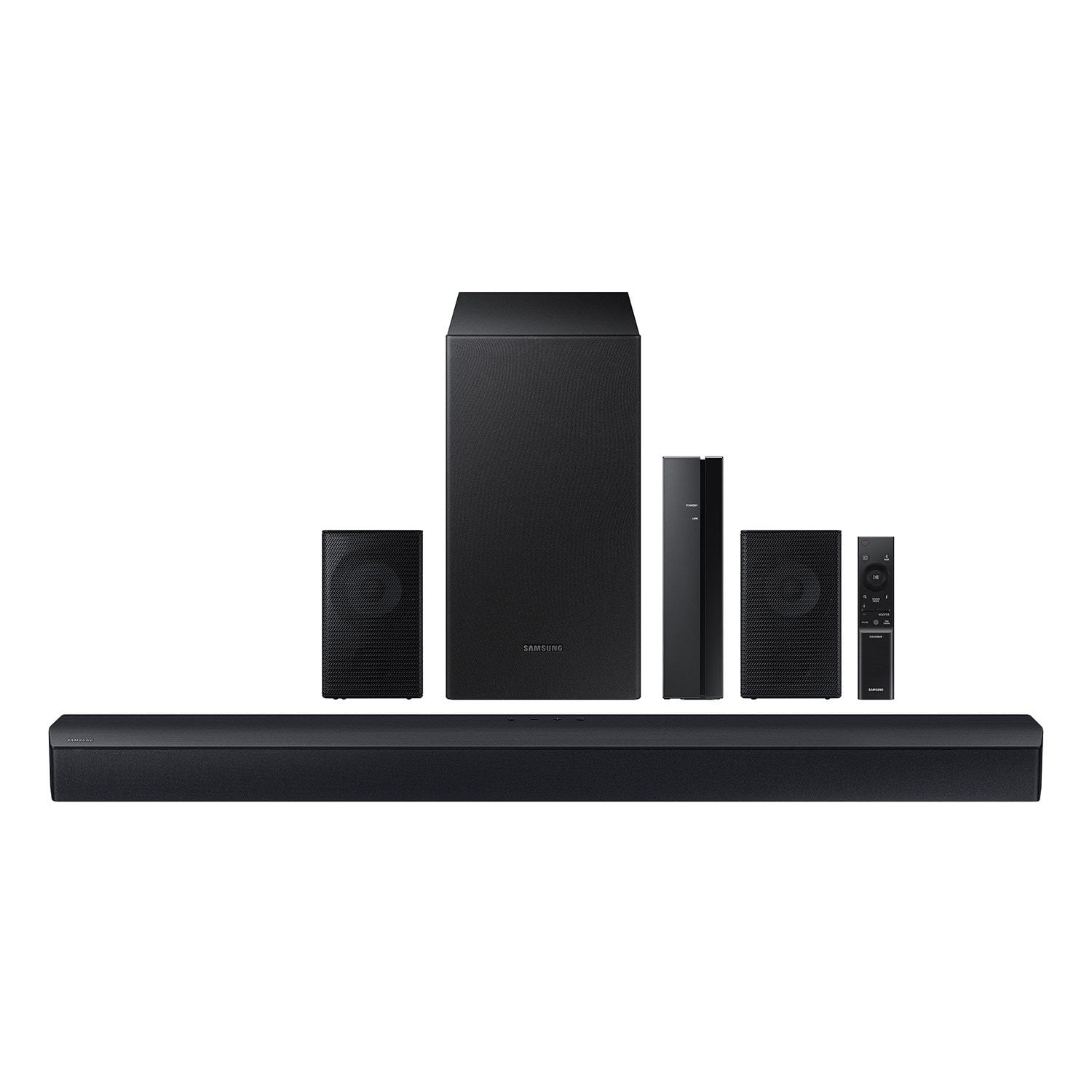
Samsung 4.1 Channel Soundbar w/Subwoofer - HW C47M
4.2 out of 5 stars
stars
800 ratings790 reviews
  1. 5 stars66% (531)
  2. 4 stars12% (98)
  3. 3 stars6% (48)
  4. 2 stars5% (38)
  5. 1 star11% (85)
Sort by |
Showing 581-590 of 790 reviews
Nov 21, 2023
Reviewer name: BeachMom
5 out of 5 stars
5 out of 5 stars review

Verified Purchase

Really like this system. I have a Samsung TV as well. Setup and installation was super easy.

Review from walmart.com
Helpful?6U2SK3AEJBKZ19585623078
Nov 30, 2023
Reviewer name: Andy
2 out of 5 stars
2 out of 5 stars review

Verified Purchase

Not satisfied with the "surroundness"

The rear speakers arent tbat loud even at max volume, subwoofer doesnt produce much bass

Review from walmart.com
Helpful?6U2SK3AEJBKZ19585623078
reply from Samsung

Hello Andy, Thank you for sharing your experiences with the HW-B47M Samsung Soundbar. I am sorry to see that your time with the Soundbar has not been ideal. You can optimize your audio performance to your liking by pressing the SOUND MODE button on your soundbar remote and then selecting the desired sound effect by choosing SURROUND SOUND, GAME or STANDARD. By pressing the TONE CONTROL button, you can adjust the volume of the treble or bass sound. Press the button to select TREBLE or BASS and then adjust the volume between -6~+6 by using the Up/Down buttons. Press and hold the SOUND CONTROL button for about 5 seconds to adjust the sound for each frequency band. 150Hz, 300Hz, 600Hz, 1.2kHz, 2.5kHz, 5kHz, and 10kHz are selectable using the Left/Right buttons and each can be adjusted to a setting between -6 to +6 using the Up/Down buttons. (Make sure the Sound mode is set to “STANDARD”. Additionally, using the WOOFER button on the remote, you can adjust the subwoofer’s volume between -6 to +6 by toggling the button up or down. To set the subwoofer volume level to 0, press the button down. If we can further help with any other issues, please know we are here for you. Just call us at 1-800-SAMSUNG (Ask for Soundbars), 8 AM – 12 AM EST, 7 days a week. Or visit us on the Samsung website and click on the ‘Support’ link for: • LiveChat with an agent • Manuals, Software, & Warranty Info ~ Samsung Solutions

Jan 8, 2025
Reviewer name: alexis
5 out of 5 stars
5 out of 5 stars review

Verified Purchase

Amazing sound

Great quality sound system for a good price

Review from walmart.com
Helpful?6U2SK3AEJBKZ19585623078
Nov 19, 2023
Reviewer name: Byron1961
5 out of 5 stars
5 out of 5 stars review

Verified Purchase

Great value

Excellent sounds great package!!!

Review from walmart.com
Helpful?6U2SK3AEJBKZ19585623078
Nov 29, 2023
Reviewer name: Anonymous
5 out of 5 stars
5 out of 5 stars review

Verified Purchase

sound quality is very good, and set up was easy.

Review from walmart.com
Helpful?6U2SK3AEJBKZ19585623078
May 6, 2024
Reviewer name: ellis
1 out of 5 stars
1 out of 5 stars review

Verified Purchase

Terrible

The power cords are missing for the sound bar and amp plus no instructions and remote

Review from walmart.com
Helpful?6U2SK3AEJBKZ19585623078
reply from Samsung

ellis, Please know you are leaving a review for the HW-C47M, not the service provided by Walmart. Please follow up directly with Walmart for further assistance. We hope your issue is resolved in a timely manner. Should you have questions regarding Samsung Products, please contact Samsung Support at 1-800-SAMSUNG, 8AM - 12AM EST, 7 days a week. Our LiveChat agents are also available by clicking on the ‘Support’ link on our website. ~ Samsung Solutions

Sep 20, 2024
Reviewer name: afusat
1 out of 5 stars
1 out of 5 stars review

Verified Purchase

It keeps disconnecting every time

Review from walmart.com
Helpful?6U2SK3AEJBKZ19585623078
reply from Samsung

Hello afusat, We appreciate you taking a moment to review the Samsung HW-C47M Soundbar. An optical cable is also another way to connect your soundbar to your TV. You can also connect your devices (cable boxes, video game systems, and Blu-ray players) to the TV, and have the sound output from the TV to the soundbar. 1. With the TV and soundbar turned on, connect one end of a digital optical cable to the OPTICAL OUT port on the TV. 2. Then, connect the other end to the DIGITAL AUDIO IN (OPTICAL) port on the soundbar. 3. Press Source on the remote or soundbar, and then set the soundbar to the D.IN. setting. 4. Finally, on the TV, you need to set the speaker output to external speakers. 5. Navigate to Settings, and then press Up on the navigation arrows to highlight Quick settings. 6. Press the right directional arrow to highlight TV Speaker and press select to change it to Optical (external speakers). The TV's sound will now play from the soundbar. If you need more help, Samsung is here for you. Please call us at 1-800-SAMSUNG, 8AM - 12AM EST (Ask for Soundbars), 7 days a week. Our Live Chat agents are also available by clicking on the ‘Support’ link on our website. ~ Samsung Solutions

Nov 17, 2023
Reviewer name: WalmartCustomer
5 out of 5 stars
5 out of 5 stars review

Verified Purchase

[This review was collected as part of a promotion.] Nice brand, nice price!

Review from walmart.com
Helpful?6U2SK3AEJBKZ19585623078
Dec 4, 2023
Reviewer name: sequoia
5 out of 5 stars
5 out of 5 stars review

Verified Purchase

Amazing sound

It sounds amazing when you are playing music or anything really

Review from walmart.com
Helpful?6U2SK3AEJBKZ19585623078
Dec 1, 2023
Reviewer name: Ricardo
5 out of 5 stars
5 out of 5 stars review

Verified Purchase

Good sound for the price

For the price it does have good sound and bass

Review from walmart.com
Helpful?6U2SK3AEJBKZ19585623078