Skip to Main Content
Sams Club
Sams Club
Customer reviews for Samsung 4.1 Channel Soundbar w/Subwoofer - HW C47M for
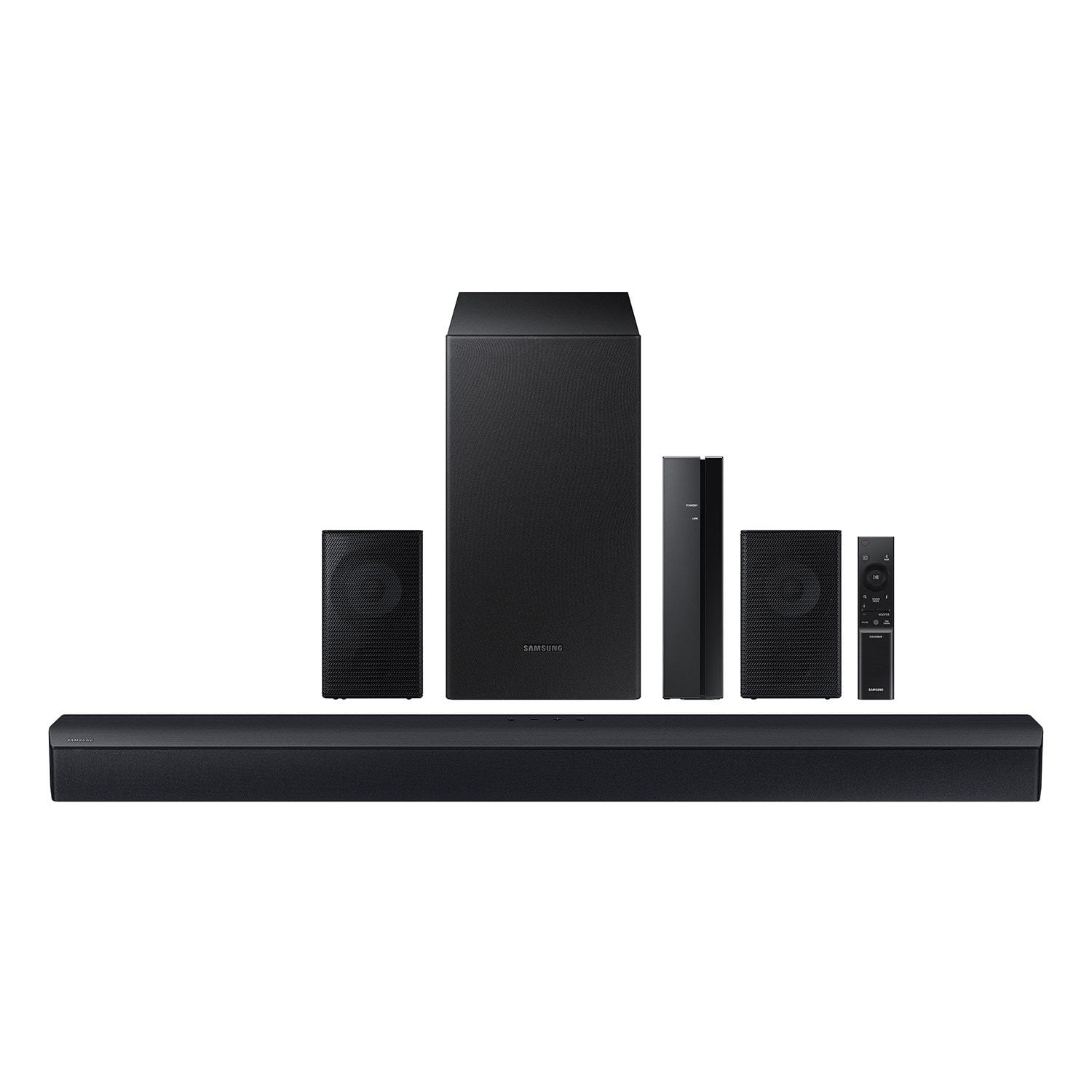
Samsung 4.1 Channel Soundbar w/Subwoofer - HW C47M
4.2 out of 5 stars
stars776 ratings776 reviews
  1. 5 stars67% (520)
  2. 4 stars12% (90)
  3. 3 stars6% (46)
  4. 2 stars5% (38)
  5. 1 star11% (82)
Write a review
Sort by |
Showing 561-570 of 776 reviews
Sep 20, 2024
afusat
1 out of 5 stars review

Verified Purchase

It keeps disconnecting every time

Review from walmart.com
Helpful?6U2SK3AEJBKZ19585623078
reply from Samsung

Hello afusat,<br /><br />We appreciate you taking a moment to review the Samsung HW-C47M Soundbar.<br /><br />An optical cable is also another way to connect your soundbar to your TV. You can also connect your devices (cable boxes, video game systems, and Blu-ray players) to the TV, and have the sound output from the TV to the soundbar.<br />1. With the TV and soundbar turned on, connect one end of a digital optical cable to the OPTICAL OUT port on the TV.<br />2. Then, connect the other end to the DIGITAL AUDIO IN (OPTICAL) port on the soundbar.<br />3. Press Source on the remote or soundbar, and then set the soundbar to the D.IN. setting.<br />4. Finally, on the TV, you need to set the speaker output to external speakers.<br />5. Navigate to Settings, and then press Up on the navigation arrows to highlight Quick settings.<br />6. Press the right directional arrow to highlight TV Speaker and press select to change it to Optical (external speakers). The TV&#39;s sound will now play from the soundbar.<br /><br />If you need more help, Samsung is here for you. Please call us at 1-800-SAMSUNG, 8AM - 12AM EST (Ask for Soundbars), 7 days a week. Our Live Chat agents are also available by clicking on the ‘Support’ link on our website.<br /><br />~ Samsung Solutions

Nov 25, 2023
Juan
5 out of 5 stars review

Verified Purchase

Great sound quality

Has great volume and sorround sound

Review from walmart.com
Helpful?6U2SK3AEJBKZ19585623078
Nov 25, 2023
RAY
5 out of 5 stars review

Verified Purchase

Great item

Great item Great sound easy to hook up.

Review from walmart.com
Helpful?6U2SK3AEJBKZ19585623078
Mar 23, 2025
Chance
3 out of 5 stars review

Verified Purchase

Quality is not the greatest, and the sound cuts off every hour for about 5 seconds

Review from walmart.com
Helpful?6U2SK3AEJBKZ19585623078
reply from Samsung

Hello Chance,<br /><br />Thank you for taking a few moments to review the Samsung HW-C47M Soundbar.<br /><br />Updating the firmware on your soundbar gives you all the benefits of the latest improvements. When an update is available, you can update the Soundbar by connecting the USB drive that contains the update firmware to the SERVICE port of the Soundbar.<br /><br />1.Go to the Samsung Electronics website (www.samsung.com) → click on the “Support” option in the upper right corner. <br />2.Click on “Manuals &amp; Software” from the pop-up list &gt; TVs &amp; Home Theater &gt; Home Theater &gt; Select your model<br />2. Download the firmware file (USB type). <br />3. Unzip the file to create a folder with the file name. <br />4. Store the created folder in a USB and then connect it to the Soundbar. <br />5. A sequence of “UPDATE” &gt; “BYE” &gt; “ON” will appear on the display 3 times. This will take around 6 minutes.<br /> - During update, do not turn it off or remove the USB. <br /> - If “UPDATE” does not appear on the display window, remove the power cord from the Soundbar and then reconnect it.<br /> - When the latest Version is installed, no update is performed. <br /> - Depending on the USB type, update may not be supported.<br />6. After the 3 cycles are complete, the Soundbar will restart and last source used will appear on the display for about 20 seconds and then it will go off (“UPDATE” &gt; “BYE” &gt; “ON”) 3 times “D.IN” &gt; off<br /><br />You can also try doing a soft reset, unplug the soundbar from the outlet for roughly 30 seconds and then plug it back in. <br /><br />If this still does not correct your issue, then do a hard reset. With the Soundbar on, press the &#43; &amp; - Volume buttons on the body of the soundbar at the same time for at least 5 seconds. INIT OK” appears on the display and then the Soundbar is reset.<br /><br />If you need more help, Samsung is here for you. Please call us at 1-800-SAMSUNG, 8AM - 12AM EST (Ask for Soundbars), 7 days a week. Our Live Chat agents are also available by clicking on the ‘Support’ link on our website.<br /><br />~ Samsung Solutions

Feb 14, 2025
WalmartCustomer
4 out of 5 stars review

Verified Purchase

I'm moving, so I'm unable to rate at this time.

Review from walmart.com
Helpful?6U2SK3AEJBKZ19585623078
Mar 14, 2025
Teresa
5 out of 5 stars review

Verified Purchase

nice surround sound with rear speakers... awesome

Review from walmart.com
Helpful?6U2SK3AEJBKZ19585623078
Jan 13, 2025
EddieD
5 out of 5 stars review

Verified Purchase

Go Get It Now

Easy set-up and sound quality is top notch at fraction of the price.

Review from walmart.com
Helpful?6U2SK3AEJBKZ19585623078
Jan 10, 2025
obdulia
5 out of 5 stars review

Verified Purchase

Worth it makes watching movies and jamming out exited… super loud and easy to setup.

Review from walmart.com
Helpful?6U2SK3AEJBKZ19585623078
Aug 20, 2024
keith
5 out of 5 stars review

Verified Purchase

crisp sound and decent volume

Review from walmart.com
Helpful?6U2SK3AEJBKZ19585623078
Feb 26, 2024
Sean
5 out of 5 stars review

Verified Purchase

Great

Definitely worth the price my tv sounds amazing

Review from walmart.com
Helpful?6U2SK3AEJBKZ19585623078